

VB .NET Excel Library
- Visual Basic API to Create Excel Worksheets in .NET
- Read, Update & Create Excel Spreadsheet files in VB.NET
- No Need for Microsoft Office or Excel Interop
- Fully Supports .NET Core, Framework, Xamarin, Mobile and Azure
Get Started with Code Samples
 Work with Excel WorkSheets in VB .NET
using IronXL;
// Create new Excel spreadsheet
WorkBook workBook = WorkBook.Create(ExcelFileFormat.XLSX);
// Create worksheets (workSheet1, workSheet2, workSheet3)
WorkSheet workSheet1 = workBook.CreateWorkSheet("workSheet1");
WorkSheet workSheet2 = workBook.CreateWorkSheet("workSheet2");
WorkSheet workSheet3 = workBook.CreateWorkSheet("workSheet3");
// Set worksheet position (workSheet2, workSheet1, workSheet3)
workBook.SetSheetPosition("workSheet2", 0);
// Set active for workSheet3
workBook.SetActiveTab(2);
// Remove workSheet1
workBook.RemoveWorkSheet(1);
workBook.SaveAs("manageWorkSheet.xlsx");
Imports IronXL

' Create new Excel spreadsheet
Dim workBook As WorkBook = WorkBook.Create(ExcelFileFormat.XLSX)

' Create worksheets (workSheet1, workSheet2, workSheet3)
Dim workSheet1 As WorkSheet = workBook.CreateWorkSheet("workSheet1")
Dim workSheet2 As WorkSheet = workBook.CreateWorkSheet("workSheet2")
Dim workSheet3 As WorkSheet = workBook.CreateWorkSheet("workSheet3")

' Set worksheet position (workSheet2, workSheet1, workSheet3)
workBook.SetSheetPosition("workSheet2", 0)

' Set active for workSheet3
workBook.SetActiveTab(2)

' Remove workSheet1
workBook.RemoveWorkSheet(1)

workBook.SaveAs("manageWorkSheet.xlsx")
PM > Install-Package IronXL.Excel

Direct Support from Our VB .NET Development Team
The Iron Visual Basic .NET product development team is available to support your questions. Get in touch to make the most of our library in your project.
Work with Excel Files in VB.NET
Quick way to work with Excel Worksheets in Visual Basic VB.NET. Works in VB .NET Core and Azure with no special dependencies and no need to install MS Office or Interop.
Read & Write Excel Files in VB.NET
IronXL allows you to read Excel data from Spreadsheets in your .NET APPs. Read & Edit XLS/XLSX/CSV/TSV - Save & Export to XLS/XLSX/CSV/TSV/JSON.
Native SQL Support
Move Data between Excel, SQL and GridViews by accessing worksheets as System.Data.DataSet and System.Data.DataTable objects.
Update Excel Data in Visual Basic .NET
Works with Microsoft Excel formulas - recalculate if a worksheet it updated. Easy to use WorkSheet [“A1:B10”] syntax. Sort by Ranges, Columns and Rows.
Style Excel Sheet Cells with VB
Set Font, Size, Background, Border, Alignment and Number format.
Install into Microsoft Visual Studio
IronXL gives you Excel generation and editing tools. Install directly from NuGet or download the DLL.Supports:






Licensing & Pricing
Free community development licenses. Licenses from $999.
View Full License Options




Excel Spreadsheet Tutorials for VB .NET
VBExcelASP.NET

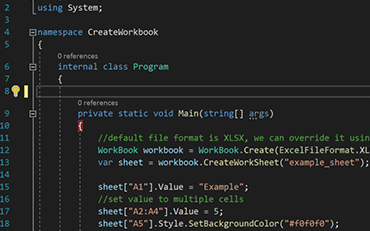
How to Create Excel Files in .NET
See How Jonas uses IronXL to generate Excel Files without using Office Interop...
View Jonas' Excel File Generation Tutorial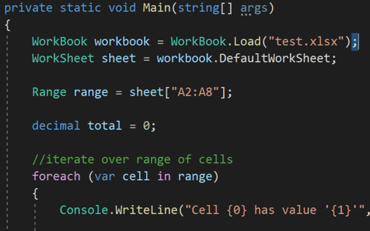
C#ExcelXLS

Open and Edit Excel Files in VB.NET
Elijah shares a no-nonsense approach to reading Excel data into C# Applications...
See Elijah's Excel Reading & Editing Tutorial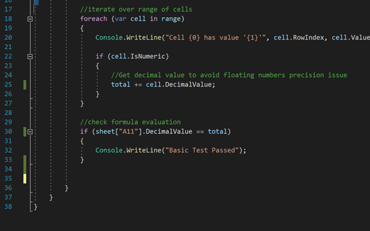
C#ExcelData

How to Read Excel Files into .NET Apps.
Rebecca's code walkthrough for reading Excel data into a .NET application...
Read Becky's C# TutorialProfessional developers use IronXL for...
Accounting and Finance Systems
- # Receipts
- # Reporting
- # Invoice Printing

Business Digitization
- # Documentation
- # Ordering & Labelling
- # Paper Replacement

Enterprise Content Management
- # Content Production
- # Document Management
- # Content Distribution

Data and Reporting Applications
- # Performance Tracking
- # Trend Mapping
- # Reports



Thousands of corporations, governments, SMEs and developers alike trust Iron software products.
Iron's team have over 10 years experience in the .NET software component market.








Reading & Writing Excel Files in C#...





IronXL is a part of IRONSUITE
10 .NET API products for your office documents
Product Links
Ready to Get Started?
Nuget Downloads 2,280,941|Version:2026.10just released

The Excel API you need, without the Office Interop hassle.

