

C# QR Code Library
- Read &
- Fast & Accurate using QR Code Images
- Built for .NET Core, Standard, & Framework
Code Samples for QR Code Apps
 Barcode Quickstart
using IronBarCode;
using System.Drawing;
// Reading a barcode is easy with IronBarcode!
var resultFromFile = BarcodeReader.Read(@"file/barcode.png"); // From a file
var resultFromBitMap = BarcodeReader.Read(new Bitmap("barcode.bmp")); // From a bitmap
var resultFromImage = BarcodeReader.Read(Image.FromFile("barcode.jpg")); // From an image file
var resultFromPdf = BarcodeReader.ReadPdf(@"file/mydocument.pdf"); // From PDF use ReadPdf
// To configure and fine-tune barcode reading, utilize the BarcodeReaderOptions class
var myOptionsExample = new BarcodeReaderOptions
{
// Choose a reading speed from: Faster, Balanced, Detailed, ExtremeDetail
// There is a tradeoff in performance as more detail is set
Speed = ReadingSpeed.Balanced,
// Reader will stop scanning once a single barcode is found (if set to true)
ExpectMultipleBarcodes = true,
// By default, all barcode formats are scanned for
// Specifying a subset of barcode types to search for would improve performance
ExpectBarcodeTypes = BarcodeEncoding.AllOneDimensional,
// Utilize multiple threads to read barcodes from multiple images in parallel
Multithreaded = true,
// Maximum threads for parallelized barcode reading
// Default is 4
MaxParallelThreads = 2,
// The area of each image frame in which to scan for barcodes
// Specifying a crop area will significantly improve performance and avoid noisy parts of the image
CropArea = new Rectangle(),
// Special setting for Code39 barcodes
// If a Code39 barcode is detected, try to read with both the base and extended ASCII character sets
UseCode39ExtendedMode = true
};
// Read with the options applied
var results = BarcodeReader.Read("barcode.png", myOptionsExample);
// Create a barcode with one line of code
var myBarcode = BarcodeWriter.CreateBarcode("12345", BarcodeWriterEncoding.EAN8);
// After creating a barcode, we may choose to resize
myBarcode.ResizeTo(400, 100);
// Save our newly-created barcode as an image
myBarcode.SaveAsImage("EAN8.jpeg");
// Get the barcode as an image for further processing
var myBarcodeImage = myBarcode.Image;
using IronBarCode;
using System.Drawing;

// Reading a barcode is easy with IronBarcode!
var resultFromFile = BarcodeReader.Read(@"file/barcode.png"); // From a file
var resultFromBitMap = BarcodeReader.Read(new Bitmap("barcode.bmp")); // From a bitmap
var resultFromImage = BarcodeReader.Read(Image.FromFile("barcode.jpg")); // From an image file
var resultFromPdf = BarcodeReader.ReadPdf(@"file/mydocument.pdf"); // From PDF use ReadPdf

// To configure and fine-tune barcode reading, utilize the BarcodeReaderOptions class
var myOptionsExample = new BarcodeReaderOptions
{
    // Choose a reading speed from: Faster, Balanced, Detailed, ExtremeDetail
    // There is a tradeoff in performance as more detail is set
    Speed = ReadingSpeed.Balanced,

    // Reader will stop scanning once a single barcode is found (if set to true)
    ExpectMultipleBarcodes = true,

    // By default, all barcode formats are scanned for
    // Specifying a subset of barcode types to search for would improve performance
    ExpectBarcodeTypes = BarcodeEncoding.AllOneDimensional,

    // Utilize multiple threads to read barcodes from multiple images in parallel
    Multithreaded = true,

    // Maximum threads for parallelized barcode reading
    // Default is 4
    MaxParallelThreads = 2,

    // The area of each image frame in which to scan for barcodes
    // Specifying a crop area will significantly improve performance and avoid noisy parts of the image
    CropArea = new Rectangle(),

    // Special setting for Code39 barcodes
    // If a Code39 barcode is detected, try to read with both the base and extended ASCII character sets
    UseCode39ExtendedMode = true
};

// Read with the options applied
var results = BarcodeReader.Read("barcode.png", myOptionsExample);

// Create a barcode with one line of code
var myBarcode = BarcodeWriter.CreateBarcode("12345", BarcodeWriterEncoding.EAN8);

// After creating a barcode, we may choose to resize
myBarcode.ResizeTo(400, 100);

// Save our newly-created barcode as an image
myBarcode.SaveAsImage("EAN8.jpeg");

// Get the barcode as an image for further processing
var myBarcodeImage = myBarcode.Image;
Imports IronBarCode
Imports System.Drawing

' Reading a barcode is easy with IronBarcode!
Dim resultFromFile = BarcodeReader.Read("file/barcode.png") ' From a file
Dim resultFromBitMap = BarcodeReader.Read(New Bitmap("barcode.bmp")) ' From a bitmap
Dim resultFromImage = BarcodeReader.Read(Image.FromFile("barcode.jpg")) ' From an image file
Dim resultFromPdf = BarcodeReader.ReadPdf("file/mydocument.pdf") ' From PDF use ReadPdf

' To configure and fine-tune barcode reading, utilize the BarcodeReaderOptions class
Dim myOptionsExample As New BarcodeReaderOptions With {
    ' Choose a reading speed from: Faster, Balanced, Detailed, ExtremeDetail
    ' There is a tradeoff in performance as more detail is set
    .Speed = ReadingSpeed.Balanced,

    ' Reader will stop scanning once a single barcode is found (if set to true)
    .ExpectMultipleBarcodes = True,

    ' By default, all barcode formats are scanned for
    ' Specifying a subset of barcode types to search for would improve performance
    .ExpectBarcodeTypes = BarcodeEncoding.AllOneDimensional,

    ' Utilize multiple threads to read barcodes from multiple images in parallel
    .Multithreaded = True,

    ' Maximum threads for parallelized barcode reading
    ' Default is 4
    .MaxParallelThreads = 2,

    ' The area of each image frame in which to scan for barcodes
    ' Specifying a crop area will significantly improve performance and avoid noisy parts of the image
    .CropArea = New Rectangle(),

    ' Special setting for Code39 barcodes
    ' If a Code39 barcode is detected, try to read with both the base and extended ASCII character sets
    .UseCode39ExtendedMode = True
}

' Read with the options applied
Dim results = BarcodeReader.Read("barcode.png", myOptionsExample)

' Create a barcode with one line of code
Dim myBarcode = BarcodeWriter.CreateBarcode("12345", BarcodeWriterEncoding.EAN8)

' After creating a barcode, we may choose to resize
myBarcode.ResizeTo(400, 100)

' Save our newly-created barcode as an image
myBarcode.SaveAsImage("EAN8.jpeg")

' Get the barcode as an image for further processing
Dim myBarcodeImage = myBarcode.Image
Imports IronBarCode
Imports System.Drawing
' Reading a barcode is easy with IronBarcode!
Dim resultFromFile = BarcodeReader.Read("file/barcode.png") ' From a file
Dim resultFromBitMap = BarcodeReader.Read(New Bitmap("barcode.bmp")) ' From a bitmap
Dim resultFromImage = BarcodeReader.Read(Image.FromFile("barcode.jpg")) ' From an image file
Dim resultFromPdf = BarcodeReader.ReadPdf("file/mydocument.pdf") ' From PDF use ReadPdf
' To configure and fine-tune barcode reading, utilize the BarcodeReaderOptions class
Dim myOptionsExample As New BarcodeReaderOptions With {
' Choose a reading speed from: Faster, Balanced, Detailed, ExtremeDetail
' There is a tradeoff in performance as more detail is set
.Speed = ReadingSpeed.Balanced,
' Reader will stop scanning once a single barcode is found (if set to true)
.ExpectMultipleBarcodes = True,
' By default, all barcode formats are scanned for
' Specifying a subset of barcode types to search for would improve performance
.ExpectBarcodeTypes = BarcodeEncoding.AllOneDimensional,
' Utilize multiple threads to read barcodes from multiple images in parallel
.Multithreaded = True,
' Maximum threads for parallelized barcode reading
' Default is 4
.MaxParallelThreads = 2,
' The area of each image frame in which to scan for barcodes
' Specifying a crop area will significantly improve performance and avoid noisy parts of the image
.CropArea = New Rectangle(),
' Special setting for Code39 barcodes
' If a Code39 barcode is detected, try to read with both the base and extended ASCII character sets
.UseCode39ExtendedMode = True
}
' Read with the options applied
Dim results = BarcodeReader.Read("barcode.png", myOptionsExample)
' Create a barcode with one line of code
Dim myBarcode = BarcodeWriter.CreateBarcode("12345", BarcodeWriterEncoding.EAN8)
' After creating a barcode, we may choose to resize
myBarcode.ResizeTo(400, 100)
' Save our newly-created barcode as an image
myBarcode.SaveAsImage("EAN8.jpeg")
' Get the barcode as an image for further processing
Dim myBarcodeImage = myBarcode.Image

Human Support Directly From Our Development Team
Whether it's product, integration or licensing queries, the Iron product development team is on hand to support all of your questions. Get in touch and start a dialog with Iron to make the most of our library in your project.
Finds Multiples QR Code Types
IronBarcode reads and generates the majority of barcode and QR standards including UPC A/E, EAN 8/13, Code 39, Code 93, Code 128, ITF, MSI, RSS 14/Expanded, Databar, CodaBar, QR, Styled QR, Data Matrix, MaxiCode, PDF417, Plessey, and Aztec. Results provide barcode data, type, page, text, and barcode image; ideal for archive or indexing systems.
Fast & Accurate Reading with Image Pre Processing
IronBarcode automatically pre processes barcode images to improve speed and accuracy. Correcting rotation, noise, distortion and skewing to read scans or live video frames. Multi core, multi thread ready for batch processing server applications. Automatically find one or multiple barcodes in single and multi page documents. Search for specific barcode types or document locations without the need for complex APIs.
Built for easy use in .NET Core, Standard & Framework Projects
Get started in minutes with a few lines of code. Built for the .NET as an easy to use single DLL; without dependencies; supporting 32 & 64 bit; in any .NET Language. Use in Web, Cloud, Desktop or Console Applications; supporting Mobile & Desktop devices.You can download the software product from this link.
Write QR Codes to Multiple Formats
Save or Print to a file or stream, as PDF, JPG, TIFF, GIF, BMP, PNG, or HTML formats. Set colour, quality, rotation, size and text. Use the C# Barcode Programming toolbox along with IronPDF and IronOCR for a full .NET Document Library.Supports:






Licensing & Pricing
Free community development licenses. Commercial licenses from $999.
View Full License Options




QR code Tutorials for C# & VB .NET
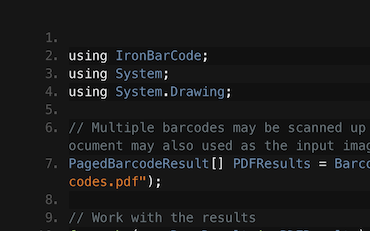

Read Barcodes & QRs | C# VB .NET Tutorial
See How Frank uses IronBarcode to Read Barcodes from Scans, Photos, & PDF documents inside his C# .NET Barcode Application...
View Frank's Barcode Reading Tutorial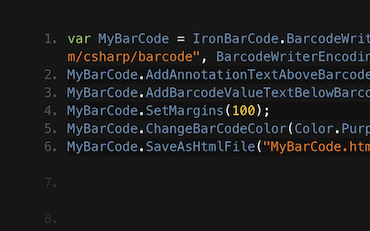

Generating Barcode Images in C# or VB.NET
Francesca shares some tips and tricks for writing Barcodes to Images in C# or VB Applications. See how to write the barcodes and all the options available to you with IronBarcode...
See Francesca's Barcode Tutorial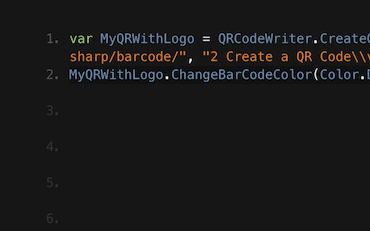

Tutorial for Writing QR codes in C# & VB .NET Applications
Jenny's Team use IronBarcode to write thousands of QRs per day. See their tutorial on getting the most out of IronBarcode...
QR Writing Tutorial from Jenny's TeamThousands of developers use IronBarcode for...
Accounting and Finance Systems
- # Receipts
- # Reporting
- # Invoice Printing

Business Digitization
- # Documentation
- # Ordering & Labelling
- # Paper Replacement

Enterprise Content Management
- # Content Production
- # Document Management
- # Content Distribution

Data and Reporting Applications
- # Performance Tracking
- # Trend Mapping
- # Reports



Thousands of corporations, governments, SMEs and developers alike trust Iron software products.
Iron's team have over 10 years experience in the .NET software component market.








Reading and Writing Barcodes & QR in C#...





IronBarcode is a part of IRONSUITE
10 .NET API products for your office documents
Product Links
Ready to Get Started?
Nuget Downloads 2,540,041|Version:2026.11just released

When you need to read, write, and style Barcodes, fast.

