

Biblioteka kodów QR dla C#
- Odczyt i
- Szybko i dokładnie przy użyciu obrazów kodów QR
- Zbudowany na potrzeby .NET Core, Standard i Framework
Przykłady kodu dla aplikacji kodów QR
 Szybki start z kodami kreskowymi
using IronBarCode;
using System.Drawing;

// Reading a barcode is easy with IronBarcode!
var resultFromFile = BarcodeReader.Read(@"file/barcode.png"); // From a file
var resultFromBitMap = BarcodeReader.Read(new Bitmap("barcode.bmp")); // From a bitmap
var resultFromImage = BarcodeReader.Read(Image.FromFile("barcode.jpg")); // From an image file
var resultFromPdf = BarcodeReader.ReadPdf(@"file/mydocument.pdf"); // From PDF use ReadPdf

// To configure and fine-tune barcode reading, utilize the BarcodeReaderOptions class
var myOptionsExample = new BarcodeReaderOptions
{
    // Choose a reading speed from: Faster, Balanced, Detailed, ExtremeDetail
    // There is a tradeoff in performance as more detail is set
    Speed = ReadingSpeed.Balanced,

    // Reader will stop scanning once a single barcode is found (if set to true)
    ExpectMultipleBarcodes = true,

    // By default, all barcode formats are scanned for
    // Specifying a subset of barcode types to search for would improve performance
    ExpectBarcodeTypes = BarcodeEncoding.AllOneDimensional,

    // Utilize multiple threads to read barcodes from multiple images in parallel
    Multithreaded = true,

    // Maximum threads for parallelized barcode reading
    // Default is 4
    MaxParallelThreads = 2,

    // The area of each image frame in which to scan for barcodes
    // Specifying a crop area will significantly improve performance and avoid noisy parts of the image
    CropArea = new Rectangle(),

    // Special setting for Code39 barcodes
    // If a Code39 barcode is detected, try to read with both the base and extended ASCII character sets
    UseCode39ExtendedMode = true
};

// Read with the options applied
var results = BarcodeReader.Read("barcode.png", myOptionsExample);

// Create a barcode with one line of code
var myBarcode = BarcodeWriter.CreateBarcode("12345", BarcodeWriterEncoding.EAN8);

// After creating a barcode, we may choose to resize
myBarcode.ResizeTo(400, 100);

// Save our newly-created barcode as an image
myBarcode.SaveAsImage("EAN8.jpeg");

// Get the barcode as an image for further processing
var myBarcodeImage = myBarcode.Image;
Imports IronBarCode
Imports System.Drawing

' Reading a barcode is easy with IronBarcode!
Dim resultFromFile = BarcodeReader.Read("file/barcode.png") ' From a file
Dim resultFromBitMap = BarcodeReader.Read(New Bitmap("barcode.bmp")) ' From a bitmap
Dim resultFromImage = BarcodeReader.Read(Image.FromFile("barcode.jpg")) ' From an image file
Dim resultFromPdf = BarcodeReader.ReadPdf("file/mydocument.pdf") ' From PDF use ReadPdf

' To configure and fine-tune barcode reading, utilize the BarcodeReaderOptions class
Dim myOptionsExample As New BarcodeReaderOptions With {
    ' Choose a reading speed from: Faster, Balanced, Detailed, ExtremeDetail
    ' There is a tradeoff in performance as more detail is set
    .Speed = ReadingSpeed.Balanced,

    ' Reader will stop scanning once a single barcode is found (if set to true)
    .ExpectMultipleBarcodes = True,

    ' By default, all barcode formats are scanned for
    ' Specifying a subset of barcode types to search for would improve performance
    .ExpectBarcodeTypes = BarcodeEncoding.AllOneDimensional,

    ' Utilize multiple threads to read barcodes from multiple images in parallel
    .Multithreaded = True,

    ' Maximum threads for parallelized barcode reading
    ' Default is 4
    .MaxParallelThreads = 2,

    ' The area of each image frame in which to scan for barcodes
    ' Specifying a crop area will significantly improve performance and avoid noisy parts of the image
    .CropArea = New Rectangle(),

    ' Special setting for Code39 barcodes
    ' If a Code39 barcode is detected, try to read with both the base and extended ASCII character sets
    .UseCode39ExtendedMode = True
}

' Read with the options applied
Dim results = BarcodeReader.Read("barcode.png", myOptionsExample)

' Create a barcode with one line of code
Dim myBarcode = BarcodeWriter.CreateBarcode("12345", BarcodeWriterEncoding.EAN8)

' After creating a barcode, we may choose to resize
myBarcode.ResizeTo(400, 100)

' Save our newly-created barcode as an image
myBarcode.SaveAsImage("EAN8.jpeg")

' Get the barcode as an image for further processing
Dim myBarcodeImage = myBarcode.Image
Imports IronBarCode
Imports System.Drawing
' Reading a barcode is easy with IronBarcode!
Dim resultFromFile = BarcodeReader.Read("file/barcode.png") ' From a file
Dim resultFromBitMap = BarcodeReader.Read(New Bitmap("barcode.bmp")) ' From a bitmap
Dim resultFromImage = BarcodeReader.Read(Image.FromFile("barcode.jpg")) ' From an image file
Dim resultFromPdf = BarcodeReader.ReadPdf("file/mydocument.pdf") ' From PDF use ReadPdf
' To configure and fine-tune barcode reading, utilize the BarcodeReaderOptions class
Dim myOptionsExample As New BarcodeReaderOptions With {
' Choose a reading speed from: Faster, Balanced, Detailed, ExtremeDetail
' There is a tradeoff in performance as more detail is set
.Speed = ReadingSpeed.Balanced,
' Reader will stop scanning once a single barcode is found (if set to true)
.ExpectMultipleBarcodes = True,
' By default, all barcode formats are scanned for
' Specifying a subset of barcode types to search for would improve performance
.ExpectBarcodeTypes = BarcodeEncoding.AllOneDimensional,
' Utilize multiple threads to read barcodes from multiple images in parallel
.Multithreaded = True,
' Maximum threads for parallelized barcode reading
' Default is 4
.MaxParallelThreads = 2,
' The area of each image frame in which to scan for barcodes
' Specifying a crop area will significantly improve performance and avoid noisy parts of the image
.CropArea = New Rectangle(),
' Special setting for Code39 barcodes
' If a Code39 barcode is detected, try to read with both the base and extended ASCII character sets
.UseCode39ExtendedMode = True
}
' Read with the options applied
Dim results = BarcodeReader.Read("barcode.png", myOptionsExample)
' Create a barcode with one line of code
Dim myBarcode = BarcodeWriter.CreateBarcode("12345", BarcodeWriterEncoding.EAN8)
' After creating a barcode, we may choose to resize
myBarcode.ResizeTo(400, 100)
' Save our newly-created barcode as an image
myBarcode.SaveAsImage("EAN8.jpeg")
' Get the barcode as an image for further processing
Dim myBarcodeImage = myBarcode.Image

Bezpośrednie wsparcie od naszego zespołu deweloperskiego
Czy to pytania dotyczące produktu, integracji czy licencjonowania, zespół deweloperski produktów Iron jest dostępny, aby wspierać wszystkie Twoje pytania. Skontaktuj się i nawiąż dialog z Iron, aby w pełni wykorzystać naszą bibliotekę w swoim projekcie.
Znajduje wiele typów kodów QR
IronBarcode odczytuje i generuje większość standardów kodów kreskowych i QR, w tym UPC A/E, EAN 8/13, Code 39, Code 93, Code 128, ITF, MSI, RSS 14/Expanded, Databar, CodaBar, QR, Styled QR, Data Matrix, MaxiCode, PDF417, Plessey, i Aztec. Wyniki zapewniają dane kodu kreskowego, typ, stronę, tekst i obraz kodu kreskowego; idealne dla systemów archiwizacyjnych lub indeksacyjnych.
Szybki i dokładny odczyt z przetwarzaniem wstępnym obrazów
IronBarcode automatycznie przetwarza wstępnie obrazy kodów kreskowych, aby poprawić szybkość i dokładność. Korekcja rotacji, szumów, zniekształceń i przekrzywień w celu odczytania skanów lub ramek wideo na żywo. Gotowy do przetwarzania wsadowego aplikacji serwerowych przy użyciu wielu rdzeni i wielowątkowości. Automatyczne znajdowanie jednego lub wielu kodów kreskowych w dokumentach jedno- i wielostronicowych. Wyszukiwanie określonych typów kodów kreskowych lub lokalizacji dokumentów bez potrzeby skomplikówanych API.
Zbudowany do łatwego użytku w projektach .NET Core, Standard i Framework
Zacznij w ciągu kilku minut przy użyciu kilku linii kodu. Stworzony dla .NET jako łatwy w użyciu pojedynczy plik DLL; bez zależności; obsługujący 32 i 64 bity; w dowolnym języku .NET. Używaj w aplikacjach webowych, chmurowych, desktopowych lub konsolowych; wspierających urządzenia mobilne i desktopowe.Możesz pobrać produkt oprogramowania z tego linku.

Zapisuj kody QR do wielu formatów
Zapisz lub wydrukuj do pliku lub strumienia, jako PDF, JPG, TIFF, GIF, BMP, PNG, lub HTML formaty. Ustaw kolor, jakość, obrót, rozmiar i tekst. Użyj narzędzi programistycznych do kodu kreskowego C# wraz z IronPDF i IronOCR, aby stworzyć pełną bibliotekę dokumentów .NET.Obsługuje:






Licencjonowanie i ceny
Bezpłatne licencje społecznościowe na rozwój. Licencje komercyjne od 999 USD.
Zobacz pełne opcje licencji




Poradniki dotyczące kodów QR dla C# i VB .NET
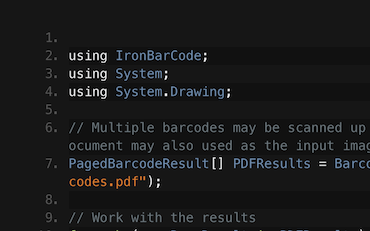

Czytaj kody kreskowe i QR | Poradnik C# VB .NET
Zobacz, jak Frank używa IronBarcode do odczytywania kodów kreskowych z skanów, zdjęć i dokumentów PDF w swojej aplikacji kodu kreskowego C# .NET...
Zobacz samouczek Franka o odczycie kodów kreskowych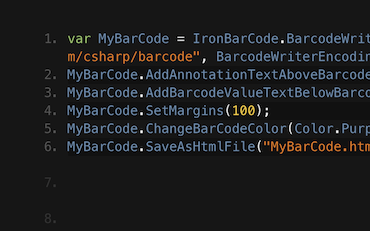

Generowanie obrazów kodów kreskowych w C# lub VB.NET
Francesca dzieli się kilkoma wskazówkami i trikami dotyczącymi zapisywania kodów kreskowych do obrazów w aplikacjach C# lub VB. Zobacz, jak pisać kody kreskowe i wszystkie dostępne opcje z IronBarcode...
Zobacz samouczek Franceski o kodach kreskowych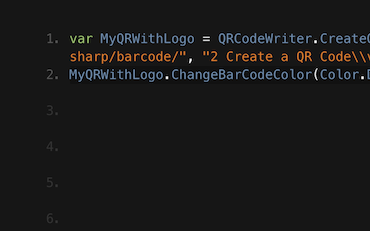

Samouczek tworzenia kodów QR w aplikacjach C# i VB .NET
Zespół Jenny używa IronBarcode do zapisywania tysięcy QR dziennie. Zobacz ich samouczek, jak wyciągnąć z IronBarcode maksimum...
Samouczek tworzenia kodów QR od zespołu JennyTysiące deweloperów używa IronBarcode do...
Systemy księgowe i finansowe
- # Rachunki
- # Raportowanie
- # Drukowanie faktur

Cyfryzacja biznesu
- # Dokumentacja
- # Zamawianie i etykietowanie
- # Zastąpienie papieru

Zarządzanie treścią w przedsiębiorstwie
- # Produkcja treści
- # Zarządzanie dokumentami
- # Dystrybucja treści

Aplikacje danych i raportowania
- # Śledzenie wydajności
- # Mapowanie trendów
- # Raporty



Tysiące korporacji, rządów, MŚP i deweloperów ufa produktom software'owym Iron.
Zespół Iron ma ponad 10-letnie doświadczenie na rynku komponentów software'owych .NET.







Czytanie i zapis kodów kreskowych oraz QR w C#...

Wsparcie od ludzi
Skontaktuj się bezpośrednio z naszym zespołem deweloperskim

Dokumentacja
Jasne poradniki online w prostym języku angielskim.

Proste licencjonowanie
Bezplatna licencja rozwojowa. Komercyjna od $999.

Rozpocznij teraz
Rozpocznij w kilka minut z NuGet lub DLL.

IronBarcode jest częścią IRONSUITE
10 produktów API .NET dla twoich dokumentów biurowych
Gotowy, aby rozpocząć?
Pobrania z NuGet 2,575,633|Wersja:2026.11właśnie wydane

Kiedy potrzebujesz szybko odczytać, zapisać i wystylizować kody kreskowe.