

C# QR-Code-Bibliothek
- Lesen &
- Schnell & genau mit QR-Code-Bildern
- Entwickelt for .NET Core, Standard & Framework
Code-Beispiele für QR-Code-Apps
 Barcode Schnellstart
using IronBarCode;
using System.Drawing;
// Reading a barcode is easy with IronBarcode!
var resultFromFile = BarcodeReader.Read(@"file/barcode.png"); // From a file
var resultFromBitMap = BarcodeReader.Read(new Bitmap("barcode.bmp")); // From a bitmap
var resultFromImage = BarcodeReader.Read(Image.FromFile("barcode.jpg")); // From an image file
var resultFromPdf = BarcodeReader.ReadPdf(@"file/mydocument.pdf"); // From PDF use ReadPdf
// To configure and fine-tune barcode reading, utilize the BarcodeReaderOptions class
var myOptionsExample = new BarcodeReaderOptions
{
// Choose a reading speed from: Faster, Balanced, Detailed, ExtremeDetail
// There is a tradeoff in performance as more detail is set
Speed = ReadingSpeed.Balanced,
// Reader will stop scanning once a single barcode is found (if set to true)
ExpectMultipleBarcodes = true,
// By default, all barcode formats are scanned for
// Specifying a subset of barcode types to search for would improve performance
ExpectBarcodeTypes = BarcodeEncoding.AllOneDimensional,
// Utilize multiple threads to read barcodes from multiple images in parallel
Multithreaded = true,
// Maximum threads for parallelized barcode reading
// Default is 4
MaxParallelThreads = 2,
// The area of each image frame in which to scan for barcodes
// Specifying a crop area will significantly improve performance and avoid noisy parts of the image
CropArea = new Rectangle(),
// Special setting for Code39 barcodes
// If a Code39 barcode is detected, try to read with both the base and extended ASCII character sets
UseCode39ExtendedMode = true
};
// Read with the options applied
var results = BarcodeReader.Read("barcode.png", myOptionsExample);
// Create a barcode with one line of code
var myBarcode = BarcodeWriter.CreateBarcode("12345", BarcodeWriterEncoding.EAN8);
// After creating a barcode, we may choose to resize
myBarcode.ResizeTo(400, 100);
// Save our newly-created barcode as an image
myBarcode.SaveAsImage("EAN8.jpeg");
// Get the barcode as an image for further processing
var myBarcodeImage = myBarcode.Image;
using IronBarCode;
using System.Drawing;

// Reading a barcode is easy with IronBarcode!
var resultFromFile = BarcodeReader.Read(@"file/barcode.png"); // From a file
var resultFromBitMap = BarcodeReader.Read(new Bitmap("barcode.bmp")); // From a bitmap
var resultFromImage = BarcodeReader.Read(Image.FromFile("barcode.jpg")); // From an image file
var resultFromPdf = BarcodeReader.ReadPdf(@"file/mydocument.pdf"); // From PDF use ReadPdf

// To configure and fine-tune barcode reading, utilize the BarcodeReaderOptions class
var myOptionsExample = new BarcodeReaderOptions
{
    // Choose a reading speed from: Faster, Balanced, Detailed, ExtremeDetail
    // There is a tradeoff in performance as more detail is set
    Speed = ReadingSpeed.Balanced,

    // Reader will stop scanning once a single barcode is found (if set to true)
    ExpectMultipleBarcodes = true,

    // By default, all barcode formats are scanned for
    // Specifying a subset of barcode types to search for would improve performance
    ExpectBarcodeTypes = BarcodeEncoding.AllOneDimensional,

    // Utilize multiple threads to read barcodes from multiple images in parallel
    Multithreaded = true,

    // Maximum threads for parallelized barcode reading
    // Default is 4
    MaxParallelThreads = 2,

    // The area of each image frame in which to scan for barcodes
    // Specifying a crop area will significantly improve performance and avoid noisy parts of the image
    CropArea = new Rectangle(),

    // Special setting for Code39 barcodes
    // If a Code39 barcode is detected, try to read with both the base and extended ASCII character sets
    UseCode39ExtendedMode = true
};

// Read with the options applied
var results = BarcodeReader.Read("barcode.png", myOptionsExample);

// Create a barcode with one line of code
var myBarcode = BarcodeWriter.CreateBarcode("12345", BarcodeWriterEncoding.EAN8);

// After creating a barcode, we may choose to resize
myBarcode.ResizeTo(400, 100);

// Save our newly-created barcode as an image
myBarcode.SaveAsImage("EAN8.jpeg");

// Get the barcode as an image for further processing
var myBarcodeImage = myBarcode.Image;
Imports IronBarCode
Imports System.Drawing

' Reading a barcode is easy with IronBarcode!
Dim resultFromFile = BarcodeReader.Read("file/barcode.png") ' From a file
Dim resultFromBitMap = BarcodeReader.Read(New Bitmap("barcode.bmp")) ' From a bitmap
Dim resultFromImage = BarcodeReader.Read(Image.FromFile("barcode.jpg")) ' From an image file
Dim resultFromPdf = BarcodeReader.ReadPdf("file/mydocument.pdf") ' From PDF use ReadPdf

' To configure and fine-tune barcode reading, utilize the BarcodeReaderOptions class
Dim myOptionsExample As New BarcodeReaderOptions With {
    ' Choose a reading speed from: Faster, Balanced, Detailed, ExtremeDetail
    ' There is a tradeoff in performance as more detail is set
    .Speed = ReadingSpeed.Balanced,

    ' Reader will stop scanning once a single barcode is found (if set to true)
    .ExpectMultipleBarcodes = True,

    ' By default, all barcode formats are scanned for
    ' Specifying a subset of barcode types to search for would improve performance
    .ExpectBarcodeTypes = BarcodeEncoding.AllOneDimensional,

    ' Utilize multiple threads to read barcodes from multiple images in parallel
    .Multithreaded = True,

    ' Maximum threads for parallelized barcode reading
    ' Default is 4
    .MaxParallelThreads = 2,

    ' The area of each image frame in which to scan for barcodes
    ' Specifying a crop area will significantly improve performance and avoid noisy parts of the image
    .CropArea = New Rectangle(),

    ' Special setting for Code39 barcodes
    ' If a Code39 barcode is detected, try to read with both the base and extended ASCII character sets
    .UseCode39ExtendedMode = True
}

' Read with the options applied
Dim results = BarcodeReader.Read("barcode.png", myOptionsExample)

' Create a barcode with one line of code
Dim myBarcode = BarcodeWriter.CreateBarcode("12345", BarcodeWriterEncoding.EAN8)

' After creating a barcode, we may choose to resize
myBarcode.ResizeTo(400, 100)

' Save our newly-created barcode as an image
myBarcode.SaveAsImage("EAN8.jpeg")

' Get the barcode as an image for further processing
Dim myBarcodeImage = myBarcode.Image
Imports IronBarCode
Imports System.Drawing
' Reading a barcode is easy with IronBarcode!
Dim resultFromFile = BarcodeReader.Read("file/barcode.png") ' From a file
Dim resultFromBitMap = BarcodeReader.Read(New Bitmap("barcode.bmp")) ' From a bitmap
Dim resultFromImage = BarcodeReader.Read(Image.FromFile("barcode.jpg")) ' From an image file
Dim resultFromPdf = BarcodeReader.ReadPdf("file/mydocument.pdf") ' From PDF use ReadPdf
' To configure and fine-tune barcode reading, utilize the BarcodeReaderOptions class
Dim myOptionsExample As New BarcodeReaderOptions With {
' Choose a reading speed from: Faster, Balanced, Detailed, ExtremeDetail
' There is a tradeoff in performance as more detail is set
.Speed = ReadingSpeed.Balanced,
' Reader will stop scanning once a single barcode is found (if set to true)
.ExpectMultipleBarcodes = True,
' By default, all barcode formats are scanned for
' Specifying a subset of barcode types to search for would improve performance
.ExpectBarcodeTypes = BarcodeEncoding.AllOneDimensional,
' Utilize multiple threads to read barcodes from multiple images in parallel
.Multithreaded = True,
' Maximum threads for parallelized barcode reading
' Default is 4
.MaxParallelThreads = 2,
' The area of each image frame in which to scan for barcodes
' Specifying a crop area will significantly improve performance and avoid noisy parts of the image
.CropArea = New Rectangle(),
' Special setting for Code39 barcodes
' If a Code39 barcode is detected, try to read with both the base and extended ASCII character sets
.UseCode39ExtendedMode = True
}
' Read with the options applied
Dim results = BarcodeReader.Read("barcode.png", myOptionsExample)
' Create a barcode with one line of code
Dim myBarcode = BarcodeWriter.CreateBarcode("12345", BarcodeWriterEncoding.EAN8)
' After creating a barcode, we may choose to resize
myBarcode.ResizeTo(400, 100)
' Save our newly-created barcode as an image
myBarcode.SaveAsImage("EAN8.jpeg")
' Get the barcode as an image for further processing
Dim myBarcodeImage = myBarcode.Image

Menschliche Unterstützung direkt von unserem Entwicklungsteam
Egal, ob es sich um Produkt-, Integrations- oder Lizenzanfragen handelt, das Iron-Produktentwicklungsteam steht zur Verfügung, um all Ihre Fragen zu unterstützen. Nehmen Sie Kontakt auf und beginnen Sie einen Dialog mit Iron, um unsere Bibliothek in Ihrem Projekt optimal zu nutzen.
Findet mehrere QR-Code-Typen
IronBarcode liest und erzeugt die Mehrzahl der Barcode- und QR-Standards, einschließlich UPC A/E, EAN 8/13, Code 39, Code 93, Code 128, ITF, MSI, RSS 14/Expanded, Databar, CodaBar, QR, Styled QR, Data Matrix, MaxiCode, PDF417, Plessey und Aztec. Die Ergebnisse liefern Barcode-Daten, Typ, Seite, Text und Barcode-Bild; ideal für Archiv- oder Indexierungssysteme.
Schnelles & präzises Lesen mit Bildvorverarbeitung
IronBarcode verarbeitet Barcode-Bilder automatisch vor, um Geschwindigkeit und Genauigkeit zu verbessern. Korrekturen von Rotation, Rauschen, Verzerrung und Schiefstellung, um Scans oder Live-Videoframes zu lesen. Mehrkern-, mehrstrangbereit für Batch-Processing-Server-Anwendungen. Findet automatisch einen oder mehrere Barcodes in Einzel- oder mehrseitigen Dokumenten. Suche nach spezifischen Barcode-Typen oder Dokumentpositionen ohne komplexe APIs.
Entwickelt für einfache Verwendung in .NET Core, Standard & Framework Projekten
Beginnen Sie in wenigen Minuten mit ein paar Codezeilen. Entwickelt for .NET als einfach zu verwendendes einzelnes DLL; ohne Abhängigkeiten; Unterstützung von 32 & 64 Bit; in jeder .NET-Sprache. Verwendung in Web-, Cloud-, Desktop- oder Konsolenanwendungen; unterstützt Mobil- und Desktop-Geräte.Sie können das Softwareprodukt von diesem Link herunterladen.
QR-Codes in mehrere Formate schreiben
Speichern oder drucken Sie als PDF, JPG, TIFF, GIF, BMP, PNG oder HTML. Farbe, Qualität, Größe und Text einstellen. Nutzen Sie die C# Barcode-Tools mit IronPDF und IronOCR für eine vollständige .NET-Dokumentenbibliothek.Unterstützt:






Lizenzierung & Preise
Kostenlos Community-Entwicklungslizenzen. Kommerzielle Lizenzen ab $999.
Vollständige Lizenzoptionen anzeigen




QR-Code-Tutorials für C# & VB .NET
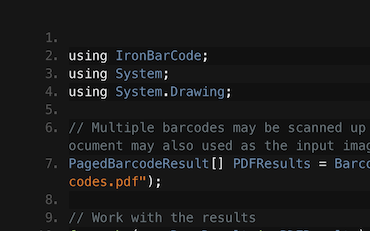

Barcodes & QRs lesen | C# VB .NET Tutorial
Erleben Sie, wie Frank IronBarcode verwendet, um Barcodes aus Scans, Fotos und PDF-Dokumenten in seiner C# .NET Barcode-Anwendung zu lesen...
Franks Barcode-Lesetutorial ansehen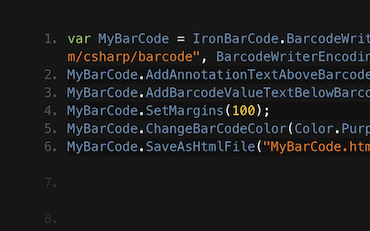

Erzeugen von Barcode-Bildern in C# oder VB.NET
Francesca teilt einige Tipps und Tricks zum Schreiben von Barcodes auf Bilder in C# oder VB-Anwendungen. Sehen Sie, wie Sie die Barcodes schreiben und welche Optionen Ihnen mit IronBarcode zur Verfügung stehen...
Francescas Barcode-Tutorial ansehen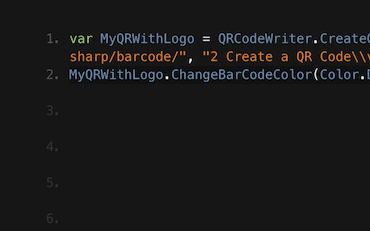

Tutorial für das Schreiben von QR-Codes in C# & VB .NET-Anwendungen
Jennys Team verwendet IronBarcode, um täglich Tausende von QRs zu schreiben. Sehen Sie ihr Tutorial, um das Beste aus IronBarcode herauszuholen...
QR-Schreiben-Tutorial von Jennys TeamTausende Entwickler verwenden IronBarcode für...
Buchhaltungs- und Finanzsysteme
- # Belege
- # Berichterstellung
- # Rechnungsdruck

Geschäftsdigitalisierung
- # Dokumentation
- # Bestellungen & Etikettierung
- # Papierersatz

Enterprise-Content-Management
- # Inhaltsproduktion
- # Dokumentenmanagement
- # Inhaltsverteilung

Daten- und Reporting-Anwendungen
- # Leistungsverfolgung
- # Trend-Mapping
- # Berichte



Tausende von Unternehmen, Regierungen, KMUs und Entwicklern vertrauen gleichermaßen auf Iron-Softwareprodukte.
Das Iron-Team hat über 10 Jahre Erfahrung im .NET-Softwaremarkt.








Lesen und Schreiben von Barcodes & QR in C#...

Menschlicher Support
Sprechen Sie direkt mit unserem Entwicklungsteam

Dokumentation
Klare Online-Handbücher in einfachem Englisch.

Einfache Lizenzierung
Kostenlose Entwicklungslizenz. Kommerziell ab 749 $.

Jetzt loslegen
In wenigen Minuten mit NuGet oder DLL loslegen.

IronBarcode ist ein Teil der IRONSUITE
10 .NET-API-Produkte für Ihre Bürodokumente
Produktlinks
Bereit anzufangen?
Nuget Downloads 2,540,041|Version:2026.11gerade veröffentlicht

Wenn Sie Barcodes schnell lesen, schreiben und gestalten müssen.

