

The C# XLSX Library
- Read & Write XLSX files in C# & VB .NET
- Convert XLS to XLSX + Datatable to XLSX file
- Create XLSX file in C# with no need for MS Office or Excel Interop
XLSX Code Samples
 Convert XLSX Spreadsheet File Types
using IronXL;
using System.IO;
// Import any XLSX, XLS, XLSM, XLTX, CSV and TSV
WorkBook workBook = WorkBook.Load("sample.xlsx");
// Export the excel file as XLS, XLSX, XLSM, CSV, TSV, JSON, XML
workBook.SaveAs("sample.xls");
workBook.SaveAs("sample.xlsx");
workBook.SaveAs("sample.tsv");
workBook.SaveAsCsv("sample.csv");
workBook.SaveAsJson("sample.json");
workBook.SaveAsXml("sample.xml");
// Export the excel file as Html, Html string
workBook.ExportToHtml("sample.html");
string htmlString = workBook.ExportToHtmlString();
// Export the excel file as Binary, Byte array, Data set, Stream
byte[] binary = workBook.ToBinary();
byte[] byteArray = workBook.ToByteArray();
System.Data.DataSet dataSet = workBook.ToDataSet(); // Allow easy integration with DataGrids, SQL and EF
Stream stream = workBook.ToStream();
Imports IronXL
Imports System.IO

' Import any XLSX, XLS, XLSM, XLTX, CSV and TSV
Dim workBook As WorkBook = WorkBook.Load("sample.xlsx")

' Export the excel file as XLS, XLSX, XLSM, CSV, TSV, JSON, XML
workBook.SaveAs("sample.xls")
workBook.SaveAs("sample.xlsx")
workBook.SaveAs("sample.tsv")
workBook.SaveAsCsv("sample.csv")
workBook.SaveAsJson("sample.json")
workBook.SaveAsXml("sample.xml")

' Export the excel file as Html, Html string
workBook.ExportToHtml("sample.html")
Dim htmlString As String = workBook.ExportToHtmlString()

' Export the excel file as Binary, Byte array, Data set, Stream
Dim binary As Byte() = workBook.ToBinary()
Dim byteArray As Byte() = workBook.ToByteArray()
Dim dataSet As System.Data.DataSet = workBook.ToDataSet() ' Allow easy integration with DataGrids, SQL and EF
Dim stream As Stream = workBook.ToStream()
PM > Install-Package IronXL.Excel

Support from our Excel Team
Iron's Excel product team is available to support all of your questions. Get in touch to ask a question on how our library can help you in your project.
Create XLSX files in .NET
Create and Edit Spreadsheet files in C#. Works with Dotnet Core and Azure with no need to install MS Office or Interop.
Read & Write Multiple Formats
IronXL allows you to quickly read & write Excel Spreadsheets in your .NET APPs. Read & Edit XLS/XLSX/CSV/TSV - Save & Export to XLS/XLSX/CSV/TSV/JSON. IronXL outperforms free & Interop libraries parsing, editing, & saving Excel files.
SQL to XLSX Conversion
Convert Data between Excel and SQL using System.Data.DataSet and System.Data.DataTable objects.
Edit XLSX Data
Sort and edit formulas. Familiar WorkSheet [“A1:B10”] syntax. Sort by Ranges, Columns and Rows.
Format XLSX Files
Set Font, Size, Background, Border, Alignment and format.
C# XLSX Library for Microsoft Visual Studio
IronXL creates XLSX files quickly using Visual Studio. Install with NuGet or DLL.Supports:






Licensing & Pricing
Free community development licenses. Commercial licenses from $999.
View Full License Options




XLSX Tutorials for C# & VB .NET
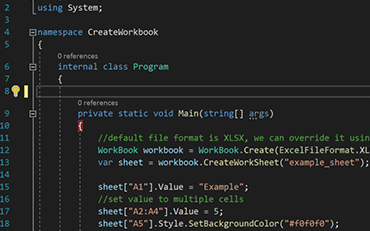
C#ExcelXLSX

Create XLSX Files in C#
See How Jonas uses IronXL to generate Excel Files without using Office Interop...
View Jonas' Excel File Generation Tutorial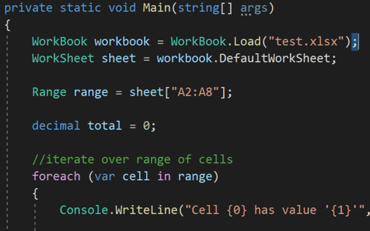
C#ExcelXLS

Open and Edit XLSX Files in C# or VB
Elijah shares a no-nonsense approach to reading Excel data into C# Applications...
See Elijah's Excel Reading & Editing Tutorial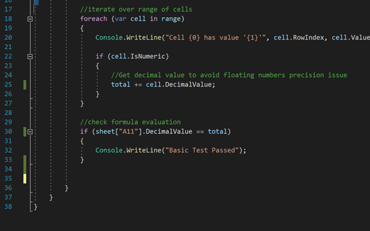
C#ExcelData

How to Read XLSX Files in .NET.
Rebecca's code walkthrough for reading Excel data into a .NET application...
Read Becky's C# TutorialProfessional developers use IronXL for...
Accounting and Finance Systems
- # Receipts
- # Reporting
- # Invoice Printing

Business Digitization
- # Documentation
- # Ordering & Labelling
- # Paper Replacement

Enterprise Content Management
- # Content Production
- # Document Management
- # Content Distribution

Data and Reporting Applications
- # Performance Tracking
- # Trend Mapping
- # Reports



Thousands of corporations, governments, SMEs and developers alike trust Iron software products.
Iron's team have over 10 years experience in the .NET software component market.








Reading & Writing Excel Files in C#...





IronXL is a part of IRONSUITE
10 .NET API products for your office documents
Product Links
Ready to Get Started?
Nuget Downloads 2,280,941|Version:2026.10just released

The Excel API you need, without the Office Interop hassle.

