

The Excel .NET Library
- Create Excel Spreadsheets in .NET Core, Standard and Framework
- Read Excel Files in .NET
- No Need for Microsoft Office or Excel .NET Interop
.NET Code Samples
 Create a new Excel File in .NET
using IronXL;
// Create new Excel WorkBook document
WorkBook workBook = WorkBook.Create();
// Convert XLSX to XLS
WorkBook xlsWorkBook = WorkBook.Create(ExcelFileFormat.XLS);
// Create a blank WorkSheet
WorkSheet workSheet = workBook.CreateWorkSheet("new_sheet");
// Add data and styles to the new worksheet
workSheet["A1"].Value = "Hello World";
workSheet["A1"].Style.WrapText = true;
workSheet["A2"].BoolValue = true;
workSheet["A2"].Style.BottomBorder.Type = IronXL.Styles.BorderType.Double;
// Save the excel file as XLS, XLSX, CSV, TSV, JSON, XML, HTML and streams
workBook.SaveAs("sample.xlsx");
Imports IronXL

' Create new Excel WorkBook document
Dim workBook As WorkBook = WorkBook.Create()

' Convert XLSX to XLS
Dim xlsWorkBook As WorkBook = WorkBook.Create(ExcelFileFormat.XLS)

' Create a blank WorkSheet
Dim workSheet As WorkSheet = workBook.CreateWorkSheet("new_sheet")

' Add data and styles to the new worksheet
workSheet("A1").Value = "Hello World"
workSheet("A1").Style.WrapText = True
workSheet("A2").BoolValue = True
workSheet("A2").Style.BottomBorder.Type = IronXL.Styles.BorderType.Double

' Save the excel file as XLS, XLSX, CSV, TSV, JSON, XML, HTML and streams
workBook.SaveAs("sample.xlsx")
PM > Install-Package IronXL.Excel

Support From Our .NET Team
Iron .NET Excel product development team is on hand to support all of your questions. Get in touch with questions on our library.Our engineer team has over 10 years of experience dealing with .NET software. You will find our software being used by thousands of reputable SMEs, developers, governments, and more. Our experience has also allowed us to develop a helpful customer support model with resources you can trust. Our team works to ensure your software is running smoothly and makes sense for your business.

.NET Library Capabilities
Our .NET Excell Install can facilitate creating a new Excel file in .NET, read Excel files without any Microsoft Interop, working with various Excel worksheets and ranges, converting spreadsheet file types into what you need, (i.e. XLS/XLSX/CSV/TSV/JSON) and Excel to SQL connections via System.Data.DataSet and DataGrid via DataTable.Some of our key net excel library features include recalculating excel formulas each time a sheet is edited, sorting capabilities for ranges, columns, and rows, and stylizing items such as fonts, size, background patterns, alignments, etc.
Essentially, you get all the Excel functionality without any of the Microsoft Interop. You also have more customizable options that can give your spreadsheets a more polished look. The possibilities are endless with the NuGet download of our .NET library.

Read & Write Spreadsheet Formats in .NET
IronXL allows you to read & write Excel Spreadsheets in your .NET APPs. Read & Edit XLS/XLSX/CSV/TSV - Save & Export to XLS/XLSX/CSV/TSV/JSON.
SQL Supported
Transfer Data between Excel, SQL and GridViews using System.Data.DataSet and System.Data.DataTable objects.
Edit Excel Formulas
Supports Microsoft Excel formulas. Easy to use WorkSheet [“A1:B10”] syntax. Combine and set ranges intuitively. Sort by Ranges, Columns and Rows.
Style Excel Spreadsheets
Set Font, Size, Background, Border, Alignment and format.
.NET Projects made with Visual Studio
The IronXL integration platform is helpful for a number of different industries and functions. You will find applicability with accounting and finance systems, business digitization, enterprise content management, and data/reporting fields.IronXL puts Excel tools in your projects easily with Visual Studio .NET installer.
You can download the software product from this link.
Supports:






.NET Licensing & Pricing
Free community development licenses. Commercial licenses from $999.
View Full License Options




Excel Spreadsheet Tutorials for .NET
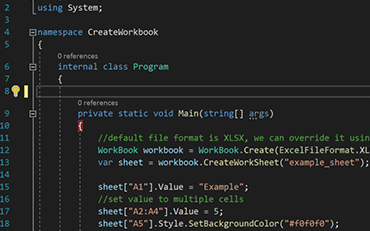
C#ExcelASP.NET

How to Create Excel Files in C#
See How Jonas uses IronXL to generate Excel Files without using Office Interop...
View Jonas' Excel File Generation Tutorial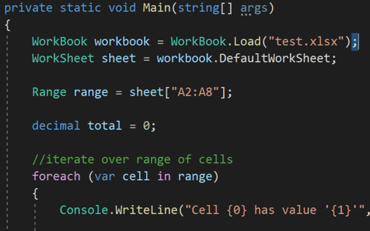
C#ExcelXLSX

Open and Edit Excel Files in C# or VB.NET
Elijah shares a no-nonsense approach to reading Excel data into C# Applications...
See Elijah's Excel Reading & Editing Tutorial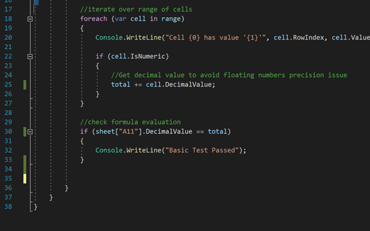
C#ExcelData

How to Read Excel Files into .NET Apps.
Rebecca's code walkthrough for reading Excel data into a .NET application...
Read Becky's C# Tutorial.NET Coders use IronXL for...
Accounting and Finance Systems
- # Receipts
- # Reporting
- # Invoice Printing

Business Digitization
- # Documentation
- # Ordering & Labelling
- # Paper Replacement

Enterprise Content Management
- # Content Production
- # Document Management
- # Content Distribution

Data and Reporting Applications
- # Performance Tracking
- # Trend Mapping
- # Reports



Thousands of corporations, governments, SMEs and developers alike trust Iron software products.
Iron's team have over 10 years experience in the .NET software component market.








Reading & Writing Excel Files in C#...





IronXL is a part of IRONSUITE
10 .NET API products for your office documents
Product Links
Ready to Get Started?
Nuget Downloads 2,280,941|Version:2026.10just released

The Excel API you need, without the Office Interop hassle.

