

.NET Barcode Library
- Barcode Reading and Writing for .NET Apps
- Reads QR & Barcodes from Scans and Images
- Supports .NET 10, 9, 8, 7, 6, Core, Standard, Framework
C# & VB .NET Code Samples
 Barcode Quickstart
using IronBarCode;
using System.Drawing;
// Reading a barcode is easy with IronBarcode!
var resultFromFile = BarcodeReader.Read(@"file/barcode.png"); // From a file
var resultFromBitMap = BarcodeReader.Read(new Bitmap("barcode.bmp")); // From a bitmap
var resultFromImage = BarcodeReader.Read(Image.FromFile("barcode.jpg")); // From an image file
var resultFromPdf = BarcodeReader.ReadPdf(@"file/mydocument.pdf"); // From PDF use ReadPdf
// To configure and fine-tune barcode reading, utilize the BarcodeReaderOptions class
var myOptionsExample = new BarcodeReaderOptions
{
// Choose a reading speed from: Faster, Balanced, Detailed, ExtremeDetail
// There is a tradeoff in performance as more detail is set
Speed = ReadingSpeed.Balanced,
// Reader will stop scanning once a single barcode is found (if set to true)
ExpectMultipleBarcodes = true,
// By default, all barcode formats are scanned for
// Specifying a subset of barcode types to search for would improve performance
ExpectBarcodeTypes = BarcodeEncoding.AllOneDimensional,
// Utilize multiple threads to read barcodes from multiple images in parallel
Multithreaded = true,
// Maximum threads for parallelized barcode reading
// Default is 4
MaxParallelThreads = 2,
// The area of each image frame in which to scan for barcodes
// Specifying a crop area will significantly improve performance and avoid noisy parts of the image
CropArea = new Rectangle(),
// Special setting for Code39 barcodes
// If a Code39 barcode is detected, try to read with both the base and extended ASCII character sets
UseCode39ExtendedMode = true
};
// Read with the options applied
var results = BarcodeReader.Read("barcode.png", myOptionsExample);
// Create a barcode with one line of code
var myBarcode = BarcodeWriter.CreateBarcode("12345", BarcodeWriterEncoding.EAN8);
// After creating a barcode, we may choose to resize
myBarcode.ResizeTo(400, 100);
// Save our newly-created barcode as an image
myBarcode.SaveAsImage("EAN8.jpeg");
// Get the barcode as an image for further processing
var myBarcodeImage = myBarcode.Image;
using IronBarCode;
using System.Drawing;

// Reading a barcode is easy with IronBarcode!
var resultFromFile = BarcodeReader.Read(@"file/barcode.png"); // From a file
var resultFromBitMap = BarcodeReader.Read(new Bitmap("barcode.bmp")); // From a bitmap
var resultFromImage = BarcodeReader.Read(Image.FromFile("barcode.jpg")); // From an image file
var resultFromPdf = BarcodeReader.ReadPdf(@"file/mydocument.pdf"); // From PDF use ReadPdf

// To configure and fine-tune barcode reading, utilize the BarcodeReaderOptions class
var myOptionsExample = new BarcodeReaderOptions
{
    // Choose a reading speed from: Faster, Balanced, Detailed, ExtremeDetail
    // There is a tradeoff in performance as more detail is set
    Speed = ReadingSpeed.Balanced,

    // Reader will stop scanning once a single barcode is found (if set to true)
    ExpectMultipleBarcodes = true,

    // By default, all barcode formats are scanned for
    // Specifying a subset of barcode types to search for would improve performance
    ExpectBarcodeTypes = BarcodeEncoding.AllOneDimensional,

    // Utilize multiple threads to read barcodes from multiple images in parallel
    Multithreaded = true,

    // Maximum threads for parallelized barcode reading
    // Default is 4
    MaxParallelThreads = 2,

    // The area of each image frame in which to scan for barcodes
    // Specifying a crop area will significantly improve performance and avoid noisy parts of the image
    CropArea = new Rectangle(),

    // Special setting for Code39 barcodes
    // If a Code39 barcode is detected, try to read with both the base and extended ASCII character sets
    UseCode39ExtendedMode = true
};

// Read with the options applied
var results = BarcodeReader.Read("barcode.png", myOptionsExample);

// Create a barcode with one line of code
var myBarcode = BarcodeWriter.CreateBarcode("12345", BarcodeWriterEncoding.EAN8);

// After creating a barcode, we may choose to resize
myBarcode.ResizeTo(400, 100);

// Save our newly-created barcode as an image
myBarcode.SaveAsImage("EAN8.jpeg");

// Get the barcode as an image for further processing
var myBarcodeImage = myBarcode.Image;
Imports IronBarCode
Imports System.Drawing

' Reading a barcode is easy with IronBarcode!
Dim resultFromFile = BarcodeReader.Read("file/barcode.png") ' From a file
Dim resultFromBitMap = BarcodeReader.Read(New Bitmap("barcode.bmp")) ' From a bitmap
Dim resultFromImage = BarcodeReader.Read(Image.FromFile("barcode.jpg")) ' From an image file
Dim resultFromPdf = BarcodeReader.ReadPdf("file/mydocument.pdf") ' From PDF use ReadPdf

' To configure and fine-tune barcode reading, utilize the BarcodeReaderOptions class
Dim myOptionsExample As New BarcodeReaderOptions With {
    ' Choose a reading speed from: Faster, Balanced, Detailed, ExtremeDetail
    ' There is a tradeoff in performance as more detail is set
    .Speed = ReadingSpeed.Balanced,

    ' Reader will stop scanning once a single barcode is found (if set to true)
    .ExpectMultipleBarcodes = True,

    ' By default, all barcode formats are scanned for
    ' Specifying a subset of barcode types to search for would improve performance
    .ExpectBarcodeTypes = BarcodeEncoding.AllOneDimensional,

    ' Utilize multiple threads to read barcodes from multiple images in parallel
    .Multithreaded = True,

    ' Maximum threads for parallelized barcode reading
    ' Default is 4
    .MaxParallelThreads = 2,

    ' The area of each image frame in which to scan for barcodes
    ' Specifying a crop area will significantly improve performance and avoid noisy parts of the image
    .CropArea = New Rectangle(),

    ' Special setting for Code39 barcodes
    ' If a Code39 barcode is detected, try to read with both the base and extended ASCII character sets
    .UseCode39ExtendedMode = True
}

' Read with the options applied
Dim results = BarcodeReader.Read("barcode.png", myOptionsExample)

' Create a barcode with one line of code
Dim myBarcode = BarcodeWriter.CreateBarcode("12345", BarcodeWriterEncoding.EAN8)

' After creating a barcode, we may choose to resize
myBarcode.ResizeTo(400, 100)

' Save our newly-created barcode as an image
myBarcode.SaveAsImage("EAN8.jpeg")

' Get the barcode as an image for further processing
Dim myBarcodeImage = myBarcode.Image
Imports IronBarCode
Imports System.Drawing
' Reading a barcode is easy with IronBarcode!
Dim resultFromFile = BarcodeReader.Read("file/barcode.png") ' From a file
Dim resultFromBitMap = BarcodeReader.Read(New Bitmap("barcode.bmp")) ' From a bitmap
Dim resultFromImage = BarcodeReader.Read(Image.FromFile("barcode.jpg")) ' From an image file
Dim resultFromPdf = BarcodeReader.ReadPdf("file/mydocument.pdf") ' From PDF use ReadPdf
' To configure and fine-tune barcode reading, utilize the BarcodeReaderOptions class
Dim myOptionsExample As New BarcodeReaderOptions With {
' Choose a reading speed from: Faster, Balanced, Detailed, ExtremeDetail
' There is a tradeoff in performance as more detail is set
.Speed = ReadingSpeed.Balanced,
' Reader will stop scanning once a single barcode is found (if set to true)
.ExpectMultipleBarcodes = True,
' By default, all barcode formats are scanned for
' Specifying a subset of barcode types to search for would improve performance
.ExpectBarcodeTypes = BarcodeEncoding.AllOneDimensional,
' Utilize multiple threads to read barcodes from multiple images in parallel
.Multithreaded = True,
' Maximum threads for parallelized barcode reading
' Default is 4
.MaxParallelThreads = 2,
' The area of each image frame in which to scan for barcodes
' Specifying a crop area will significantly improve performance and avoid noisy parts of the image
.CropArea = New Rectangle(),
' Special setting for Code39 barcodes
' If a Code39 barcode is detected, try to read with both the base and extended ASCII character sets
.UseCode39ExtendedMode = True
}
' Read with the options applied
Dim results = BarcodeReader.Read("barcode.png", myOptionsExample)
' Create a barcode with one line of code
Dim myBarcode = BarcodeWriter.CreateBarcode("12345", BarcodeWriterEncoding.EAN8)
' After creating a barcode, we may choose to resize
myBarcode.ResizeTo(400, 100)
' Save our newly-created barcode as an image
myBarcode.SaveAsImage("EAN8.jpeg")
' Get the barcode as an image for further processing
Dim myBarcodeImage = myBarcode.Image

Human Support Directly From Our Development Team
Whether it's product, integration or licensing queries, the Iron product development team is on hand to support all of your questions. Get in touch and start a dialog with Iron to make the most of our library in your project.
Recognizes 1D and 2D Barcodes in .NET Core, .NET Standard and .NET Framework
IronBarcode .NET barcode library reads any type of barcode within the BarcodeEncoding Enum. It recognizes barcodes in .NET Core, .NET Standard and .NET Framework.To save time and improve efficiency for inventory workflows, IronBarcode recommends one-dimensional (1D) or linear barcodes, including the traditional and established barcode types such as UPC and EAN codes. Points of sale services across the glove usually use UPC (Universal Product Code) barcodes (including its variations UPC-A and UPC-E). It benefits the target consumer by making it easier to identify and track product features in warehouses and at checkout. Where UPCA is limited to having only numerical contentof 12 to 13 digits long, UPCE supports content between 8 to 13 digits.
Like UPC, European markets use EAN barcodes to label consumer goods for point-of-sale scanning. Its variant includes EAN-13 as the default, whereas EAN-8 is used for limited packaging spaces, like candies. In addition to their flexibility, as a high-density barcode, EAN-13 encodes larger data sets compactly.
1D barcodes do not end there.
The automotive and defense industry utilizes Code 39 barcodes. Its title axplains its ability to encode 39 characters (now revised to 43). Similarly, Code 128-character set and high data density. Continuing with logistics, the packaging industry prefers ITF (Interleaved 2 of 5) barcodes to label packaging materials, such as corrugated sheets due to their high printing tolerance. Whereas, MSI is preferred for product indentification and inventory management.
The Pharma industry utilizes Pharmaceutical Binary COde. Whereas RSS 14 (Reduced Space Symbologies) and Databar barcodes are a 1D and 2D barcode hybrid. It is a healthcare favorite to mark small items. Similar to Code 128 barcodes, Codabar is a logistics and healthcare favorite as well. It works without a computer, readable from a dot-matrix printer output.
2D barcodes include Aztec, Data Matrix, Data Bar, IntelligentMail, Maxicode, QR code. Used in different industries, Aztec is used in the transportation industry on tickets and boarding passes with readability in lower resolution. While IntelligentMail is limited to a specific purpose in US Mail, Maxicode is utilized to standardize shipment tracking.
The widest known amongst barcodes is the QR code. It has a plethora of purposes from B2B to B2C due to its flexibility, fault tolerance, readability, various data support such as numeric, alphanumeric, byte/binary, and Kanji.
Once the type is finalized, IronBarcode - the leading barcode generator takes it from there!

Begin Your Barcode Generation and Reading Project with .NET Barcode Reader
Reading barcode types in .NET is now a breeze with IronBarcode's versatile, advanced, and efficient library.Where do you begin?
Install IronBarcode's NuGet package or manually install the DLL to your project or your globally assembly cache. You are now one step closer to producing a C# Barcode image scanner application in one live of code. Extract barcode images, values, encoding types, binary data (if any) and then output it all to the console.TryHarder - Deeper Scans for Skewed Barcode Formats
Adding IronBarcode's TryHarder variable to the QuicklyReadOneBarcode method makes the application try harder, albeit consuming more time, but more thoroughly for analyzing obscured, skewed, or corrupted QR code image formats.Feel Free to Specify Multiple Formats
You can specify barcode encoding(s) that you are looking for, or specify multiple formats - IronBarcode empowers you with unlimited barcode analysis tools.You can improve barcode reading performance and accuracy. You can specify various barcode formats simultaneously with the pipe character or 'Bitwize OR'. Alternatively, achieve more specificity and quality with the BarcodeReader.ReadASingleBarcode Method.
Read Barcodes from PDF Documents, to Scans, to Multithreading
If your next project is reading a scanned PDF document and looking for all the 1D barcodes, again IronBarcode will not disappoint. It is similar to reading a single barcode from a single document, except now there is added information about the page number the barcode belongs to.Similarly, the same result is achieved from a multi-frame TIFF. It is treated similarly to a PDF in this respect.
Is multithreading bothering you? If so, it is supported with IronBarcode!
To read mulitple documents, you can achieve better results with IronBarcode, by creating a list of documents and using the BarcodeReader.ReadBarcodesMultithreaded method. This uses multiple threads and potentially all your CPU cores for the barcode scanning process and can be exponentially faster than reading barcodes one at a time.
Worrying about Imperfect Images is in the Past with Perfect Barcode Generator
In the real world, users may wish to scan a barcode that is not perfect screenshots or PNG images or photographs. Conventional open source .NET barcode generators and reader libraries would make it impossible to read any less-than-perfect image format. However, IronBarcode makes this incredibly straightforward.The TryHarder method of QuicklyReadOneBarcode results in IronBarcode to deskew and read barcodes from imperfect digital samples.
Photographs, Scans, and Thumbnails
If a photograph is skewed, set specific barcode rotation and image correction to correct the digital noise, skewness, perspective, and rotation reasonably expected from a cellphone camera.Similarly, reading QR codes and PDF-417 barcodes from a scanned PDF requires setting an appropriate level of barcode rotation correction and barcode image correction to lightly clean the document. However, caution is practiced by not over-specifying and compromising performance.
If you have a corrupted barcode thumbnail then the IronBarcode reader methods automatically detect barcode images that are too small, and upscales, and cleans all the digital noise associated with thumbnailing; making them readable again.
Things could not have been made easier for a developer!

Built for easy use in .NET Core Projects
Get started in minutes with a few lines of code. Built for .NET Core, .NET Standard, and Framework as an easy to use single DLL; without dependencies; supporting 32 & 64 bit; in any .NET Language. Use in Web, Cloud, Desktop or Console Applications; supporting Mobile & Desktop devices. You can download the software product from this link.
Summing Up IronBarcode - For Creating and Manipulating Barcode Images
As IronBarcode facilitates the creation, resizing, and saving of various barcode types and formats, there is no reason to not begin with it right away!With the Fluent API, use the generated barcode class to set margins, resize, and annotate barcodes. Then save as images with IronOCR automatically assuming the correct image type from a file name. Whether it is GIF, HTML file, HTML tag, JPEG, PNG, TIFF, and Windows Bitmaps.
The StampToExistingPdfPage method allows a barcode to be generated and stamped onto an existing PDF. It is useful when editing a generic PDF or adding an internal identification number to a document via a barcode.
Connect with LIVE 24/7 human support right away. Whether you have a question or require project support; begin with our 30-day trial key, benefit from our broad documentation resource in easy-to-understand English, or benefit from our lifetime licensing from $999.
Supports:






Licensing & Pricing
Free community development licenses. Commercial licenses from $999.
View Full License Options




Barcode & QR Tutorials for C# & VB .NET
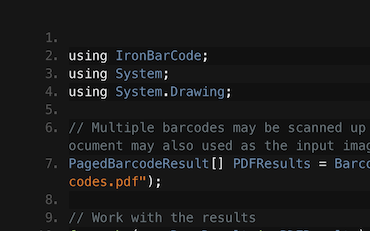

Read Barcodes & QRs | C# VB .NET Tutorial
See How Frank uses IronBarcode to Read Barcodes from Scans, Photos, & PDF documents inside his C# .NET Barcode Application...
View Frank's Barcode Reading Tutorial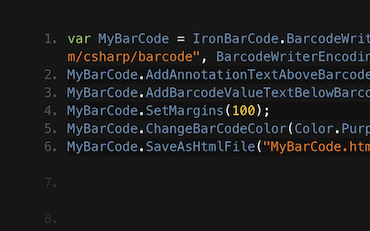

Generating Barcode Images in C# or VB.NET
Francesca shares some tips and tricks for writing Barcodes to Images in C# or VB Applications. See how to write the barcodes and all the options available to you with IronBarcode...
See Francesca's Barcode Tutorial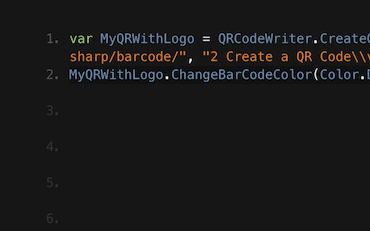

Tutorial for Writing QR codes in C# & VB .NET Applications
Jenny's Team use IronBarcode to write thousands of QRs per day. See their tutorial on getting the most out of IronBarcode...
QR Writing Tutorial from Jenny's TeamThousands of developers use IronBarcode for...
Accounting and Finance Systems
- # Receipts
- # Reporting
- # Invoice Printing

Business Digitization
- # Documentation
- # Ordering & Labelling
- # Paper Replacement

Enterprise Content Management
- # Content Production
- # Document Management
- # Content Distribution

Data and Reporting Applications
- # Performance Tracking
- # Trend Mapping
- # Reports



Thousands of corporations, governments, SMEs and developers alike trust Iron software products.
Iron's team have over 10 years experience in the .NET software component market.








Reading and Writing Barcodes & QR in C#...





IronBarcode is a part of IRONSUITE
10 .NET API products for your office documents
Product Links
Ready to Get Started?
Nuget Downloads 2,540,041|Version:2026.11just released

When you need to read, write, and style Barcodes, fast.

