

.NET条码库
- 用于 .NET 应用程序的条形码读取和写入
- 从扫描和图像中读取 QR 和条形码
- 支持 .NET 10, 9, 8, 7, 6, Core, Standard, Framework
C# 和 VB .NET 代码示例
 条形码快速入门
using IronBarCode;
using System.Drawing;
// Reading a barcode is easy with IronBarcode!
var resultFromFile = BarcodeReader.Read(@"file/barcode.png"); // From a file
var resultFromBitMap = BarcodeReader.Read(new Bitmap("barcode.bmp")); // From a bitmap
var resultFromImage = BarcodeReader.Read(Image.FromFile("barcode.jpg")); // From an image file
var resultFromPdf = BarcodeReader.ReadPdf(@"file/mydocument.pdf"); // From PDF use ReadPdf
// To configure and fine-tune barcode reading, utilize the BarcodeReaderOptions class
var myOptionsExample = new BarcodeReaderOptions
{
// Choose a reading speed from: Faster, Balanced, Detailed, ExtremeDetail
// There is a tradeoff in performance as more detail is set
Speed = ReadingSpeed.Balanced,
// Reader will stop scanning once a single barcode is found (if set to true)
ExpectMultipleBarcodes = true,
// By default, all barcode formats are scanned for
// Specifying a subset of barcode types to search for would improve performance
ExpectBarcodeTypes = BarcodeEncoding.AllOneDimensional,
// Utilize multiple threads to read barcodes from multiple images in parallel
Multithreaded = true,
// Maximum threads for parallelized barcode reading
// Default is 4
MaxParallelThreads = 2,
// The area of each image frame in which to scan for barcodes
// Specifying a crop area will significantly improve performance and avoid noisy parts of the image
CropArea = new Rectangle(),
// Special setting for Code39 barcodes
// If a Code39 barcode is detected, try to read with both the base and extended ASCII character sets
UseCode39ExtendedMode = true
};
// Read with the options applied
var results = BarcodeReader.Read("barcode.png", myOptionsExample);
// Create a barcode with one line of code
var myBarcode = BarcodeWriter.CreateBarcode("12345", BarcodeWriterEncoding.EAN8);
// After creating a barcode, we may choose to resize
myBarcode.ResizeTo(400, 100);
// Save our newly-created barcode as an image
myBarcode.SaveAsImage("EAN8.jpeg");
// Get the barcode as an image for further processing
var myBarcodeImage = myBarcode.Image;
using IronBarCode;
using System.Drawing;

// Reading a barcode is easy with IronBarcode!
var resultFromFile = BarcodeReader.Read(@"file/barcode.png"); // From a file
var resultFromBitMap = BarcodeReader.Read(new Bitmap("barcode.bmp")); // From a bitmap
var resultFromImage = BarcodeReader.Read(Image.FromFile("barcode.jpg")); // From an image file
var resultFromPdf = BarcodeReader.ReadPdf(@"file/mydocument.pdf"); // From PDF use ReadPdf

// To configure and fine-tune barcode reading, utilize the BarcodeReaderOptions class
var myOptionsExample = new BarcodeReaderOptions
{
    // Choose a reading speed from: Faster, Balanced, Detailed, ExtremeDetail
    // There is a tradeoff in performance as more detail is set
    Speed = ReadingSpeed.Balanced,

    // Reader will stop scanning once a single barcode is found (if set to true)
    ExpectMultipleBarcodes = true,

    // By default, all barcode formats are scanned for
    // Specifying a subset of barcode types to search for would improve performance
    ExpectBarcodeTypes = BarcodeEncoding.AllOneDimensional,

    // Utilize multiple threads to read barcodes from multiple images in parallel
    Multithreaded = true,

    // Maximum threads for parallelized barcode reading
    // Default is 4
    MaxParallelThreads = 2,

    // The area of each image frame in which to scan for barcodes
    // Specifying a crop area will significantly improve performance and avoid noisy parts of the image
    CropArea = new Rectangle(),

    // Special setting for Code39 barcodes
    // If a Code39 barcode is detected, try to read with both the base and extended ASCII character sets
    UseCode39ExtendedMode = true
};

// Read with the options applied
var results = BarcodeReader.Read("barcode.png", myOptionsExample);

// Create a barcode with one line of code
var myBarcode = BarcodeWriter.CreateBarcode("12345", BarcodeWriterEncoding.EAN8);

// After creating a barcode, we may choose to resize
myBarcode.ResizeTo(400, 100);

// Save our newly-created barcode as an image
myBarcode.SaveAsImage("EAN8.jpeg");

// Get the barcode as an image for further processing
var myBarcodeImage = myBarcode.Image;
Imports IronBarCode
Imports System.Drawing

' Reading a barcode is easy with IronBarcode!
Dim resultFromFile = BarcodeReader.Read("file/barcode.png") ' From a file
Dim resultFromBitMap = BarcodeReader.Read(New Bitmap("barcode.bmp")) ' From a bitmap
Dim resultFromImage = BarcodeReader.Read(Image.FromFile("barcode.jpg")) ' From an image file
Dim resultFromPdf = BarcodeReader.ReadPdf("file/mydocument.pdf") ' From PDF use ReadPdf

' To configure and fine-tune barcode reading, utilize the BarcodeReaderOptions class
Dim myOptionsExample As New BarcodeReaderOptions With {
    ' Choose a reading speed from: Faster, Balanced, Detailed, ExtremeDetail
    ' There is a tradeoff in performance as more detail is set
    .Speed = ReadingSpeed.Balanced,

    ' Reader will stop scanning once a single barcode is found (if set to true)
    .ExpectMultipleBarcodes = True,

    ' By default, all barcode formats are scanned for
    ' Specifying a subset of barcode types to search for would improve performance
    .ExpectBarcodeTypes = BarcodeEncoding.AllOneDimensional,

    ' Utilize multiple threads to read barcodes from multiple images in parallel
    .Multithreaded = True,

    ' Maximum threads for parallelized barcode reading
    ' Default is 4
    .MaxParallelThreads = 2,

    ' The area of each image frame in which to scan for barcodes
    ' Specifying a crop area will significantly improve performance and avoid noisy parts of the image
    .CropArea = New Rectangle(),

    ' Special setting for Code39 barcodes
    ' If a Code39 barcode is detected, try to read with both the base and extended ASCII character sets
    .UseCode39ExtendedMode = True
}

' Read with the options applied
Dim results = BarcodeReader.Read("barcode.png", myOptionsExample)

' Create a barcode with one line of code
Dim myBarcode = BarcodeWriter.CreateBarcode("12345", BarcodeWriterEncoding.EAN8)

' After creating a barcode, we may choose to resize
myBarcode.ResizeTo(400, 100)

' Save our newly-created barcode as an image
myBarcode.SaveAsImage("EAN8.jpeg")

' Get the barcode as an image for further processing
Dim myBarcodeImage = myBarcode.Image
Imports IronBarCode
Imports System.Drawing
' Reading a barcode is easy with IronBarcode!
Dim resultFromFile = BarcodeReader.Read("file/barcode.png") ' From a file
Dim resultFromBitMap = BarcodeReader.Read(New Bitmap("barcode.bmp")) ' From a bitmap
Dim resultFromImage = BarcodeReader.Read(Image.FromFile("barcode.jpg")) ' From an image file
Dim resultFromPdf = BarcodeReader.ReadPdf("file/mydocument.pdf") ' From PDF use ReadPdf
' To configure and fine-tune barcode reading, utilize the BarcodeReaderOptions class
Dim myOptionsExample As New BarcodeReaderOptions With {
' Choose a reading speed from: Faster, Balanced, Detailed, ExtremeDetail
' There is a tradeoff in performance as more detail is set
.Speed = ReadingSpeed.Balanced,
' Reader will stop scanning once a single barcode is found (if set to true)
.ExpectMultipleBarcodes = True,
' By default, all barcode formats are scanned for
' Specifying a subset of barcode types to search for would improve performance
.ExpectBarcodeTypes = BarcodeEncoding.AllOneDimensional,
' Utilize multiple threads to read barcodes from multiple images in parallel
.Multithreaded = True,
' Maximum threads for parallelized barcode reading
' Default is 4
.MaxParallelThreads = 2,
' The area of each image frame in which to scan for barcodes
' Specifying a crop area will significantly improve performance and avoid noisy parts of the image
.CropArea = New Rectangle(),
' Special setting for Code39 barcodes
' If a Code39 barcode is detected, try to read with both the base and extended ASCII character sets
.UseCode39ExtendedMode = True
}
' Read with the options applied
Dim results = BarcodeReader.Read("barcode.png", myOptionsExample)
' Create a barcode with one line of code
Dim myBarcode = BarcodeWriter.CreateBarcode("12345", BarcodeWriterEncoding.EAN8)
' After creating a barcode, we may choose to resize
myBarcode.ResizeTo(400, 100)
' Save our newly-created barcode as an image
myBarcode.SaveAsImage("EAN8.jpeg")
' Get the barcode as an image for further processing
Dim myBarcodeImage = myBarcode.Image
PM > Install-Package BarCode

直接来自我们开发团队的人工支持
无论是产品、集成还是授权问题,Iron 产品开发团队随时准备回答您所有问题。立即联系并与 Iron 开始对话,以便在您的项目中充分利用我们的库。
在 .NET Core、.NET Standard 和 .NET Framework 中识别 1D 和 2D 条形码
IronBarcode 的 .NET 条形码库可以在 BarcodeEncoding Enum 内读取任何类型的条形码。它可以在 .NET Core、.NET Standard 和 .NET Framework 中识别条形码。为了节省时间并提高库存工作流的效率,IronBarcode 推荐一维(1D)或线性条形码,包括传统且成熟的条形码类型,如 UPC 和 EAN 码。全球的销售点服务通常使用 UPC(通用产品代码)条形码(包括其变体 UPC-A 和 UPC-E)。这使目标消费者更容易在仓库中和结账时识别和追踪产品特征。UPCA 仅限于拥有 12 至 13 位数字的数字内容,而 UPCE 支持 8 到 13 位的内容。
与 UPC 类似,欧洲市场使用 EAN 条形码标识消费品以进行销售点扫描。其变体包括 EAN-13 作为默认,当包装空间有限时,例如糖果,使用 EAN-8。除了灵活性之外,作为一种高密度条形码,EAN-13 紧凑地编码了更大的数据集。
一维条形码不仅限于此。
汽车和国防工业使用 Code 39 条形码。其标题说明了其编码 39 个字符(现在修订为 43 个)的能力。同样,Code 128 字符集具有高数据密度。在物流方面,包装行业更青睐 ITF(交错 2 的 5)条形码,用于标识包装材料,例如由于其高印刷公差的瓦楞纸板。而 MSI 更适用于产品识别和库存管理。
制药行业利用药品二进制代码。而 RSS 14(缩减空间符号)和 Databar 条形码是 1D 和 2D 条形码混合体。这是医疗保健的最爱,用于标记小物品。类似于 Code 128 条形码,Codabar 也是物流和医疗保健的最爱。它无需计算机即可运行,可从点阵打印机输出中读取。
二维条形码包括 Aztec、Data Matrix、Data Bar、IntelligentMail、Maxicode、QR 码。用于不同行业中,Aztec 用于交通行业的车票和登机牌,并可以在低分辨率下阅读。而 IntelligentMail 有限于美国邮件的特定用途,Maxicode 用于标准化货物追踪。
条形码中最为广泛知名的是 QR 码。由于其灵活性、错误容忍度、可读性、各种数据支持(如数字、字母数字、字节/二进制和汉字),因此其用途广泛,从 B2B 到 B2C。
一旦类型确定下来,IronBarcode——领先的条形码生成器就会开始工作!

使用 .NET 条形码读取器开始您的条形码生成和读取项目
在 .NET 中读取条形码类型现在变得轻而易举,IronBarcode 的多功能、高级且高效的库。你从哪里开始?
安装 IronBarcode 的 NuGet 包或手动将 DLL 安装到您的项目中或全球程序集缓存。您现在离创建一个 C# 条形码图像扫描应用程序又近了一步,只需 一 行代码。提取条形码图像、值、编码类型、二进制数据(如果有),然后将其全部输出到控制台。TryHarder——对倾斜条形码格式进行更深度扫描
向 QuicklyReadOneBarcode 方法添加 IronBarcode 的 TryHarder 变量,使应用程序更加努力地分析模糊、倾斜或损坏的二维码图像格式,尽管消耗更多时间,但更加全面。尽情指定多种格式
您可以指定您正在寻找的条形码编码,或指定多种格式——IronBarcode 为您提供无限的条形码分析工具。您可以改进条形码读取性能和准确度。您可以使用管道字符或“位运算或”同时指定多种条形码格式。或者,通过 BarcodeReader.ReadASingleBarcode 方法实现更高的特异性和质量。
从 PDF 文档读取条形码,到扫描、多线程
如果您的下一个项目是读取扫描的 PDF 文档并寻找所有的一维条形码,IronBarcode 再次不会让您失望。与从单个文档读取单个条形码类似,只不过现在增加了有关条形码所属页面的信息。同样,从多帧 TIFF 中也可以实现相同的结果。在这方面,它被视为与 PDF 相似。
多线程是否对于您一个问题?如果是这样,它在 IronBarcode!支持
为了读取多个文件,您可以使用 IronBarcode 通过创建一个文件列表并使用 BarcodeReader.ReadBarcodesMultithreaded 方法实现更好的结果。这使用多个线程并可能利用所有的 CPU 核心进行条形码扫描过程,可能比一次读取一个条形码快得多。
对不完美图像的担忧已成为过去
在现实世界中,用户可能希望扫描并不完美的屏幕截图或 PNG 图像或照片。常规开源的 .NET 条形码生成器和读取器库将无法读取任何不太完美的图像格式。然而 IronBarcode 使这一切变得极其简单。QuicklyReadOneBarcode 方法的 TryHarder 结果使 IronBarcode 可以从不完美的数字样本纠正和读取条形码。
照片、扫描和缩略图
如果照片被倾斜,设置特定的条形码旋转和图像校正,以合理纠正从手机摄像机预期的数字噪音,与倾斜、透视和旋转相对应。同样,从扫描的 PDF 中读取 QR 码和 PDF-417 条形码需要设置适当级别的条形码旋转校正和条形码图像校正,以轻微清理文档。然而,通过不过度指定来保持谨慎以避免影响性能。
如果您有一个损坏的条形码缩略图,那么 IronBarcode 读取方法会自动检测条形码图像太小,然后放大,并清除与缩略图关联的所有数字噪音;使其再次可读。
对开发者来说,没什么能够更简化了!

总结 IronBarcode - 用于创建和操控条形码图像
由于 IronBarcode 促进了各种条形码类型和格式的创建、调整大小和保存,没有理由不立即开始使用它!通过 Fluent API,使用生成的条形码类设置边距、调整大小和注释条形码。 然后将其保存为图像,IronOCR 自动根据文件名假定图像类型。 无论是 GIF、HTML 文件、HTML 标签、JPEG、PNG、TIFF 和 Windows 比特图。
StampToExistingPdfPage 方法允许生成条形码并将其印记到现有的 PDF 上。 当编辑通用 PDF 时非常有用,或通过条形码向文档添加内部识别号时非常有用。
立即与 LIVE 24/7 人类支持取得联系。 无论您有问题还是需要项目支持; 从我们的 30 天试用钥匙开始获益,或从 $999 的终身许可中获益。
支持:










C#和VB .NET条码和QR教程
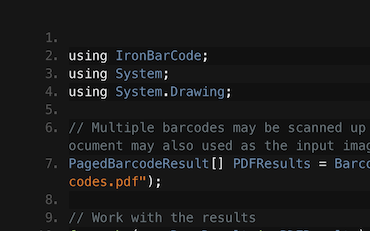
C#.NET条形码QR

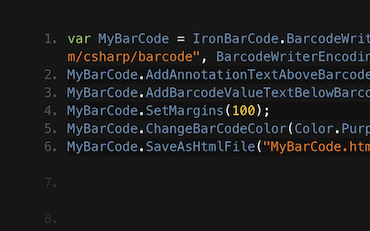
C#.NET条形码

在C#或VB.NET中生成条码图像
Francesca分享了一些在C#或VB应用程序中写入条码到图像的技巧和窍门。了解如何写入条码以及IronBarcode为您提供的所有选项...
查看Francesca的条码教程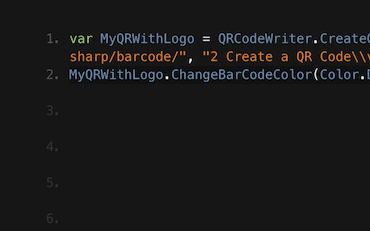
QR.NETC#VB

在C#和VB .NET应用程序中编写QR代码的教程
Jenny的团队每天使用IronBarcode编写成千上万个QR。查看他们关于如何充分利用IronBarcode的教程...
来自Jenny团队的QR编写教程成千上万的开发人员使用IronBarcode来...
会计和金融系统
- # 收据
- # 报告
- # 发票打印

业务数字化
- # 文档
- # 订购和标签
- # 纸质替代

企业内容管理
- # 内容制作
- # 文档管理
- # 内容分发

数据和报告应用程序
- # 性能跟踪
- # 趋势映射
- # 报告



数千家企业、政府、中小企业和开发者信赖Iron软件产品。
Iron团队在.NET软件组件市场拥有超过10年的经验。













IronBarcode 是 IRONSUITE的一部分
10 个 .NET API 产品用于您的办公文档
产品链接
准备开始了吗?
Nuget Downloads 2,540,041|版本:2026.11刚刚发布

当您需要快速读取、写入和设计条形码时。

