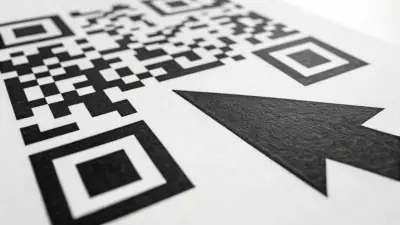
A barcode is a machine-readable image that encodes data. The first barcodes represented data by varying the widths and spacings of parallel lines. These linear, or one-dimensional (1D), barcodes are read by optical scanners known as barcode readers. Two-dimensional (2D) variants, called matrix codes, use rectangles, dots, hexagons, and other patterns instead of bars. Purpose-built 2D optical scanners can read them, and so can a digital camera connected to a computer that runs decoding software. A smartphone with a built-in camera can act as this type of reader when it runs a scanning application.
This article looks at five barcode reader SDKs.
- IronBarcode
- Scandit Barcode Scanner SDK
- Scanbot SDK
- LEADTOOLS Barcode
- barKoder SDK
Earlier versions of this list included the Cognex Mobile Barcode SDK. Cognex discontinued that SDK on September 30, 2025, and no longer sells subscriptions, releases software updates, or provides technical support for it, so barKoder SDK replaces it in this list.
IronBarcode
IronBarcode is a .NET library that reads and creates barcodes and QR codes in console, desktop, and web applications. Reading or generating a barcode typically takes a single line of C# code.

Supported formats include Code 39, Code 93, Code 128, UPC-A, UPC-E, EAN-8, EAN-13, ITF, GS1 DataBar and DataBar Expanded (formerly RSS 14 and RSS Expanded), Codabar, Aztec, Data Matrix, PDF417, MaxiCode, Intelligent Mail, MSI, and QR. Plessey is supported for writing only, and Intelligent Mail and MSI must be specified in the reader options before they can be read.
- Each reading result includes the barcode value, type, page number, and barcode image.
- Image preprocessing improves reading accuracy. IronBarcode corrects rotation, skew, and noise automatically and includes contrast, brightness, thresholding, sharpening, and blur filters for scans and for frames captured from a video or webcam.
- Batch reading can run on multiple threads, and the reader finds one or more barcodes in single images, multi-page TIFF and GIF files, and PDF documents.
- The
BarCode package runs on .NET 5 through .NET 10, .NET Core, and .NET Framework 4.6.2 or later. It targets Windows, and the BarCode.Linux, BarCode.MacOs, and BarCode.MacOs.ARM packages cover Linux and macOS. IronBarcode also runs in Docker, Azure, and AWS environments.
- Barcodes and QR codes can be exported as PNG, JPEG, TIFF, GIF, BMP, PDF, and HTML files, or as streams and byte arrays. The size, color, background color, and annotation text of a generated barcode can all be changed.
Create Barcode Using IronBarcode
IronBarcode creates barcode labels in the barcode type you choose and saves them in a variety of image formats. The following sample creates a Code 128 barcode.
using IronBarCode; // Import the IronBarCode namespace

// Create a barcode with the specified text and encoding type
var MyBarCode = BarcodeWriter.CreateBarcode("123", BarcodeEncoding.Code128);

// Add annotation text below the barcode
MyBarCode.AddAnnotationTextBelowBarcode("123");

// Save the barcode as a JPEG image
MyBarCode.SaveAsImage("BarCode.jpeg");
Imports IronBarCode ' Import the IronBarCode namespace
' Create a barcode with the specified text and encoding type
Private MyBarCode = BarcodeWriter.CreateBarcode("123", BarcodeEncoding.Code128)
' Add annotation text below the barcode
MyBarCode.AddAnnotationTextBelowBarcode("123")
' Save the barcode as a JPEG image
MyBarCode.SaveAsImage("BarCode.jpeg")
Imports IronBarCode ' Import the IronBarCode namespace

' Create a barcode with the specified text and encoding type
Private MyBarCode = BarcodeWriter.CreateBarcode("123", BarcodeEncoding.Code128)

' Add annotation text below the barcode
MyBarCode.AddAnnotationTextBelowBarcode("123")

' Save the barcode as a JPEG image
MyBarCode.SaveAsImage("BarCode.jpeg")
The code example above works as follows.
CreateBarcode, a static method of the BarcodeWriter class, creates the barcode.- It takes the text to encode, in this case "123", and the encoding type,
Code128.
- An overload of
CreateBarcode also accepts a maximum width and height for the barcode image.
AddAnnotationTextBelowBarcode adds text below the barcode, and AddAnnotationTextAboveBarcode adds text above it.SaveAsImage writes the file and picks the image format from the .jpeg extension.
using IronBarCode;

// Create a QR code with a logo and specified dimensions
var QRWithLogo = QRCodeWriter.CreateQrCodeWithLogo("Hello World", new QRCodeLogo("logo.png"), 500);

// Change the QR code color
QRWithLogo.ChangeBarCodeColor(System.Drawing.Color.DarkGreen);

// Save the QR code as a JPEG image
QRWithLogo.SaveAsJpeg("Logoqr.jpeg");
C#
The second example creates a QR code with a logo.
CreateQrCodeWithLogo creates a 500-pixel QR code with a logo in its center, and the logo is passed as a QRCodeLogo object.ChangeBarCodeColor changes the color of the QR code.SaveAsJpeg writes the result to Logoqr.jpeg.

Both examples run in any console, desktop, or web application that references the IronBarcode package. To learn how to read barcodes with IronBarcode, see the barcode reading tutorial.
Scandit Barcode Scanner SDK
The Scandit Barcode Scanner SDK adds barcode scanning to native iOS and Android apps, web apps, and cross-platform frameworks such as React Native, Flutter, Cordova, Capacitor, Kotlin Multiplatform, and .NET. Scandit states that the SDK supports all major barcode types and more than 20,000 device models, among them smartphones, tablets, handheld computers, wearables, and low-end devices that lack autofocus. Image processing happens on the device by default, and scanning works fully offline.
Scandit also offers Smart Label Capture, which extracts barcode and text data from labels, and augmented reality overlays that show information on top of scanned items. On .NET, the SDK supports .NET for iOS, .NET for Android, and .NET MAUI, but not Windows or macOS desktop apps. Scandit no longer upgrades its Xamarin and Xamarin.Forms plugins and recommends a move to .NET MAUI. The SDK includes a BarcodeGenerator API that creates nine barcode types, including Code 128, QR, Data Matrix, and PDF417. A 30-day trial starts with a sign-up on the Scandit dashboard, and pricing is quoted on request.

Scanbot SDK
The Scanbot SDK covers barcode scanning, document scanning, and data extraction for mobile and web apps. Its developer, Scanbot SDK GmbH, was acquired by Apryse in July 2025. Current versions support Android, iOS, the web, React Native, Flutter, Capacitor, .NET MAUI, Kotlin Multiplatform, Linux, and Windows.
The Barcode Scanner SDK reads 1D and 2D barcodes, among them Code 128, Aztec, PDF417, QR, and Data Matrix. According to Scanbot, each scan takes 0.04 seconds or less, and the scanner handles damaged barcodes, low light, and small or distant codes.
The Document Scanner SDK starts the scan automatically once the device is in position, crops and flattens the page, and rates scan quality with its Document Quality Analyzer. The data capture modules extract data from passports, ID cards, driver's licenses, residence permits, European Health Insurance Cards (EHIC), and German medical certificates. Scanbot issues a 7-day trial key without a sales contact or an email address.

LEADTOOLS Barcode SDK is a toolkit for detecting, reading, and generating 1D and 2D barcodes. LEAD Technologies, which develops LEADTOOLS, has been part of Apryse since February 2024, and the former LEADTOOLS barcode product page now redirects to Apryse. LEADTOOLS version 23 covers environments such as .NET Framework, .NET Core, Java, Android, iOS, macOS, and HTML5 JavaScript, and its documentation includes a barcode C++ Class Library and barcode tutorials in Python and Swift. Version 23 also deprecated Xamarin in favor of .NET MAUI.
The SDK reads and writes more than 100 barcode symbologies, counting sub-types, across 1D and 2D types such as PDF417, QR, UPC, and Data Matrix, in both bitonal and color images. LEADTOOLS documents reading at any orientation and uses error-correcting codes to improve accuracy on low-quality images. The barcode engine, reader, and writer objects are thread-safe, so a server application can share them across threads. LEADTOOLS offers a 60-day evaluation license without watermarking.

barKoder SDK
barKoder SDK is a commercial barcode scanning SDK built around a native decoding engine. The same engine ships as platform SDKs for Android, iOS, the web (WebAssembly), Windows, Linux, Python, and C#, and as plugins for Flutter, React Native, .NET MAUI, Capacitor, Cordova, and NativeScript. Decoding runs locally on the device, and barKoder documents features such as MatrixSight, DeBlur mode, Batch MultiScan, and DPM mode for difficult scans.
For .NET developers, barKoder offers a C# SDK for Windows applications. It decodes image data that the application passes in as grayscale pixel buffers. The Plugin.Maui.Barkoder package adds a camera scanning view to .NET MAUI apps. The documented APIs decode barcodes only, with no generation methods, and they do not list PDF as an input type. A device on a standard license must reach the barKoder licensing server at least once every 30 days.
The barKoder SDK vs IronBarcode comparison covers the differences between the two products in detail.
Conclusion
Scanbot and barKoder focus on barcode scanning and data capture. Scandit adds a barcode generator API to its scanning SDK, and LEADTOOLS reads and writes barcodes as part of a broader imaging toolkit. Each vendor sets its own licensing and trial terms, so check the vendor's site before choosing one.
IronBarcode reads and generates barcodes in one .NET library, and it reads barcodes from PDF documents as well as images. Perpetual licenses range from the Lite tier, for one developer and one project, to the Unlimited tier, and an Enterprise tier offers custom terms on request. A 30-day trial key is available without a credit card. Licensing details are on the IronBarcode licensing page.