




Canlı bir ortamda test edin
Üretim ortamında su yas cızlar olmadan test edin.
İhtiyacınız olan her yerde çalışır.


 Barkod Hızlı Başlangıç
using IronBarCode;
using System.Drawing;

// Reading a barcode is easy with IronBarcode!
var resultFromFile = BarcodeReader.Read(@"file/barcode.png"); // From a file
var resultFromBitMap = BarcodeReader.Read(new Bitmap("barcode.bmp")); // From a bitmap
var resultFromImage = BarcodeReader.Read(Image.FromFile("barcode.jpg")); // From an image file
var resultFromPdf = BarcodeReader.ReadPdf(@"file/mydocument.pdf"); // From PDF use ReadPdf

// To configure and fine-tune barcode reading, utilize the BarcodeReaderOptions class
var myOptionsExample = new BarcodeReaderOptions
{
    // Choose a reading speed from: Faster, Balanced, Detailed, ExtremeDetail
    // There is a tradeoff in performance as more detail is set
    Speed = ReadingSpeed.Balanced,

    // Reader will stop scanning once a single barcode is found (if set to true)
    ExpectMultipleBarcodes = true,

    // By default, all barcode formats are scanned for
    // Specifying a subset of barcode types to search for would improve performance
    ExpectBarcodeTypes = BarcodeEncoding.AllOneDimensional,

    // Utilize multiple threads to read barcodes from multiple images in parallel
    Multithreaded = true,

    // Maximum threads for parallelized barcode reading
    // Default is 4
    MaxParallelThreads = 2,

    // The area of each image frame in which to scan for barcodes
    // Specifying a crop area will significantly improve performance and avoid noisy parts of the image
    CropArea = new Rectangle(),

    // Special setting for Code39 barcodes
    // If a Code39 barcode is detected, try to read with both the base and extended ASCII character sets
    UseCode39ExtendedMode = true
};

// Read with the options applied
var results = BarcodeReader.Read("barcode.png", myOptionsExample);

// Create a barcode with one line of code
var myBarcode = BarcodeWriter.CreateBarcode("12345", BarcodeWriterEncoding.EAN8);

// After creating a barcode, we may choose to resize
myBarcode.ResizeTo(400, 100);

// Save our newly-created barcode as an image
myBarcode.SaveAsImage("EAN8.jpeg");

// Get the barcode as an image for further processing
var myBarcodeImage = myBarcode.Image;
Imports IronBarCode
Imports System.Drawing
' Reading a barcode is easy with IronBarcode!
Dim resultFromFile = BarcodeReader.Read("file/barcode.png") ' From a file
Dim resultFromBitMap = BarcodeReader.Read(New Bitmap("barcode.bmp")) ' From a bitmap
Dim resultFromImage = BarcodeReader.Read(Image.FromFile("barcode.jpg")) ' From an image file
Dim resultFromPdf = BarcodeReader.ReadPdf("file/mydocument.pdf") ' From PDF use ReadPdf
' To configure and fine-tune barcode reading, utilize the BarcodeReaderOptions class
Dim myOptionsExample As New BarcodeReaderOptions With {
' Choose a reading speed from: Faster, Balanced, Detailed, ExtremeDetail
' There is a tradeoff in performance as more detail is set
.Speed = ReadingSpeed.Balanced,
' Reader will stop scanning once a single barcode is found (if set to true)
.ExpectMultipleBarcodes = True,
' By default, all barcode formats are scanned for
' Specifying a subset of barcode types to search for would improve performance
.ExpectBarcodeTypes = BarcodeEncoding.AllOneDimensional,
' Utilize multiple threads to read barcodes from multiple images in parallel
.Multithreaded = True,
' Maximum threads for parallelized barcode reading
' Default is 4
.MaxParallelThreads = 2,
' The area of each image frame in which to scan for barcodes
' Specifying a crop area will significantly improve performance and avoid noisy parts of the image
.CropArea = New Rectangle(),
' Special setting for Code39 barcodes
' If a Code39 barcode is detected, try to read with both the base and extended ASCII character sets
.UseCode39ExtendedMode = True
}
' Read with the options applied
Dim results = BarcodeReader.Read("barcode.png", myOptionsExample)
' Create a barcode with one line of code
Dim myBarcode = BarcodeWriter.CreateBarcode("12345", BarcodeWriterEncoding.EAN8)
' After creating a barcode, we may choose to resize
myBarcode.ResizeTo(400, 100)
' Save our newly-created barcode as an image
myBarcode.SaveAsImage("EAN8.jpeg")
' Get the barcode as an image for further processing
Dim myBarcodeImage = myBarcode.Image
Install-Package BarCode
IronBarcode, resim dosyalarından (jpeg, png ve jpg) değişkenleri dolaştırmak istiyorsanız, örneğin bit eşlem gibi daha programatik formatlara kadar çeşitli standart formatları destekler. Ayrıca, PDF gibi harici formatları da destekler, böylece IronBarcode her kod tabanına sorunsuz bir şekilde entegre olur ve geliştiricilere dosya formatları ve değişkenleri ile esneklik sağlar.
IronBarcode, tüm dosya formatları için bir barkod okuyucu olmasının yanı sıra, EAN8, Code128 ve Code39 gibi tüm standart kodlama ve biçimlendirmeleri destekleyen bir barkod oluşturucu olarak da çalışır. Barkod üretici ayarını yapmak yalnızca iki satır kod alır. Düşük giriş engeli ve geliştiriciler için pek çok özelleştirme seçeneği ile IronBarcode, barkodlarla ilgili tüm durumlar için bir numaralı tercihtir.
İlk olarak, gerekli kütüphaneleri IronBarCode ve System.Drawing gibi içe aktarıyoruz ve BarcodeWriter'ı başlatıp EAN8 formatında 12345 değerine sahip bir barkod oluşturuyoruz. Sonra, üretilen barkodu istenilen formatta bir resim olarak kaydediyoruz. IronBarcode, barkodu Image ve Bitmap olarak oluşturmayı desteklediği için çeşitli seçenekler mevcuttur.
Yukarıdan görüldüğü gibi, IronBarcode kullanarak bir barkod oluşturmak yalnızca iki kod satırı gerektirir ve daha sonraki kullanım için bir dosya olarak kaydedilir. IronBarcode bunu daha da genişleterek, geliştiricilere duruma uygun şekilde barkodu özelleştirmek için sayısız seçenek sunar.
Barkod görüntüsünü yeniden boyutlandırmak için ResizeTo yöntemini kullanabiliriz ve yükseklik ile genişliği aktarabiliriz.
Yukarıdaki gibi, ilk olarak BarcodeReader'ı başlatıp, dosya yolunu Read yöntemine geçiriyoruz ve barkod nesnesini daha sonra kullanmak ve manipüle etmek için bir değişken olarak kaydediyoruz. PDF gibi harici formatları okumak için belirli yöntemler vardır ReadPDF; ancak, genel görüntü formatları ve bitmapler için Read kullanırdık.
IronBarcode, geliştiricilerin standart dosya formatlarından barkod taraması yapmasına olanak tanır. Ancak, geliştiricilerin, özellikle bir grup barkod dosyasını programatik olarak okuduğu durumlarda BarcodeReaderOptions yönteminin davranışını ince ayar yapmak istedikleri durumlar vardır. İşte BarcodeReaderOptions burada devreye girer. IronBarcode, Speed ile okuma hızını ve dosyada birden çok barkodun beklenip beklenmediğini ExpectedMultipleBarcodes ile, ve ne tür barkodlar olduklarını ExpectBarcodeTypes özelliği ile tamamen özelleştirmenize olanak tanır. Bu, geliştiricilerin birden fazla resimden paralel olarak barkod okumak için birden fazla iplik çalıştırmasına ve aynı zamanda paralel okuma yaparken kullanılan iplik sayısını kontrol etmesine olanak tanır.
Bunlar, IronBarcode'un gücünü gösteren özelliklerden sadece birkaçı. Tam liste için lütfen belgelerde şu adresi ziyaret edin burada.
Hatalı Barkodlar ve Görüntü Düzeltme
using IronBarCode;
using IronSoftware.Drawing;

// Choose which filters are to be applied (in order)
// Set cacheAtEachIteration = true to save the intermediate image data after each filter is applied
var filtersToApply = new ImageFilterCollection(cacheAtEachIteration: true) {
    new SharpenFilter(),
    new InvertFilter(),
    new ContrastFilter(),
    new BrightnessFilter(),
    new AdaptiveThresholdFilter(),
    new BinaryThresholdFilter(),
    new GaussianBlurFilter(),
    new MedianBlurFilter(),
    new BilateralFilter()
};

BarcodeReaderOptions myOptionsExample = new BarcodeReaderOptions()
{
    // Set chosen filters in BarcodeReaderOptions
    ImageFilters = filtersToApply,

    Speed = ReadingSpeed.Balanced,
    ExpectMultipleBarcodes = true,
};

// Read with the options applied
BarcodeResults results = BarcodeReader.Read("screenshot.png", myOptionsExample);

AnyBitmap[] filteredImages = results.FilterImages();

// Export intermediate image files to disk
for (int i = 0 ; i < filteredImages.Length ; i++)
    filteredImages[i].SaveAs($"{i}_barcode.png");

// Or
results.ExportFilterImagesToDisk("filter-result.jpg");
Imports IronBarCode
Imports IronSoftware.Drawing
' Choose which filters are to be applied (in order)
' Set cacheAtEachIteration = true to save the intermediate image data after each filter is applied
Private filtersToApply = New ImageFilterCollection(cacheAtEachIteration:= True) From {
New SharpenFilter(),
New InvertFilter(),
New ContrastFilter(),
New BrightnessFilter(),
New AdaptiveThresholdFilter(),
New BinaryThresholdFilter(),
New GaussianBlurFilter(),
New MedianBlurFilter(),
New BilateralFilter()
}
Private myOptionsExample As New BarcodeReaderOptions() With {
.ImageFilters = filtersToApply,
.Speed = ReadingSpeed.Balanced,
.ExpectMultipleBarcodes = True
}
' Read with the options applied
Private results As BarcodeResults = BarcodeReader.Read("screenshot.png", myOptionsExample)
Private filteredImages() As AnyBitmap = results.FilterImages()
' Export intermediate image files to disk
For i As Integer = 0 To filteredImages.Length - 1
filteredImages(i).SaveAs($"{i}_barcode.png")
Next i
' Or
results.ExportFilterImagesToDisk("filter-result.jpg")Install-Package BarCode
IronBarcode, BarcodeReaderOptions içinde kolayca uygulanabilen birçok görüntü ön işleme filtresi sunar. Sharpen, İkili Eşik ve Contrast gibi görüntü okumanızı iyileştirebilecek filtreleri seçin. Seçtiğiniz sıranın uygulandığı sırası olduğunu unutmayın.
Her filtre uygulandıktan sonra, ara görüntülerin resim verisini kaydetme seçeneği vardır. Bu, ImageFilterCollection 'nin SaveAtEachIteration özelliği ile açılıp kapatılabilir.
Özellikli Kod Örneğinden Anahtar Noktalar:
BarcodeReaderOptions bir örneği oluşturuyoruz ve farklı görüntü filtreleri ile yapılandırıyoruz: Sharpen, Binary Threshold ve Contrast.cacheAtEachIteration 'yi true olarak ayarlayarak, kütüphane, her filtre uygulamasından sonra ara görüntüleri kaydeder ki bu hata ayıklama ve analiz için faydalıdır.IronBarcode'da Görüntü Düzeltme Hakkında Daha Fazla Bilgi Edinin
Barkod Görüntüleri Oluşturma
using IronBarCode;
using System.Drawing;

/*** CREATING BARCODE IMAGES ***/

// Create and save a barcode in a single line of code
BarcodeWriter.CreateBarcode("12345", BarcodeWriterEncoding.EAN8).ResizeTo(400, 100).SaveAsImage("EAN8.jpeg");

/*****  IN-DEPTH BARCODE CREATION OPTIONS *****/

// BarcodeWriter.CreateBarcode creates a GeneratedBarcode which can be styled and exported as an Image object or file
GeneratedBarcode MyBarCode = BarcodeWriter.CreateBarcode("Any Number, String or Binary Value", BarcodeWriterEncoding.Code128);

// Style the Barcode in a fluent LINQ-style fashion
MyBarCode.ResizeTo(300, 150).SetMargins(20).AddAnnotationTextAboveBarcode("Example EAN8 Barcode").AddBarcodeValueTextBelowBarcode();
MyBarCode.ChangeBackgroundColor(Color.LightGoldenrodYellow);

// Save the barcode as an image file
MyBarCode.SaveAsImage("MyBarCode.png");
MyBarCode.SaveAsGif("MyBarCode.gif");
MyBarCode.SaveAsHtmlFile("MyBarCode.html");
MyBarCode.SaveAsJpeg("MyBarCode.jpg");
MyBarCode.SaveAsPdf("MyBarCode.Pdf");
MyBarCode.SaveAsPng("MyBarCode.png");
MyBarCode.SaveAsTiff("MyBarCode.tiff");
MyBarCode.SaveAsWindowsBitmap("MyBarCode.bmp");

// Save the barcode as a .NET native object
Image MyBarCodeImage = MyBarCode.Image;
Bitmap MyBarCodeBitmap = MyBarCode.ToBitmap();

byte[] PngBytes = MyBarCode.ToPngBinaryData();

using (System.IO.Stream PdfStream = MyBarCode.ToPdfStream())
{
    // Stream barcode image output also works for GIF, JPEG, PDF, PNG, BMP and TIFF
}

// Save MyBarCode as an HTML file or tag
MyBarCode.SaveAsHtmlFile("MyBarCode.Html");
string ImgTagForHTML = MyBarCode.ToHtmlTag();
string DataURL = MyBarCode.ToDataUrl();

// Save MyBarCode to a new PDF, or stamp it in any position on any page(s) of an existing document
MyBarCode.SaveAsPdf("MyBarCode.Pdf");
MyBarCode.StampToExistingPdfPage("ExistingPDF.pdf", 200, 50, 1);  // Position (200, 50) on page 1
MyBarCode.StampToExistingPdfPages("ExistingPDF.pdf", 200, 50, new[] { 1, 2, 3 }, "Password123");  // Multiple pages of an encrypted PDF
Imports IronBarCode
Imports System.Drawing
'''* CREATING BARCODE IMAGES **
' Create and save a barcode in a single line of code
BarcodeWriter.CreateBarcode("12345", BarcodeWriterEncoding.EAN8).ResizeTo(400, 100).SaveAsImage("EAN8.jpeg")
'''*** IN-DEPTH BARCODE CREATION OPTIONS ****
' BarcodeWriter.CreateBarcode creates a GeneratedBarcode which can be styled and exported as an Image object or file
Dim MyBarCode As GeneratedBarcode = BarcodeWriter.CreateBarcode("Any Number, String or Binary Value", BarcodeWriterEncoding.Code128)
' Style the Barcode in a fluent LINQ-style fashion
MyBarCode.ResizeTo(300, 150).SetMargins(20).AddAnnotationTextAboveBarcode("Example EAN8 Barcode").AddBarcodeValueTextBelowBarcode()
MyBarCode.ChangeBackgroundColor(Color.LightGoldenrodYellow)
' Save the barcode as an image file
MyBarCode.SaveAsImage("MyBarCode.png")
MyBarCode.SaveAsGif("MyBarCode.gif")
MyBarCode.SaveAsHtmlFile("MyBarCode.html")
MyBarCode.SaveAsJpeg("MyBarCode.jpg")
MyBarCode.SaveAsPdf("MyBarCode.Pdf")
MyBarCode.SaveAsPng("MyBarCode.png")
MyBarCode.SaveAsTiff("MyBarCode.tiff")
MyBarCode.SaveAsWindowsBitmap("MyBarCode.bmp")
' Save the barcode as a .NET native object
Dim MyBarCodeImage As Image = MyBarCode.Image
Dim MyBarCodeBitmap As Bitmap = MyBarCode.ToBitmap()
Dim PngBytes() As Byte = MyBarCode.ToPngBinaryData()
Using PdfStream As System.IO.Stream = MyBarCode.ToPdfStream()
' Stream barcode image output also works for GIF, JPEG, PDF, PNG, BMP and TIFF
End Using
' Save MyBarCode as an HTML file or tag
MyBarCode.SaveAsHtmlFile("MyBarCode.Html")
Dim ImgTagForHTML As String = MyBarCode.ToHtmlTag()
Dim DataURL As String = MyBarCode.ToDataUrl()
' Save MyBarCode to a new PDF, or stamp it in any position on any page(s) of an existing document
MyBarCode.SaveAsPdf("MyBarCode.Pdf")
MyBarCode.StampToExistingPdfPage("ExistingPDF.pdf", 200, 50, 1) ' Position (200, 50) on page 1
MyBarCode.StampToExistingPdfPages("ExistingPDF.pdf", 200, 50, { 1, 2, 3 }, "Password123") ' Multiple pages of an encrypted PDFInstall-Package BarCode
Bu örnekte, birçok farklı tür ve formatta barkodların oluşturulabileceği, boyutlandırılabileceği ve kaydedilebileceği görülmektedir; belki de tek bir kod satırında.
Akıcı API'mizi kullanarak, oluşturulan barcode sınıfı kenar boşluklarını ayarlamak, yeniden boyutlandırmak ve barkodlar üzerine açıklama eklemek için kullanılabilir. Daha sonra, adından doğru resim türünü otomatik olarak varsayarak IronBarcode ile görüntüler olarak kaydedilebilir: GIF'ler, HTML dosyaları, HTML etiketleri, JPEG'ler, PDF'ler, PNG'ler, TIFF'ler ve Windows Bitmaps.
Ayrıca, mevcut bir PDF üzerine bir barkod oluşturulmasını ve damgalanmasını sağlayan StampToExistingPdfPage yöntemimiz de bulunuyor. Bu, genel bir PDF'yi düzenlerken veya bir belgeye bir barkod aracılığıyla dahili bir tanımlama numarası eklerken kullanışlıdır.
Barkod Stili & Anotasyonu
using IronBarCode;
using System;
using System.Drawing;

/*** STYLING GENERATED BARCODES  ***/

// BarcodeWriter.CreateBarcode creates a GeneratedBarcode object which allows the barcode to be styled and annotated.
GeneratedBarcode MyBarCode = BarcodeWriter.CreateBarcode("Iron Software", BarcodeWriterEncoding.QRCode);

// Any text (or commonly, the value of the barcode) can be added to the image in a default or specified font.
// Text positions are automatically centered, above or below. Fonts that are too large for a given image are automatically scaled down.
MyBarCode.AddBarcodeValueTextBelowBarcode();
MyBarCode.AddAnnotationTextAboveBarcode("This is my barcode");

// Resize, add margins and check final image dimensions
MyBarCode.ResizeTo(300, 300); // Resize in pixels
MyBarCode.SetMargins(0, 20, 0, 20); // Set margins in pixels

int FinalWidth = MyBarCode.Width;
int FinalHeight = MyBarCode.Height;

// Recolor the barcode and its background
MyBarCode.ChangeBackgroundColor(Color.LightGray);
MyBarCode.ChangeBarCodeColor(Color.DarkSlateBlue);
if (!MyBarCode.Verify())
{
    Console.WriteLine("Color contrast should be at least 50% or a barcode may become unreadable. Test using GeneratedBarcode.Verify()");
}

// Finally, save the result
MyBarCode.SaveAsHtmlFile("StyledBarcode.html");

/*** STYLING BARCODES IN A SINGLE LINQ-STYLE EXPRESSION ***/

// Create a barcode in one line of code
BarcodeWriter.CreateBarcode("https://ironsoftware.com", BarcodeWriterEncoding.Aztec).ResizeTo(250, 250).SetMargins(10).AddBarcodeValueTextAboveBarcode().SaveAsImage("StyledBarcode.png");

/*** STYLING QR CODES WITH LOGO IMAGES OR BRANDING ***/

// Use the QRCodeWriter.CreateQrCodeWithLogo Method instead of BarcodeWriter.CreateBarcode
// Logo will automatically be sized appropriately and snapped to the QR grid.

var qrCodeLogo = new QRCodeLogo("ironsoftware_logo.png");
GeneratedBarcode myQRCodeWithLogo = QRCodeWriter.CreateQrCodeWithLogo("https://ironsoftware.com/", qrCodeLogo);
myQRCodeWithLogo.ResizeTo(500, 500).SetMargins(10).ChangeBarCodeColor(Color.DarkGreen);
myQRCodeWithLogo.ResizeTo(500, 500).SetMargins(10).ChangeBarCodeColor(Color.DarkGreen);
myQRCodeWithLogo.SaveAsPng("QRWithLogo.Png").SaveAsPdf("MyVerifiedQR.html"); // Save as 2 different formats
Imports IronBarCode
Imports System
Imports System.Drawing
'*** STYLING GENERATED BARCODES ***
' BarcodeWriter.CreateBarcode creates a GeneratedBarcode object which allows the barcode to be styled and annotated.
Dim MyBarCode As GeneratedBarcode = BarcodeWriter.CreateBarcode("Iron Software", BarcodeWriterEncoding.QRCode)
' Any text (or commonly, the value of the barcode) can be added to the image in a default or specified font.
' Text positions are automatically centered, above or below. Fonts that are too large for a given image are automatically scaled down.
MyBarCode.AddBarcodeValueTextBelowBarcode()
MyBarCode.AddAnnotationTextAboveBarcode("This is my barcode")
' Resize, add margins and check final image dimensions
MyBarCode.ResizeTo(300, 300) ' Resize in pixels
MyBarCode.SetMargins(0, 20, 0, 20) ' Set margins in pixels
Dim FinalWidth As Integer = MyBarCode.Width
Dim FinalHeight As Integer = MyBarCode.Height
' Recolor the barcode and its background
MyBarCode.ChangeBackgroundColor(Color.LightGray)
MyBarCode.ChangeBarCodeColor(Color.DarkSlateBlue)
If Not MyBarCode.Verify() Then
Console.WriteLine("Color contrast should be at least 50% or a barcode may become unreadable. Test using GeneratedBarcode.Verify()")
End If
' Finally, save the result
MyBarCode.SaveAsHtmlFile("StyledBarcode.html")
'*** STYLING BARCODES IN A SINGLE LINQ-STYLE EXPRESSION ***
' Create a barcode in one line of code
BarcodeWriter.CreateBarcode("https://ironsoftware.com", BarcodeWriterEncoding.Aztec).ResizeTo(250, 250).SetMargins(10).AddBarcodeValueTextAboveBarcode().SaveAsImage("StyledBarcode.png")
'*** STYLING QR CODES WITH LOGO IMAGES OR BRANDING ***
' Use the QRCodeWriter.CreateQrCodeWithLogo Method instead of BarcodeWriter.CreateBarcode
' Logo will automatically be sized appropriately and snapped to the QR grid.
Dim qrCodeLogo = New QRCodeLogo("ironsoftware_logo.png")
Dim myQRCodeWithLogo As GeneratedBarcode = QRCodeWriter.CreateQrCodeWithLogo("https://ironsoftware.com/", qrCodeLogo)
myQRCodeWithLogo.ResizeTo(500, 500).SetMargins(10).ChangeBarCodeColor(Color.DarkGreen)
myQRCodeWithLogo.ResizeTo(500, 500).SetMargins(10).ChangeBarCodeColor(Color.DarkGreen)
myQRCodeWithLogo.SaveAsPng("QRWithLogo.Png").SaveAsPdf("MyVerifiedQR.html") ' Save as 2 different formatsInstall-Package BarCode
Bu örnekte, barkodların istediğiniz metinle veya barcode'nın kendi değeriyle, hedef makinede yüklü herhangi bir yazı tipi kullanılarak açıklanabileceğini görüyoruz. Eğer o yazı tipi mevcut değilse, uygun benzer bir yazı tipi seçilecektir. Barkodlar yeniden boyutlandırılabilir, kenar boşlukları eklenebilir ve hem barcode hem de arka planın rengi değiştirilebilir. Sonra uygun bir formatta kaydedilebilirler.
Kodun son birkaç satırında, akıcı stil operatörlerimizi kullanarak, yalnızca birkaç satır kodla barcode oluşturmanın ve biçimlendirmenin mümkün olduğunu görebilirsiniz, tıpkı System.Linq gibi.
Barkodları HTML Olarak Dışa Aktarma
using IronBarCode;

GeneratedBarcode MyBarCode = BarcodeWriter.CreateBarcode("1234567890", BarcodeWriterEncoding.Code128);

// Save as a stand-alone HTML file without any image assets
MyBarCode.SaveAsHtmlFile("MyBarCode.html");

// Save as a stand-alone HTML image tag which can be served in HTML files, ASPX or MVC Views. No image assets required, the tag embeds the entire image in its source content
string ImgTag = MyBarCode.ToHtmlTag();

// Turn the image into a HTML/CSS Data URI.
string DataURI = MyBarCode.ToDataUrl();
Imports IronBarCode
Private MyBarCode As GeneratedBarcode = BarcodeWriter.CreateBarcode("1234567890", BarcodeWriterEncoding.Code128)
' Save as a stand-alone HTML file without any image assets
MyBarCode.SaveAsHtmlFile("MyBarCode.html")
' Save as a stand-alone HTML image tag which can be served in HTML files, ASPX or MVC Views. No image assets required, the tag embeds the entire image in its source content
Dim ImgTag As String = MyBarCode.ToHtmlTag()
' Turn the image into a HTML/CSS Data URI.
Dim DataURI As String = MyBarCode.ToDataUrl()Install-Package BarCode
IronBarcode, kendi resim varlıklarına sahip olmayan, kapsayıcı bir HTML olarak barkodların dışa aktarılmasına olanak tanıyan çok kullanışlı bir özelliğe sahiptir. Her şey HTML dosyasının içinde bulunur.
HTML dosyası, HTML resim etiketi veya veri URI olarak dışa aktarabiliriz.
Bu örnekte:
BarcodeWriter.CreateBarcode kullanarak, giriş verilerini ve kodlama türünü belirtiyoruz.ToHtmlTag(), web sayfalarına gömülebilecek bir HTML <img> etiketi oluşturur.ToDataUri(), <img> etiketleri için veya bir resim URL'sinin gerektiği her yerde kullanılabilecek bir veri URI dizesi oluşturur.SaveAsHtmlFile(), tüm resim verilerini satır içi olan bağımsız bir HTML dosyası olarak barkodu kaydeder, bu da onu taşınabilir ve paylaşılabilir hale getirir.
Ürün, entegrasyon veya lisanslama soruları olsun; Iron ürün geliştirme ekibi tüm sorularınızı desteklemek için hazır. Projenizde kütüphanemizin en iyi şekilde kullanılmasını sağlamak için iletişime geçin ve Iron ile bir diyalog başlatın.
Soru Sor
IronBarcode, UPC A/E, EAN 8/13, Code 39, Code 93, Code 128, ITF, MSI, RSS 14/Expanded, Databar, CodaBar, QR, Styled QR, Data Matrix, MaxiCode, PDF417, Plessey ve Aztec dahil olmak üzere çoğu barkod ve QR standartlarını okur ve üretir. Sonuçlar; barkod verileri, türü, sayfa, metin ve barkod görüntüsü sağlar; arşiv veya indeksleme sistemleri için idealdir.
Tüm İşlev Listesini Gör
IronBarcode, taramalar veya canlı video karelerini okumak için hız ve doğruluğu artırmak amacıyla barkod görüntülerini otomatik olarak önceden işler. Döndürme, gürültü, bozulma ve açıyı düzeltir. Toplu işleme sunucu uygulamaları için çok çekirdekli, çok iş parçacığına hazırdır. Tek ve çok sayfalı belgelerde bir veya birden fazla barkodu otomatik olarak bulun. Karmaşık API'lere ihtiyaç duymadan belirli barkod türleri veya belge konumları için arama yapın.
Daha Fazla Bilgi Edinin
Birkaç satır kodla dakikalar içinde başlayın. Tüm .NET Dili desteklenen ve bağımlılık içermeyen tek bir DLL olarak kolay kullanım için .NET olarak inşa edilmiştir; 32 ve 64 bit desteği; Web, Bulut, Masaüstü veya Konsol Uygulamalarında kullanım; Mobil ve Masaüstü cihazları destekler.
Yazılım ürününü bu linkten indirebilirsiniz.
QR için Yapıldı, Avalonia, UI Framework
Hemen Başlayın
Bir dosyayı veya akışı PDF, JPG, TIFF, GIF, BMP, PNG veya HTML formatlarında kaydedin veya yazdırın. Renk, kalite, döndürme, boyut ve metin ayarlayın. Tam bir .NET Belge Kütüphanesi için C# Barkod Programlama araç kutusunu IronPDF ve IronOCR ile birlikte kullanın.
Daha Fazla Bilgi Edinin





Ücretsiz topluluk geliştirme lisansları. Ticari lisanslar 749 $'dan başlayan fiyatlarla.




Avalonia UI Framework Barkod QR

Frank'in taramalardan, fotoğraflardan ve PDF belgelerinden barkodları okumak için C# .NET Barkod Uygulaması içinde IronBarcode'u nasıl kullandığını görün...
Frank'in Barcode Okuma Eğitimi'ni Görüntüleyin
Avalonia UI Framework Barkod

Francesca, C# veya VB Uygulamalarında Görüntülere Barkod Yazma konusundaki bazı ipuçlarını ve püf noktalarını paylaşır. Barkodların nasıl yazılacağını ve IronBarcode ile size sunulan tüm seçenekleri görün...
Francesca'nın Barcode Eğitimine Bakın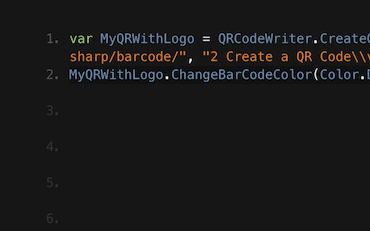
QR UI Framework Avalonia VB

Jenny'nin Ekibi, günde binlerce QR yazmak için IronBarcode'u kullanıyor. IronBarcode'dan maksimum fayda sağlamak için onların eğitimini görün...
Jenny'nin Ekibinden QR Yazma Eğitimi





Team Iron .NET yazılım bileşenleri pazarında 10 yılı aşkın deneyime sahiptir.










Install-Package BarCode


Kredi kartı gerekmez

Deneme anahtarınız e-postada olmalıdır.Deneme formu
başarıyla gönderildi.
Değilse, lütfen iletişime geçin
support@ironsoftware.com
Kredi kartı gerekmez

 Ücretsiz Başlayın
Üretim ortamında su yas cızlar olmadan test edin.
İhtiyacınız olan her yerde çalışır.
30 gün boyunca tam işlevli ürün alın.
Dakikalar içinde çalışır hale getirin.
Ürün deneme sürecinizde destek mühendislik ekibimize tam erişim
 Ücretsiz Başlayın
 Ücretsiz Canlı Demo Rezervasyonu
Ürünümüzün canlı bir demosu ve ana özellikleri
Projeye özel özellik önerileri alın
Tüm sorularınız yanıtlandı, böylece ihtiyacınız olan tüm bilgilere sahipsiniz. (Herhangi bir taahhüt yok.)
Ücretsiz Canlı Demo Rezervasyonu



Herhangi bir sınırlama yoktur. %100 erişim. Kredi kartı gerekmez.
 Kredi kartı veya hesap oluşturma gerektirmezHerhangi bir sınırlama yoktur. %100 erişim. Kredi kartı gerekmez.




Bağımsız Danışma Rezervasyonu

Aşağıdaki formu doldurun veya sales@ironsoftware.com adresine e-posta gönderin
Bilgileriniz daima gizli kalacaktır.

30 dakikalık, kişisel bir demo alın.
Sözleşme yok, kart bilgileri yok, taahhüt yok.






