
C# Barcode Scanner: Read Barcodes & QR Codes in .NET Applications

.NET uygulamanızda hızlı bir şekilde barkod veya QR kodlarını taramanız mı gerekiyor? IronBarcode, kusursuz dijital görüntüleri veya meydan okuyucu gerçek dünya fotoğraflarını işlerken barkod okuma işlemini basit ve güvenilir hale getirir. Bu rehber, C# dilinde barkod taramayı pratik örneklerle nasıl uygulayacağınızı tam olarak gösteriyor.
Hızlı Başlat: Bir Dosyadan Anında Barkod OkumaBu hızlı örnek, IronBarcode ile başlamanın ne kadar kolay olduğunu gösterir. Sadece bir satır kodla, herhangi bir karmaşık kurulum gerektirmeden bir görüntü dosyasından barkod okuyabilirsiniz.
-
1Install IronBarcode with NuGet Package Manager
-
2Bu kod parçacığını kopyalayın ve çalıştırın.
var results = IronBarCode.BarcodeReader.Read("path/to/barcode.png");C# -
3Canlı ortamınızda test için dağıtım yapın
Ücretsiz deneme ile bugün projenizde IronBarcode kullanmaya başlayın
Asgari İş Akışı (5 adım)
- IronBarcode'u NuGet veya DLL indirmesiyle yükleyin
BarcodeReader.Readyöntemini kullanarak herhangi bir barkod veya QR kodu tarayın- Tek bir tarama, PDF veya çoklu çerçeveli TIFF dosyasında birden fazla barkod veya QR kodu okuyun
- IronBarcode'un gelişmiş filtrelerle kusurlu taramaları ve fotoğrafları çözmesini sağlayın
- Eğitim projesini indirin ve hemen taramaya başlayın
IronBarcode'u .NET projemde nasıl kurabilirim?
IronBarcode, NuGet Paket Yöneticisi yoluyla veya DLL'i doğrudan indirerek kolayca kurulur. NuGet kurulumu, bağımlılıkları ve güncellemeleri otomatik olarak yönettiği için önerilen yaklaşımdır.
Kurulumdan sonra, barkod tarama işlevine erişmek için C# dosyalarınıza using IronBarCode; ekleyin. Farklı geliştirme ortamlarında ayrıntılı kurulum talimatları için kurulum kılavuzumuzu inceleyin.
İlk barkodumu C# ile nasıl okuyabilirim?
IronBarcode ile barkod okumak sadece bir satır kod gerektirir. Kütüphane, barkod formatlarını otomatik olarak algılar ve tüm kodlanmış verileri çıkartır.
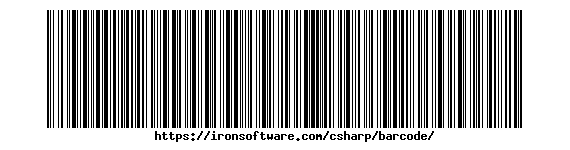 IronBarcode'un anında okuyabildiği standart bir Code128 barkodu
using IronBarCode;
BarcodeReaderOptions options = new BarcodeReaderOptions()
{
// Choose which filters are to be applied (in order)
ImageFilters = new ImageFilterCollection() {
new AdaptiveThresholdFilter(),
},
// Uses machine learning to auto rotate the barcode
AutoRotate = true,
};
// Read barcode
BarcodeResults results = BarcodeReader.Read("TryHarderQR.png", options);Imports IronBarCode
Private options As New BarcodeReaderOptions() With {
.ImageFilters = New ImageFilterCollection() From {New AdaptiveThresholdFilter()},
.AutoRotate = True
}
' Read barcode
Private results As BarcodeResults = BarcodeReader.Read("TryHarderQR.png", options)BarcodeReader.Read yöntemi, tespit edilen tüm barkodları içeren bir BarcodeResults koleksiyonu döndürür. Her bir BarcodeResult, barkodun metin değerine, format tipine, pozisyon koordinatlarına ve ikili verilerine erişim sağlar. Bu yaklaşım, Code128, Code39, QR kodları ve Data Matrix kodları dahil olmak üzere yaygın barkod formatlarıyla sorunsuz çalışır.
Zorlu veya hasarlı barkodları okumaya ne tür seçenekler yardımcı olur?
Gerçek dünya barkod taraması, sıkça kusurlu görüntüleri içerir - eğikli açılar, kötü aydınlatma veya kısmi hasar. IronBarcode'un gelişmiş seçenekleri bu zorluklarla etkili bir şekilde başa çıkar.
using IronBarCode;
using System;

// Multiple barcodes may be scanned up from a single document or image. A PDF document may also used as the input image
BarcodeResults results = BarcodeReader.ReadPdf("MultipleBarcodes.pdf");

// Work with the results
foreach (var pageResult in results)
{
    string Value = pageResult.Value;
    int PageNum = pageResult.PageNumber;
    System.Drawing.Bitmap Img = pageResult.BarcodeImage;
    BarcodeEncoding BarcodeType = pageResult.BarcodeType;
    byte[] Binary = pageResult.BinaryValue;
    Console.WriteLine(pageResult.Value + " on page " + PageNum);
}Imports IronBarCode
Imports System
' Multiple barcodes may be scanned up from a single document or image. A PDF document may also used as the input image
Private results As BarcodeResults = BarcodeReader.ReadPdf("MultipleBarcodes.pdf")
' Work with the results
For Each pageResult In results
Dim Value As String = pageResult.Value
Dim PageNum As Integer = pageResult.PageNumber
Dim Img As System.Drawing.Bitmap = pageResult.BarcodeImage
Dim BarcodeType As BarcodeEncoding = pageResult.BarcodeType
Dim Binary() As Byte = pageResult.BinaryValue
Console.WriteLine(pageResult.Value & " on page " & PageNum)
Next pageResult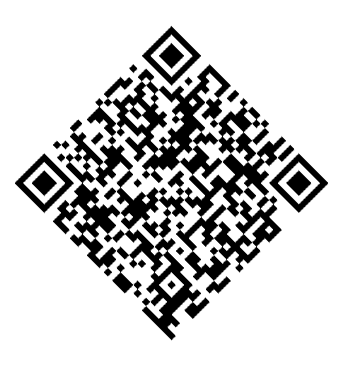 Gelişmiş seçenekler kullanarak IronBarcode'un başarıyla okuduğu döndürülmüş bir QR kodu
ExpectBarcodeTypes özelliği, aramayı belirli formatlarla sınırlayarak performansı önemli ölçüde artırır. Problemli görüntülerle maksimum doğruluk için görüntü filtrelerini otomatik döndürme ile birleştirin:
using IronBarCode;

// Multi frame TIFF and GIF images can also be scanned
BarcodeResults multiFrameResults = BarcodeReader.Read("Multiframe.tiff");

foreach (var pageResult in multiFrameResults)
{
    //...
}Imports IronBarCode
' Multi frame TIFF and GIF images can also be scanned
Private multiFrameResults As BarcodeResults = BarcodeReader.Read("Multiframe.tiff")
For Each pageResult In multiFrameResults
'...
Next pageResultBu gelişmiş özellikler, IronBarcode'u fotoğraflardan, güvenlik kameralarından veya görüntü kalitesinin önemli ölçüde değiştiği mobil cihaz yakalamalarından barkod taramak için ideal kılar.
PDF belgelerinden çoklu barkod nasıl taranır?
PDF barkod tarama, faturaları, sevkiyat etiketlerini ve envanter belgelerini işlemek için gereklidir. IronBarcode, her sayfa üzerinde tüm barkodları verimli bir şekilde okur.
PDF dosyalarından barkod okuma
using IronBarCode;

// The Multithreaded property allows for faster barcode scanning across multiple images or PDFs. All threads are automatically managed by IronBarCode.
var ListOfDocuments = new[] { "image1.png", "image2.JPG", "image3.pdf" };

BarcodeReaderOptions options = new BarcodeReaderOptions()
{
    // Enable multithreading
    Multithreaded = true,
};

BarcodeResults batchResults = BarcodeReader.Read(ListOfDocuments, options);Imports IronBarCode
' The Multithreaded property allows for faster barcode scanning across multiple images or PDFs. All threads are automatically managed by IronBarCode.
Private ListOfDocuments = { "image1.png", "image2.JPG", "image3.pdf" }
Private options As New BarcodeReaderOptions() With {.Multithreaded = True}
Private batchResults As BarcodeResults = BarcodeReader.Read(ListOfDocuments, options)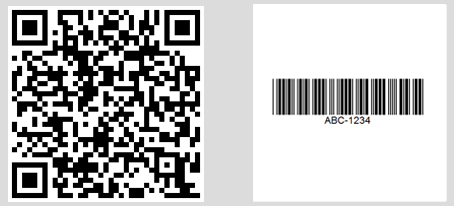 Farklı PDF sayfalarında bulunan birden fazla barkodu gösteren konsol çıktısı
Özel sayfa aralıkları veya gelişmiş PDF işlemleri için BarcodeReaderOptions kullanın:
// Read only specific pages to improve performance
PdfBarcodeReaderOptions pdfOptions = new PdfBarcodeReaderOptions
{
    // Scan pages 1-5 only
    PageNumbers = new[] { 1, 2, 3, 4, 5 },

    // PDF-specific settings
    DPI = 300 // Higher DPI for better accuracy
};

BarcodeResults results = BarcodeReader.ReadPdf("document.pdf", pdfOptions);Çok çerçeveli TIFF görüntüleri nasıl işleyebilirim?
Belge taraması ve faks sistemlerinde yaygın olan çok çerçeveli TIFF dosyaları, PDF'lerle aynı kapsamlı desteği alır.
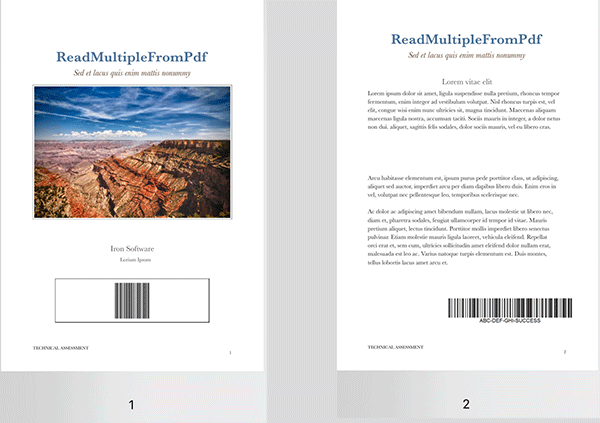 Farklı çerçevelerde barkod içeren çok çerçeveli bir TIFF dosyası
using IronBarCode;

// TIFF files are processed similarly to regular images
// Each frame is scanned automatically
BarcodeResults multiFrameResults = BarcodeReader.Read("Multiframe.tiff");

foreach (var result in multiFrameResults)
{
    // Access frame-specific information
    int frameNumber = result.PageNumber; // Frame number in TIFF
    string barcodeValue = result.Text;

    Console.WriteLine($"Frame {frameNumber}: {barcodeValue}");

    // Save individual barcode images if needed
    result.BarcodeImage?.Save($"barcode_frame_{frameNumber}.png");
}Imports IronBarCode
' TIFF files are processed similarly to regular images
' Each frame is scanned automatically
Dim multiFrameResults As BarcodeResults = BarcodeReader.Read("Multiframe.tiff")
For Each result In multiFrameResults
' Access frame-specific information
Dim frameNumber As Integer = result.PageNumber ' Frame number in TIFF
Dim barcodeValue As String = result.Text
Console.WriteLine($"Frame {frameNumber}: {barcodeValue}")
' Save individual barcode images if needed
result.BarcodeImage?.Save($"barcode_frame_{frameNumber}.png")
NextAynı BarcodeReaderOptions, görüntü filtreleri ve döndürme ayarları dahil olmak üzere TIFF işlemleri için de geçerlidir. Detaylı TIFF işleme senaryoları için görüntü işleme eğitimlerimize bakın.
Çok iş parçacıklı işlemeyle hızı artırabilir miyim?
Birden fazla belgenin işlenmesi, paralel işlemeyle dramatik şekilde fayda sağlar. IronBarcode, optimal performans için mevcut CPU çekirdeklerini otomatik olarak kullanır.
using IronBarCode;

// List of documents to process - mix of formats supported
var documentBatch = new[]
{
    "invoice1.pdf",
    "shipping_label.png",
    "inventory_sheet.tiff",
    "product_catalog.pdf"
};

// Configure for batch processing
BarcodeReaderOptions batchOptions = new BarcodeReaderOptions
{
    // Enable parallel processing across documents
    Multithreaded = true,

    // Limit threads if needed (0 = use all cores)
    MaxParallelThreads = Environment.ProcessorCount,

    // Apply consistent settings to all documents
    Speed = ReadingSpeed.Balanced,
    ExpectBarcodeTypes = BarcodeEncoding.All
};

// Process each document, tracking the source path externally
foreach (var document in documentBatch)
{
    BarcodeResults results = BarcodeReader.Read(document, batchOptions);

    Console.WriteLine($"\nDocument: {document}");
    foreach (var barcode in results)
    {
        Console.WriteLine($"  - {barcode.BarcodeType}: {barcode.Text}");
    }
}Bu paralel yaklaşım, belgeleri eş zamanlı olarak işleyerek, çok çekirdekli sistemlerde toplam tarama süresini azaltır. Kurumsal ölçekli barkod işleme için performans optimizasyon rehberimizi inceleyin.
Özet
IronBarcode, karmaşık barkod taramayı basit C# koduna dönüştürür. Envanter sistemleri, belge işlemcileri veya mobil uygulamalar geliştirseniz de, kütüphane hem dijital barkodlardan hem de zorlu gerçek dünya çekimlerinden her şeyi halleder.
Kapsanan ana yetenekler:
- Resimlerden tek satırlık barkod okuma
- Hasarlı veya döndürülmüş barkodlar için gelişmiş seçenekler
- Kapsamlı PDF ve TIFF belge tarama
- Çok iş parçacıklı yüksek performanslı toplu işleme
- Tüm ana barkod formatları için destek
Daha Fazla Okuma
Bu kaynaklarla barkod işleme yeteneklerinizi genişletin:
- Barkod Oluşturma Rehberi - Özel barkodlar oluşturun
- QR Kod Rehberi - Özel QR kodu özellikleri
BarcodeReaderSınıf Referansı - Tam API belgeleri- Sorun giderme rehberi - Yaygın sorunlar ve çözümler
Kaynak Kod İndirmeleri
Bu örnekleri kendiniz çalıştırın:
Uygulamanızda barkod taramayı uygulamaya hazır mısınız? Ücretsiz denemenizi başlatın ve bugün .NET projenize profesyonel barkod okuma ekleyin.
Sıkça Sorulan Sorular
.NET projesine bir barkod okuma kütüphanesini nasıl kurabilirim?
IronBarcode kütüphanesini NuGet Paket Yöneticisi aracılığıyla dotnet add package BarCode komutunu kullanarak veya Visual Studio'nun NuGet arayüzünden kurabilirsiniz. Alternatif olarak, DLL'i manuel kurulum için indiriniz.
C# kullanarak bir görüntüden barkod nasıl okunur?
IronBarcode'dan BarcodeReader.Read yöntemini tek satırlık bir kodla kullanın: var results = BarcodeReader.Read('image.png'); Bu yöntem, görüntüde bulunan tüm barkod formatlarını algılar ve okur.
Tek bir görüntü veya belgede birden fazla barkod tespit etmek mümkün mü?
Evet, IronBarcode, bir görüntüde, PDF'de veya çok çerçeveli TIFF'de birden fazla barkodu otomatik olarak tespit edebilir ve okuyabilir, her bir barkodun değerini, türünü ve konumunu BarcodeResults koleksiyonunda döndürebilir.
C# kullanarak PDF'den barkodlar nasıl okunur?
IronBarcode'un BarcodeReader.ReadPdf yöntemini bir PDF belgesinin tüm sayfalarını taramak için kullanın: var results = BarcodeReader.ReadPdf('document.pdf'); Her sonuç, barkodun bulunduğu sayfa numarasını içerir.
Barkod görüntüleri bulanık veya döndürülmüşse ne yapmalıyım?
Zorlu görüntülerle başa çıkmak için BarcodeReaderOptions'i AutoRotate = true olarak ayarlayarak yapılandırın ve SharpenFilter veya AdaptiveThresholdFilter gibi görüntü filtrelerini uygulayın. Daha iyi doğruluk için Speed = ExtremeDetail kullanın.
.NET uygulamalarında hangi barkod formatları desteklenmektedir?
IronBarcode, QR Code, Code 128, Code 39, EAN-13, UPC-A, Data Matrix, PDF417 ve daha birçok büyük barkod formatını destekler. Herhangi bir desteklenen formatı taramak için BarcodeEncoding.All kullanın.
C# uygulamasında barkod tarama performansını nasıl artırabilirim?
Beklenen barkod türlerini ExpectBarcodeTypes ile belirterek, Çoklu iş parçacıklı işlemi etkinleştirerek ve uygun Speed ayarlarını seçerek performansı artırın. Toplu görevler için, dosya yollarıyla BarcodeReader.Read kullanın.
Barkod okuma hatalarıyla başa çıkmanın önerilen yaklaşımı nedir?
Barkod okumalarını try-catch bloklarında kapsayın ve sonuçların boş olup olmadığını kontrol edin. IronBarcode ayrıntılı hata mesajları ve tespit güvenilirliğini gösteren Confidence özelliği sağlar.
Taramadan sonra barkod görüntülerini çıkarabilir miyim?
Evet, IronBarcode'un BarcodeResult, tespit edilen barkodun Bitmap içeren bir BarcodeImage özelliğine sahiptir ve bu, ayrı kaydedilebilir veya işlenebilir.
PDF belgesinin belirli sayfalarından barkodlar nasıl okunur?
BarcodeReaderOptions içindeki PageNumbers özelliğini sayfaları belirtmek için ayarlayın: options.PageNumbers = new[] {1, 2, 3}; Bu, yalnızca belirtilen sayfaları tarayarak performansı optimize eder.
.NET'de barkod tarama için hangi görüntü formatları uyumludur?
IronBarcode, PNG, JPEG, BMP, GIF, TIFF (çok çerçeveler dahil) ve PDF formatlarında taramayı destekler. Dosya yollarından, akışlardan veya bayt dizilerinden görüntü yükleyebilirsiniz.
C#'da taranan barkodlardan ikili verilere nasıl erişebilirim?
Çiğ ikili veri elde etmek için BarcodeResult'un BinaryValue özelliğini kullanın, bu özellik özellikle sıkıştırılmış bilgiler veya ikili protokoller içeren barkodlar için kullanışlıdır.

Jacob Mellor, Iron Software'de Baş Teknoloji Yöneticisidir ve C# PDF teknolojisinde öncü bir mühendisdir. Iron Software'ın ana kod tabanının ilk geliştiricisi olarak, CEO Cameron Rimington ile birlikte şirketin ürün mimarisini 50'den fazla kişilik bir şirkete dönüştürmüştür ve NASA, Tesla ve dünya genelindeki devlet kurumlarına hizmet etmektedir.













