
C# Barkod Tarayıcı: .NET Uygulamalarında Barkodları ve QR Kodları Okuyun

.NET uygulaman?zda h?zl? bir ?ekilde barkod veya QR kodu taraman?z m? gerekiyor? IronBarcode, ister kusursuz dijital g?r?nt?ler ister i?lenmesi zor ger?ek d?nya foto?raflar? olsun, barkod okumay? basit ve g?venilir hale getirir. Bu k?lavuz, hemen kullanabilece?iniz pratik ?rneklerle C# dilinde barkod taramay? nas?l uygulayaca??n?z? g?sterir.
Hızlı Başlat: Bir Dosyadan Anında Barkod OkumaBu hızlı örnek, IronBarcode ile başlamanın ne kadar kolay olduğunu gösterir. Sadece bir satır kod ile bir görüntü dosyasından barkod okuyabilirsiniz - karmaşık kurulum gerekmez.
-
1IronBarcode ile NuGet Package Manager'u yükleyin
-
2Bu kod parçacığını kopyalayın ve çalıştırın.
var results = IronBarCode.BarcodeReader.Read("path/to/barcode.png");Dim results = IronBarCode.BarcodeReader.Read("path/to/barcode.png")Dim results = IronBarCode.BarcodeReader.Read("path/to/barcode.png") -
3Canlı ortamınızda test için dağıtım yapın
Projenizde IronBarcode'yi bugün ücretsiz deneme sürümü ile kullanmaya başlayın
Asgari İş Akışı (5 adım)
- IronBarcode'u NuGet ?zerinden veya DLL indirerek kurun
BarcodeReader.Readyöntemini kullanarak herhangi bir barkod veya QR kodu tarayın- Tek bir tarama, PDF veya çoklu çerçeveli TIFF dosyasında birden fazla barkod veya QR kodu okuyun
- IronBarcode'un gelişmiş filtrelerle kusurlu taramaları ve fotoğrafları çözmesini sağlayın
- Eğitim projesini indirin ve hemen taramaya başlayın
IronBarcode'u .NET projemde nasıl kurabilirim?
IronBarcode, NuGet Paket Yöneticisi yoluyla veya DLL'i doğrudan indirerek kolayca kurulur. NuGet kurulumu, bağımlılıkları ve güncellemeleri otomatik olarak yönettiği için önerilen yaklaşımdır.
Kurulumdan sonra, barkod tarama i?levine eri?mek i?in C# dosyalar?n?za using IronBarCode; ekleyin. Farkl? geli?tirme ortamlar?na y?nelik ayr?nt?l? kurulum talimatlar? i?in kurulum k?lavuzumuza bak?n.
İlk barkodumu C# ile nasıl okuyabilirim?
IronBarcode ile barkod okumak sadece bir satır kod gerektirir. Kütüphane, barkod formatlarını otomatik olarak algılar ve tüm kodlanmış verileri çıkartır.
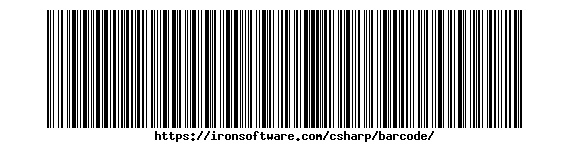 IronBarcode'un anında okuyabildiği standart bir Code128 barkodu
using IronBarCode;

BarcodeReaderOptions options = new BarcodeReaderOptions()
{
    // Choose which filters are to be applied (in order)
    ImageFilters = new ImageFilterCollection() {
        new AdaptiveThresholdFilter(),
    },

    // Uses machine learning to auto rotate the barcode
    AutoRotate = true,
};

// Read barcode
BarcodeResults results = BarcodeReader.Read("TryHarderQR.png", options);
using IronBarCode;
BarcodeReaderOptions options = new BarcodeReaderOptions()
{
// Choose which filters are to be applied (in order)
ImageFilters = new ImageFilterCollection() {
new AdaptiveThresholdFilter(),
},
// Uses machine learning to auto rotate the barcode
AutoRotate = true,
};
// Read barcode
BarcodeResults results = BarcodeReader.Read("TryHarderQR.png", options);Imports IronBarCode
Private options As New BarcodeReaderOptions() With {
.ImageFilters = New ImageFilterCollection() From {New AdaptiveThresholdFilter()},
.AutoRotate = True
}
' Read barcode
Private results As BarcodeResults = BarcodeReader.Read("TryHarderQR.png", options)Imports IronBarCode
Private options As New BarcodeReaderOptions() With {
.ImageFilters = New ImageFilterCollection() From {New AdaptiveThresholdFilter()},
.AutoRotate = True
}
' Read barcode
Private results As BarcodeResults = BarcodeReader.Read("TryHarderQR.png", options)BarcodeReader.Read metodu, tüm tespit edilen barkodları içeren bir BarcodeResults koleksiyonu döndürür. Her bir BarcodeResult, barkodun metin değeri, format türü, konum koordinatları ve ikili verilerine erişim sağlar. Bu yaklaşım, Code128, Code39, QR kodları ve Data Matrix kodları dahil olmak üzere yaygın barkod formatları ile çalışır.
Zorlu veya hasarlı barkodları okumaya ne tür seçenekler yardımcı olur?
Ger?ek d?nyada barkod tararken genellikle e?ik a??yla ?ekilmi?, yetersiz ayd?nlat?lm?? veya k?smen hasar g?rm?? g?r?nt?lerle kar??la??l?r. IronBarcode'un geli?mi? se?enekleri bu zorluklarla etkili bir ?ekilde ba?a ??kar.
using IronBarCode;
using System;

// Multiple barcodes may be scanned up from a single document or image. A PDF document may also used as the input image
BarcodeResults results = BarcodeReader.ReadPdf("MultipleBarcodes.pdf");

// Work with the results
foreach (var pageResult in results)
{
    string Value = pageResult.Value;
    int PageNum = pageResult.PageNumber;
    System.Drawing.Bitmap Img = pageResult.BarcodeImage;
    BarcodeEncoding BarcodeType = pageResult.BarcodeType;
    byte[] Binary = pageResult.BinaryValue;
    Console.WriteLine(pageResult.Value + " on page " + PageNum);
}
using IronBarCode;
using System;
// Multiple barcodes may be scanned up from a single document or image. A PDF document may also used as the input image
BarcodeResults results = BarcodeReader.ReadPdf("MultipleBarcodes.pdf");
// Work with the results
foreach (var pageResult in results)
{
string Value = pageResult.Value;
int PageNum = pageResult.PageNumber;
System.Drawing.Bitmap Img = pageResult.BarcodeImage;
BarcodeEncoding BarcodeType = pageResult.BarcodeType;
byte[] Binary = pageResult.BinaryValue;
Console.WriteLine(pageResult.Value + " on page " + PageNum);
}Imports IronBarCode
Imports System
' Multiple barcodes may be scanned up from a single document or image. A PDF document may also used as the input image
Private results As BarcodeResults = BarcodeReader.ReadPdf("MultipleBarcodes.pdf")
' Work with the results
For Each pageResult In results
Dim Value As String = pageResult.Value
Dim PageNum As Integer = pageResult.PageNumber
Dim Img As System.Drawing.Bitmap = pageResult.BarcodeImage
Dim BarcodeType As BarcodeEncoding = pageResult.BarcodeType
Dim Binary() As Byte = pageResult.BinaryValue
Console.WriteLine(pageResult.Value & " on page " & PageNum)
Next pageResultImports IronBarCode
Imports System
' Multiple barcodes may be scanned up from a single document or image. A PDF document may also used as the input image
Private results As BarcodeResults = BarcodeReader.ReadPdf("MultipleBarcodes.pdf")
' Work with the results
For Each pageResult In results
Dim Value As String = pageResult.Value
Dim PageNum As Integer = pageResult.PageNumber
Dim Img As System.Drawing.Bitmap = pageResult.BarcodeImage
Dim BarcodeType As BarcodeEncoding = pageResult.BarcodeType
Dim Binary() As Byte = pageResult.BinaryValue
Console.WriteLine(pageResult.Value & " on page " & PageNum)
Next pageResult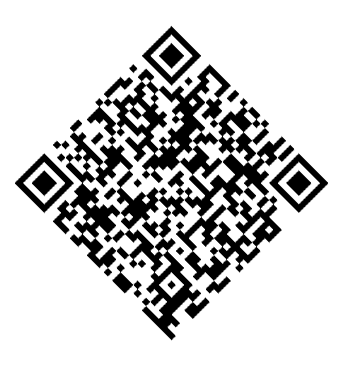 Gelişmiş seçenekler kullanarak IronBarcode'un başarıyla okuduğu döndürülmüş bir QR kodu
ExpectBarcodeTypes özelliği, aramayı belirli formatlarla sınırlayarak performansı önemli ölçüde artırır. Problemli görüntülerle maksimum doğruluk için görüntü filtrelerini otomatik döndürme ile birleştirin:
using IronBarCode;

// Multi frame TIFF and GIF images can also be scanned
BarcodeResults multiFrameResults = BarcodeReader.Read("Multiframe.tiff");

foreach (var pageResult in multiFrameResults)
{
    //...
}
using IronBarCode;
// Multi frame TIFF and GIF images can also be scanned
BarcodeResults multiFrameResults = BarcodeReader.Read("Multiframe.tiff");
foreach (var pageResult in multiFrameResults)
{
//...
}Imports IronBarCode
' Multi frame TIFF and GIF images can also be scanned
Private multiFrameResults As BarcodeResults = BarcodeReader.Read("Multiframe.tiff")
For Each pageResult In multiFrameResults
'...
Next pageResultImports IronBarCode
' Multi frame TIFF and GIF images can also be scanned
Private multiFrameResults As BarcodeResults = BarcodeReader.Read("Multiframe.tiff")
For Each pageResult In multiFrameResults
'...
Next pageResultBu ileri düzey özellikler, fotoğraflardan, güvenlik kameralarından veya görüntü kalitesinin önemli ölçüde değiştiği mobil cihaz çekimlerinden barkod taramak için IronBarcode'u ideal kılar.
PDF belgelerinden çoklu barkod nasıl taranır?
PDF barkod tarama, faturaları, sevkiyat etiketlerini ve envanter belgelerini işlemek için gereklidir. IronBarcode, her sayfa üzerinde tüm barkodları verimli bir şekilde okur.
PDF dosyalarından barkod okuma
using IronBarCode;

// The Multithreaded property allows for faster barcode scanning across multiple images or PDFs. All threads are automatically managed by IronBarCode.
var ListOfDocuments = new[] { "image1.png", "image2.JPG", "image3.pdf" };

BarcodeReaderOptions options = new BarcodeReaderOptions()
{
    // Enable multithreading
    Multithreaded = true,
};

BarcodeResults batchResults = BarcodeReader.Read(ListOfDocuments, options);
using IronBarCode;
// The Multithreaded property allows for faster barcode scanning across multiple images or PDFs. All threads are automatically managed by IronBarCode.
var ListOfDocuments = new[] { "image1.png", "image2.JPG", "image3.pdf" };
BarcodeReaderOptions options = new BarcodeReaderOptions()
{
// Enable multithreading
Multithreaded = true,
};
BarcodeResults batchResults = BarcodeReader.Read(ListOfDocuments, options);Imports IronBarCode
' The Multithreaded property allows for faster barcode scanning across multiple images or PDFs. All threads are automatically managed by IronBarCode.
Private ListOfDocuments = { "image1.png", "image2.JPG", "image3.pdf" }
Private options As New BarcodeReaderOptions() With {.Multithreaded = True}
Private batchResults As BarcodeResults = BarcodeReader.Read(ListOfDocuments, options)Imports IronBarCode
' The Multithreaded property allows for faster barcode scanning across multiple images or PDFs. All threads are automatically managed by IronBarCode.
Private ListOfDocuments = { "image1.png", "image2.JPG", "image3.pdf" }
Private options As New BarcodeReaderOptions() With {.Multithreaded = True}
Private batchResults As BarcodeResults = BarcodeReader.Read(ListOfDocuments, options)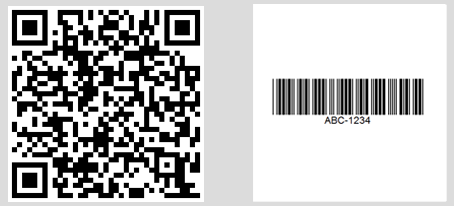 Farklı PDF sayfalarında bulunan birden fazla barkodu gösteren konsol çıktısı
Belirli sayfa aralıkları veya gelişmiş PDF işleme için BarcodeReaderOptions kullanın:
// Read only specific pages to improve performance
PdfBarcodeReaderOptions pdfOptions = new PdfBarcodeReaderOptions
{
    // Scan pages 1-5 only
    PageNumbers = new[] { 1, 2, 3, 4, 5 },

    // PDF-specific settings
    DPI = 300 // Higher DPI for better accuracy
};

BarcodeResults results = BarcodeReader.ReadPdf("document.pdf", pdfOptions);
// Read only specific pages to improve performance
PdfBarcodeReaderOptions pdfOptions = new PdfBarcodeReaderOptions
{
// Scan pages 1-5 only
PageNumbers = new[] { 1, 2, 3, 4, 5 },
// PDF-specific settings
DPI = 300 // Higher DPI for better accuracy
};
BarcodeResults results = BarcodeReader.ReadPdf("document.pdf", pdfOptions);' Read only specific pages to improve performance
Dim pdfOptions As New PdfBarcodeReaderOptions() With {
' Scan pages 1-5 only
.PageNumbers = New Integer() { 1, 2, 3, 4, 5 },
' PDF-specific settings
.DPI = 300 ' Higher DPI for better accuracy
}
Dim results As BarcodeResults = BarcodeReader.ReadPdf("document.pdf", pdfOptions)' Read only specific pages to improve performance
Dim pdfOptions As New PdfBarcodeReaderOptions() With {
' Scan pages 1-5 only
.PageNumbers = New Integer() { 1, 2, 3, 4, 5 },
' PDF-specific settings
.DPI = 300 ' Higher DPI for better accuracy
}
Dim results As BarcodeResults = BarcodeReader.ReadPdf("document.pdf", pdfOptions)Çok çerçeveli TIFF görüntüleri nasıl işleyebilirim?
Belge taraması ve faks sistemlerinde yaygın olan çok çerçeveli TIFF dosyaları, PDF'lerle aynı kapsamlı desteği alır.
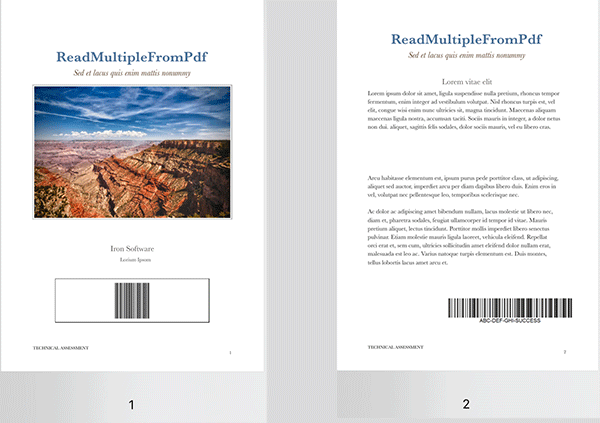 Farklı çerçevelerde barkod içeren çok çerçeveli bir TIFF dosyası
using IronBarCode;
using System;

// TIFF files are processed similarly to regular images
// Each frame is scanned automatically
BarcodeResults multiFrameResults = BarcodeReader.Read("Multiframe.tiff");

foreach (var result in multiFrameResults)
{
    // Access frame-specific information
    int frameNumber = result.PageNumber; // Frame number in TIFF
    string barcodeValue = result.Text;

    Console.WriteLine($"Frame {frameNumber}: {barcodeValue}");

    // Save individual barcode images if needed
    result.BarcodeImage?.SaveAs($"barcode_frame_{frameNumber}.png");
}
using IronBarCode;
using System;
// TIFF files are processed similarly to regular images
// Each frame is scanned automatically
BarcodeResults multiFrameResults = BarcodeReader.Read("Multiframe.tiff");
foreach (var result in multiFrameResults)
{
// Access frame-specific information
int frameNumber = result.PageNumber; // Frame number in TIFF
string barcodeValue = result.Text;
Console.WriteLine($"Frame {frameNumber}: {barcodeValue}");
// Save individual barcode images if needed
result.BarcodeImage?.SaveAs($"barcode_frame_{frameNumber}.png");
}Imports IronBarCode
Imports System
' TIFF files are processed similarly to regular images
' Each frame is scanned automatically
Dim multiFrameResults As BarcodeResults = BarcodeReader.Read("Multiframe.tiff")
For Each result In multiFrameResults
' Access frame-specific information
Dim frameNumber As Integer = result.PageNumber ' Frame number in TIFF
Dim barcodeValue As String = result.Text
Console.WriteLine($"Frame {frameNumber}: {barcodeValue}")
' Save individual barcode images if needed
result.BarcodeImage?.SaveAs($"barcode_frame_{frameNumber}.png")
NextImports IronBarCode
Imports System
' TIFF files are processed similarly to regular images
' Each frame is scanned automatically
Dim multiFrameResults As BarcodeResults = BarcodeReader.Read("Multiframe.tiff")
For Each result In multiFrameResults
' Access frame-specific information
Dim frameNumber As Integer = result.PageNumber ' Frame number in TIFF
Dim barcodeValue As String = result.Text
Console.WriteLine($"Frame {frameNumber}: {barcodeValue}")
' Save individual barcode images if needed
result.BarcodeImage?.SaveAs($"barcode_frame_{frameNumber}.png")
NextAyn? BarcodeReaderOptions, g?r?nt? filtreleri ve d?nd?rme ayarlar? dahil olmak ?zere TIFF i?leme i?in de ge?erlidir. Ayr?nt?l? TIFF i?leme senaryolar? i?in g?r?nt? i?leme ??reticilerine bak?n.
Çok iş parçacıklı işlemeyle hızı artırabilir miyim?
Birden fazla belge i?lenirken paralel i?leme ?nemli avantajlar sa?lar. IronBarcode, en iyi performans? sa?lamak i?in mevcut CPU ?ekirdeklerini otomatik olarak kullan?r.
using IronBarCode;

// List of documents to process - mix of formats supported
var documentBatch = new[]
{
    "invoice1.pdf",
    "shipping_label.png",
    "inventory_sheet.tiff",
    "product_catalog.pdf"
};

// Configure for batch processing
BarcodeReaderOptions batchOptions = new BarcodeReaderOptions
{
    // Enable parallel processing across documents
    Multithreaded = true,

    // Limit threads if needed (0 = use all cores)
    MaxParallelThreads = Environment.ProcessorCount,

    // Apply consistent settings to all documents
    Speed = ReadingSpeed.Balanced,
    ExpectBarcodeTypes = BarcodeEncoding.All
};

// Process each document, tracking the source path externally
foreach (var document in documentBatch)
{
    BarcodeResults results = BarcodeReader.Read(document, batchOptions);

    Console.WriteLine($"\nDocument: {document}");
    foreach (var barcode in results)
    {
        Console.WriteLine($"  - {barcode.BarcodeType}: {barcode.Text}");
    }
}
using IronBarCode;
// List of documents to process - mix of formats supported
var documentBatch = new[]
{
"invoice1.pdf",
"shipping_label.png",
"inventory_sheet.tiff",
"product_catalog.pdf"
};
// Configure for batch processing
BarcodeReaderOptions batchOptions = new BarcodeReaderOptions
{
// Enable parallel processing across documents
Multithreaded = true,
// Limit threads if needed (0 = use all cores)
MaxParallelThreads = Environment.ProcessorCount,
// Apply consistent settings to all documents
Speed = ReadingSpeed.Balanced,
ExpectBarcodeTypes = BarcodeEncoding.All
};
// Process each document, tracking the source path externally
foreach (var document in documentBatch)
{
BarcodeResults results = BarcodeReader.Read(document, batchOptions);
Console.WriteLine($"\nDocument: {document}");
foreach (var barcode in results)
{
Console.WriteLine($" - {barcode.BarcodeType}: {barcode.Text}");
}
}Imports IronBarCode
' List of documents to process - mix of formats supported
Dim documentBatch = New String() {"invoice1.pdf", "shipping_label.png", "inventory_sheet.tiff", "product_catalog.pdf"}
' Configure for batch processing
Dim batchOptions As New BarcodeReaderOptions With {
.Multithreaded = True,
' Limit threads if needed (0 = use all cores)
.MaxParallelThreads = Environment.ProcessorCount,
' Apply consistent settings to all documents
.Speed = ReadingSpeed.Balanced,
.ExpectBarcodeTypes = BarcodeEncoding.All
}
' Process each document, tracking the source path externally
For Each document In documentBatch
Dim results As BarcodeResults = BarcodeReader.Read(document, batchOptions)
Console.WriteLine(vbLf & "Document: " & document)
For Each barcode In results
Console.WriteLine($" - {barcode.BarcodeType}: {barcode.Text}")
Next
NextImports IronBarCode
' List of documents to process - mix of formats supported
Dim documentBatch = New String() {"invoice1.pdf", "shipping_label.png", "inventory_sheet.tiff", "product_catalog.pdf"}
' Configure for batch processing
Dim batchOptions As New BarcodeReaderOptions With {
.Multithreaded = True,
' Limit threads if needed (0 = use all cores)
.MaxParallelThreads = Environment.ProcessorCount,
' Apply consistent settings to all documents
.Speed = ReadingSpeed.Balanced,
.ExpectBarcodeTypes = BarcodeEncoding.All
}
' Process each document, tracking the source path externally
For Each document In documentBatch
Dim results As BarcodeResults = BarcodeReader.Read(document, batchOptions)
Console.WriteLine(vbLf & "Document: " & document)
For Each barcode In results
Console.WriteLine($" - {barcode.BarcodeType}: {barcode.Text}")
Next
NextBu paralel yaklaşım, belgeleri eşzamanlı olarak işleyerek çok çekirdekli sistemlerde toplam tarama süresini azaltır. Kurum ölçeğinde barkod işleme için performans optimizasyon kılavuzumuzu keşfedin.
Özet
IronBarcode, karma??k barkod tarama i?lemlerini basit C# koduyla ger?ekle?tirmenizi sa?lar. ?ster envanter sistemleri ister belge i?leme ara?lar? veya mobil uygulamalar geli?tirin, k?t?phane kusursuz dijital barkodlardan i?lenmesi zor ger?ek d?nya ?ekimlerine kadar her t?rl? girdiyi i?ler.
Kapsanan ana yetenekler:
- G?r?nt?lerden tek sat?r kodla barkod okuma
- Hasarlı veya döndürülmüş barkodlar için gelişmiş seçenekler
- Kapsamlı PDF ve TIFF belge tarama
- Çok iş parçacıklı yüksek performanslı toplu işleme
- Tüm ana barkod formatları için destek
Daha Fazla Okuma
Bu kaynaklarla barkod işleme yeteneklerinizi genişletin:
- Barkod Oluşturma Eğitimi - Özel barkodlar oluşturun
- QR Kodu K?lavuzu - QR kodlar?na ?zel ?zellikler
BarcodeReaderSınıf Referansı - Tam API belgeleri- Sorun Giderme Kılavuzu - Yaygın sorunlar ve çözümleri
Kaynak Kod İndirmeleri
Bu örnekleri kendiniz çalıştırın:
Uygulamanızda barkod taramayı uygulamaya hazır mısınız? Ücretsiz deneme sürenizi başlatın ve bugün .NET projenize profesyonel barkod okuma ekleyin.
Sıkça Sorulan Sorular
IronBarcode nedir?
IronBarcode, C#'de barkodları ve QR kodlarını okumayı basitleştiren, çeşitli görüntü kalitesi seviyeleri için kolay kullanımlı fonksiyonlar ve gelişmiş özellikler sunan bir .NET kütüphanesidir.
IronBarcode kullanarak C#'de barkodları nasıl okuyabilirim?
IronBarcode kullanarak C#'de barkodları tek bir kod satırı ile okuyabilirsiniz: IronBarCode.BarcodeReader.Read("path/to/barcode.png");. Bu yöntem, barkod türünü verimli bir şekilde algılar ve kodlanmış bilgileri sağlar.
IronBarcode tek bir dosyadan birden fazla barkodu okuyabilir mi?
Evet, IronBarcode tek bir görüntü veya dökümandan, PDF'ler ve çok kareli TIFF dosyaları dahil olmak üzere, birden fazla barkod okumayı otomatik olarak algılayarak ve her barkodu çıkararak destekler.
IronBarcode bozuk barkodları işlemek için hangi özellikleri sunuyor?
IronBarcode, zayıf aydınlatma veya açısal bozukluklara sahip kusurlu görüntülerden barkodları çözmek için otomatik döndürme, AdaptiveThresholdFilter ile görüntü filtreleme ve makine öğrenimi gibi gelişmiş özellikler sunar.
IronBarcode'u .NET projemde nasıl kurabilirim?
IronBarcode'u, NuGet Paket Yöneticisi üzerinden veya DLL dosyalarını indirerek .NET projenize kolayca kurabilirsiniz. Otomatik bağımlılık yönetimi ve güncellemeler için NuGet kullanmanız tavsiye edilir.
IronBarcode PDF dosyalarından barkod taramayı destekliyor mu?
Evet, IronBarcode tüm sayfalardaki PDF belgelerinden barkodları verimli bir şekilde tarar ve daha hızlı işlem için çoklu iş parçacığı desteği sunar.
IronBarcode çok kareli TIFF görüntüleri işleyebilir mi?
Evet, IronBarcode çok kareli TIFF görüntüleri işleyebilir, her kareyi barkodlar için otomatik olarak tarar ve kapsamlı sonuçlar sunar.
IronBarcode, barkod tarama performansını nasıl optimize eder?
IronBarcode, çoklu iş parçacığı yetenekleri ile performansı optimize eder, birden fazla belge ve görüntüde barkod taramasını mevcut tüm CPU çekirdeklerini kullanarak işlem süresini azaltır.
IronBarcode tarafından desteklenen barkod formatları nelerdir?
IronBarcode, çeşitli senaryolarda kullanıma olanak sağlamak için Code128, Code39, QR kodları, Data Matrix kodları ve daha fazlası dahil olmak üzere geniş bir barkod formatı yelpazesini destekler.
IronBarcode'da barkod okuma doğruluğunu artırmanın bir yolu var mı?
IronBarcode'da doğruluğu artırmak, belirli görüntü filtrelerini kullanacak şekilde BarcodeReaderOptions ayarlayıp, otomatik döndürmeyi etkinleştirerek ve belirli barkod türlerine taramayı sınırlandırmak için ExpectBarcodeTypes özelliğini ayarlayarak başarılabilir.

Jacob Mellor, Iron Software'de Baş Teknoloji Yöneticisidir ve C# PDF teknolojisinde öncü bir mühendisdir. Iron Software'ın ana kod tabanının ilk geliştiricisi olarak, CEO Cameron Rimington ile birlikte şirketin ürün mimarisini 50'den fazla kişilik bir şirkete dönüştürmüştür ve NASA, Tesla ve dünya genelindeki devlet kurumlarına hizmet etmektedir.

