


Earn More by Sharing What You Love
Do you create content for developers working with .NET, C#, Java, Python, or Node.js? Turn your expertise into extra income!
Tim Corey
59m 46s
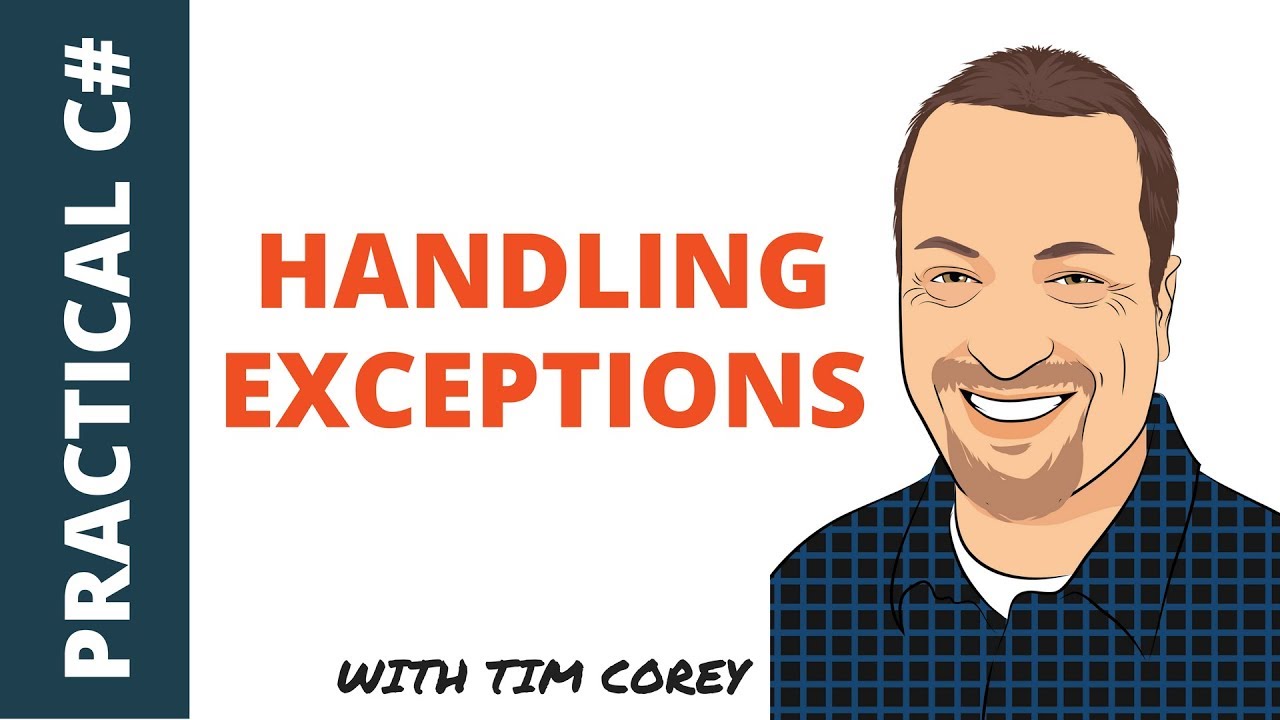
例外處理是穩健應用程式開發的重要方面。 Tim Corey的影片"處理C#中的例外 - 何時捕捉,何處捕捉,及如何捕捉",詳細解釋了什麼是例外,如何處理,以及何處處理。
本文旨在使用Tim Corey的影片來解釋C#中的例外處理。 這是一個強大的功能,允許開發者管理程式執行中出現的錯誤和異常狀況。 透過使用try, catch, 和 finally區塊,C#提供了一種結構化的方式來處理執行期間錯誤、記錄例外,並維持程式流程。
Tim一開始解釋許多開發者對例外和其處理有不正確的觀點。 他強調了解例外是什麼及正確處理它們的何處與如何的重要性,以便建立更穩健的應用程式。
Tim在Visual Studio 2017中建立了一個控制台應用程式以演範例外處理。 他推薦使用控制台應用程式來測試新主題,因為它們設置簡單且易於使用。
using System;

namespace ExceptionsDemo
{
    class Program
    {
        static void Main(string[] args)
        {
            // Placeholder for input and output operations
            Console.ReadLine();
        }
    }
}Imports System
Namespace ExceptionsDemo
Module Program
Sub Main(args As String())
' Placeholder for input and output operations
Console.ReadLine()
End Sub
End Module
End NamespaceTim將一個類庫新增到解決方案中,以模擬現實世界中不同方法彼此調用的場景。

他刪除了預設類,並建立了一個新的類名為DemoCode。
public class DemoCode
{
    // Method to retrieve a number based on the provided position
    public int GetNumber(int position)
    {
        int[] numbers = { 1, 4, 7, 2 };
        return numbers[position];
    }

    // Intermediate method calls GetNumber
    public int ParentMethod(int position)
    {
        return GetNumber(position);
    }

    // Top-level method calls ParentMethod
    public int GrandparentMethod(int position)
    {
        return ParentMethod(position);
    }
}Public Class DemoCode
' Method to retrieve a number based on the provided position
Public Function GetNumber(position As Integer) As Integer
Dim numbers As Integer() = {1, 4, 7, 2}
Return numbers(position)
End Function
' Intermediate method calls GetNumber
Public Function ParentMethod(position As Integer) As Integer
Return GetNumber(position)
End Function
' Top-level method calls ParentMethod
Public Function GrandparentMethod(position As Integer) As Integer
Return ParentMethod(position)
End Function
End ClassDemoCode類包含一些彼此調用的方法,最終根據給定位置從陣列中檢索一個數字。
Tim解釋該應用程式旨在展示失敗而非成功。 他通過向GrandparentMethod傳遞一個無效位置引入了一個越界例外。
DemoCode demo = new DemoCode();
int result = demo.GrandparentMethod(4); // This will cause an IndexOutOfRangeException
Console.WriteLine($"The value at the given position is {result}");Dim demo As New DemoCode()
Dim result As Integer = demo.GrandparentMethod(4) ' This will cause an IndexOutOfRangeException
Console.WriteLine($"The value at the given position is {result}")使用無效位置運行上述程式碼會導致IndexOutOfRangeException。 Tim展示了如何使用Visual Studio除錯器突出顯示問題並提供有關例外的詳細資訊。
Tim解釋開發者在首次學習try-catch區塊時常犯的一個錯誤。 他們通常將整個可能發生例外的程式碼段包裹起來,這可能導致不當處理。
try
{
    int output = 0;
    output = numbers[position];
    return output;
}
catch (Exception ex)
{
    // Avoid returning default values that can mask the problem
    return 0;
}Try
Dim output As Integer = 0
output = numbers(position)
Return output
Catch ex As Exception
' Avoid returning default values that can mask the problem
Return 0
End TryTim指出,這種方法有問題,因為它隱藏了例外,並在錯誤假設下繼續執行。 例如,返回0作為預設值可能不合適,並可能導致進一步問題。
Tim強調例外提供了有關應用程式中意外狀態的關鍵資訊。 如果應用程式在這種狀態下繼續而沒有適當處理,可能會導致進一步錯誤和資料損壞。
而不是吞下例外,必須妥善處理它們。 這是一個更好的方法:
try
{
    return numbers[position];
}
catch (Exception ex)
{
    // Log the exception or handle it appropriately
    Console.WriteLine(ex.Message);
    throw; // Re-throw the exception to be handled by a higher-level handler
}Try
Return numbers(position)
Catch ex As Exception
' Log the exception or handle it appropriately
Console.WriteLine(ex.Message)
Throw ' Re-throw the exception to be handled by a higher-level handler
End Try通過重新拋出例外,您確保該問題得以傳播,並在必要時可以在更高的層次進行處理。
Tim解釋說,雖然某些例外可以優雅地處理而不崩潰應用程式,但提供有用的反饋給使用者是很重要的。 例如,顯示一個訊息框或通知,提供重試操作的選項。
Tim演示了如何使用例外物件的StackTrace屬性來獲取例外發生的詳細資訊。 這包括類別、方法和行號,這對於除錯是無價的。
try
{
    return numbers[position];
}
catch (Exception ex)
{
    Console.WriteLine(ex.StackTrace);
    throw;
}Try
Return numbers(position)
Catch ex As Exception
Console.WriteLine(ex.StackTrace)
Throw
End TryStackTrace屬性提供了一個完整的呼叫堆疊追蹤,幫助開發者精確定位問題的具體位置。
Tim解釋說,正確處理例外不僅僅是捕捉它們,還要知道放置try-catch區塊的位置。 關鍵是將try-catch區塊置於您有足夠上下文可以適當處理例外的層次。
將一個try-catch區塊放置於呼叫堆疊的深處通常無法有效處理例外,因為您缺乏高層操作的上下文。
// Deep level exception handling (not ideal)
try
{
    return numbers[position];
}
catch (Exception ex)
{
    Console.WriteLine(ex.Message);
    throw;
}' Deep level exception handling (not ideal)
Try
Return numbers(position)
Catch ex As Exception
Console.WriteLine(ex.Message)
Throw
End Try將try-catch區塊放置於頂層,例如在使用者介面或應用程式的入口點,可以讓您在完整的操作上下文中處理例外。
try
{
    int result = demo.GrandparentMethod(4); // This will cause an IndexOutOfRangeException
    Console.WriteLine($"The value at the given position is {result}");
}
catch (Exception ex)
{
    Console.WriteLine(ex.Message);
    Console.WriteLine(ex.StackTrace);
}Try
Dim result As Integer = demo.GrandparentMethod(4) ' This will cause an IndexOutOfRangeException
Console.WriteLine($"The value at the given position is {result}")
Catch ex As Exception
Console.WriteLine(ex.Message)
Console.WriteLine(ex.StackTrace)
End Try這樣,您可以向使用者提供更有資訊量的訊息,並決定應用程式是否能夠繼續運行或應該被終止。
Tim強調堆疊追蹤資訊在診斷例外中的重要性。 堆疊追蹤提供了詳細的呼叫歷史,展範例外發生的位置和導致它的方式鏈。
try
{
    int result = demo.GrandparentMethod(4); // This will cause an IndexOutOfRangeException
    Console.WriteLine($"The value at the given position is {result}");
}
catch (Exception ex)
{
    Console.WriteLine(ex.Message);
    Console.WriteLine(ex.StackTrace);
}
Try
Dim result As Integer = demo.GrandparentMethod(4) ' This will cause an IndexOutOfRangeException
Console.WriteLine($"The value at the given position is {result}")
Catch ex As Exception
Console.WriteLine(ex.Message)
Console.WriteLine(ex.StackTrace)
End Try這些輸出給出了例外的確切位置和通過程式碼的路徑,使得除錯和修復問題更加容易。
Tim展示了如何在適當的層次處理邏輯。 例如,如果一個方法負責打開和關閉資料庫連接,它應該處理例外以確保資源得到了妥善管理。
public int GrandparentMethod(int position)
{
try
{
Console.WriteLine("Open database connection");
int output = ParentMethod(position);
Console.WriteLine("Close database connection");
return output;
}
catch (Exception ex)
{
Console.WriteLine(ex.Message);
throw; // Ensure the exception is propagated
}
}Public Function GrandparentMethod(position As Integer) As Integer
Try
Console.WriteLine("Open database connection")
Dim output As Integer = ParentMethod(position)
Console.WriteLine("Close database connection")
Return output
Catch ex As Exception
Console.WriteLine(ex.Message)
Throw ' Ensure the exception is propagated
End Try
End Function在此範例中,如果發生例外,(那麼)資料庫連接未能正確關閉,可能導致潛在的資源洩漏。 透過新增一個try-catch區塊,您可以確保即使發生例外的情況下,連接也會關閉。
Tim介紹了finally區塊,其確保了無論例外發生與否,某些程式碼會運行。 這對於資源清理特別有用,例如關閉資料庫連接。
public int GrandparentMethod(int position)
{
try
{
Console.WriteLine("Open database connection");
int output = ParentMethod(position);
return output;
}
catch (Exception ex)
{
Console.WriteLine(ex.Message);
throw; // Re-throw the exception to ensure it's handled by a higher-level handler
}
finally
{
Console.WriteLine("Close database connection");
}
}Public Function GrandparentMethod(position As Integer) As Integer
Try
Console.WriteLine("Open database connection")
Dim output As Integer = ParentMethod(position)
Return output
Catch ex As Exception
Console.WriteLine(ex.Message)
Throw ' Re-throw the exception to ensure it's handled by a higher-level handler
Finally
Console.WriteLine("Close database connection")
End Try
End Functionfinally區塊在try和catch區塊後運行,確保即使發生例外,也會關閉連接。
Tim解釋了重新拋出例外的重要性,以便將它們傳達到呼叫堆疊上層。 這允許高階處理器能夠適當處理例外。
catch (Exception ex)
{
Console.WriteLine(ex.Message);
throw; // Re-throws the exception to be handled by the calling method
}Catch ex As Exception
Console.WriteLine(ex.Message)
Throw ' Re-throws the exception to be handled by the calling method
End Try以throw;重新拋出例外 確保完整的堆疊追蹤得到保留,為除錯提供寶貴的上下文。
Tim演示了例外如何在呼叫堆疊中逐層冒泡。 每個方法檢查try-catch區塊,然後要麼處理例外,要麼將它們傳遞給調用者。
try
{
    int result = demo.GrandparentMethod(4); // This will cause an IndexOutOfRangeException
    Console.WriteLine($"The value at the given position is {result}");
}
catch (Exception ex)
{
    Console.WriteLine(ex.Message);
    Console.WriteLine(ex.StackTrace);
}Try
Dim result As Integer = demo.GrandparentMethod(4) ' This will cause an IndexOutOfRangeException
Console.WriteLine($"The value at the given position is {result}")
Catch ex As Exception
Console.WriteLine(ex.Message)
Console.WriteLine(ex.StackTrace)
End Try在此範例中,GrandparentMethod捕捉例外,記錄它並重新拋出。 然後控制台應用程式中的頂層try-catch區塊處理例外並顯示錯誤訊息和堆疊追蹤。
Tim指出開發者在處理例外時常犯的幾個錯誤:
使用 throw ex;:
重寫堆疊追蹤並丟失寶貴上下文。
範例:
catch (Exception ex)
{
    // Incorrect
    throw ex; // Rewrites stack trace
}Catch ex As Exception
' Incorrect
Throw ex ' Rewrites stack trace
End Try拋出新的例外:
建立帶有自訂訊息的新例外,但丟失原始堆疊追蹤。
範例:
catch (Exception ex)
{
    // Incorrect
    throw new Exception("I blew up");
}Catch ex As Exception
' Incorrect
Throw New Exception("I blew up")
End TryTim解釋了如何在保留原始堆疊追蹤的情況下建立新的例外。 當您想提供更具意義的錯誤訊息或不同的例外型別時,這可能很有用,同時仍然保留原始錯誤的上下文。
catch (Exception ex)
{
    throw new ArgumentException("You passed in bad data", ex);
}Catch ex As Exception
Throw New ArgumentException("You passed in bad data", ex)
End Catch透過將原始例外(ex)作為內層例外傳遞,您保留原始堆疊追蹤,這點對於除錯至關重要。
Tim演示了在建立新例外時,如何存取原始例外的訊息和堆疊追蹤。
catch (Exception ex)
{
    Console.WriteLine("You passed in bad data");
    Console.WriteLine(ex.StackTrace);
    throw new ArgumentException("You passed in bad data", ex);
}Catch ex As Exception
Console.WriteLine("You passed in bad data")
Console.WriteLine(ex.StackTrace)
Throw New ArgumentException("You passed in bad data", ex)
End Try這確保在堆疊上層拋出的例外包含新的訊息和原始例外細節。
Tim提供了一種方法來迴圈處理所有內部例外,以提取它們的訊息和堆疊追蹤。
catch (Exception ex)
{
    Exception inner = ex;
    while (inner != null)
    {
        Console.WriteLine(inner.StackTrace);
        inner = inner.InnerException;
    }
    throw;
}Catch ex As Exception
Dim inner As Exception = ex
While inner IsNot Nothing
Console.WriteLine(inner.StackTrace)
inner = inner.InnerException
End While
Throw
End Try該迴圈遍歷每個內部例外,列印其堆疊追蹤,確保所有層次的例外都被考慮到。
Tim討論了如何使用多個catch區塊來處理不同型別的例外。 這允許根據例外型別進行特定處理。
try
{
    // Code that might throw an exception
}
catch (ArgumentException ex)
{
    Console.WriteLine("You gave us bad information. Bad user!");
}
catch (Exception ex)
{
    Console.WriteLine(ex.Message);
    Console.WriteLine(ex.StackTrace);
}Try
' Code that might throw an exception
Catch ex As ArgumentException
Console.WriteLine("You gave us bad information. Bad user!")
Catch ex As Exception
Console.WriteLine(ex.Message)
Console.WriteLine(ex.StackTrace)
End Try在此範例中,ArgumentException透過列印自定訊息進行具體處理,而所有其他例外則回退到一般處理器,列印例外訊息和堆疊追蹤。

Tim強調多個catch區塊順序的重要性。 應該首先捕捉最具體的例外,然後是更一般的例外。
try
{
    // Code that might throw an exception
}
catch (ArgumentException ex)
{
    Console.WriteLine("You gave us bad information. Bad user!");
}
catch (Exception ex)
{
    Console.WriteLine(ex.Message);
    Console.WriteLine(ex.StackTrace);
}
Try
' Code that might throw an exception
Catch ex As ArgumentException
Console.WriteLine("You gave us bad information. Bad user!")
Catch ex As Exception
Console.WriteLine(ex.Message)
Console.WriteLine(ex.StackTrace)
End Try如果一個更一般的catch區塊出現在具體之前,將會捕捉所有例外,導致具體的catch區塊永遠無法到達,進而導致編譯錯誤。
Tim Corey的高級影片指南介紹了C#中例外處理的重要技術,例如建立新例外、保留堆疊追蹤、及有效使用多個catch區塊。 遵循他的最佳實踐,開發者可以建立穩健的應用程式,優雅地處理例外並提供具有價值的除錯資訊。
Do you create content for developers working with .NET, C#, Java, Python, or Node.js? Turn your expertise into extra income!
Join our newsletter, you’ll get exclusive access on article updates. We value your privacy

