


Earn More by Sharing What You Love
Do you create content for developers working with .NET, C#, Java, Python, or Node.js? Turn your expertise into extra income!
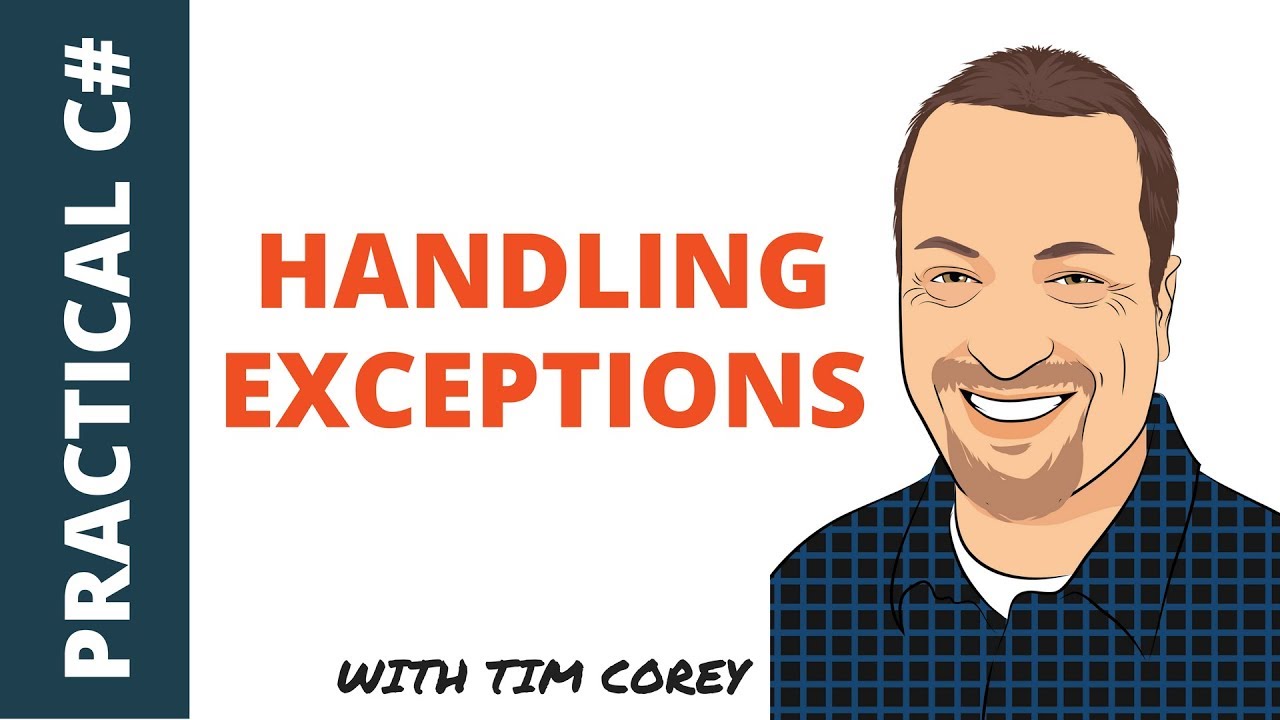
Tim Corey
59分46秒
异常处理是稳健应用程序开发的一个重要方面。 Tim Corey 的视频"Handling Exceptions in C# - When to catch them, where to catch them, and how to catch them"详细解释了什么是异常、如何处理异常以及在何处处理异常。
本文旨在使用 Tim Corey 的视频解释 C# 中的异常处理。 这是一项强大的功能,允许开发人员管理程序执行过程中出现的错误和特殊情况。 通过使用 try、catch 和 finally 块,C# 提供了一种结构化的方法来处理运行时错误、记录异常并保持程序流程。
Tim 首先解释说,许多开发人员对异常及其处理的看法并不正确。 他强调了理解异常的重要性,以及如何正确处理异常以创建更强大的应用程序。
Tim 在 Visual Studio 2017 中创建了一个控制台应用程序来演示异常处理。 他建议在测试新主题时使用控制台应用程序,因为它们只需要最少的设置,而且易于操作。
using System;

namespace ExceptionsDemo
{
    class Program
    {
        static void Main(string[] args)
        {
            // Placeholder for input and output operations
            Console.ReadLine();
        }
    }
}Imports System
Namespace ExceptionsDemo
Module Program
Sub Main(args As String())
' Placeholder for input and output operations
Console.ReadLine()
End Sub
End Module
End NamespaceTim 在解决方案中添加了一个类库,以模拟现实世界中不同方法相互调用的场景。

他删除了默认类,并创建了一个名为 DemoCode 的新类。
public class DemoCode
{
    // Method to retrieve a number based on the provided position
    public int GetNumber(int position)
    {
        int[] numbers = { 1, 4, 7, 2 };
        return numbers[position];
    }

    // Intermediate method calls GetNumber
    public int ParentMethod(int position)
    {
        return GetNumber(position);
    }

    // Top-level method calls ParentMethod
    public int GrandparentMethod(int position)
    {
        return ParentMethod(position);
    }
}Public Class DemoCode
' Method to retrieve a number based on the provided position
Public Function GetNumber(position As Integer) As Integer
Dim numbers As Integer() = {1, 4, 7, 2}
Return numbers(position)
End Function
' Intermediate method calls GetNumber
Public Function ParentMethod(position As Integer) As Integer
Return GetNumber(position)
End Function
' Top-level method calls ParentMethod
Public Function GrandparentMethod(position As Integer) As Integer
Return ParentMethod(position)
End Function
End ClassDemoCode 类包含相互调用的方法,最终根据给定的位置从数组中检索一个数字。
Tim 解释说,该应用程序旨在展示失败而非成功。 他通过向 GrandparentMethod 传递无效位置引入了越界异常。
DemoCode demo = new DemoCode();
int result = demo.GrandparentMethod(4); // This will cause an IndexOutOfRangeException
Console.WriteLine($"The value at the given position is {result}");Dim demo As New DemoCode()
Dim result As Integer = demo.GrandparentMethod(4) ' This will cause an IndexOutOfRangeException
Console.WriteLine($"The value at the given position is {result}")在位置无效的情况下运行上述代码会导致 IndexOutOfRangeException 异常。 Tim 展示了 Visual Studio 调试器如何突出显示问题并提供有关异常的详细信息。
Tim 解释了开发人员在初次了解 try-catch 块时常犯的一个错误。 他们经常会在预期可能出现异常的地方封装整个代码块,这可能会导致处理不当。
try
{
    int output = 0;
    output = numbers[position];
    return output;
}
catch (Exception ex)
{
    // Avoid returning default values that can mask the problem
    return 0;
}Try
Dim output As Integer = 0
output = numbers(position)
Return output
Catch ex As Exception
' Avoid returning default values that can mask the problem
Return 0
End TryTim 强调指出,这种方法存在问题,因为它隐藏了例外情况,并以不正确的假设继续执行。 例如,将 0 作为默认值返回可能并不合适,而且会引起更多问题。
Tim 强调,异常提供了有关应用程序中意外状态的重要信息。 如果应用程序继续处于这种状态而不进行适当处理,可能会导致更多错误和数据损坏。
必须妥善处理异常情况,而不是一味吞并异常情况。 这里有一个更好的方法:
try
{
    return numbers[position];
}
catch (Exception ex)
{
    // Log the exception or handle it appropriately
    Console.WriteLine(ex.Message);
    throw; // Re-throw the exception to be handled by a higher-level handler
}Try
Return numbers(position)
Catch ex As Exception
' Log the exception or handle it appropriately
Console.WriteLine(ex.Message)
Throw ' Re-throw the exception to be handled by a higher-level handler
End Try通过重新抛出异常,可以确保问题得到传播,并在必要时在更高层次进行处理。
Tim 解释说,虽然可以优雅地处理某些异常而不会导致应用程序崩溃,但重要的是要向用户提供有用的反馈。 例如,显示带有重试操作选项的消息框或通知。
Tim 演示了如何使用异常对象的 StackTrace 属性来获取异常发生位置的详细信息。 这包括类、方法和行号,这对调试非常重要。
try
{
    return numbers[position];
}
catch (Exception ex)
{
    Console.WriteLine(ex.StackTrace);
    throw;
}Try
Return numbers(position)
Catch ex As Exception
Console.WriteLine(ex.StackTrace)
Throw
End TryStackTrace 属性可提供完整的调用堆栈跟踪,帮助开发人员准确定位问题。
Tim 解释说,正确处理异常不仅仅是捕获异常,还要知道在哪里放置 try-catch 块。 关键是要将 try-catch 块放在有足够的上下文来适当处理异常的级别。
将 try-catch 块放在调用堆栈的深处通常无法有效处理异常,因为您缺乏高层操作的上下文。
// Deep level exception handling (not ideal)
try
{
    return numbers[position];
}
catch (Exception ex)
{
    Console.WriteLine(ex.Message);
    throw;
}' Deep level exception handling (not ideal)
Try
Return numbers(position)
Catch ex As Exception
Console.WriteLine(ex.Message)
Throw
End Try将 try-catch 块放在顶层,如用户界面或应用程序的入口点,可以让您根据操作的完整上下文来处理异常。
try
{
    int result = demo.GrandparentMethod(4); // This will cause an IndexOutOfRangeException
    Console.WriteLine($"The value at the given position is {result}");
}
catch (Exception ex)
{
    Console.WriteLine(ex.Message);
    Console.WriteLine(ex.StackTrace);
}Try
Dim result As Integer = demo.GrandparentMethod(4) ' This will cause an IndexOutOfRangeException
Console.WriteLine($"The value at the given position is {result}")
Catch ex As Exception
Console.WriteLine(ex.Message)
Console.WriteLine(ex.StackTrace)
End Try这样,您就可以向用户提供更多信息,并决定应用程序是否可以继续运行或是否应该终止。
Tim 强调了堆栈跟踪信息在诊断异常中的重要性。 堆栈跟踪提供了详细的调用历史,显示了异常发生的位置以及导致异常的方法调用链。
try
{
    int result = demo.GrandparentMethod(4); // This will cause an IndexOutOfRangeException
    Console.WriteLine($"The value at the given position is {result}");
}
catch (Exception ex)
{
    Console.WriteLine(ex.Message);
    Console.WriteLine(ex.StackTrace);
}
Try
Dim result As Integer = demo.GrandparentMethod(4) ' This will cause an IndexOutOfRangeException
Console.WriteLine($"The value at the given position is {result}")
Catch ex As Exception
Console.WriteLine(ex.Message)
Console.WriteLine(ex.StackTrace)
End Try该输出可提供异常的确切位置和代码路径,从而更容易调试和修复问题。
Tim 演示了如何在适当的级别处理逻辑。 例如,如果一个方法负责打开和关闭数据库连接,它就应该处理异常,以确保资源得到妥善管理。
public int GrandparentMethod(int position)
{
try
{
Console.WriteLine("Open database connection");
int output = ParentMethod(position);
Console.WriteLine("Close database connection");
return output;
}
catch (Exception ex)
{
Console.WriteLine(ex.Message);
throw; // Ensure the exception is propagated
}
}Public Function GrandparentMethod(position As Integer) As Integer
Try
Console.WriteLine("Open database connection")
Dim output As Integer = ParentMethod(position)
Console.WriteLine("Close database connection")
Return output
Catch ex As Exception
Console.WriteLine(ex.Message)
Throw ' Ensure the exception is propagated
End Try
End Function在此示例中,如果出现异常,数据库连接将无法正确关闭,从而导致潜在的资源泄漏。 通过添加 try-catch 块,可以确保即使出现异常也能关闭连接。
Tim 介绍了 finally 块,它可以确保某些代码无论是否出现异常都能运行。 这对于清理资源(如关闭数据库连接)尤其有用。
public int GrandparentMethod(int position)
{
try
{
Console.WriteLine("Open database connection");
int output = ParentMethod(position);
return output;
}
catch (Exception ex)
{
Console.WriteLine(ex.Message);
throw; // Re-throw the exception to ensure it's handled by a higher-level handler
}
finally
{
Console.WriteLine("Close database connection");
}
}Public Function GrandparentMethod(position As Integer) As Integer
Try
Console.WriteLine("Open database connection")
Dim output As Integer = ParentMethod(position)
Return output
Catch ex As Exception
Console.WriteLine(ex.Message)
Throw ' Re-throw the exception to ensure it's handled by a higher-level handler
Finally
Console.WriteLine("Close database connection")
End Try
End Functionfinally 块在 try 和 catch 块之后运行,确保即使出现异常也能关闭连接。
Tim 解释了重新抛出异常以将其传递到调用栈的重要性。 这样上级处理程序就可以适当处理异常。
catch (Exception ex)
{
Console.WriteLine(ex.Message);
throw; // Re-throws the exception to be handled by the calling method
}Catch ex As Exception
Console.WriteLine(ex.Message)
Throw ' Re-throws the exception to be handled by the calling method
End Try用 throw 重新抛出异常; 确保保留完整的堆栈跟踪,为调试提供有价值的上下文。
Tim 演示了异常是如何在调用堆栈中冒泡的。 每个方法都会检查 try-catch 块,并处理异常或将其传递给调用者。
try
{
    int result = demo.GrandparentMethod(4); // This will cause an IndexOutOfRangeException
    Console.WriteLine($"The value at the given position is {result}");
}
catch (Exception ex)
{
    Console.WriteLine(ex.Message);
    Console.WriteLine(ex.StackTrace);
}Try
Dim result As Integer = demo.GrandparentMethod(4) ' This will cause an IndexOutOfRangeException
Console.WriteLine($"The value at the given position is {result}")
Catch ex As Exception
Console.WriteLine(ex.Message)
Console.WriteLine(ex.StackTrace)
End Try在本例中,GrandparentMethod 捕获异常、记录异常并重新抛出异常。 然后,控制台应用程序中的顶级 try-catch 块会处理异常并显示错误消息和堆栈跟踪。
Tim 强调了开发人员在处理异常时常犯的几个错误:
1.Using throw ex;:
重写堆栈跟踪,丢失有价值的上下文。
举例说明:
catch (Exception ex)
{
    // Incorrect
    throw ex; // Rewrites stack trace
}Catch ex As Exception
' Incorrect
Throw ex ' Rewrites stack trace
End Try2.抛出新异常:
使用自定义消息创建新异常,但会丢失原始堆栈跟踪。
举例说明:
catch (Exception ex)
{
    // Incorrect
    throw new Exception("I blew up");
}Catch ex As Exception
' Incorrect
Throw New Exception("I blew up")
End TryTim 解释了如何在保留原始堆栈跟踪的同时创建新的异常。 当您想提供更有意义的错误信息或不同的异常类型,同时又想保留原始错误的上下文时,这将非常有用。
catch (Exception ex)
{
    throw new ArgumentException("You passed in bad data", ex);
}Catch ex As Exception
Throw New ArgumentException("You passed in bad data", ex)
End Catch通过传递原始异常 (ex) 作为内部异常,可以保留原始堆栈跟踪,这对调试至关重要。
Tim 演示了在创建新异常时如何访问原始异常消息和堆栈跟踪。
catch (Exception ex)
{
    Console.WriteLine("You passed in bad data");
    Console.WriteLine(ex.StackTrace);
    throw new ArgumentException("You passed in bad data", ex);
}Catch ex As Exception
Console.WriteLine("You passed in bad data")
Console.WriteLine(ex.StackTrace)
Throw New ArgumentException("You passed in bad data", ex)
End Try这样可以确保堆栈中抛出的异常包含新信息和原始异常详细信息。
Tim 提供了一种在所有内部异常中循环以提取其消息和堆栈跟踪的方法。
catch (Exception ex)
{
    Exception inner = ex;
    while (inner != null)
    {
        Console.WriteLine(inner.StackTrace);
        inner = inner.InnerException;
    }
    throw;
}Catch ex As Exception
Dim inner As Exception = ex
While inner IsNot Nothing
Console.WriteLine(inner.StackTrace)
inner = inner.InnerException
End While
Throw
End Try该循环迭代每个内部异常,打印其堆栈跟踪,确保所有层级的异常都得到考虑。
Tim 讨论了如何使用多个捕获块处理不同类型的异常。 这样可以根据异常类型进行特定处理。
try
{
    // Code that might throw an exception
}
catch (ArgumentException ex)
{
    Console.WriteLine("You gave us bad information. Bad user!");
}
catch (Exception ex)
{
    Console.WriteLine(ex.Message);
    Console.WriteLine(ex.StackTrace);
}Try
' Code that might throw an exception
Catch ex As ArgumentException
Console.WriteLine("You gave us bad information. Bad user!")
Catch ex As Exception
Console.WriteLine(ex.Message)
Console.WriteLine(ex.StackTrace)
End Try在此示例中,ArgumentException 通过打印自定义消息进行专门处理,而所有其他异常则返回到打印异常消息和堆栈跟踪的通用处理程序。

Tim 强调了使用多个捕获块时顺序的重要性。 应首先捕捉最特殊的异常,然后再捕捉更一般的异常。
try
{
    // Code that might throw an exception
}
catch (ArgumentException ex)
{
    Console.WriteLine("You gave us bad information. Bad user!");
}
catch (Exception ex)
{
    Console.WriteLine(ex.Message);
    Console.WriteLine(ex.StackTrace);
}
Try
' Code that might throw an exception
Catch ex As ArgumentException
Console.WriteLine("You gave us bad information. Bad user!")
Catch ex As Exception
Console.WriteLine(ex.Message)
Console.WriteLine(ex.StackTrace)
End Try如果在特定捕获块之前出现一个更通用的捕获块,它将捕获所有异常,而特定捕获块将永远不会被捕获,从而导致编译错误。
Tim Corey 关于 C# 中异常处理的高级 视频指南涵盖了创建新异常、保留堆栈跟踪和有效使用多个捕获块的关键技术。 通过遵循他的最佳实践,开发人员可以创建强大的应用程序,优雅地处理异常并提供有价值的调试信息。
Do you create content for developers working with .NET, C#, Java, Python, or Node.js? Turn your expertise into extra income!
Join our newsletter, you’ll get exclusive access on article updates. We value your privacy

