


Earn More by Sharing What You Love
Do you create content for developers working with .NET, C#, Java, Python, or Node.js? Turn your expertise into extra income!
Tim Corey
59分46秒
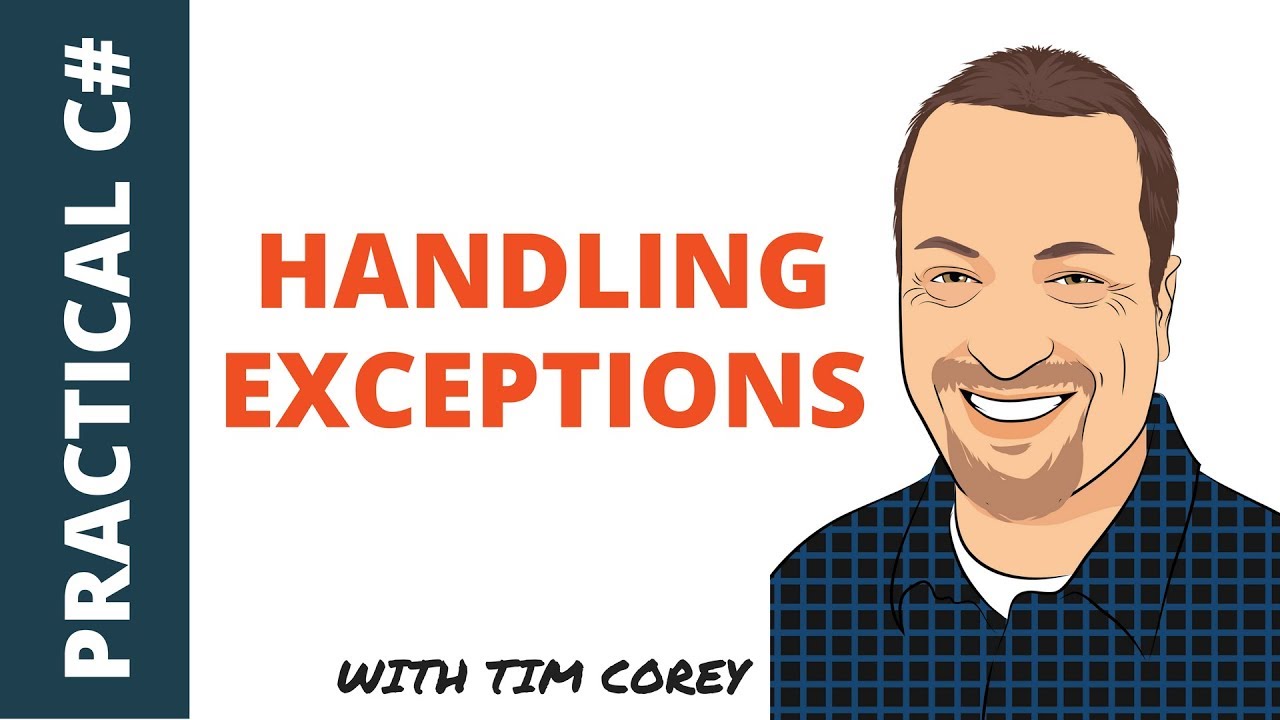
例外処理は、堅牢なアプリケーション開発の重要な側面です。 ティム・コーリーのビデオ"Handling exceptions in C# - When to catch them, where to catch them, and how to catch them"では、例外とは何か、どのように処理するか、どこで処理するかについて詳しく説明しています。
この記事の目的は、ティム・コーリーのビデオを使ってC#の例外処理を説明することです。 これは、開発者がプログラムの実行中に発生するエラーや例外的な状態を管理できる強力な機能です。 C#は、try、catch、finallyブロックを使用して、実行時のエラーを処理し、例外を記録し、プログラムの流れを維持するための構造化された方法を提供します。
Timはまず、多くの開発者が例外とその処理について間違った見方をしていることを説明します。 彼は、より堅牢なアプリケーションを作成するために、例外とは何か、どこで、どのように例外を適切に処理するかを理解することの重要性を強調しています。
Tim は Visual Studio 2017 でコンソール・アプリケーションを作成し、例外処理を実演します。 新しいトピックのテストには、最小限のセットアップで済み、作業も簡単なコンソール・アプリケーションの使用を推奨している。
using System;

namespace ExceptionsDemo
{
    class Program
    {
        static void Main(string[] args)
        {
            // Placeholder for input and output operations
            Console.ReadLine();
        }
    }
}Imports System
Namespace ExceptionsDemo
Module Program
Sub Main(args As String())
' Placeholder for input and output operations
Console.ReadLine()
End Sub
End Module
End NamespaceTimは、クラスライブラリをソリューションに追加して、異なるメソッドが互いに呼び合う現実世界のシナリオをシミュレートします。

彼はデフォルトのクラスを削除し、DemoCode という名前の新しいクラスを作成します。
public class DemoCode
{
    // Method to retrieve a number based on the provided position
    public int GetNumber(int position)
    {
        int[] numbers = { 1, 4, 7, 2 };
        return numbers[position];
    }

    // Intermediate method calls GetNumber
    public int ParentMethod(int position)
    {
        return GetNumber(position);
    }

    // Top-level method calls ParentMethod
    public int GrandparentMethod(int position)
    {
        return ParentMethod(position);
    }
}Public Class DemoCode
' Method to retrieve a number based on the provided position
Public Function GetNumber(position As Integer) As Integer
Dim numbers As Integer() = {1, 4, 7, 2}
Return numbers(position)
End Function
' Intermediate method calls GetNumber
Public Function ParentMethod(position As Integer) As Integer
Return GetNumber(position)
End Function
' Top-level method calls ParentMethod
Public Function GrandparentMethod(position As Integer) As Integer
Return ParentMethod(position)
End Function
End ClassDemoCodeクラスには、互いに呼び合うメソッドがあり、最終的に、与えられた位置に基づいて配列から数値を取得します。
ティムは、このアプリケーションは成功例よりも失敗例を示すことを意図していると説明する。 彼は、GrandparentMethod に無効な位置を渡すことで、境界外例外を導入しています。
DemoCode demo = new DemoCode();
int result = demo.GrandparentMethod(4); // This will cause an IndexOutOfRangeException
Console.WriteLine($"The value at the given position is {result}");Dim demo As New DemoCode()
Dim result As Integer = demo.GrandparentMethod(4) ' This will cause an IndexOutOfRangeException
Console.WriteLine($"The value at the given position is {result}")無効な位置で上記のコードを実行すると、IndexOutOfRangeExceptionが発生します。 Tim氏は、Visual Studioのデバッガーがどのように問題をハイライトし、例外に関する詳細な情報を提供するかを示しています。
Timは、開発者がtry-catchブロックについて初めて学んだときに犯しがちな間違いを説明しています。 例外が発生すると予想されるコードのブロック全体をラップすることが多く、不適切な処理につながる可能性があります。
try
{
    int output = 0;
    output = numbers[position];
    return output;
}
catch (Exception ex)
{
    // Avoid returning default values that can mask the problem
    return 0;
}Try
Dim output As Integer = 0
output = numbers(position)
Return output
Catch ex As Exception
' Avoid returning default values that can mask the problem
Return 0
End Tryティム氏は、このようなアプローチは例外を隠し、誤った前提で実行を続けることになるため、問題があると強調する。 例えば、デフォルト値として0を返すことは適切ではなく、さらなる問題を引き起こす可能性があります。
Timは、例外はアプリケーションの予期せぬ状態に関する重要な情報を提供すると強調しています。 アプリケーションを適切に処理せずにこのような状態を続けると、さらなるエラーやデータの破損につながる可能性があります。
例外を飲み込むのではなく、適切に処理することが不可欠です。 ここでは、より良いアプローチを紹介します:
try
{
    return numbers[position];
}
catch (Exception ex)
{
    // Log the exception or handle it appropriately
    Console.WriteLine(ex.Message);
    throw; // Re-throw the exception to be handled by a higher-level handler
}Try
Return numbers(position)
Catch ex As Exception
' Log the exception or handle it appropriately
Console.WriteLine(ex.Message)
Throw ' Re-throw the exception to be handled by a higher-level handler
End Try例外を再投げることで、問題が確実に伝播し、必要に応じてより高いレベルで処理できるようになります。
ティムは、アプリケーションをクラッシュさせることなく優雅に処理できる例外もあるが、ユーザーに有用なフィードバックを提供することが重要だと説明する。 例えば、操作を再試行するオプション付きのメッセージボックスや通知の表示などです。
Tim は、例外オブジェクトの StackTrace プロパティを使用して、例外が発生した場所に関する詳細な情報を取得する方法を示します。 これには、クラス、メソッド、行番号も含まれます。
try
{
    return numbers[position];
}
catch (Exception ex)
{
    Console.WriteLine(ex.StackTrace);
    throw;
}Try
Return numbers(position)
Catch ex As Exception
Console.WriteLine(ex.StackTrace)
Throw
End TryStackTraceプロパティは、コールスタックの完全なトレースを提供し、開発者が問題の正確な場所を特定するのに役立ちます。
Timは、例外を適切に処理することは、単に例外をキャッチするだけでなく、try-catchブロックをどこに配置するかを知ることでもあると説明しています。 重要なのは、例外を適切に処理するのに十分なコンテキストがあるレベルにtry-catchブロックを配置することです。
try-catchブロックをコールスタックの奥深くに配置しても、上位レベルの操作のコンテキストがないため、例外を効果的に処理できないことがよくあります。
// Deep level exception handling (not ideal)
try
{
    return numbers[position];
}
catch (Exception ex)
{
    Console.WriteLine(ex.Message);
    throw;
}' Deep level exception handling (not ideal)
Try
Return numbers(position)
Catch ex As Exception
Console.WriteLine(ex.Message)
Throw
End Trytry-catchブロックをユーザーインターフェイスやアプリケーションのエントリポイントなどのトップレベルに配置することで、操作の完全なコンテキストで例外を処理することができます。
try
{
    int result = demo.GrandparentMethod(4); // This will cause an IndexOutOfRangeException
    Console.WriteLine($"The value at the given position is {result}");
}
catch (Exception ex)
{
    Console.WriteLine(ex.Message);
    Console.WriteLine(ex.StackTrace);
}Try
Dim result As Integer = demo.GrandparentMethod(4) ' This will cause an IndexOutOfRangeException
Console.WriteLine($"The value at the given position is {result}")
Catch ex As Exception
Console.WriteLine(ex.Message)
Console.WriteLine(ex.StackTrace)
End Tryこうすることで、ユーザーにより有益なメッセージを提供し、アプリケーションの実行を継続できるか、終了すべきかを判断することができます。
Timは、例外の診断におけるスタックトレース情報の重要性を強調しています。 スタック・トレースは、例外が発生した場所と、例外に至ったメソッド呼び出しの連鎖を示す、詳細な呼び出し履歴を提供します。
try
{
    int result = demo.GrandparentMethod(4); // This will cause an IndexOutOfRangeException
    Console.WriteLine($"The value at the given position is {result}");
}
catch (Exception ex)
{
    Console.WriteLine(ex.Message);
    Console.WriteLine(ex.StackTrace);
}
Try
Dim result As Integer = demo.GrandparentMethod(4) ' This will cause an IndexOutOfRangeException
Console.WriteLine($"The value at the given position is {result}")
Catch ex As Exception
Console.WriteLine(ex.Message)
Console.WriteLine(ex.StackTrace)
End Tryこの出力は、例外の正確な場所とコード内の経路を示し、問題のデバッグと修正を容易にします。
ティムは、適切なレベルでロジックを処理する方法を示します。 例えば、あるメソッドがデータベース接続のオープンとクローズを担当する場合、リソースが適切に管理されるように例外を処理する必要があります。
public int GrandparentMethod(int position)
{
try
{
Console.WriteLine("Open database connection");
int output = ParentMethod(position);
Console.WriteLine("Close database connection");
return output;
}
catch (Exception ex)
{
Console.WriteLine(ex.Message);
throw; // Ensure the exception is propagated
}
}Public Function GrandparentMethod(position As Integer) As Integer
Try
Console.WriteLine("Open database connection")
Dim output As Integer = ParentMethod(position)
Console.WriteLine("Close database connection")
Return output
Catch ex As Exception
Console.WriteLine(ex.Message)
Throw ' Ensure the exception is propagated
End Try
End Functionこの例では、例外が発生した場合、データベース接続が適切に閉じられず、リソースリークの可能性があります。 try-catchブロックを追加することで、例外が発生しても確実に接続を閉じることができます。
Timは、例外の発生に関係なく特定のコードが実行されるようにするfinallyブロックを紹介します。 これは、データベース接続の終了など、リソースのクリーンアップに特に役立ちます。
public int GrandparentMethod(int position)
{
try
{
Console.WriteLine("Open database connection");
int output = ParentMethod(position);
return output;
}
catch (Exception ex)
{
Console.WriteLine(ex.Message);
throw; // Re-throw the exception to ensure it's handled by a higher-level handler
}
finally
{
Console.WriteLine("Close database connection");
}
}Public Function GrandparentMethod(position As Integer) As Integer
Try
Console.WriteLine("Open database connection")
Dim output As Integer = ParentMethod(position)
Return output
Catch ex As Exception
Console.WriteLine(ex.Message)
Throw ' Re-throw the exception to ensure it's handled by a higher-level handler
Finally
Console.WriteLine("Close database connection")
End Try
End Functionfinallyブロックは、tryブロックとcatchブロックの後に実行され、例外がスローされても接続が閉じられることを保証します。
Timは、例外をコールスタックに渡すために例外を再スローすることの重要性を説明しています。 これにより、上位レベルのハンドラが例外を適切に処理できるようになります。
catch (Exception ex)
{
Console.WriteLine(ex.Message);
throw; // Re-throws the exception to be handled by the calling method
}Catch ex As Exception
Console.WriteLine(ex.Message)
Throw ' Re-throws the exception to be handled by the calling method
End Trythrowで例外を再スローする; スタックトレースが完全に保存されるようにし、デバッグのための貴重なコンテキストを提供します。
ティムは、例外がコールスタックを介してどのようにバブルアップするかを示します。 各メソッドはtry-catchブロックをチェックし、例外を処理するか、呼び出し元に渡します。
try
{
    int result = demo.GrandparentMethod(4); // This will cause an IndexOutOfRangeException
    Console.WriteLine($"The value at the given position is {result}");
}
catch (Exception ex)
{
    Console.WriteLine(ex.Message);
    Console.WriteLine(ex.StackTrace);
}Try
Dim result As Integer = demo.GrandparentMethod(4) ' This will cause an IndexOutOfRangeException
Console.WriteLine($"The value at the given position is {result}")
Catch ex As Exception
Console.WriteLine(ex.Message)
Console.WriteLine(ex.StackTrace)
End Tryこの例では、GrandparentMethod が例外をキャッチし、ログに記録し、再スローします。 コンソールアプリケーションのトップレベルの try-catch ブロックは、例外を処理し、エラーメッセージとスタックトレースを表示します。
Timは、例外を処理するときに開発者が犯しがちな間違いをいくつか取り上げています:
1.使用 throw ex;:
スタックトレースを書き直すと、貴重なコンテキストが失われます。
例
catch (Exception ex)
{
    // Incorrect
    throw ex; // Rewrites stack trace
}Catch ex As Exception
' Incorrect
Throw ex ' Rewrites stack trace
End Try2.新しい例外を投げる:
カスタムメッセージで新しい例外を作成するが、元のスタックトレースが失われる。
例
catch (Exception ex)
{
    // Incorrect
    throw new Exception("I blew up");
}Catch ex As Exception
' Incorrect
Throw New Exception("I blew up")
End TryTimは、元のスタックトレースを保持しながら、新しい例外を作成する方法を説明します。 これは、元のエラーのコンテキストを保持したまま、より意味のあるエラーメッセージや異なる例外タイプを提供したい場合に役立ちます。
catch (Exception ex)
{
    throw new ArgumentException("You passed in bad data", ex);
}Catch ex As Exception
Throw New ArgumentException("You passed in bad data", ex)
End Catch元の例外(ex)を内部例外として渡すことで、デバッグに重要な元のスタック・トレースを維持します。
Tim は、新しい例外を作成するときに、元の例外のメッセージとスタック・トレースにアクセスする方法を示します。
catch (Exception ex)
{
    Console.WriteLine("You passed in bad data");
    Console.WriteLine(ex.StackTrace);
    throw new ArgumentException("You passed in bad data", ex);
}Catch ex As Exception
Console.WriteLine("You passed in bad data")
Console.WriteLine(ex.StackTrace)
Throw New ArgumentException("You passed in bad data", ex)
End Tryこれにより、スタックにスローされる例外に、新しいメッセージと元の例外の詳細の両方が含まれていることが保証されます。
Timは、すべての内部例外をループし、メッセージとスタックトレースを抽出する方法を提供します。
catch (Exception ex)
{
    Exception inner = ex;
    while (inner != null)
    {
        Console.WriteLine(inner.StackTrace);
        inner = inner.InnerException;
    }
    throw;
}Catch ex As Exception
Dim inner As Exception = ex
While inner IsNot Nothing
Console.WriteLine(inner.StackTrace)
inner = inner.InnerException
End While
Throw
End Tryこのループは、各内部の例外を繰り返し、そのスタック・トレースを表示し、例外のすべてのレイヤーが説明されていることを確認します。
Timは、複数のcatchブロックを使用してさまざまなタイプの例外を処理する方法について説明します。 これにより、例外の種類に基づいた特定の処理が可能になります。
try
{
    // Code that might throw an exception
}
catch (ArgumentException ex)
{
    Console.WriteLine("You gave us bad information. Bad user!");
}
catch (Exception ex)
{
    Console.WriteLine(ex.Message);
    Console.WriteLine(ex.StackTrace);
}Try
' Code that might throw an exception
Catch ex As ArgumentException
Console.WriteLine("You gave us bad information. Bad user!")
Catch ex As Exception
Console.WriteLine(ex.Message)
Console.WriteLine(ex.StackTrace)
End Tryこの例では、ArgumentExceptionはカスタムメッセージを表示することで特別に処理され、他のすべての例外は例外メッセージとスタックトレースを表示する一般的なハンドラにフォールバックされます。

Timは、複数のキャッチブロックを使用する際の順序の重要性を強調しています。 最も具体的な例外を最初にキャッチし、次に一般的な例外をキャッチする必要があります。
try
{
    // Code that might throw an exception
}
catch (ArgumentException ex)
{
    Console.WriteLine("You gave us bad information. Bad user!");
}
catch (Exception ex)
{
    Console.WriteLine(ex.Message);
    Console.WriteLine(ex.StackTrace);
}
Try
' Code that might throw an exception
Catch ex As ArgumentException
Console.WriteLine("You gave us bad information. Bad user!")
Catch ex As Exception
Console.WriteLine(ex.Message)
Console.WriteLine(ex.StackTrace)
End Tryより一般的なキャッチ・ブロックが特定のキャッチ・ブロックの前に現れると、そのキャッチ・ブロックはすべての例外をキャッチし、特定のキャッチ・ブロックに到達することはなく、コンパイル・エラーにつながります。
Tim Corey による C# での例外処理に関する高度な動画ガイドでは、新しい例外の作成、スタックトレースの保存、複数の catch ブロックを効果的に使用するための重要なテクニックについて説明しています。 彼のベストプラクティスに従うことで、開発者は例外を優雅に処理し、貴重なデバッグ情報を提供する堅牢なアプリケーションを作成することができます。
Do you create content for developers working with .NET, C#, Java, Python, or Node.js? Turn your expertise into extra income!
Join our newsletter, you’ll get exclusive access on article updates. We value your privacy

