


Earn More by Sharing What You Love
Do you create content for developers working with .NET, C#, Java, Python, or Node.js? Turn your expertise into extra income!

Tim Corey
10分19秒
字典是 C# 中一种功能强大的数据结构,但经常被低估和未充分利用。 Dictionary 类是 System.Collections.Generic 命名空间中的一个通用集合。 在视频" 10 分钟或更短时间内掌握 C# 中的字典数据结构"中, Tim Corey提供了一个简洁实用的指南,介绍如何在 C# 应用程序中有效地使用字典。 本文将详细解读 Tim 的解释和示例,旨在帮助您轻松掌握 C# 字典的基本知识。
Tim 首先介绍了 C# 中的字典概念。 他将其比作一本现实生活中的字典,你在其中查找一个单词(键)来找到它的定义(值)。 在 C# 中,字典是键值对的集合,其中每个键都是唯一的且不能为空。
在C#中,字典通过Dictionary<TKey, TValue>语法声明,允许通过键值对高效地存储和检索数据。 字典在实例化时会设置默认的初始容量,随着元素的添加,字典可以动态调整容量。
在 (0:28) 处,Tim 首先使用一个基本的控制台应用程序来演示如何创建字典。 他使用以下代码初始化一个字典,其中整数作为键,字符串作为值:
// Declare a dictionary with integer keys and string values
Dictionary<int, string> rookieOfTheYear = new Dictionary<int, string>();' Declare a dictionary with integer keys and string values
Dim rookieOfTheYear As New Dictionary(Of Integer, String)()这里,string)。 变量rookieOfTheYear是字典实例的名称。 您还可以通过将键类型设置为string来使用字符串键。
Tim 现在在 (2:08) 向字典中添加元素。 他展示了如何使用Add方法添加键值对:
// Add entries to the dictionary
rookieOfTheYear.Add(2000, "Mike Miller");
rookieOfTheYear.Add(2001, "Jane Doe");
rookieOfTheYear.Add(2002, "Jane Doe");
rookieOfTheYear.Add(2003, "John Smith");' Add entries to the dictionary
rookieOfTheYear.Add(2000, "Mike Miller")
rookieOfTheYear.Add(2001, "Jane Doe")
rookieOfTheYear.Add(2002, "Jane Doe")
rookieOfTheYear.Add(2003, "John Smith")在此示例中:
"Mike Miller"。
同样,键"John Smith"关联。
他指出,虽然值可以重复,但键必须是唯一的。 尝试添加重复键会导致异常:
rookieOfTheYear.Add(2001, "Jane Doe"); // This will throw an exceptionrookieOfTheYear.Add(2001, "Jane Doe") ' This will throw an exception出现此异常是因为键2001已存在于字典中。
为了演示值检索,Tim 在 (3:45) 处使用了以下代码行:
// Accessing a value with a specific key
Console.WriteLine(rookieOfTheYear[2002]); // Outputs: Jane Doe' Accessing a value with a specific key
Console.WriteLine(rookieOfTheYear(2002)) ' Outputs: Jane Doe在这里,2002相关的值。 这是根据键查找值的非常高效的方法。

在(4:29),Tim讨论了如何使用ContainsKey方法检查字典中是否存在键:
// Check if a key exists before accessing its value
if (rookieOfTheYear.ContainsKey(2002))
{
    Console.WriteLine(rookieOfTheYear[2002]);
}' Check if a key exists before accessing its value
If rookieOfTheYear.ContainsKey(2002) Then
Console.WriteLine(rookieOfTheYear(2002))
End If在上述示例中,2002。 如果存在,则打印相应的值("Jane Doe")。
如果键不存在,字典将不返回任何输出,从而防止因访问不存在的键而导致的错误。
Tim 在 (5:33) 处进一步阐述了字典的功能,创建了一个更复杂的示例,其中字典可以将字符串映射到字符串列表:
// Declare a dictionary with string keys and List<string> as values
Dictionary<string, List<string>> wishList = new();

// Add entries to the dictionary with lists as values
wishList.Add("Tim Corey", new List<string> { "Xbox", "Tesla", "Pizza" });
wishList.Add("Billy Bob", new List<string> { "PS5", "Ford", "Hoagie" });
wishList.Add("Mary Jane", new List<string> { "House", "Car", "Sub" });' Declare a dictionary with string keys and List(Of String) as values
Dim wishList As New Dictionary(Of String, List(Of String))()
' Add entries to the dictionary with lists as values
wishList.Add("Tim Corey", New List(Of String) From {"Xbox", "Tesla", "Pizza"})
wishList.Add("Billy Bob", New List(Of String) From {"PS5", "Ford", "Hoagie"})
wishList.Add("Mary Jane", New List(Of String) From {"House", "Car", "Sub"})这里:
键是字符串(例如,"Tim Corey"、"Billy Bob"、"Mary Jane")。
这些值是字符串列表,代表每个人的愿望清单。
在(7:24),Tim演示了如何使用foreach循环迭代遍历字典:
// Iterate over each key-value pair in the dictionary
foreach (var (key, value) in wishList)
{
    Console.WriteLine($"{key}'s wish list:");
    // Iterate over each item in the list of values
    foreach (var item in value)
    {
        Console.WriteLine($"\t{item}");
    }
}' Iterate over each key-value pair in the dictionary
For Each kvp In wishList
Dim key = kvp.Key
Dim value = kvp.Value
Console.WriteLine($"{key}'s wish list:")
' Iterate over each item in the list of values
For Each item In value
Console.WriteLine(vbTab & item)
Next
Next在此示例中:
wishList字典中的每个键值对。
key是指键(例如,"Tim Corey")。
value是指与该键相关的值列表。
内层循环遍历列表中的每个项目并将其打印出来。
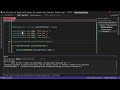
这样就可以使用循环逐个访问字典元素,并指定键及其对应的值,从而打印所有元素。 以下是输出结果:
Tim 还演示了如何通过显式使用指定的索引来访问字典中更复杂的值(8:26):
// Access the first item in the list of values for the specified key
Console.WriteLine(wishList["Tim Corey"][0]); // Outputs: Xbox' Access the first item in the list of values for the specified key
Console.WriteLine(wishList("Tim Corey")(0)) ' Outputs: Xbox在这里,[0]检索该列表中的第一个项目。
蒂姆在(9:00)总结发言中强调了理解字典的重要性。 他指出,虽然字典可能不经常使用,但对于需要唯一键和高效查找的场景来说,字典非常有用。
*创建字典:了解如何使用各种数据类型初始化字典。
*添加元素:了解唯一键的重要性以及如何处理重复键异常。
*访问值:使用键高效地检索值。
*检查键是否存在:在访问值之前检查键是否存在,以防止错误。
*高级用法:实现更复杂的字典,例如以列表为值的字典。
*迭代:使用循环访问和显示字典中的所有元素。
通过观看 Tim Corey 的视频,您可以掌握 C# 中字典的使用方法,增强您的编程工具包,以应对需要高效数据检索和存储的场景。 请访问Tim 的频道,观看更多关于 C# 的实用视频。
Do you create content for developers working with .NET, C#, Java, Python, or Node.js? Turn your expertise into extra income!
Join our newsletter, you’ll get exclusive access on article updates. We value your privacy

