


Earn More by Sharing What You Love
Do you create content for developers working with .NET, C#, Java, Python, or Node.js? Turn your expertise into extra income!

Tim Corey
10분 19초
C#에서 강력하지만 종종 제대로 활용되지 않는 데이터 구조 중 하나는 딕셔너리입니다. Dictionary 클래스는 System.Collections.Generic 네임스페이스에 있는 제네릭 컬렉션입니다. Tim Corey는 " 10분 안에 배우는 C#의 딕셔너리 데이터 구조 "라는 제목의 영상에서 C# 애플리케이션에서 딕셔너리를 효과적으로 사용하는 방법에 대한 간결하고 실용적인 가이드를 제공합니다. 이 글에서는 Tim의 설명과 예시를 분석하여 C# 딕셔너리의 핵심 내용을 쉽게 이해할 수 있도록 돕습니다.
Tim은 C#에서 딕셔너리라는 개념을 소개하는 것으로 시작합니다. 그는 이를 단어(키)를 찾아 그 정의(값)를 확인하는 실제 사전과 비교합니다. C#에서 딕셔너리는 키-값 쌍의 모음이며, 각 키는 고유해야 하고 null일 수 없습니다.
C#에서 딕셔너리는 Dictionary<TKey, TValue> 구문을 사용하여 선언되며, 키-값 쌍을 통한 효율적인 데이터 저장 및 검색을 가능하게 합니다. 사전은 생성 시 기본 초기 용량이 설정되며, 요소가 추가됨에 따라 동적으로 용량을 조정할 수 있습니다.
(0:28)에서 Tim은 사전을 만드는 방법을 보여주기 위해 기본적인 콘솔 애플리케이션으로 시작합니다. 그는 정수를 키로, 문자열을 값으로 하는 딕셔너리를 초기화하기 위해 다음 코드를 사용합니다.
// Declare a dictionary with integer keys and string values
Dictionary<int, string> rookieOfTheYear = new Dictionary<int, string>();' Declare a dictionary with integer keys and string values
Dim rookieOfTheYear As New Dictionary(Of Integer, String)()여기에서 Dictionary<int, string>는 키가 정수 (int)이고 값이 문자열 (string)임을 지정합니다. 변수 rookieOfTheYear는 딕셔너리 인스턴스의 이름입니다. 키 유형을 string로 설정하여 문자열 키도 사용할 수 있습니다.
Tim은 이제 (2:08)에서 사전에 요소를 추가합니다. 그는 키-값 쌍을 추가하기 위해 Add 메서드를 사용하는 방법을 보여줍니다:
// Add entries to the dictionary
rookieOfTheYear.Add(2000, "Mike Miller");
rookieOfTheYear.Add(2001, "Jane Doe");
rookieOfTheYear.Add(2002, "Jane Doe");
rookieOfTheYear.Add(2003, "John Smith");' Add entries to the dictionary
rookieOfTheYear.Add(2000, "Mike Miller")
rookieOfTheYear.Add(2001, "Jane Doe")
rookieOfTheYear.Add(2002, "Jane Doe")
rookieOfTheYear.Add(2003, "John Smith")이 예시에서는 다음과 같습니다.
rookieOfTheYear.Add(2000, "Mike Miller")는 지정된 키 2000와 값 "Mike Miller"을 추가합니다.
마찬가지로 키 2001, 2002 및 2003은 각각 "Jane Doe", "Jane Doe" 및 "John Smith"와 연결됩니다.
그는 값은 반복될 수 있지만 키는 고유해야 한다고 지적합니다. 중복 키를 추가하려고 하면 예외가 발생합니다.
rookieOfTheYear.Add(2001, "Jane Doe"); // This will throw an exceptionrookieOfTheYear.Add(2001, "Jane Doe") ' This will throw an exception이 예외는 딕셔너리에 키 2001가 이미 존재하기 때문에 발생합니다.
값 검색을 시연하기 위해 Tim은 (3:45)에서 다음 코드 줄을 사용합니다.
// Accessing a value with a specific key
Console.WriteLine(rookieOfTheYear[2002]); // Outputs: Jane Doe' Accessing a value with a specific key
Console.WriteLine(rookieOfTheYear(2002)) ' Outputs: Jane Doe여기에서 rookieOfTheYear[2002]는 키 2002와 연관된 값을 접근합니다. 이는 키를 기반으로 값을 조회하는 매우 효율적인 방법입니다.

(4:29)에서 Tim은 ContainsKey 메서드를 사용하여 딕셔너리에 키가 존재하는지 확인하는 방법에 대해 논의합니다:
// Check if a key exists before accessing its value
if (rookieOfTheYear.ContainsKey(2002))
{
    Console.WriteLine(rookieOfTheYear[2002]);
}' Check if a key exists before accessing its value
If rookieOfTheYear.ContainsKey(2002) Then
Console.WriteLine(rookieOfTheYear(2002))
End If위 예에서 ContainsKey(2002)는 딕셔너리에 키 2002이 존재하는지 확인합니다. 존재한다면, 해당 값 ("Jane Doe")이 출력됩니다.
해당 키가 존재하지 않으면 사전은 아무런 출력도 반환하지 않아, 존재하지 않는 키에 접근하여 발생하는 오류를 방지합니다.
Tim은 (5:33)에서 사전의 기능에 대해 자세히 설명하며, 문자열을 문자열 목록에 매핑하는 사전을 사용하여 더 복잡한 예제를 만듭니다.
// Declare a dictionary with string keys and List<string> as values
Dictionary<string, List<string>> wishList = new();

// Add entries to the dictionary with lists as values
wishList.Add("Tim Corey", new List<string> { "Xbox", "Tesla", "Pizza" });
wishList.Add("Billy Bob", new List<string> { "PS5", "Ford", "Hoagie" });
wishList.Add("Mary Jane", new List<string> { "House", "Car", "Sub" });' Declare a dictionary with string keys and List(Of String) as values
Dim wishList As New Dictionary(Of String, List(Of String))()
' Add entries to the dictionary with lists as values
wishList.Add("Tim Corey", New List(Of String) From {"Xbox", "Tesla", "Pizza"})
wishList.Add("Billy Bob", New List(Of String) From {"PS5", "Ford", "Hoagie"})
wishList.Add("Mary Jane", New List(Of String) From {"House", "Car", "Sub"})여기:
키는 문자열입니다(예: "Tim Corey", "Billy Bob", "Mary Jane").
값은 각 개인의 희망 목록을 나타내는 문자열 목록입니다.
(7:24)에서 Tim은 foreach 루프를 사용하여 딕셔너리를 반복하는 방법을 시연합니다:
// Iterate over each key-value pair in the dictionary
foreach (var (key, value) in wishList)
{
    Console.WriteLine($"{key}'s wish list:");
    // Iterate over each item in the list of values
    foreach (var item in value)
    {
        Console.WriteLine($"\t{item}");
    }
}' Iterate over each key-value pair in the dictionary
For Each kvp In wishList
Dim key = kvp.Key
Dim value = kvp.Value
Console.WriteLine($"{key}'s wish list:")
' Iterate over each item in the list of values
For Each item In value
Console.WriteLine(vbTab & item)
Next
Next이 예시에서는 다음과 같습니다.
foreach (var (key, value) in wishList)는 wishList 딕셔너리의 각 키-값 쌍을 반복합니다.
key는 키(예: 'Tim Corey')를 나타냅니다.
value는 해당 키와 연관된 값 목록을 나타냅니다.
내부 루프는 리스트의 각 항목을 순회하며 출력합니다.
이를 통해 루프를 사용하여 지정된 키와 해당 값으로 딕셔너리 요소를 하나씩 접근하여 모든 요소를 출력할 수 있습니다. 다음은 출력 결과입니다.
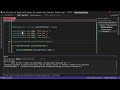
Tim은 또한 (8:26)에서 지정된 인덱스를 명시적으로 사용하여 딕셔너리에서 더 복잡한 값에 접근하는 방법을 보여줍니다.
// Access the first item in the list of values for the specified key
Console.WriteLine(wishList["Tim Corey"][0]); // Outputs: Xbox' Access the first item in the list of values for the specified key
Console.WriteLine(wishList("Tim Corey")(0)) ' Outputs: Xbox여기에서 wishList["Tim Corey"]는 키 "Tim Corey"와 연관된 목록에 접근하고, [0]는 그 목록의 첫 번째 항목을 가져옵니다.
Tim은 (9:00)에서 사전을 이해하는 것의 중요성을 강조하며 결론을 맺습니다. 그는 사전이 자주 사용되지는 않지만, 고유한 키와 효율적인 검색이 필요한 상황에서는 매우 유용하다고 지적합니다.
딕셔너리 생성: 다양한 데이터 유형으로 딕셔너리를 초기화하는 방법을 이해합니다.
요소 추가: 고유 키의 중요성과 중복 키 예외 처리 방법을 알아보세요.
값 접근: 키를 사용하여 값을 효율적으로 검색합니다.
키 존재 여부 확인: 값에 접근하기 전에 키 존재 여부를 확인하여 오류를 방지합니다.
고급 사용법: 리스트를 값으로 사용하는 등 더욱 복잡한 딕셔너리를 구현할 수 있습니다.
반복: 루프를 사용하여 딕셔너리의 모든 요소에 접근하고 표시합니다.
Tim Corey의 비디오를 따라하면 C#에서 딕셔너리 사용법을 마스터하여 효율적인 데이터 검색 및 저장이 필요한 시나리오에 필요한 프로그래밍 도구를 강화할 수 있습니다. Tim의 채널 에서 C#에 대한 더 유익한 영상을 확인해 보세요.
Do you create content for developers working with .NET, C#, Java, Python, or Node.js? Turn your expertise into extra income!
Join our newsletter, you’ll get exclusive access on article updates. We value your privacy

