


How to Generate Barcode Images in C# .NET Applications

.NETアプリケーションでプロフェッショナルなバーコード画像をすばやく生成する必要がありますか? このチュートリアルでは、IronBarcodeを使用して、シンプルな1行の実装から高度なスタイリング技術まで、バーコードの作成、カスタマイズ、エクスポート方法を正確に示します。
クイックスタート: バーコード画像を瞬時に作成して保存
IronBarcodeを使用すると、1つのシンプルな呼び出しでバーコード画像を生成してエクスポートできます。 お使いのテキストにはSaveAsPngを呼び出してください。複雑な設定は必要ありません。

最小限のワークフロー(5ステップ)
- NuGet パッケージ マネージャー経由で IronBarcode をインストールする
- 1行のコードでシンプルなバーコードを生成する
- バーコードにカスタムスタイルと注釈を適用する
- バーコードを画像、PDF、HTMLとしてエクスポートする
- Fluent API を使用して効率的にバーコードを生成する
How Do I Install a Barcode Generator Library in C#?
IronBarcodeのインストールは、NuGetパッケージマネージャーを使用して数秒で完了します。 パッケージマネージャーコンソールを通じて直接インストールするか、DLLを手動でダウンロードすることができます。
Install-Package BarCode
 IronBarcodeは、.NET開発者向けに包括的なバーコード生成機能を提供します。
How Can I Generate a Simple Barcode Using C#?
最初のバーコードを作成するには、たった2行のコードが必要です。 以下の例は、標準的なCode128バーコードを生成し、画像ファイルとして保存する方法を示しています。
:path=/static-assets/barcode/content-code-examples/tutorials/csharp-barcode-image-generator-3.csusing IronBarCode;
using IronSoftware.Drawing;
// Fluent API for Barcode Image generation.
string value = "https://ironsoftware.com/csharp/barcode";
AnyBitmap barcodeBitmap = BarcodeWriter.CreateBarcode(value, BarcodeEncoding.PDF417).ResizeTo(300, 200).SetMargins(100).ToBitmap();
System.Drawing.Bitmap barcodeLegacyBitmap = (System.Drawing.Bitmap)barcodeBitmap;Imports IronBarCode
Imports IronSoftware.Drawing
' Fluent API for Barcode Image generation.
Private value As String = "https://ironsoftware.com/csharp/barcode"
Private barcodeBitmap As AnyBitmap = BarcodeWriter.CreateBarcode(value, BarcodeEncoding.PDF417).ResizeTo(300, 200).SetMargins(100).ToBitmap()
Private barcodeLegacyBitmap As System.Drawing.Bitmap = CType(barcodeBitmap, System.Drawing.Bitmap)BarcodeWriter.CreateBarcode()メソッドは、バーコード生成のエントリーポイントです。 これは、エンコードしたいデータとBarcodeWriterEncoding列挙型からのバーコード形式の2つのパラメータを受け入れます。 IronBarcodeは、QRCodeコードを含むすべての主要なバーコード形式をサポートしています。
生成された後、GeneratedBarcodeオブジェクトは複数のエクスポートオプションを提供します。 さまざまな画像形式(PNG、JPEG、GIF、TIFF)として保存したり、PDFにエクスポートしたり、アプリケーションでのさらなる処理のためにSystem.Drawing.Bitmapとして取得したりできます。
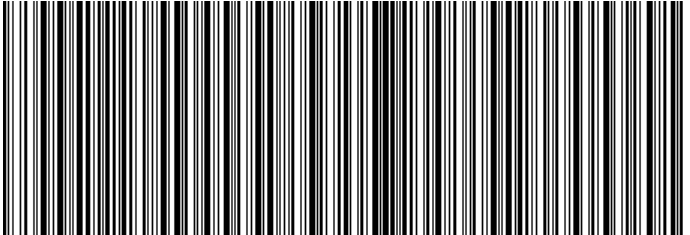 *A Code128 barcode generated with IronBarcode displaying a URL*
生成されたバーコードの外観をカスタマイズできますか?
IronBarcodeは、基本的なバーコード生成を超えた広範なカスタマイズオプションを提供します。 注釈を追加したり、色を調整したり、余白を設定したり、バーコードの外観のすべての側面を制御できます。
:path=/static-assets/barcode/content-code-examples/tutorials/csharp-barcode-image-generator-4.csusing IronBarCode;
using IronSoftware.Drawing;
// Create a QR code with advanced styling options
GeneratedBarcode myBarCode = BarcodeWriter.CreateBarcode(
"https://ironsoftware.com/csharp/barcode",
BarcodeWriterEncoding.QRCode
);
// Add descriptive text above the barcode
myBarCode.AddAnnotationTextAboveBarcode("Product URL:");
// Display the encoded value below the barcode
myBarCode.AddBarcodeValueTextBelowBarcode();
// Set consistent margins around the barcode
myBarCode.SetMargins(100);
// Customize the barcode color (purple in this example)
myBarCode.ChangeBarCodeColor(Color.Purple);
// Export as an HTML file for web integration
myBarCode.SaveAsHtmlFile("MyBarCode.html");
Imports IronBarCode
Imports IronSoftware.Drawing

' Create a QR code with advanced styling options
Dim myBarCode As GeneratedBarcode = BarcodeWriter.CreateBarcode("https://ironsoftware.com/csharp/barcode", BarcodeWriterEncoding.QRCode)

' Add descriptive text above the barcode
myBarCode.AddAnnotationTextAboveBarcode("Product URL:")

' Display the encoded value below the barcode
myBarCode.AddBarcodeValueTextBelowBarcode()

' Set consistent margins around the barcode
myBarCode.SetMargins(100)

' Customize the barcode color (purple in this example)
myBarCode.ChangeBarCodeColor(Color.Purple)

' Export as an HTML file for web integration
myBarCode.SaveAsHtmlFile("MyBarCode.html")GeneratedBarcodeクラスは、カスタマイズのための豊富なメソッドセットを提供します。
- 注釈:
AddAnnotationTextBelowBarcode()を使用して、バーコードの周りにカスタムラベルや指示を追加できます。 - 値の表示:
AddBarcodeValueTextBelowBarcode()メソッドは、エンコードされたデータを人間が読み取れる形式で自動的に表示します。 - 間隔:
SetMargins()を使用して空白を制御し、適切なスキャンと視覚的な魅力を確保します。 - 色:
ChangeBackgroundColor()を使用して、前景色と背景色を変更します。 - エクスポートオプション: 画像ファイル、PDF、自己完結型HTMLドキュメントとして保存します
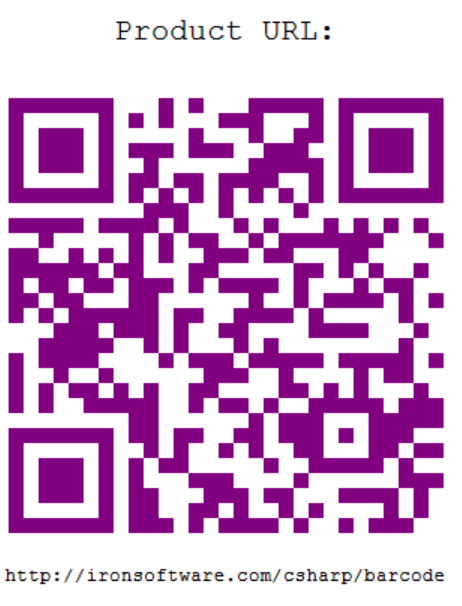 *カスタムカラーと注釈テキストを備えたスタイル付きQRコード*
詳細なカスタマイズオプションについては、GeneratedBarcodeクラスのドキュメントをご覧ください。利用可能なすべてのスタイリングメソッドとプロパティについて詳しく説明しています。
1行のコードでバーコードを作成してエクスポートするにはどうすればよいですか?
このアプローチは、バーコードに複数の変換を適用する場合に特に便利です。 このアプローチは、バーコードに複数の変換を適用する場合に特に役立ちます。
:path=/static-assets/barcode/content-code-examples/tutorials/csharp-barcode-image-generator-5.csusing IronBarCode;
using IronSoftware.Drawing;
// Generate, style, and convert a barcode in a single statement
string value = "https://ironsoftware.com/csharp/barcode";
// Create PDF417 barcode with chained operations
AnyBitmap barcodeBitmap = BarcodeWriter
.CreateBarcode(value, BarcodeWriterEncoding.PDF417) // Create PDF417 barcode
.ResizeTo(300, 200) // Set specific dimensions
.SetMargins(10) // Add 10px margins
.ToBitmap(); // Convert to bitmap
// Convert to System.Drawing.Bitmap for legacy compatibility
System.Drawing.Bitmap legacyBitmap = barcodeBitmap;
Imports IronBarCode
Imports IronSoftware.Drawing

' Generate, style, and convert a barcode in a single statement
Dim value As String = "https://ironsoftware.com/csharp/barcode"

' Create PDF417 barcode with chained operations
Dim barcodeBitmap As AnyBitmap = BarcodeWriter _
    .CreateBarcode(value, BarcodeWriterEncoding.PDF417) _  ' Create PDF417 barcode
    .ResizeTo(300, 200) _                                  ' Set specific dimensions
    .SetMargins(10) _                                      ' Add 10px margins
    .ToBitmap()                                            ' Convert to bitmap

' Convert to System.Drawing.Bitmap for legacy compatibility
Dim legacyBitmap As System.Drawing.Bitmap = barcodeBitmapフルーエントAPIパターンは、いくつかの利点を提供します:
- 可読性: 自然言語のように読める論理的な順序で操作をチェーンできます
- 柔軟性: コードを再構成せずに操作を簡単に追加または削除できます
- 柔軟性: コードを再構築することなく、操作を簡単に追加または削除できます
一般的な流暢な操作には:
ResizeTo(): 正確なバーコード寸法を管理します。SetMargins(): 一貫した空白を追加します。ChangeBarCodeColor(): 外観を変更します。AddAnnotationTextAboveBarcode(): 説明的なテキストを含めます。SaveAsPdf(): さまざまな形式でエクスポートします。
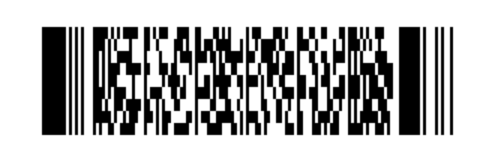 *A PDF417 barcode generated using fluent method chaining*
IronBarcodeはBarcodeWriterEncoding列挙型を通じて包括的なバーコードフォーマット生成をサポートしています。
IronBarcodeは、BarcodeWriterEncoding列挙型を通じて包括的なバーコード形式の生成をサポートしています。 1Dバーコード: Code128, Code39, Code93, Codabar, ITF, MSI, Plessey, UPCA, UPCE, EAN8, EAN13
1Dバーコード: EAN13
2Dバーコード: MaxiCode
特殊フォーマット: DataBarExpanded、およびさまざまなGS1標準
各フォーマットには特定の特性と使用ケースがあります。 例えば、EAN13は小売製品の標準です。 ## 生成されたバーコードが読み取り可能であることをどう確認できますか?
生成したバーコードが読み取れるかどうかをどう確認できますか?
IronBarcodeには、生成されたバーコードがスキャン可能であることを確認するための組み込み検証機能が含まれています: IronBarcodeには、生成したバーコードがスキャン可能であることを確認するための組み込みの検証機能があります:
:path=/static-assets/barcode/content-code-examples/tutorials/csharp-barcode-image-generator-6.cs// Generate and verify a barcode
GeneratedBarcode myBarcode = BarcodeWriter
.CreateBarcode("TEST123", BarcodeWriterEncoding.Code128)
.ResizeTo(200, 100)
.ChangeBarCodeColor(Color.DarkBlue);
// Verify the barcode is still readable after modifications
bool isReadable = myBarcode.Verify("TEST123");
Console.WriteLine($"Barcode verification: {(isReadable ? "PASS" : "FAIL")}");
Imports System.Drawing

' Generate and verify a barcode
Dim myBarcode As GeneratedBarcode = BarcodeWriter _
    .CreateBarcode("TEST123", BarcodeWriterEncoding.Code128) _
    .ResizeTo(200, 100) _
    .ChangeBarCodeColor(Color.DarkBlue)

' Verify the barcode is still readable after modifications
Dim isReadable As Boolean = myBarcode.Verify("TEST123")
Console.WriteLine($"Barcode verification: {(If(isReadable, "PASS", "FAIL"))}")Verify()メソッドは、リサイズや色変更などの変換後もバーコードが機械で読み取り可能なままであるかどうかをチェックします。 特に、非標準の色や非常に小さなサイズを使用する際に重要です。
バーコード生成の例をもっと見つけるにはどこを探せばよいですか?
バーコード生成能力を拡張するために、これらの追加リソースを探索してください:
このチュートリアルの完全なソースコードをダウンロード:
-
高度なトピック
-
ロゴ付きQRコードを生成 - QRコードにブランドを追加
- バーコードスタイリングガイド - 高度なカスタマイズ技術をマスター
- 画像からバーコードを読み取る - バーコードスキャンでサイクルを完了します
- 画像からバーコードを読み取る - バーコードスキャンでサイクルを完成させます
- バッチバーコード生成 - 複数のバーコードを効率的に生成します
APIドキュメント
BarcodeWriterクラスリファレンス - 完全なメソッドドキュメントGeneratedBarcodeクラスリファレンス - すべてのカスタマイズオプションBarcodeWriterEncoding列挙型 - サポートされているバーコード形式
アプリケーションでプロフェッショナルなバーコードを生成する準備はできましたか?
IronBarcodeは、プロフェッショナルなアプリケーションに必要な柔軟性を提供しつつ、バーコード生成を簡単にします。 今すぐIronBarcodeをダウンロードして数分でバーコードの生成を開始しましょう。
ライセンスオプションをご確認いただくか、無料の試用キーをリクエストして、IronBarcodeを本番環境でテストしてください。 適切なライセンスの選択に困っていませんか? ライセンス オプションを確認するか、無料トライアル キーをリクエストして、実稼働環境で IronBarcode をテストしてください。
よくある質問
C#でバーコード画像をどのように作成できますか?
C#でバーコード画像を作成するには、IronBarcodeのBarcodeWriter.CreateBarcode()メソッドを使用できます。これにより、データとバーコード形式を指定し、SaveAsPng()などのメソッドを使用してPNGやJPEGの形式で画像を保存できます。
IronBarcodeを.NETプロジェクトにインストールする手順は何ですか?
Visual StudioでNuGetパッケージマネージャーを使用して.NETプロジェクトにIronBarcodeをインストールできます。または、IronBarcodeのウェブサイトからDLLをダウンロードしてプロジェクトリファレンスに追加することもできます。
C#でバーコードをPDFとしてエクスポートするにはどうすれば良いですか?
IronBarcodeを使用すると、GeneratedBarcodeクラスのSaveAsPdf()メソッドを使用してバーコードをPDFとしてエクスポートできます。これはPDF形式でバーコードを保存する簡単な方法を提供します。
C#でバーコードに利用可能なカスタマイズオプションは何ですか?
IronBarcodeは、ChangeBarCodeColor()でバーコードの色を変更したり、AddAnnotationTextAboveBarcode()でテキスト注釈を追加したり、SetMargins()でマージンを設定したりと、幅広いカスタマイズオプションを提供します。
1行のコードでバーコードを迅速に作成しスタイルを設定するにはどうすれば良いですか?
IronBarcodeのフルーエントAPIを使用して、メソッドチェーンを使用した1行のコードでバーコードを作成しスタイルを設定できます: BarcodeWriter.CreateBarcode(data, encoding).ResizeTo(300, 200).SetMargins(10).SaveAsPng(path)。
変更後にバーコードがスキャン可能であることをどうやって確保しますか?
スタイリングやサイズ変更後にバーコードのスキャン可能性を確認するには、Verify()メソッドをGeneratedBarcodeオブジェクトで使用して、その機械読取り可能性をチェックします。
C#でロゴ付きのQRコードを生成することはできますか?
はい、IronBarcodeは、ロゴの挿入とエラーレベルの向上を可能にするQRCodeWriterクラスを使用して埋め込みロゴ付きのQRコード生成をサポートしています。
C#で複数のバーコードを効率的に生成するプロセスはどうなっていますか?
IronBarcodeを使用してC#で複数のバーコードを効率的に生成できます。これはバッチ処理をサポートしており、ループや並列処理を使用して大量のバーコード生成を処理することが可能です。
C#でバーコードをエクスポートするために使用できるファイル形式は何ですか?
IronBarcodeは、PNG、JPEG、GIF、TIFF、BMP、PDF、HTMLなどの様々な形式でのバーコードエクスポートをサポートし、さまざまなアプリケーションニーズに対応する柔軟性を提供します。
C#でバーコードの下に人間が読めるテキストを追加するにはどうすればよいですか?
C#でバーコードの下に人間が読めるテキストを追加するには、AddBarcodeValueTextBelowBarcode()メソッドを使用して、エンコードされた値をバーコード画像の下にテキスト形式で自動的に表示します。


まだスクロールしていますか?
すぐに証拠が欲しいですか? PM > Install-Package BarCode
サンプルを実行する 文字列が BarCode になるのを見る。








 無料で始めましょう
 無料で始めましょう
 無料ライブデモを予約
















