


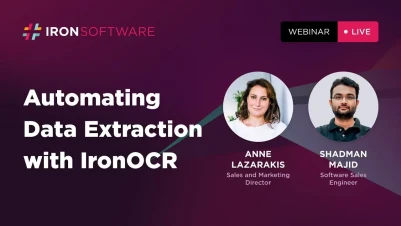
using IronOCR 從掃描影像中提取表格資料:現場演示回顧

從掃描的影像中提取資料是一個常見的挑戰,特別是當其包含結構化資料如表格時。 透過IronOCR的先進機器學習能力,您現在可以無縫地提取表格資料,包括儲存格的值及其位置。 在此示範中,Shadman Majid,軟體銷售工程師,逐步講解程式碼實作過程,Anne Lazarakis,銷售和市場總監,則分享來自Iron Software客戶的實際使用案例。
實際使用案例

由Anne Lazarakis,銷售和市場總監*解釋
保險索賠處理 (Opyn Market)
在美國高度監管的醫療保險行業中,像Opyn Market這樣的公司仍然通過傳真接收許多文件。 這些掃描文件通常包含需要準確提取並輸入內部系統的表格資料。 透過IronOCR,他們能夠自動化這個過程,減少人工工作並消除人為錯誤的可能性。
物流與食品分發 (iPAP)
iPAP,美國最大的奶酪分銷商,使用IronOCR管理超過200個客戶訂單。 他們的發票有多種格式,表格版面不一致。 IronOCR幫助他們從掃描文件中有效提取採購訂單號碼、出貨日期和物品詳細資訊,即便格式多變。 這種自動化每年為他們節省40,000至45,000美元之間。

技術概述

現場編碼會議,與Shadman Majid,軟體銷售工程師*
IronOCR使用專有的機器學習模型來檢測和提取掃描文件中的表格資料。 此功能支援:
- 提取表格儲存格及其坐標
- 掃描影像和多頁PDF的OCR
- 與C#、VB.NET、.NET Standard、.NET Framework和.NET Core的相容性

要存取此功能,您需要:
IronOCRNuGet packageIronOcr.Extensions.AdvancedScanningNuGet package,用於透過ML模型檢測表格
這些套件包含了必要的訓練ML模型,用於表格結構檢測和準確的OCR。
提取表格的範例程式碼
以下是C#範例程式碼段,展示如何使用IronOCR從影像中提取表格資料:
// Import the necessary IronOCR namespaces
using IronOcr;

// Initialize the IronTesseract to handle OCR processes
var Ocr = new IronTesseract();

// Load the image containing the table
using (var input = new OcrInput("invoice.jpg"))
{
    // Perform OCR and extract text data including tables
    var result = Ocr.Read(input);

    // Iterate through each page in the document
    foreach (var page in result.Pages)
    {
        // Iterate through each table found on the page
        foreach (var table in page.Tables)
        {
            Console.WriteLine("Table found:");
            // Iterate through each row in the table
            foreach (var row in table.Rows)
            {
                // Convert the row of cells to a comma-separated string
                var cells = string.Join(", ", row.Cells.Select(cell => cell.Text));
                Console.WriteLine(cells);
            }
        }
    }
}
// Import the necessary IronOCR namespaces
using IronOcr;
// Initialize the IronTesseract to handle OCR processes
var Ocr = new IronTesseract();
// Load the image containing the table
using (var input = new OcrInput("invoice.jpg"))
{
// Perform OCR and extract text data including tables
var result = Ocr.Read(input);
// Iterate through each page in the document
foreach (var page in result.Pages)
{
// Iterate through each table found on the page
foreach (var table in page.Tables)
{
Console.WriteLine("Table found:");
// Iterate through each row in the table
foreach (var row in table.Rows)
{
// Convert the row of cells to a comma-separated string
var cells = string.Join(", ", row.Cells.Select(cell => cell.Text));
Console.WriteLine(cells);
}
}
}
}' Import the necessary IronOCR namespaces
Imports IronOcr
' Initialize the IronTesseract to handle OCR processes
Private Ocr = New IronTesseract()
' Load the image containing the table
Using input = New OcrInput("invoice.jpg")
' Perform OCR and extract text data including tables
Dim result = Ocr.Read(input)
' Iterate through each page in the document
For Each page In result.Pages
' Iterate through each table found on the page
For Each table In page.Tables
Console.WriteLine("Table found:")
' Iterate through each row in the table
For Each row In table.Rows
' Convert the row of cells to a comma-separated string
Dim cells = String.Join(", ", row.Cells.Select(Function(cell) cell.Text))
Console.WriteLine(cells)
Next row
Next table
Next page
End Using- 載入圖像:腳本開始時初始化IronTesseract引擎並載入您想要處理的名為
invoice.jpg的影像文件。 - OCR執行:它對輸入進行OCR以提取文字資料,特別著重於任何表格。
- 表格提取:腳本遍歷每個檢測的表格及其行,以結構化方式輸出儲存格內容。
確保在運行此腳本之前,您已安裝了IronOCR所需的NuGet套件。
結論
IronOCR使從掃描文件中自動提取複雜表格資料變得簡單。 無論您從事於醫療保健、物流、金融或製造業,這種解決方案都提供了可靠性、準確性和成本節省效率。 僅需幾行程式碼,您即可消除人工資料輸入並減少人為錯誤。
想親眼目睹它的效果嗎? 在此預約一場與我們工程師的即時演示。
常見問題
如何使用C#從掃描影像中提取表格資料?
您可以利用IronOCR的先進機器學習功能從掃描影像中提取表格資料。該過程涉及使用IronTesseract引擎對影像進行OCR以提取資訊,包括單元格值及其坐標。
從掃描文件中提取表格資料的實際應用有哪些?
實際應用包括通過從傳真文件中提取表格式資料來自動處理保險理賠,並在物流中管理客戶訂單,其中發票格式多樣且表格排版不一致,這由Opyn Market和iPAP公司示範。
IronOCR在提取表格資料方面提供了哪些技術能力?
IronOCR提供的能力包括提取表格單元格及坐標,掃描圖像及多框PDF的OCR,以及與C#,VB.NET,.NET Standard,.NET Framework和.NET Core的相容性。
使用IronOCR提取表格資料的程式碼中涉及哪些步驟?
此過程涉及初始化IronTesseract引擎、載入影像、執行OCR以提取文字資料,以及遍歷每個檢測到的表格及其行以輸出單元格內容。
提取表格資料需要哪些套件?
您需要IronOCR NuGet套件以及IronOcr.Extensions.AdvancedScanning套件,以利用訓練好的ML模型進行表格檢測和準確OCR。
IronOCR如何提高醫療保健和物流行業的效率?
IronOCR通過自動從掃描文件中提取複雜的表格資料,減少手工勞動和人為錯誤,為諸如醫療保健和物流等行業提供顯著的效率和成本節約。
我可以看到IronOCR功能的即時演示嗎?
是的,您可以預約與Iron Software工程師的即時演示,以觀看IronOCR的實際操作並了解其在提取表格資料方面的功能。











 免費開始
免費開始 免費開始
免費開始 預訂免費直播演示
















