觀看David Jones, Agorus, 使用Iron Suite創造新效能
觀看Milan Jovanović使用IronPDF
觀看我們的團隊產品演示
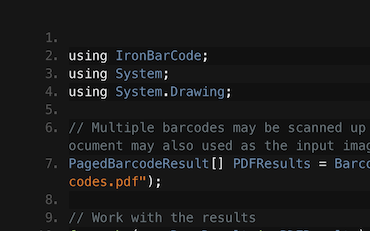
using IronBarCode; using System.Drawing; // Reading a barcode is easy with IronBarcode! var resultFromFile = BarcodeReader.Read(@"file/barcode.png"); // From a file var resultFromBitMap = BarcodeReader.Read(new Bitmap("barcode.bmp")); // From a bitmap var resultFromImage = BarcodeReader.Read(Image.FromFile("barcode.jpg")); // From an image var resultFromPdf = BarcodeReader.ReadPdf(@"file/mydocument.pdf"); // From PDF use ReadPdf // To configure and fine-tune barcode reading, utilize the BarcodeReaderOptions class var myOptionsExample = new BarcodeReaderOptions { // Choose a reading speed from: Faster, Balanced, Detailed, ExtremeDetail // There is a tradeoff in performance as more detail is set Speed = ReadingSpeed.Balanced, // Reader will stop scanning once a single barcode is found (if set to true) ExpectMultipleBarcodes = true, // By default, all barcode formats are scanned for // Specifying a subset of barcode types to search for would improve performance ExpectBarcodeTypes = BarcodeEncoding.AllOneDimensional, // Utilize multiple threads to read barcodes from multiple images in parallel Multithreaded = true, // Maximum threads for parallelized barcode reading // Default is 4 MaxParallelThreads = 2, // The area of each image frame in which to scan for barcodes // Specifying a crop area will significantly improve performance and avoid noisy parts of the image CropArea = new Rectangle(), // Special setting for Code39 barcodes // If a Code39 barcode is detected, try to read with both the base and extended ASCII character sets UseCode39ExtendedMode = true }; // Read with the options applied var results = BarcodeReader.Read("barcode.png", myOptionsExample); // Create a barcode with one line of code var myBarcode = BarcodeWriter.CreateBarcode("12345", BarcodeWriterEncoding.EAN8); // After creating a barcode, we may choose to resize myBarcode.ResizeTo(400, 100); // Save our newly-created barcode as an image myBarcode.SaveAsImage("EAN8.jpeg"); Image myBarcodeImage = myBarcode.Image; // Can be used as Image Bitmap myBarcodeBitmap = myBarcode.ToBitmap(); // Can be used as Bitmap
Imports IronBarCode Imports System.Drawing ' Reading a barcode is easy with IronBarcode! Private resultFromFile = BarcodeReader.Read("file/barcode.png") ' From a file Private resultFromBitMap = BarcodeReader.Read(New Bitmap("barcode.bmp")) ' From a bitmap Private resultFromImage = BarcodeReader.Read(Image.FromFile("barcode.jpg")) ' From an image Private resultFromPdf = BarcodeReader.ReadPdf("file/mydocument.pdf") ' From PDF use ReadPdf ' To configure and fine-tune barcode reading, utilize the BarcodeReaderOptions class Private myOptionsExample = New BarcodeReaderOptions With { .Speed = ReadingSpeed.Balanced, .ExpectMultipleBarcodes = True, .ExpectBarcodeTypes = BarcodeEncoding.AllOneDimensional, .Multithreaded = True, .MaxParallelThreads = 2, .CropArea = New Rectangle(), .UseCode39ExtendedMode = True } ' Read with the options applied Private results = BarcodeReader.Read("barcode.png", myOptionsExample) ' Create a barcode with one line of code Private myBarcode = BarcodeWriter.CreateBarcode("12345", BarcodeWriterEncoding.EAN8) ' After creating a barcode, we may choose to resize myBarcode.ResizeTo(400, 100) ' Save our newly-created barcode as an image myBarcode.SaveAsImage("EAN8.jpeg") Dim myBarcodeImage As Image = myBarcode.Image ' Can be used as Image Dim myBarcodeBitmap As Bitmap = myBarcode.ToBitmap() ' Can be used as Bitmap
Install-Package BarCode
IronBarCode 支援各種標準格式,從圖像文件(jpeg、png 和 jpg)到更程式化的格式,例如位圖,在這些格式中您可能希望傳遞變量。此外,IronBarCode 還支援如 PDF 等外部格式,可以在任何代碼庫中無縫集成,為開發者提供文件格式和變量的靈活性。
除了作為全文件格式的條形碼讀取器之外,IronBarcode 也同時作為條形碼生成器,支援所有標準編碼和格式化,例如 EAN8、Code128 和 Code39。 僅需兩行代碼即可設置條形碼生成器。 IronBarCode 以低門檻和豐富的定制選項使其成為所有條形碼相關情境的首選。
EAN8
Code128
Code39
var myBarcode = BarcodeWriter.CreateBarcode("12345", BarcodeEncoding.EAN8);
Image myBarcodeImage = myBarcode.ToImage();
myBarcode.ResizeTo(400, 100);
var resultFromFile = BarcodeReader.Read(@"file/barcode.png");
var myOptionsExample = new BarcodeReaderOptions { /* Options */ };
using IronBarCode; using IronSoftware.Drawing; // Choose which filters are to be applied (in order) // Set cacheAtEachIteration = true to save the intermediate image data after each filter is applied var filtersToApply = new ImageFilterCollection(cacheAtEachIteration: true) { new SharpenFilter(), new InvertFilter(), new ContrastFilter(), new BrightnessFilter(), new AdaptiveThresholdFilter(), new BinaryThresholdFilter(), new GaussianBlurFilter(), new MedianBlurFilter(), new BilateralFilter() }; BarcodeReaderOptions myOptionsExample = new BarcodeReaderOptions() { // Set chosen filters in BarcodeReaderOptions ImageFilters = filtersToApply, Speed = ReadingSpeed.Balanced, ExpectMultipleBarcodes = true, }; // Read with the options applied BarcodeResults results = BarcodeReader.Read("screenshot.png", myOptionsExample); AnyBitmap[] filteredImages = results.FilterImages(); // Export intermediate image files to disk for (int i = 0 ; i < filteredImages.Length ; i++) filteredImages[i].SaveAs($"{i}_barcode.png"); // Or results.ExportFilterImagesToDisk("filter-result.jpg");
Imports IronBarCode Imports IronSoftware.Drawing ' Choose which filters are to be applied (in order) ' Set cacheAtEachIteration = true to save the intermediate image data after each filter is applied Private filtersToApply = New ImageFilterCollection(cacheAtEachIteration:= True) From { New SharpenFilter(), New InvertFilter(), New ContrastFilter(), New BrightnessFilter(), New AdaptiveThresholdFilter(), New BinaryThresholdFilter(), New GaussianBlurFilter(), New MedianBlurFilter(), New BilateralFilter() } Private myOptionsExample As New BarcodeReaderOptions() With { .ImageFilters = filtersToApply, .Speed = ReadingSpeed.Balanced, .ExpectMultipleBarcodes = True } ' Read with the options applied Private results As BarcodeResults = BarcodeReader.Read("screenshot.png", myOptionsExample) Private filteredImages() As AnyBitmap = results.FilterImages() ' Export intermediate image files to disk For i As Integer = 0 To filteredImages.Length - 1 filteredImages(i).SaveAs($"{i}_barcode.png") Next i ' Or results.ExportFilterImagesToDisk("filter-result.jpg")
IronBarcode 提供許多可以選擇的圖像預處理過濾器,這些過濾器可以輕鬆應用在 BarcodeReaderOptions 中。 選擇可能改善圖片讀取的過濾器,如 銳化、二元閾值 和 對比度。 請記住,選擇它們的順序即為它們被應用的順序。
BarcodeReaderOptions
有一個選項允許在應用每個過濾器後保存中間圖像的圖像數據。 這可以借由 ImageFilterCollection 的 SaveAtEachIteration 屬性來切換。
ImageFilterCollection
SaveAtEachIteration
從範例代碼案例中得出的關鍵點:
Sharpen
Binary Threshold
Contrast
cacheAtEachIteration
true
了解更多有關 IronBarcode 中圖片校正的信息
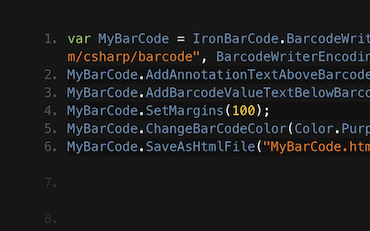
using IronBarCode; using System.Drawing; /*** CREATING BARCODE IMAGES ***/ // Create and save a barcode in a single line of code BarcodeWriter.CreateBarcode("12345", BarcodeWriterEncoding.EAN8).ResizeTo(400, 100).SaveAsImage("EAN8.jpeg"); /***** IN-DEPTH BARCODE CREATION OPTIONS *****/ // BarcodeWriter.CreateBarcode creates a GeneratedBarcode which can be styled and exported as an Image object or file GeneratedBarcode MyBarCode = BarcodeWriter.CreateBarcode("Any Number, String or Binary Value", BarcodeWriterEncoding.Code128); // Style the Barcode in a fluent LINQ-style fashion MyBarCode.ResizeTo(300, 150).SetMargins(20).AddAnnotationTextAboveBarcode("Example EAN8 Barcode").AddBarcodeValueTextBelowBarcode(); MyBarCode.ChangeBackgroundColor(Color.LightGoldenrodYellow); // Save the barcode as an image file MyBarCode.SaveAsImage("MyBarCode.png"); MyBarCode.SaveAsGif("MyBarCode.gif"); MyBarCode.SaveAsHtmlFile("MyBarCode.html"); MyBarCode.SaveAsJpeg("MyBarCode.jpg"); MyBarCode.SaveAsPdf("MyBarCode.Pdf"); MyBarCode.SaveAsPng("MyBarCode.png"); MyBarCode.SaveAsTiff("MyBarCode.tiff"); MyBarCode.SaveAsWindowsBitmap("MyBarCode.bmp"); // Save the barcode as a .NET native object Image MyBarCodeImage = MyBarCode.Image; Bitmap MyBarCodeBitmap = MyBarCode.ToBitmap(); byte[] PngBytes = MyBarCode.ToPngBinaryData(); using (System.IO.Stream PdfStream = MyBarCode.ToPdfStream()) { // Stream barcode image output also works for GIF, JPEG, PDF, PNG, BMP and TIFF } // Save MyBarCode as an HTML file or tag MyBarCode.SaveAsHtmlFile("MyBarCode.Html"); string ImgTagForHTML = MyBarCode.ToHtmlTag(); string DataURL = MyBarCode.ToDataUrl(); // Save MyBarCode to a new PDF, or stamp it in any position on any page(s) of an existing document MyBarCode.SaveAsPdf("MyBarCode.Pdf"); MyBarCode.StampToExistingPdfPage("ExistingPDF.pdf", 200, 50, 1); // Position (200, 50) on page 1 MyBarCode.StampToExistingPdfPages("ExistingPDF.pdf", 200, 50, new[] { 1, 2, 3 }, "Password123"); // Multiple pages of an encrypted PDF
Imports IronBarCode Imports System.Drawing '''* CREATING BARCODE IMAGES ** ' Create and save a barcode in a single line of code BarcodeWriter.CreateBarcode("12345", BarcodeWriterEncoding.EAN8).ResizeTo(400, 100).SaveAsImage("EAN8.jpeg") '''*** IN-DEPTH BARCODE CREATION OPTIONS **** ' BarcodeWriter.CreateBarcode creates a GeneratedBarcode which can be styled and exported as an Image object or file Dim MyBarCode As GeneratedBarcode = BarcodeWriter.CreateBarcode("Any Number, String or Binary Value", BarcodeWriterEncoding.Code128) ' Style the Barcode in a fluent LINQ-style fashion MyBarCode.ResizeTo(300, 150).SetMargins(20).AddAnnotationTextAboveBarcode("Example EAN8 Barcode").AddBarcodeValueTextBelowBarcode() MyBarCode.ChangeBackgroundColor(Color.LightGoldenrodYellow) ' Save the barcode as an image file MyBarCode.SaveAsImage("MyBarCode.png") MyBarCode.SaveAsGif("MyBarCode.gif") MyBarCode.SaveAsHtmlFile("MyBarCode.html") MyBarCode.SaveAsJpeg("MyBarCode.jpg") MyBarCode.SaveAsPdf("MyBarCode.Pdf") MyBarCode.SaveAsPng("MyBarCode.png") MyBarCode.SaveAsTiff("MyBarCode.tiff") MyBarCode.SaveAsWindowsBitmap("MyBarCode.bmp") ' Save the barcode as a .NET native object Dim MyBarCodeImage As Image = MyBarCode.Image Dim MyBarCodeBitmap As Bitmap = MyBarCode.ToBitmap() Dim PngBytes() As Byte = MyBarCode.ToPngBinaryData() Using PdfStream As System.IO.Stream = MyBarCode.ToPdfStream() ' Stream barcode image output also works for GIF, JPEG, PDF, PNG, BMP and TIFF End Using ' Save MyBarCode as an HTML file or tag MyBarCode.SaveAsHtmlFile("MyBarCode.Html") Dim ImgTagForHTML As String = MyBarCode.ToHtmlTag() Dim DataURL As String = MyBarCode.ToDataUrl() ' Save MyBarCode to a new PDF, or stamp it in any position on any page(s) of an existing document MyBarCode.SaveAsPdf("MyBarCode.Pdf") MyBarCode.StampToExistingPdfPage("ExistingPDF.pdf", 200, 50, 1) ' Position (200, 50) on page 1 MyBarCode.StampToExistingPdfPages("ExistingPDF.pdf", 200, 50, { 1, 2, 3 }, "Password123") ' Multiple pages of an encrypted PDF
在這個例子中,我們看到可以創建、調整大小和保存許多不同類型和格式的條碼; 可能甚至只需一行代碼。
使用我們的流暢的 API,生成的條碼類可以用來設置邊距、調整大小和註釋條碼。 然後,它們可以保存為圖像,IronBarcode會自動從文件名稱假設正確的圖像類型:GIFs,HTML文件,HTML標籤,JPEGs,PDFs,PNGs,TIFFs,和Windows位圖。
我們還有StampToExistingPdfPage方法,可以生成條碼並將其加蓋在現有的PDF上。 這在編輯通用PDF或通過條碼將內部識別號添加到文件時很有用。
StampToExistingPdfPage
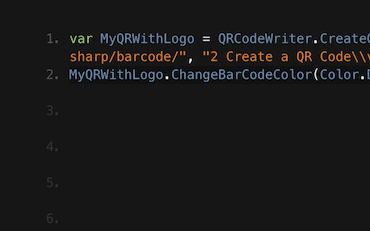
using IronBarCode; using System; using System.Drawing; /*** STYLING GENERATED BARCODES ***/ // BarcodeWriter.CreateBarcode creates a GeneratedBarcode object which allows the barcode to be styled and annotated. GeneratedBarcode MyBarCode = BarcodeWriter.CreateBarcode("Iron Software", BarcodeWriterEncoding.QRCode); // Any text (or commonly, the value of the barcode) can be added to the image in a default or specified font. // Text positions are automatically centered, above or below. Fonts that are too large for a given image are automatically scaled down. MyBarCode.AddBarcodeValueTextBelowBarcode(); MyBarCode.AddAnnotationTextAboveBarcode("This is My Barcode", new Font(new FontFamily("Arial"), 12, FontStyle.Regular, GraphicsUnit.Pixel), Color.DarkSlateBlue); // Resize, add margins and check final image dimensions MyBarCode.ResizeTo(300, 300); // Resize in pixels MyBarCode.SetMargins(0, 20, 0, 20); // Set margins in pixels int FinalWidth = MyBarCode.Width; int FinalHeight = MyBarCode.Height; // Recolor the barcode and its background MyBarCode.ChangeBackgroundColor(Color.LightGray); MyBarCode.ChangeBarCodeColor(Color.DarkSlateBlue); if (!MyBarCode.Verify()) { Console.WriteLine("Color contrast should be at least 50% or a barcode may become unreadable. Test using GeneratedBarcode.Verify()"); } // Finally, save the result MyBarCode.SaveAsHtmlFile("StyledBarcode.html"); /*** STYLING BARCODES IN A SINGLE LINQ-STYLE EXPRESSION ***/ // Create a barcode in one line of code BarcodeWriter.CreateBarcode("https://ironsoftware.com", BarcodeWriterEncoding.Aztec).ResizeTo(250, 250).SetMargins(10).AddBarcodeValueTextAboveBarcode().SaveAsImage("StyledBarcode.png"); /*** STYLING QR CODES WITH LOGO IMAGES OR BRANDING ***/ // Use the QRCodeWriter.CreateQrCodeWithLogo Method instead of BarcodeWriter.CreateBarcode // Logo will automatically be sized appropriately and snapped to the QR grid. var qrCodeLogo = new QRCodeLogo("ironsoftware_logo.png"); GeneratedBarcode myQRCodeWithLogo = QRCodeWriter.CreateQrCodeWithLogo("https://ironsoftware.com/", qrCodeLogo); myQRCodeWithLogo.ResizeTo(500, 500).SetMargins(10).ChangeBarCodeColor(Color.DarkGreen); myQRCodeWithLogo.ResizeTo(500, 500).SetMargins(10).ChangeBarCodeColor(Color.DarkGreen); myQRCodeWithLogo.SaveAsPng("QRWithLogo.Png").SaveAsPdf("MyVerifiedQR.html"); // Save as 2 different formats
Imports IronBarCode Imports System Imports System.Drawing '''* STYLING GENERATED BARCODES ** ' BarcodeWriter.CreateBarcode creates a GeneratedBarcode object which allows the barcode to be styled and annotated. Private MyBarCode As GeneratedBarcode = BarcodeWriter.CreateBarcode("Iron Software", BarcodeWriterEncoding.QRCode) ' Any text (or commonly, the value of the barcode) can be added to the image in a default or specified font. ' Text positions are automatically centered, above or below. Fonts that are too large for a given image are automatically scaled down. MyBarCode.AddBarcodeValueTextBelowBarcode() MyBarCode.AddAnnotationTextAboveBarcode("This is My Barcode", New Font(New FontFamily("Arial"), 12, FontStyle.Regular, GraphicsUnit.Pixel), Color.DarkSlateBlue) ' Resize, add margins and check final image dimensions MyBarCode.ResizeTo(300, 300) ' Resize in pixels MyBarCode.SetMargins(0, 20, 0, 20) ' Set margins in pixels Dim FinalWidth As Integer = MyBarCode.Width Dim FinalHeight As Integer = MyBarCode.Height ' Recolor the barcode and its background MyBarCode.ChangeBackgroundColor(Color.LightGray) MyBarCode.ChangeBarCodeColor(Color.DarkSlateBlue) If Not MyBarCode.Verify() Then Console.WriteLine("Color contrast should be at least 50% or a barcode may become unreadable. Test using GeneratedBarcode.Verify()") End If ' Finally, save the result MyBarCode.SaveAsHtmlFile("StyledBarcode.html") '''* STYLING BARCODES IN A SINGLE LINQ-STYLE EXPRESSION ** ' Create a barcode in one line of code BarcodeWriter.CreateBarcode("https://ironsoftware.com", BarcodeWriterEncoding.Aztec).ResizeTo(250, 250).SetMargins(10).AddBarcodeValueTextAboveBarcode().SaveAsImage("StyledBarcode.png") '''* STYLING QR CODES WITH LOGO IMAGES OR BRANDING ** ' Use the QRCodeWriter.CreateQrCodeWithLogo Method instead of BarcodeWriter.CreateBarcode ' Logo will automatically be sized appropriately and snapped to the QR grid. Dim qrCodeLogo As New QRCodeLogo("ironsoftware_logo.png") Dim myQRCodeWithLogo As GeneratedBarcode = QRCodeWriter.CreateQrCodeWithLogo("https://ironsoftware.com/", qrCodeLogo) myQRCodeWithLogo.ResizeTo(500, 500).SetMargins(10).ChangeBarCodeColor(Color.DarkGreen) myQRCodeWithLogo.ResizeTo(500, 500).SetMargins(10).ChangeBarCodeColor(Color.DarkGreen) myQRCodeWithLogo.SaveAsPng("QRWithLogo.Png").SaveAsPdf("MyVerifiedQR.html") ' Save as 2 different formats
在此範例中,我們看到條碼可以使用您選擇的文本或條碼本身的值進行註解,並採用安裝在目標機器上的任何字型。如果該字型不可用,將選擇一個合適的相似字型。 條碼可以大小調整、有邊距添加,條碼和背景都可以重新上色。 然後可以將它們保存為合適的格式。
在代碼的最後幾行中,您可以看到使用我們的流暢風格運算符,可以在僅幾行代碼內創建和設計條碼,這與System.Linq類似。
System.Linq
using IronBarCode; GeneratedBarcode MyBarCode = BarcodeWriter.CreateBarcode("1234567890", BarcodeWriterEncoding.Code128); // Save as a stand-alone HTML file without any image assets MyBarCode.SaveAsHtmlFile("MyBarCode.html"); // Save as a stand-alone HTML image tag which can be served in HTML files, ASPX or MVC Views. No image assets required, the tag embeds the entire image in its source content string ImgTag = MyBarCode.ToHtmlTag(); // Turn the image into a HTML/CSS Data URI. string DataURI = MyBarCode.ToDataUrl();
Imports IronBarCode Private MyBarCode As GeneratedBarcode = BarcodeWriter.CreateBarcode("1234567890", BarcodeWriterEncoding.Code128) ' Save as a stand-alone HTML file without any image assets MyBarCode.SaveAsHtmlFile("MyBarCode.html") ' Save as a stand-alone HTML image tag which can be served in HTML files, ASPX or MVC Views. No image assets required, the tag embeds the entire image in its source content Dim ImgTag As String = MyBarCode.ToHtmlTag() ' Turn the image into a HTML/CSS Data URI. Dim DataURI As String = MyBarCode.ToDataUrl()
IronBarcode具有一個非常有用的功能,允許將條碼導出為自包含的HTML,因此它沒有相關的圖像資產。 所有內容都包含在HTML文件中。
我們可以導出為HTML文件、HTML圖像標籤或數據URI。
根據此示例:
BarcodeWriter.CreateBarcode
ToHtmlTag()
<img>
ToDataUri()
SaveAsHtmlFile()
無論是產品、集成還是許可問題,Iron 產品開發團隊隨時支持您的所有問題。與 Iron 取得聯繫,開始對話,以便在項目中充分利用我們的庫。
IronBarcode 的 .NET 條碼資源庫可以讀取 BarcodeEncoding Enumb 中的任何類型條碼。它能夠識別 .NET Core、.NET Standard 和 .NET Framework 中的條碼。 為了節省時間並提高庫存工作流程效率,IronBarcode 建議使用一維(1D)或線性條碼,這包括像 UPC 和 EAN 代碼這樣的傳統且已建立的條碼類型。全球的銷售點服務通常使用 UPC(通用產品代碼)條碼(包括其變體 UPC-A 和 UPC-E)。這使得目標消費者更容易在倉庫和結帳處識別和跟蹤產品特徵。UPCA 僅限於擁有 12 到 13 位數字的數字內容,而 UPCE 則支持 8 到 13 位數字的內容。 像 UPC 一樣,歐洲市場使用 EAN 條碼標籤消費品進行銷售點掃描。其變體包括 EAN-13 作為默認選擇,而 EAN-8 則適用於包裝空間有限的產品,例如糖果。除此之外,作為高密度條碼,EAN-13 可以緊湊地編碼較大的數據集。 1D 條碼不僅如此。 汽車和國防行業使用 Code 39 條碼。其名稱說明了其可以編碼 39 個字符的能力(現已修訂為 43 個)。同樣地,Code 128 字符集和高數據密度。繼續談物流,包裝行業更喜歡 ITF(交錯二值碼)條碼標籤包裝材料,例如瓦楞紙板,因為它們具有較高的印刷公差。而 MSI 更適合產品識別和庫存管理。 醫藥行業利用藥品二元編碼。而 RSS 14(減少空間的符號學)和 Databar 條碼是 1D 和 2D 條碼的混合體。這是醫療保健的最愛,以標記小物品。類似於 Code 128 條碼,Codabar 也受到物流和醫療保健行業的喜愛。它可以在沒有計算機的情況下工作,可從點陣打印機輸出中讀取。 2D 條碼包括 Aztec、Data Matrix、Data Bar、IntelligentMail、Maxicode、QR code。根據不同行業的使用,Aztec 在運輸行業中用於機票和登機牌,並且在較低的分辨率下也可讀。儘管 IntelligentMail 僅限於美國郵政中的特定用途,但 Maxicode 則用於標準化運輸跟踪。 在所有條碼中最廣為人知的是 QR code。由於其靈活性,容錯率,可讀性,和支持多種數據類型(如數字,字母數字,字節/二進制和漢字),它具有大量用途,包括 B2B 和 B2C。 一旦確定了類型,IronBarcode — 領先的條碼生成器便開始接手!
困難於 .NET 中的各種條碼類型讀取現在變得輕如鴻毛,使用 IronBarcode 的多功能、先進和高效的資源庫。
用幾行代碼即可在幾分鐘內開始。為 .NET Core、.NET Standard 和 Framework 構建,作為易於使用的單一 DLL;沒有依賴性;支援 32 和 64 位;在任何 .NET 語言中。在 Web、雲端、桌面或控制台應用中使用;支持移動和桌面設備。您可以從此鏈接下載此軟件產品。
為 .NET 構建, C#, QR 碼
由於 IronBarcode 促使各種條碼類型和格式的創建、調整大小和保存,無理由不立即開始!使用 Fluent API,使用生成的條碼類設置邊距、調整大小和註釋條碼。然後用 IronOCR 自動根據檔名假設正確的圖像類型保存為圖像。無論是 GIF、HTML 文件、HTML 標籤、JPEG、PNG、TIFF 和 Windows 位圖。StampToExistingPdfPage 方法允許生成條碼並將其蓋章到現有的 PDF 中。這在編輯通用 PDF 或通過條碼添加內部識別碼到文件中時非常有用。立刻與 24/7 人工支持進行聯系。無論您有任何問題或需要專案支持;開始使用我們的 30 天試用金鑰、從我們的廣泛英文文檔資源中獲益,或從 749 美元起購買我們的終身許可證。
免費 社區開發許可證。商業許可證從 $749 開始。
C# .NET 條形碼 QR
看看 Frank 如何使用 IronBarcode 從掃描件、照片 和 PDF 文件中讀取條碼,在他的 C# .NET 條碼應用程式中……
C# .NET 條形碼
Francesca 分享了一些在 C# 或 VB 應用程式中將條碼寫入圖像的提示和技巧。了解如何寫入條碼和 IronBarcode 提供的所有選項……
QR .NET C# VB
Jenny 的團隊每天使用 IronBarcode 寫入數千個 QR。查看他們的教程以充分利用 IronBarcode……
Iron 的團隊有超過 10 年的 .NET 軟件組件市場經驗。
直接與我們的開發團隊交談
清晰的在線手冊,以簡單的英語編寫。
免費開發許可證。商業版從 $749 起。
使用 NuGet 或 DLL 在幾分鐘內開始。
無需信用卡
試用表單已提交成功。您的試用密鑰應該在電子郵件裡。如果沒有,請聯繫support@ironsoftware.com
您的試用密鑰應該在電子郵件裡。如果沒有,請聯繫support@ironsoftware.com
免費開始
在生產環境中測試而不帶水印。適用於您所需的任何地方。
獲得 30 天完整功能產品。幾分鐘內即可運行。
在您的產品試用期間全面訪問我們的支持技術團隊
無需信用卡或帳戶創建
您的試用密鑰應在電子郵件中。如果沒有,請聯繫support@ironsoftware.com
授權從$749起售。 有問題嗎?聯繫我們。
預約無需承諾的諮詢
完成以下表單或發送電子郵件至 sales@ironsoftware.com
您的詳細信息將始終保密。
預訂 30 分鐘的個人演示。
無須合約、無須卡號、無任何長期綁約。
版權所有 © Iron Software 2013-2025