

C# 條碼庫
超越基本的條碼生成。利用機器學習驅動的預處理和批次處理功能,為 .NET 10 取得高階條碼讀取和建立功能。
- 讀取30 多種格式,包括所有主要的 1D/2D 類型
- 建立具有樣式、尺寸和註釋控制的條碼
- 使用非同步和多線程進行批次處理
- 免費試用 30 天,功能齊全,無需信用卡
條碼快速入門
查看所有 程式碼範例using IronBarCode;
using System.Drawing;
// Reading a barcode is easy with IronBarcode!
var resultFromFile = BarcodeReader.Read(@"file/barcode.png"); // From a file
var resultFromBitMap = BarcodeReader.Read(new Bitmap("barcode.bmp")); // From a bitmap
var resultFromImage = BarcodeReader.Read(Image.FromFile("barcode.jpg")); // From an image file
var resultFromPdf = BarcodeReader.ReadPdf(@"file/mydocument.pdf"); // From PDF use ReadPdf
// To configure and fine-tune barcode reading, utilize the BarcodeReaderOptions class
var myOptionsExample = new BarcodeReaderOptions
{
// Choose a reading speed from: Faster, Balanced, Detailed, ExtremeDetail
// There is a tradeoff in performance as more detail is set
Speed = ReadingSpeed.Balanced,
// Reader will stop scanning once a single barcode is found (if set to true)
ExpectMultipleBarcodes = true,
// By default, all barcode formats are scanned for
// Specifying a subset of barcode types to search for would improve performance
ExpectBarcodeTypes = BarcodeEncoding.AllOneDimensional,
// Utilize multiple threads to read barcodes from multiple images in parallel
Multithreaded = true,
// Maximum threads for parallelized barcode reading
// Default is 4
MaxParallelThreads = 2,
// The area of each image frame in which to scan for barcodes
// Specifying a crop area will significantly improve performance and avoid noisy parts of the image
CropArea = new Rectangle(),
// Special setting for Code39 barcodes
// If a Code39 barcode is detected, try to read with both the base and extended ASCII character sets
UseCode39ExtendedMode = true
};
// Read with the options applied
var results = BarcodeReader.Read("barcode.png", myOptionsExample);
// Create a barcode with one line of code
var myBarcode = BarcodeWriter.CreateBarcode("12345", BarcodeWriterEncoding.EAN8);
// After creating a barcode, we may choose to resize
myBarcode.ResizeTo(400, 100);
// Save our newly-created barcode as an image
myBarcode.SaveAsImage("EAN8.jpeg");
// Get the barcode as an image for further processing
var myBarcodeImage = myBarcode.Image;
Imports IronBarCode
Imports System.Drawing

' Reading a barcode is easy with IronBarcode!
Dim resultFromFile = BarcodeReader.Read("file/barcode.png") ' From a file
Dim resultFromBitMap = BarcodeReader.Read(New Bitmap("barcode.bmp")) ' From a bitmap
Dim resultFromImage = BarcodeReader.Read(Image.FromFile("barcode.jpg")) ' From an image file
Dim resultFromPdf = BarcodeReader.ReadPdf("file/mydocument.pdf") ' From PDF use ReadPdf

' To configure and fine-tune barcode reading, utilize the BarcodeReaderOptions class
Dim myOptionsExample As New BarcodeReaderOptions With {
    ' Choose a reading speed from: Faster, Balanced, Detailed, ExtremeDetail
    ' There is a tradeoff in performance as more detail is set
    .Speed = ReadingSpeed.Balanced,

    ' Reader will stop scanning once a single barcode is found (if set to true)
    .ExpectMultipleBarcodes = True,

    ' By default, all barcode formats are scanned for
    ' Specifying a subset of barcode types to search for would improve performance
    .ExpectBarcodeTypes = BarcodeEncoding.AllOneDimensional,

    ' Utilize multiple threads to read barcodes from multiple images in parallel
    .Multithreaded = True,

    ' Maximum threads for parallelized barcode reading
    ' Default is 4
    .MaxParallelThreads = 2,

    ' The area of each image frame in which to scan for barcodes
    ' Specifying a crop area will significantly improve performance and avoid noisy parts of the image
    .CropArea = New Rectangle(),

    ' Special setting for Code39 barcodes
    ' If a Code39 barcode is detected, try to read with both the base and extended ASCII character sets
    .UseCode39ExtendedMode = True
}

' Read with the options applied
Dim results = BarcodeReader.Read("barcode.png", myOptionsExample)

' Create a barcode with one line of code
Dim myBarcode = BarcodeWriter.CreateBarcode("12345", BarcodeWriterEncoding.EAN8)

' After creating a barcode, we may choose to resize
myBarcode.ResizeTo(400, 100)

' Save our newly-created barcode as an image
myBarcode.SaveAsImage("EAN8.jpeg")

' Get the barcode as an image for further processing
Dim myBarcodeImage = myBarcode.Image
Imports IronBarCode
Imports System.Drawing
' Reading a barcode is easy with IronBarcode!
Dim resultFromFile = BarcodeReader.Read("file/barcode.png") ' From a file
Dim resultFromBitMap = BarcodeReader.Read(New Bitmap("barcode.bmp")) ' From a bitmap
Dim resultFromImage = BarcodeReader.Read(Image.FromFile("barcode.jpg")) ' From an image file
Dim resultFromPdf = BarcodeReader.ReadPdf("file/mydocument.pdf") ' From PDF use ReadPdf
' To configure and fine-tune barcode reading, utilize the BarcodeReaderOptions class
Dim myOptionsExample As New BarcodeReaderOptions With {
' Choose a reading speed from: Faster, Balanced, Detailed, ExtremeDetail
' There is a tradeoff in performance as more detail is set
.Speed = ReadingSpeed.Balanced,
' Reader will stop scanning once a single barcode is found (if set to true)
.ExpectMultipleBarcodes = True,
' By default, all barcode formats are scanned for
' Specifying a subset of barcode types to search for would improve performance
.ExpectBarcodeTypes = BarcodeEncoding.AllOneDimensional,
' Utilize multiple threads to read barcodes from multiple images in parallel
.Multithreaded = True,
' Maximum threads for parallelized barcode reading
' Default is 4
.MaxParallelThreads = 2,
' The area of each image frame in which to scan for barcodes
' Specifying a crop area will significantly improve performance and avoid noisy parts of the image
.CropArea = New Rectangle(),
' Special setting for Code39 barcodes
' If a Code39 barcode is detected, try to read with both the base and extended ASCII character sets
.UseCode39ExtendedMode = True
}
' Read with the options applied
Dim results = BarcodeReader.Read("barcode.png", myOptionsExample)
' Create a barcode with one line of code
Dim myBarcode = BarcodeWriter.CreateBarcode("12345", BarcodeWriterEncoding.EAN8)
' After creating a barcode, we may choose to resize
myBarcode.ResizeTo(400, 100)
' Save our newly-created barcode as an image
myBarcode.SaveAsImage("EAN8.jpeg")
' Get the barcode as an image for further processing
Dim myBarcodeImage = myBarcode.Image
PM >Install-Package BarCode


可與AI編碼代理配合使用
 Claude
 Codex
 GitHub Copilot
 Cursor
 Antigravity
 其他編碼代理
在您的基礎設施內運行
無MCP或外部處理。 IronBarcode在您的應用程式內運行, 保持文件在您的控制內。
適合 AI 使用的文件
清晰的文件、API參考和教學幫助編碼代理有效使用IronBarcode。
為企業工作流程而建
在需要準確性、一致性和控制的位置添加企業級文件功能。
跨平台支援
為 C#、F# 和 VB.NET 設計,運行於 .NET 10、9、8、7、6、5、Core、Standard 或 Framework
如需 行動裝置的QR支援,請嘗試我們的IronQR 程式庫


.NET 版本:
- C#、VB.NET、F# 語言
- .NET Core (10, 9, 8, 7, 6, 5 和 3.1+)
- .NET標準 (2.0+)
- .NET Framework (4.6.2+)
作業系統和處理器:
- Windows (x64, x86)
- Mac (x64,ARM)
- Linux (x64)
.NET 專案類型:
- 網頁 (Blazor & WebForms)
- 行動裝置 (MAUI)
- 桌面 (WPF & MAUI)
- 主控台 (應用程式 & 函式庫)
應用環境:
- Windows (10+, Server 2016+)
- Linux (Ubuntu, Debian, CentOS, etc.)
- Mac (macOS 10+)
- Apple iOS (13+)
- Android API 24+ (v7 “Nougat”)
- Docker (Windows, Linux, Azure)
- Azure (VPS, WebApp, Function)
- AWS (EC2, Lambda)
開發環境
- Microsoft Visual Studio
- Jetbrains ReSharper 和 Rider
二進位認證
- Microsoft Authenticode
一個優先考慮準確性、易用性和速度的 C# 條碼庫。
IronBarcode 是領先的 C# 條碼庫,用於在 .NET 中讀取和創建條碼。其用戶友好的 API 讓開發者可以在幾分鐘內將條碼功能添加到 .NET 項目中。

立即獲取您的30天試用金鑰。

當你需要快速讀取、寫入和設計條形碼時。
相容性
支援平台
- .NET語言(C#、F#、VB.NET)
- .NET Core與Framework(9、8、7、6、5、3、2及4.6.2+)
- 平台(Windows、macOS、Linux、iOS及Android)
讀取
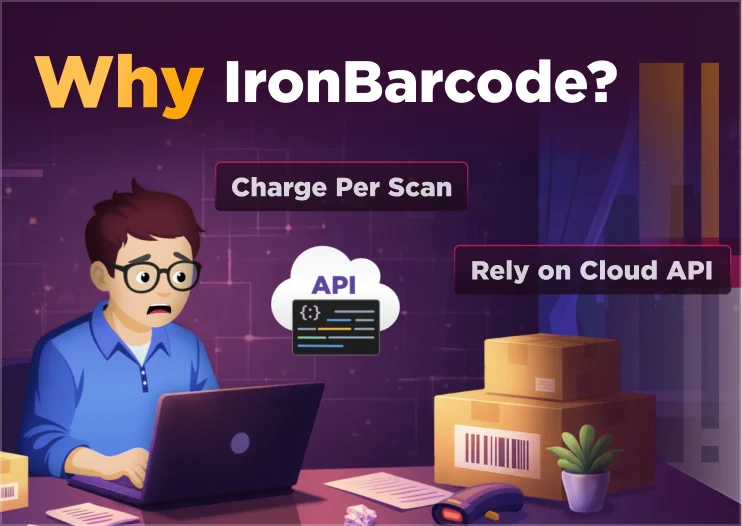
為什麼選擇 IronBarcode?
讀取和寫入任何條碼。快速交付。運行於Windows、Linux、macOS和雲端。
 廣泛的格式支援
- 50+種條碼類型:Code 39/93/128,UPC,EAN,QR,Data Matrix,PDF417,Aztec等。
- 在單個程式庫中讀寫條碼,無需獨立工具。
- 一次調用即可輸出為圖像、PDF或HTML。
 5 分鐘即可上手
- → 5 分鐘快速開始。
- 簡單的 API:
BarcodeReader.Read(),BarcodeWriter.CreateBarcode(). - 智能默認設置:內建自動圖像校正和條碼檢測。
 企業級效能
- .NET 10、Core、Standard 或 Framework
- 多線程和批量掃描:每分鐘處理1,000+條條碼。
- 部署任何地方:雲端、本地、氣隙或無伺服器環境。
 精確讀取,無論條件如何
- 基於機器學習的預處理:自動糾正斜度、噪音、方向和低DPI。
- 在生產中對受損或打印不佳的條碼有98%以上的成功率。
- 裁切區域和置信度分數,確保精確、可稽核的結果。
 以開發者為先的支援與許可
- 永久授權:買一次,永久使用。選擇性更新和續訂。
- 24/5 工程師支援(Premium 中 24/7)。真人支持,中位數聊天響應時間 <1 分鐘。
- 30 天退款保證不合適?全額退款,不問原因。
 給開發者
- 您實際需要的功能:
- 讀/寫條碼
- QR 碼生成
- 批量掃描
- 圖像校正濾鏡
- 裁剪區域 (ROI)
- 信心分數
- 條碼樣式
- PDF/HTML 匯出
- 標誌嵌入 (QR)
- 自訂編碼
- 無所不在:Windows、Linux、macOS、Docker、Azure、AWS、云。
 給買家
- 深受信賴:2M+ 工程師 • 2M+ NuGet安裝。
- 團隊報告-40% 開發時間節省對比 DIY/OSS 包裹。
- 再分發/SaaS方案可選。
- 符合採購需求:永久授權,選擇性更新,支持發票,多種支付選項(包括本地支付)。
- 30 天退款保證。
深受全球數百萬工程師信賴


每次開發者詢問時,總是來自的YES! IronBARCODE
IronBarcode是否能在一個.NET程式集內讀寫主要條碼格式(QR、Aztec、Data Matrix、PDF417、UPC、EAN、Code128)?是的!
能否從單一圖像或PDF頁面中同時讀取多種不同類型的條碼?是的!
它能否直接從PDF中讀取條碼而不需外部頁面到圖像轉換?是的!
生成的QR碼是否可以使用標誌、自定顏色和調整邊框進行樣式設計?是的!
是否應用圖像校正濾鏡(降噪、對比度、矯正)來提高讀取率?是的!
它是否返回詳細結果數據,包括值、二進位數據、方向和邊界框?是的!
是否可以直接生成條碼到Stream或byte[],不用儲存到磁碟?是的!
它是否可在Windows、Linux、macOS、Docker和Azure上跨平台運行於.NET Core、Standard和Framework上?是的!
它是否支持多執行緒和異步的高效能批量處理?是的!
是否可以將條碼作為HTML數據URI輸出或加蓋到現有PDF上?是的!
它是否支持容錯的條碼,即使部分損壞仍可以掃描?是的!
我現在可以在我的實際專案中免費測試IronBarcode嗎?可以!  點擊這裡開始您的30天免費試用


準備好開始了嗎?
NuGet 下載次數 2,564,559|版本:2026.11剛剛發布

IronBarcode是IRON SUITE的一部分
10 個 .NET API 產品適用於您的辦公室文檔

當您需要快速讀取、寫入和樣式化條形碼。