



Iron Software at .NET Conf Thailand 2025: WebAssembly, AI-Powered Development, and the Road to .NET 10
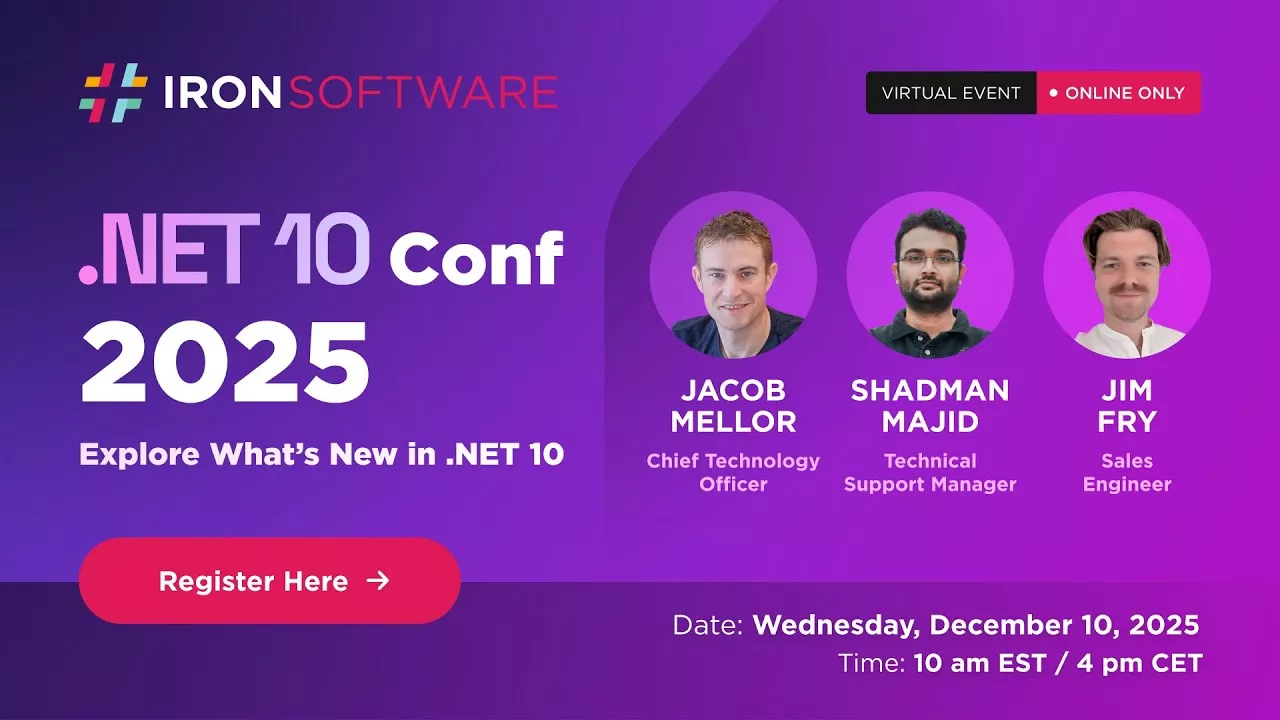
.NET 10 is here, and Iron Software was on the ground in Thailand to break down what it means for developers.
Last month, three members of our team took the stage at .NET Conf Thailand 2025 to share insights on the latest .NET release, from architectural shifts and AI-driven workflows to hands-on migration strategies and real-world performance benchmarks.
Here's what we covered and why it matters for your next project.
The Big Picture: WebAssembly, AI, and the Future of .NET
Speaker: Jacob Mellor, CTO
Jacob opened with a look at where .NET development is headed and why he's been "obsessed" with WebAssembly and AI.
WebAssembly Changes Everything
WebAssembly isn't just a browser curiosity anymore. With .NET 10, C# compiles directly to WebAssembly, which means:
- No runtime installation required. WebAssembly is already in every modern browser, phone, and edge device.
- Near-native execution speed. We're now in the same performance ballpark as Rust and C++, without the cross-platform compilation headaches.
- One codebase, everywhere. The same .NET code runs on servers, desktops, mobile devices, and inside web pages.
For Iron Software, this unlocks new deployment possibilities. Our libraries can now reach environments that previously required complex native bindings or JavaScript workarounds.
AI as the "Mega Typewriter"
Jacob also shared how our team uses AI in daily development, not as a replacement for engineers, but as a force multiplier.
The approach: use multiple AI models together, each playing a different role.
- OpenAI for repository analysis and understanding architectural weaknesses
- Claude Code for hands-on implementation (it's "out of the sandbox" and can actually execute)
- Gemini Pro for planning next steps and reviewing what the other models produced
The key insight? AI needs constant feedback. Test-driven development creates that feedback loop, red tests become green tests, and hallucinations get caught before they ship.
"A sprint takes 30 minutes rather than a week. You have to be the senior programmer here, you've got a team of junior programmers. This is your work, not the machine's work."
For DevOps specifically, AI shines at the tedious-but-critical work: generating unit tests, hitting 90% code coverage in hours instead of weeks, and automatically fixing broken builds across platforms.
Migration Made Practical: From .NET 8 to .NET 10
Speaker: Shadman Majid, Engineer & Support Manager
Shadman walked through a live migration of a Blazor application from .NET 8 to .NET 10, step by step.
The Migration Checklist
Install Visual Studio 2026 and .NET 10 SDK. Visual Studio 2022 only supports up to .NET 9, so the upgrade is required.
Update target frameworks. Change every
.csprojfile in your solution to target .net10.0.Update NuGet packages. Dependencies have their own compatibility requirements. Check for updates and test thoroughly.
Replace Swagger with OpenAPI. Microsoft has moved away from Swagger in favor of the native OpenAPI implementation. This means:
- Install
Microsoft.AspNetCore.OpenApi - Install
Swashbuckle.AspNetCore.SwaggerUI(for the UI) - Update
Program.csto usebuilder.Services.AddOpenApi()instead ofAddSwaggerGen()
- Install
- Adopt the new
.slnxsolution format. The old.slnfiles were bloated with GUIDs and configuration noise. The new XML-based format is clean, readable, and version-control friendly.
Best Practices for Any Migration
Shadman also outlined a framework that applies beyond .NET 10:
- Prepare: Audit your current dependencies before touching anything. Know which packages support your target framework.
- Modernize: Remove deprecated APIs, enable nullable reference types, and refactor legacy async patterns.
- Test: Add unit and integration tests before migrating. Validate performance and memory usage against your baseline.
- Deploy: Use CI/CD pipelines with staged rollouts. Start with 5-10% of servers and expand as confidence grows.
- Monitor: Application Insights and OpenTelemetry help catch issues that only appear in production.
The ROI Case: Performance Benchmarks That Matter
Speaker: Jim Fry, Sales Engineer
Jim took a different angle, quantifying the business value of upgrading. Because faster code means lower infrastructure costs and better user experience.
Collections Got Faster
.NET 10 introduces "array devirtualization", the compiler now accesses collection data directly instead of going through an interface layer. In theory, this cuts interaction overhead in half.
Jim ran his own benchmarks on document processing operations (the kind Iron Software libraries handle constantly):
| Operation | Improvement |
|---|---|
| Analyzing middle pages | 26% faster |
| Finding busiest pages | 27% faster |
| Enumerating all pages | 6% faster |
These aren't synthetic microbenchmarks. They reflect real patterns: iterating through PDF pages, counting words, processing characters.
The Compounding Effect
No single optimization is a silver bullet. But .NET 10 includes hundreds of improvements that compound:
- Stack allocation: Objects that don't escape a method can skip the heap entirely, eliminating garbage collection overhead. Some benchmarks show 68% improvement.
- Smarter inlining: Methods with try-finally blocks can now be inlined, unlocking optimizations that were previously blocked.
- Reduced GC tracking: Fewer cases where the garbage collector needs to monitor references.
The bottom line: same infrastructure, higher throughput, lower cost.
Iron Suite and .NET 10: Ready Today
All Iron Suite libraries, IronPDF, IronOCR, IronXL, IronBarcode, IronWord, IronPrint, IronZip, and more, are fully compatible with .NET 10.
We've also made our own performance investments in parallel rendering, caching, and batch processing that complement .NET 10's runtime improvements.
If you're migrating to .NET 10, your Iron Software licenses work out of the box. No changes required.
Get Started
Try .NET 10 with Iron Suite:
- Download a free trial of any Iron Software library
- All libraries support .NET 5 through .NET 10
Need help with migration? Our engineering support team has helped hundreds of customers navigate framework upgrades. Reach out if you hit roadblocks.
Watch the full presentations: The complete .NET Conf Thailand 2025 recordings are available on our YouTube channel.
Iron Software builds document processing libraries for .NET developers. Our tools handle PDF generation, OCR, Excel manipulation, barcodes, and more, trusted by teams at NASA, Tesla, and 3M.




 Get started for FREE
 Get started for FREE
 Book Free Live Demo





 No credit card or account creation required



