

.NET Core Excel 函式庫
- 在 .NET Core 中直接編輯 Excel,無需安裝 Microsoft Office 或 Interop
- 在 .NET 應用程式中建立與編輯 Excel 試算表
- 適用於 .NET Core、Standard、Framework 及 Azure 雲端
.NET Core 程式碼
 在 Core 中讀取 Excel 檔案
using IronXL;
using System;
using System.Linq;
// Supported for XLSX, XLS, XLSM, XLTX, CSV and TSV
WorkBook workBook = WorkBook.Load("sample.xlsx");
// Select worksheet at index 0
WorkSheet workSheet = workBook.WorkSheets[0];
// Get any existing worksheet
WorkSheet firstSheet = workBook.DefaultWorkSheet;
// Select a cell and return the converted value
int cellValue = workSheet["A2"].IntValue;
// Read from ranges of cells elegantly.
foreach (var cell in workSheet["A2:A10"])
{
Console.WriteLine("Cell {0} has value '{1}'", cell.AddressString, cell.Text);
}
// Calculate aggregate values such as Min, Max and Sum
decimal sum = workSheet["A2:A10"].Sum();
// Linq compatible
decimal max = workSheet["A2:A10"].Max(c => c.DecimalValue);
Imports IronXL
Imports System
Imports System.Linq

' Supported for XLSX, XLS, XLSM, XLTX, CSV and TSV
Dim workBook As WorkBook = WorkBook.Load("sample.xlsx")

' Select worksheet at index 0
Dim workSheet As WorkSheet = workBook.WorkSheets(0)

' Get any existing worksheet
Dim firstSheet As WorkSheet = workBook.DefaultWorkSheet

' Select a cell and return the converted value
Dim cellValue As Integer = workSheet("A2").IntValue

' Read from ranges of cells elegantly.
For Each cell In workSheet("A2:A10")
    Console.WriteLine("Cell {0} has value '{1}'", cell.AddressString, cell.Text)
Next

' Calculate aggregate values such as Min, Max and Sum
Dim sum As Decimal = workSheet("A2:A10").Sum()

' Linq compatible
Dim max As Decimal = workSheet("A2:A10").Max(Function(c) c.DecimalValue)
PM > Install-Package IronXL.Excel

來自我們 .NET Core 團隊的技術支援
歡迎聯繫我們的產品開發與支援團隊。我們的團隊隨時準備為您解答關於授權、產品及專案應用方面的疑問。
在 .NET Core 中處理 Excel 檔案
在 .NET Core 中處理 Excel 及其他試算表文件的快速簡便方法。可在 .NET Core 的多種平台上運作,包括 Azure,無需額外依賴項,亦無需安裝 MS Office 或 Interop。
開啟與儲存多種檔案格式
IronXL 讓 .NET 工程師能夠從 .NET Core 應用程式中編寫並匯出 Excel 試算表。開啟與編輯 XLS/XLSX/CSV/TSV 檔案,並儲存及匯出為 XLS/XLSX/CSV/TSV/JSON 格式。在解析、修改及儲存 Excel 文件方面,IronXL 的表現優於免費及 Interop 函式庫。
開箱即用的 SQL 支援
透過將試算表開啟為 System.Data.DataSet 和 System.Data.DataTable 物件,在 Excel、SQL 與 GridView 之間傳輸資料。
修改 Excel 資料
編輯 Microsoft Excel 公式 - 每當工作表變更時即重新計算。快速且輕鬆地格式化工作表 [“A1:B10”]。合併並設定範圍、欄位和列。
為您的 Excel 文件設定樣式
設定字型、大小、背景、邊框、對齊方式及數字格式。
using Visual Studio 輕鬆建置 .NET Core 專案
IronXL 讓您能透過智慧感應功能,輕鬆掌握 Excel 工具。您可透過 Visual Studio 的 NuGet 安裝,或手動下載適用於 .NET Core 的免費 DLL 檔案。 轉眼間即可完成設定。支援:










.NET Core 的 Excel 試算表教學
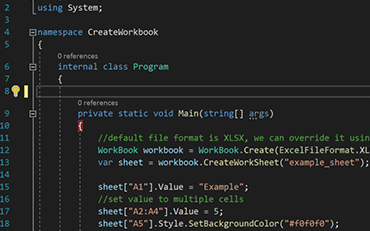
C#ExcelASP.NET

如何在 .NET Core 中建立 Excel 檔案
參閱 Jonas 如何運用 IronXL 在不使用 Office Interop 的情況下產生 Excel 檔案...
查看 Jonas 的 Excel 檔案生成教學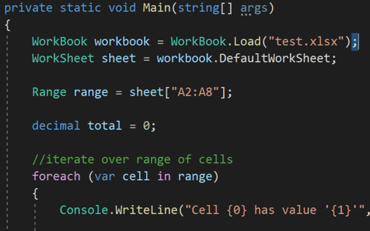
C#ExcelXLS

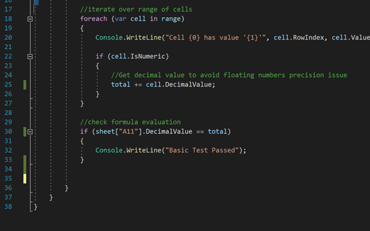
C#Excel資料

.NET Core 工程師使用 IronXL 來...
會計與財務系統
- # 收據
- # 報告
- # 發票列印

企業數位化
- # 文件說明
- # 排序與標籤
- # 紙本替代方案

Enterprise內容管理
- # 內容製作
- # 文件管理
- # 內容發佈

資料與報表應用程式
- # 效能追蹤
- # 趨勢圖譜
- # 報告



數以千計的企業、政府機構、中小企業及開發者皆信賴 Iron Software產品。
Team Iron 在 .NET 軟體元件市場擁有超過 10 年的經驗。













IronXL 是 IRONSUITE 的一部分
10 款適用於辦公室文件的 .NET API 產品
產品連結
準備好開始了嗎?
Nuget Downloads 2,280,941|版本:2026.10剛剛發布

您所需的Excel API,沒有Office互通的煩惱。

