








실제 환경에서 테스트하세요
워터마크 없이 실제 운영 환경에서 테스트해 보세요.
필요한 곳 어디에서든 작동합니다.


 AutoOCR
using IronOcr;

string imageText = new IronTesseract().Read(@"images\image.png").Text;
Imports IronOcr
Private imageText As String = (New IronTesseract()).Read("images\image.png").Text
Install-Package IronOcr
IronOCR는 불완전하게 스캔된 이미지 및 PDF 문서에서 텍스트를 자동으로 감지하고 읽는 독특한 능력을 가집니다. IronTesseract 클래스는 가장 간단한 API를 제공합니다.
다른 코드 샘플을 시도하여 C# OCR 작업에 대한 세밀한 제어를 얻으세요.
IronOCR는 모든 플랫폼에서 발견되는 최대의 속도, 정확성을 가진 Tesseract의 가장 진보된 빌드를 제공합니다. 본 내장 DLL 및 API와 함께
.NET Framework, Standard, Core, Xamarin 및 Mono에 대해 Tesseract 3, Tesseract 4, Tesseract 5를 지원합니다.
IronTesseract 인스턴스화Read 메서드를 활용하여 VB.NET에서 OCR 수행Text 속성에 접근하여 OCR 결과 얻기
국제어
using IronOcr;
using System;

var ocrTesseract = new IronTesseract();

ocrTesseract.Language = OcrLanguage.Arabic;

using (var ocrInput = new OcrInput())
{
    ocrInput.LoadImage(@"images\arabic.gif");
    var ocrResult = ocrTesseract.Read(ocrInput);
    Console.WriteLine(ocrResult.Text);
}

// Example with a Custom Trained Font Being used:

var ocrTesseractCustomerLang = new IronTesseract();
ocrTesseractCustomerLang.UseCustomTesseractLanguageFile("custom_tesseract_files/custom.traineddata");
ocrTesseractCustomerLang.AddSecondaryLanguage(OcrLanguage.EnglishBest);

using (var ocrInput = new OcrInput())
{
    ocrInput.LoadPdf(@"images\mixed-lang.pdf");
    var ocrResult = ocrTesseractCustomerLang.Read(ocrInput);
    Console.WriteLine(ocrResult.Text);
}
Imports IronOcr
Imports System
Private ocrTesseract = New IronTesseract()
ocrTesseract.Language = OcrLanguage.Arabic
Using ocrInput As New OcrInput()
ocrInput.LoadImage("images\arabic.gif")
Dim ocrResult = ocrTesseract.Read(ocrInput)
Console.WriteLine(ocrResult.Text)
End Using
' Example with a Custom Trained Font Being used:
Dim ocrTesseractCustomerLang = New IronTesseract()
ocrTesseractCustomerLang.UseCustomTesseractLanguageFile("custom_tesseract_files/custom.traineddata")
ocrTesseractCustomerLang.AddSecondaryLanguage(OcrLanguage.EnglishBest)
Using ocrInput As New OcrInput()
ocrInput.LoadPdf("images\mixed-lang.pdf")
Dim ocrResult = ocrTesseractCustomerLang.Read(ocrInput)
Console.WriteLine(ocrResult.Text)
End UsingInstall-Package IronOcr
IronOCR 125개 국제 언어를 지원합니다. 기본적으로 설치되는 영어 외에도 NuGet 통해 .NET 프로젝트에 추가 언어 팩을 추가하거나 언어 페이지 에서 다운로드할 수 있습니다. 대부분의 언어는 IronOCR 언어 지원
Fast, Standard (추천), 및 Best 품질로 제공됩니다. Best 품질 옵션은 더 정확한 결과를 제공할 수 있지만 처리 시간도 느려질 수 있습니다.
결과 객체
using IronOcr;
using IronSoftware.Drawing;

// We can delve deep into OCR results as an object model of
// Pages, Barcodes, Paragraphs, Lines, Words and Characters
// This allows us to explore, export and draw OCR content using other APIs/
var ocrTesseract = new IronTesseract();

ocrTesseract.Configuration.ReadBarCodes = true;

using var ocrInput = new OcrInput();
var pages = new int[] { 1, 2 };
ocrInput.LoadImageFrames("example.tiff", pages);

OcrResult ocrResult = ocrTesseract.Read(ocrInput);
foreach (var page in ocrResult.Pages)
{
    // Page object
    int PageNumber = page.PageNumber;
    string PageText = page.Text;
    int PageWordCount = page.WordCount;
    // null if we dont set Ocr.Configuration.ReadBarCodes = true;
    OcrResult.Barcode[] Barcodes = page.Barcodes;
    AnyBitmap PageImage = page.ToBitmap(ocrInput);
    double PageWidth = page.Width;
    double PageHeight = page.Height;
    double PageRotation = page.Rotation; // angular correction in degrees from OcrInput.Deskew()

    foreach (var paragraph in page.Paragraphs)
    {
        // Pages -> Paragraphs
        int ParagraphNumber = paragraph.ParagraphNumber;
        string ParagraphText = paragraph.Text;
        AnyBitmap ParagraphImage = paragraph.ToBitmap(ocrInput);
        int ParagraphX_location = paragraph.X;
        int ParagraphY_location = paragraph.Y;
        int ParagraphWidth = paragraph.Width;
        int ParagraphHeight = paragraph.Height;
        double ParagraphOcrAccuracy = paragraph.Confidence;
        OcrResult.TextFlow paragrapthText_direction = paragraph.TextDirection;
        foreach (var line in paragraph.Lines)
        {
            // Pages -> Paragraphs -> Lines
            int LineNumber = line.LineNumber;
            string LineText = line.Text;
            AnyBitmap LineImage = line.ToBitmap(ocrInput);
            int LineX_location = line.X;
            int LineY_location = line.Y;
            int LineWidth = line.Width;
            int LineHeight = line.Height;
            double LineOcrAccuracy = line.Confidence;
            double LineSkew = line.BaselineAngle;
            double LineOffset = line.BaselineOffset;
            foreach (var word in line.Words)
            {
                // Pages -> Paragraphs -> Lines -> Words
                int WordNumber = word.WordNumber;
                string WordText = word.Text;
                AnyBitmap WordImage = word.ToBitmap(ocrInput);
                int WordX_location = word.X;
                int WordY_location = word.Y;
                int WordWidth = word.Width;
                int WordHeight = word.Height;
                double WordOcrAccuracy = word.Confidence;
                foreach (var character in word.Characters)
                {
                    // Pages -> Paragraphs -> Lines -> Words -> Characters
                    int CharacterNumber = character.CharacterNumber;
                    string CharacterText = character.Text;
                    AnyBitmap CharacterImage = character.ToBitmap(ocrInput);
                    int CharacterX_location = character.X;
                    int CharacterY_location = character.Y;
                    int CharacterWidth = character.Width;
                    int CharacterHeight = character.Height;
                    double CharacterOcrAccuracy = character.Confidence;
                    // Output alternative symbols choices and their probability.
                    // Very useful for spellchecking
                    OcrResult.Choice[] Choices = character.Choices;
                }
            }
        }
    }
}
Imports IronOcr
Imports IronSoftware.Drawing
' We can delve deep into OCR results as an object model of
' Pages, Barcodes, Paragraphs, Lines, Words and Characters
' This allows us to explore, export and draw OCR content using other APIs/
Private ocrTesseract = New IronTesseract()
ocrTesseract.Configuration.ReadBarCodes = True
Dim ocrInput As New OcrInput()
Dim pages = New Integer() { 1, 2 }
ocrInput.LoadImageFrames("example.tiff", pages)
Dim ocrResult As OcrResult = ocrTesseract.Read(ocrInput)
For Each page In ocrResult.Pages
' Page object
Dim PageNumber As Integer = page.PageNumber
Dim PageText As String = page.Text
Dim PageWordCount As Integer = page.WordCount
' null if we dont set Ocr.Configuration.ReadBarCodes = true;
Dim Barcodes() As OcrResult.Barcode = page.Barcodes
Dim PageImage As AnyBitmap = page.ToBitmap(ocrInput)
Dim PageWidth As Double = page.Width
Dim PageHeight As Double = page.Height
Dim PageRotation As Double = page.Rotation ' angular correction in degrees from OcrInput.Deskew()
For Each paragraph In page.Paragraphs
' Pages -> Paragraphs
Dim ParagraphNumber As Integer = paragraph.ParagraphNumber
Dim ParagraphText As String = paragraph.Text
Dim ParagraphImage As AnyBitmap = paragraph.ToBitmap(ocrInput)
Dim ParagraphX_location As Integer = paragraph.X
Dim ParagraphY_location As Integer = paragraph.Y
Dim ParagraphWidth As Integer = paragraph.Width
Dim ParagraphHeight As Integer = paragraph.Height
Dim ParagraphOcrAccuracy As Double = paragraph.Confidence
Dim paragrapthText_direction As OcrResult.TextFlow = paragraph.TextDirection
For Each line In paragraph.Lines
' Pages -> Paragraphs -> Lines
Dim LineNumber As Integer = line.LineNumber
Dim LineText As String = line.Text
Dim LineImage As AnyBitmap = line.ToBitmap(ocrInput)
Dim LineX_location As Integer = line.X
Dim LineY_location As Integer = line.Y
Dim LineWidth As Integer = line.Width
Dim LineHeight As Integer = line.Height
Dim LineOcrAccuracy As Double = line.Confidence
Dim LineSkew As Double = line.BaselineAngle
Dim LineOffset As Double = line.BaselineOffset
For Each word In line.Words
' Pages -> Paragraphs -> Lines -> Words
Dim WordNumber As Integer = word.WordNumber
Dim WordText As String = word.Text
Dim WordImage As AnyBitmap = word.ToBitmap(ocrInput)
Dim WordX_location As Integer = word.X
Dim WordY_location As Integer = word.Y
Dim WordWidth As Integer = word.Width
Dim WordHeight As Integer = word.Height
Dim WordOcrAccuracy As Double = word.Confidence
For Each character In word.Characters
' Pages -> Paragraphs -> Lines -> Words -> Characters
Dim CharacterNumber As Integer = character.CharacterNumber
Dim CharacterText As String = character.Text
Dim CharacterImage As AnyBitmap = character.ToBitmap(ocrInput)
Dim CharacterX_location As Integer = character.X
Dim CharacterY_location As Integer = character.Y
Dim CharacterWidth As Integer = character.Width
Dim CharacterHeight As Integer = character.Height
Dim CharacterOcrAccuracy As Double = character.Confidence
' Output alternative symbols choices and their probability.
' Very useful for spellchecking
Dim Choices() As OcrResult.Choice = character.Choices
Next character
Next word
Next line
Next paragraph
Next pageInstall-Package IronOcr
IronOCR은 Tesseract 5를 사용하여 스캔한 각 페이지에 대해 고급 결과 객체를 반환합니다. 이는 위치 데이터, 이미지, 텍스트, 통계적 신뢰도, 대체 기호 선택, 글꼴 이름, 글꼴 크기, 장식, 글꼴 굵기 및 위치를 각에 대해 포함합니다:
PageParagraphWordBarcode
제품 또는 라이선스 관련 문의 사항이 있으시면 Iron 팀이 언제든지 도와드리겠습니다. 질문을 보내주시면 Iron의 담당자가 직접 답변해 드리겠습니다.
연락 주세요
IronOCR에 한 페이지 또는 여러 페이지를 전송할 수 있습니다. 결과로 모든 텍스트, 바코드 및 QR 코드 콘텐츠를 받을 수 있습니다. .NET 콘솔, 웹 또는 데스크톱 앱에 OCR 기능을 추가하세요. 이미지는 PDF, JPG, PNG, GIF, BMP 및 TIFF 형식으로 제출할 수 있습니다.
튜토리얼을 참조하세요
광학 문자 인식(OCR) 소프트웨어는 정확한 텍스트 OCR을 위해 여러 글꼴 스타일로 콘텐츠를 표시합니다. 속도와 정확도를 향상시키려면 사각형 읽기 영역을 사용하십시오. 멀티코어 멀티스레딩은 OCR 읽기 속도를 향상시킵니다.
API 참조 문서
IronOCR의 진정한 강점은 스캔 상태가 좋지 않은 문서도 읽어낼 수 있다는 점입니다. 독자적인 전처리 라이브러리는 배경 노이즈, 회전, 왜곡, 기울어진 정렬을 줄여줄 뿐만 아니라 색상을 단순화하고 해상도와 대비를 향상시킵니다. Iron의 자동 OCR 및 고급 OCR 설정은 개발자에게 언제나 최상의 결과를 얻을 수 있는 도구를 제공합니다.
더 알아보기
using 가능한 언어 팩: 아랍어, 중국어 간체, 중국어 번체, 덴마크어, 영어, 핀란드어, 프랑스어, 독일어, 히브리어, 이탈리아어, 일본어, 한국어, 포르투갈어, 러시아어, 스페인어, 스웨덴어. 요청 시 다른 언어도 지원 가능합니다.
더 알아보기
IronOCR은 콘텐츠를 일반 텍스트와 바코드 데이터로 출력합니다. 대안으로 구조화된 데이터 객체 모델을 사용하면 개발자는 모든 콘텐츠를 구조화된 제목, 단락, 줄, 단어 및 문자 형식으로 받아 .NET 애플리케이션에 직접 입력할 수 있습니다.
더 알아보기




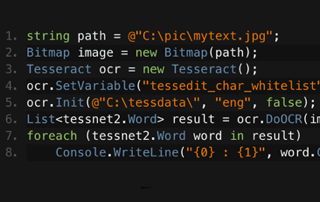
C# 테서랙트 OCR

짐은 IronOCR 개발에 있어 핵심적인 역할을 해왔습니다. 그는 OCR을 위한 이미지 처리 알고리즘과 판독 방법을 설계하고 구축합니다.
짐의 테서랙트 비교를 참조하세요.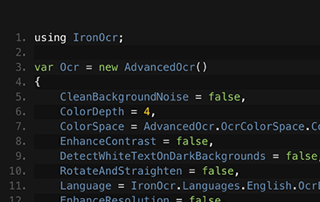
C# OCR ASP.NET

젬마의 팀이 이미지 아카이빙 소프트웨어에서 텍스트를 추출하기 위해 IronOCR을 어떻게 사용하는지 알아보세요. 젬마가 직접 작성한 코드 샘플도 확인할 수 있습니다.
젬마의 이미지-텍스트 변환 튜토리얼을 시청하세요





아이언의 팀은 .NET 소프트웨어 구성 요소 시장에서 10년 이상의 경험을 보유하고 있습니다.










Install-Package IronOcr


신용카드 필요 없음

체험판 키는 이메일에 포함되어 있습니다. 임상시험 신청서가 제출되었습니다.
성공적으로 .
그렇지 않다면 연락주시기 바랍니다.
support@ironsoftware.com

 무료로 시작하세요
워터마크 없이 실제 운영 환경에서 테스트해 보세요.
필요한 곳 어디에서든 작동합니다.
모든 기능을 갖춘 제품을 30일 동안 사용해 보세요.
몇 분 안에 설치를 완료하고 작동시킬 수 있습니다.
제품 체험 기간 동안 당사 지원 엔지니어링 팀에 대한 모든 접근 권한을 확보할 수 있습니다.
 무료로 시작하세요
 무료 라이브 데모 예약하기
저희 제품의 주요 기능을 보여주는 라이브 데모입니다.
프로젝트별 기능 추천을 받아보세요
모든 질문에 답변하여 필요한 모든 정보를 제공합니다. (어떠한 약속도 없습니다.)
무료 라이브 데모 예약하기



제한 없음. 100% 무제한 이용. 신용카드 불필요.
 신용카드나 계정 생성은 필요하지 않습니다.제한 없음. 100% 무제한 이용. 신용카드 불필요.




부담 없는 상담을 예약하세요

아래 양식을 작성하시거나 sales@ironsoftware.com으로 이메일을 보내주세요.
고객님의 정보는 항상 비밀로 유지됩니다.

30분간 진행되는 개인 데모를 예약하세요.
계약도 없고, 카드 정보도 필요 없고, 아무런 의무도 없습니다.






