




Przetestuj w żywym środowisku
Przetestuj w produkcji bez znaków wodnych.
Działa tam, gdzie tego potrzebujesz.


 AutoOcr
using IronOcr;

string imageText = new IronTesseract().Read(@"images\image.png").Text;
Imports IronOcr
Private imageText As String = (New IronTesseract()).Read("images\image.png").Text
Install-Package IronOcr
IronOCR jest unikalna w swojej zdolnosci do automatycznego wykrywania i odczytywania tekstu z niedoskonale zeskanowanych obrazow i dokumentow PDF. Klasa IronTesseract zapewnia najprostsze API.
Wypróbuj inne przykłady kodu, aby uzyskać precyzyjną kontrolę nad operacjami OCR w C#.
IronOCR dostarcza najbardziej zaawansowana wersje Tesseract znana gdziekolwiek, na kazdej platformie, z wiekszym przyspieszaniem, dokladnoscia i natywnym DLL oraz API.
Wspiera Tesseract 3, Tesseract 4, i Tesseract 5 dla .NET Framework, Standard, Core, Xamarin, i Mono.
IronTesseract, aby korzystać z intuicyjnych APIRead, aby przeprowadzić OCR w VB.NETText
Międzynarodowe języki
using IronOcr;
using System;

var ocrTesseract = new IronTesseract();

ocrTesseract.Language = OcrLanguage.Arabic;

using (var ocrInput = new OcrInput())
{
    ocrInput.LoadImage(@"images\arabic.gif");
    var ocrResult = ocrTesseract.Read(ocrInput);
    Console.WriteLine(ocrResult.Text);
}

// Example with a Custom Trained Font Being used:

var ocrTesseractCustomerLang = new IronTesseract();
ocrTesseractCustomerLang.UseCustomTesseractLanguageFile("custom_tesseract_files/custom.traineddata");
ocrTesseractCustomerLang.AddSecondaryLanguage(OcrLanguage.EnglishBest);

using (var ocrInput = new OcrInput())
{
    ocrInput.LoadPdf(@"images\mixed-lang.pdf");
    var ocrResult = ocrTesseractCustomerLang.Read(ocrInput);
    Console.WriteLine(ocrResult.Text);
}
Imports IronOcr
Imports System
Private ocrTesseract = New IronTesseract()
ocrTesseract.Language = OcrLanguage.Arabic
Using ocrInput As New OcrInput()
ocrInput.LoadImage("images\arabic.gif")
Dim ocrResult = ocrTesseract.Read(ocrInput)
Console.WriteLine(ocrResult.Text)
End Using
' Example with a Custom Trained Font Being used:
Dim ocrTesseractCustomerLang = New IronTesseract()
ocrTesseractCustomerLang.UseCustomTesseractLanguageFile("custom_tesseract_files/custom.traineddata")
ocrTesseractCustomerLang.AddSecondaryLanguage(OcrLanguage.EnglishBest)
Using ocrInput As New OcrInput()
ocrInput.LoadPdf("images\mixed-lang.pdf")
Dim ocrResult = ocrTesseractCustomerLang.Read(ocrInput)
Console.WriteLine(ocrResult.Text)
End UsingInstall-Package IronOcr
IronOCR obsługuje 125 międzynarodowych języków. Oprócz języka angielskiego, który jest zainstalowany domyślnie, dodatkowe pakiety językowe można dodać do projektu .NET przez NuGet lub pobrać z naszej Strony Języków. Większość języków jest dostępna w jakości Obsługa języków w IronOCR
Fast, Standard (zalecana) i Best. Opcja jakości Best może oferować dokładniejsze wyniki, ale również będzie wolniejsza w czasie przetwarzania.
Obiekty wyników
using IronOcr;
using IronSoftware.Drawing;

// We can delve deep into OCR results as an object model of
// Pages, Barcodes, Paragraphs, Lines, Words and Characters
// This allows us to explore, export and draw OCR content using other APIs/
var ocrTesseract = new IronTesseract();

ocrTesseract.Configuration.ReadBarCodes = true;

using var ocrInput = new OcrInput();
var pages = new int[] { 1, 2 };
ocrInput.LoadImageFrames("example.tiff", pages);

OcrResult ocrResult = ocrTesseract.Read(ocrInput);
foreach (var page in ocrResult.Pages)
{
    // Page object
    int PageNumber = page.PageNumber;
    string PageText = page.Text;
    int PageWordCount = page.WordCount;
    // null if we dont set Ocr.Configuration.ReadBarCodes = true;
    OcrResult.Barcode[] Barcodes = page.Barcodes;
    AnyBitmap PageImage = page.ToBitmap(ocrInput);
    double PageWidth = page.Width;
    double PageHeight = page.Height;
    double PageRotation = page.Rotation; // angular correction in degrees from OcrInput.Deskew()

    foreach (var paragraph in page.Paragraphs)
    {
        // Pages -> Paragraphs
        int ParagraphNumber = paragraph.ParagraphNumber;
        string ParagraphText = paragraph.Text;
        AnyBitmap ParagraphImage = paragraph.ToBitmap(ocrInput);
        int ParagraphX_location = paragraph.X;
        int ParagraphY_location = paragraph.Y;
        int ParagraphWidth = paragraph.Width;
        int ParagraphHeight = paragraph.Height;
        double ParagraphOcrAccuracy = paragraph.Confidence;
        OcrResult.TextFlow paragrapthText_direction = paragraph.TextDirection;
        foreach (var line in paragraph.Lines)
        {
            // Pages -> Paragraphs -> Lines
            int LineNumber = line.LineNumber;
            string LineText = line.Text;
            AnyBitmap LineImage = line.ToBitmap(ocrInput);
            int LineX_location = line.X;
            int LineY_location = line.Y;
            int LineWidth = line.Width;
            int LineHeight = line.Height;
            double LineOcrAccuracy = line.Confidence;
            double LineSkew = line.BaselineAngle;
            double LineOffset = line.BaselineOffset;
            foreach (var word in line.Words)
            {
                // Pages -> Paragraphs -> Lines -> Words
                int WordNumber = word.WordNumber;
                string WordText = word.Text;
                AnyBitmap WordImage = word.ToBitmap(ocrInput);
                int WordX_location = word.X;
                int WordY_location = word.Y;
                int WordWidth = word.Width;
                int WordHeight = word.Height;
                double WordOcrAccuracy = word.Confidence;
                foreach (var character in word.Characters)
                {
                    // Pages -> Paragraphs -> Lines -> Words -> Characters
                    int CharacterNumber = character.CharacterNumber;
                    string CharacterText = character.Text;
                    AnyBitmap CharacterImage = character.ToBitmap(ocrInput);
                    int CharacterX_location = character.X;
                    int CharacterY_location = character.Y;
                    int CharacterWidth = character.Width;
                    int CharacterHeight = character.Height;
                    double CharacterOcrAccuracy = character.Confidence;
                    // Output alternative symbols choices and their probability.
                    // Very useful for spellchecking
                    OcrResult.Choice[] Choices = character.Choices;
                }
            }
        }
    }
}
Imports IronOcr
Imports IronSoftware.Drawing
' We can delve deep into OCR results as an object model of
' Pages, Barcodes, Paragraphs, Lines, Words and Characters
' This allows us to explore, export and draw OCR content using other APIs/
Private ocrTesseract = New IronTesseract()
ocrTesseract.Configuration.ReadBarCodes = True
Dim ocrInput As New OcrInput()
Dim pages = New Integer() { 1, 2 }
ocrInput.LoadImageFrames("example.tiff", pages)
Dim ocrResult As OcrResult = ocrTesseract.Read(ocrInput)
For Each page In ocrResult.Pages
' Page object
Dim PageNumber As Integer = page.PageNumber
Dim PageText As String = page.Text
Dim PageWordCount As Integer = page.WordCount
' null if we dont set Ocr.Configuration.ReadBarCodes = true;
Dim Barcodes() As OcrResult.Barcode = page.Barcodes
Dim PageImage As AnyBitmap = page.ToBitmap(ocrInput)
Dim PageWidth As Double = page.Width
Dim PageHeight As Double = page.Height
Dim PageRotation As Double = page.Rotation ' angular correction in degrees from OcrInput.Deskew()
For Each paragraph In page.Paragraphs
' Pages -> Paragraphs
Dim ParagraphNumber As Integer = paragraph.ParagraphNumber
Dim ParagraphText As String = paragraph.Text
Dim ParagraphImage As AnyBitmap = paragraph.ToBitmap(ocrInput)
Dim ParagraphX_location As Integer = paragraph.X
Dim ParagraphY_location As Integer = paragraph.Y
Dim ParagraphWidth As Integer = paragraph.Width
Dim ParagraphHeight As Integer = paragraph.Height
Dim ParagraphOcrAccuracy As Double = paragraph.Confidence
Dim paragrapthText_direction As OcrResult.TextFlow = paragraph.TextDirection
For Each line In paragraph.Lines
' Pages -> Paragraphs -> Lines
Dim LineNumber As Integer = line.LineNumber
Dim LineText As String = line.Text
Dim LineImage As AnyBitmap = line.ToBitmap(ocrInput)
Dim LineX_location As Integer = line.X
Dim LineY_location As Integer = line.Y
Dim LineWidth As Integer = line.Width
Dim LineHeight As Integer = line.Height
Dim LineOcrAccuracy As Double = line.Confidence
Dim LineSkew As Double = line.BaselineAngle
Dim LineOffset As Double = line.BaselineOffset
For Each word In line.Words
' Pages -> Paragraphs -> Lines -> Words
Dim WordNumber As Integer = word.WordNumber
Dim WordText As String = word.Text
Dim WordImage As AnyBitmap = word.ToBitmap(ocrInput)
Dim WordX_location As Integer = word.X
Dim WordY_location As Integer = word.Y
Dim WordWidth As Integer = word.Width
Dim WordHeight As Integer = word.Height
Dim WordOcrAccuracy As Double = word.Confidence
For Each character In word.Characters
' Pages -> Paragraphs -> Lines -> Words -> Characters
Dim CharacterNumber As Integer = character.CharacterNumber
Dim CharacterText As String = character.Text
Dim CharacterImage As AnyBitmap = character.ToBitmap(ocrInput)
Dim CharacterX_location As Integer = character.X
Dim CharacterY_location As Integer = character.Y
Dim CharacterWidth As Integer = character.Width
Dim CharacterHeight As Integer = character.Height
Dim CharacterOcrAccuracy As Double = character.Confidence
' Output alternative symbols choices and their probability.
' Very useful for spellchecking
Dim Choices() As OcrResult.Choice = character.Choices
Next character
Next word
Next line
Next paragraph
Next pageInstall-Package IronOcr
IronOCR zwraca zaawansowany obiekt wynikowy dla kazdej strony, ktora przeszukuje, uzywajac Tesseract 5. Zawiera to dane lokalizacyjne, obrazy, tekst, statystyczną pewność, alternatywne wybory symboli, nazwy fontów, rozmiary fontów, dekoracje, wagi fontów i pozycję dla każdego:
PageParagraphWordBarcode
W przypadku pytań dotyczących produktu lub licencji, zespół Iron jest gotowy ci pomóc. Wyślij nam swoje pytania, a zapewnimy, że właściwa osoba z Iron odpowie na nie.
Skontaktuj się
Jedna lub wiele stron może zostać przesłanych do IronOCR. Otrzymasz cały tekst, zawartość kodów kreskowych i QR jako wynik. Dodaj funkcjonalność OCR do aplikacji konsolowych, webowych lub desktopowych .NET. Obrazy można przesyłać jako PDF, JPG, PNG, GIF, BMP i TIFF.
Stworzono dla VB.NET, .NET, C#
Zobacz poradniki
Oprogramowanie do rozpoznawania znaków optycznych przegląda zawartość w wielu stylach czcionek dla dokładnego OCR tekstu. Używaj prostokątnych obszarów do odczytu, aby poprawić prędkość i dokładność. Wielowątkowość wielordzeniowa poprawia szybkość odczytu OCR.
Dokumentacja Dokumentacji API
To, co sprawia, że IronOCR jest naprawdę wyjątkowy, to jego zdolność do odczytywania źle zeskanowanych dokumentów. Jego unikalna biblioteka przygotowania wstępnego redukuje szum tła, rotację, zniekształcenie i przesunięcie oraz upraszcza kolory i poprawia rozdzielczość i kontrast. Ustawienia AutoOCR i Advanced OCR Iron zapewniają programistom narzędzia do osiągania najlepszych możliwych wyników za każdym razem.
Dowiedz się więcej
Pakiety językowe dostępne dla: arabski, uproszczony chiński, tradycyjny chiński, duński, angielski, fiński, francuski, niemiećki, hebrajski, włoski, japoński, koreański, portugalski, rosyjski, hiszpański i szwedzki. Inne języki mogą być wspierane na życzenie.
Dowiedz się więcej
IronOCR wyprowadza zawartość jako dane tekstowe i kodów kreskowych. Alternatywny model obiektu danych strukturalnych pozwala programistom na otrzymywanie całej zawartości w formacie strukturalnych nagłówków, akapitów, wierszy, słów i znaków do wprowadzania bezpośrednio do aplikacji .NET.
Dowiedz się więcej




Bezpłatne licencje dla rozwoju społeczności. Licencje komercyjne od 749 USD.




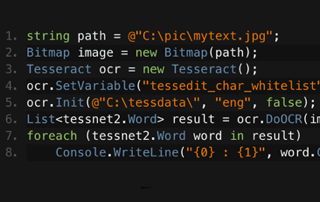
C# Tesseract OCR

Jim był wiodącą postacią w rozwoju IronOCR. Jim projektuje i buduje algorytmy przetwarzania obrazów i metody odczytu dla OCR.
Zobacz porównanie Tesseract Jima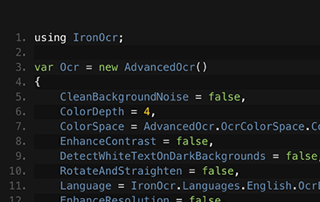
C# OCR ASP.NET

Dowiedz się, jak zespół Gemmy używa IronOCR do odczytywania tekstu z obrazów dla ich oprogramowania archiwizacyjnego. Gemma dzieli się własnymi przykładami kodu.
Zobacz samouczek Gemmy dotyczący przekształcania obrazu na tekst





Zespół Iron ma ponad 10-letnie doświadczenie na rynku komponentów software'owych .NET.








Install-Package IronOcr


Nie wymaga karty kredytowej

Twój klucz próbny powinien być w e-mailu.Formularz próbny został przesłany
pomyślnie.
Jeśli go nie ma, skontaktuj się
support@ironsoftware.com
Nie wymaga karty kredytowej

 Rozpocznij za DARMO
Przetestuj w produkcji bez znaków wodnych.
Działa tam, gdzie tego potrzebujesz.
Uzyskaj 30 dni pełni funkcjonalnego produktu.
Uruchom w ciągu kilku minut.
Pełny dostęp do naszego zespołu wsparcia technicznego podczas okresu próbnego
 Rozpocznij za DARMO
 Zarezerwuj darmowe Demo na żywo
Demonstrowanie na żywo naszego produktu i jego kluczowych funkcji
Zyskaj rekomendacje funkcji specyficznych dla projektu
Wszystkie twoje pytania zostaną odpowiednio wyjaśnione, abyś miał wszystkie potrzebne informacje. (Bez żadnych zobowiązań.)
Zarezerwuj darmowe Demo na żywo



Brak ograniczeń. 100% dostępności. Bez karty kredytowej.
 Nie wymaga karty kredytowej ani tworzenia kontaBrak ograniczeń. 100% dostępności. Bez karty kredytowej.




Zarezerwuj Konsultację Bez Zobowiązań

Wypełnij poniższy formularz lub wyślij e-mail na sales@ironsoftware.com
Twoje dane zawsze będą utrzymywane w tajemnicy.

Zarezerwuj 30-minutowe, osobiste demo.
Bez umowy, brak danych karty, brak zobowiązań.






