


Generate QR Codes in C# - Complete Tutorial for .NET Developers

Potrzebujesz generować kody QR w swojej aplikacji C#? Ten samouczek pokazuje dokładnie, jak tworzyć, dostosowywać i weryfikować kody QR za pomocą IronBarcode — od prostych implementacji jednolinijkowych po zaawansowane funkcje, takie jak osadzanie logo i kodowanie danych binarnych.
Niezależnie od tego, czy tworzysz systemy inwentaryzacyjne, platformy biletowe, czy rozwiązania do płatności bezkontaktowych, nauczysz się implementować funkcjonalność kodów QR o jakości profesjonalnej w swoich aplikacjach .NET.
Szybki start: Tworzenie kodu QR w jednej linii z IronBarcode
Gotowy na szybkie wygenerowanie kodu QR? Oto jak można użyć API QRCodeWriter IronBarcode, aby wytworzyć kod QR w zaledwie jednej linii kodu — dostosowanie jest opcjonalne, ale potężne.
-
Install IronBarcode with NuGet Package Manager
PM > Install-Package BarCode -
Skopiuj i uruchom ten fragment kodu.
var qr = QRCodeWriter.CreateQrCode("https://ironsoftware.com/", 500, QRCodeWriter.QrErrorCorrectionLevel.Medium); qr.SaveAsPng("MyQR.png"); -
Wdrożenie do testowania w środowisku produkcyjnym
Rozpocznij używanie IronBarcode w swoim projekcie już dziś z darmową wersją próbną

Minimalny proces (5 kroków)
- Zainstaluj IronBarcode przez NuGet
- Create a QR code with one line: `QRCodeWriter.CreateQrCode()`
- Embed logos using `CreateQrCodeWithLogo()`
- Verify readability with `GeneratedBarcode.Verify()`
- Koduj dane binarne dla zaawansowanych zastosowań
How Do I Install a QR Code Library in C#?
Zainstaluj IronBarcode za pomocą Menedżera pakietów NuGet z pomocą tej prostej komendy:
Install-Package BarCode
Alternatywnie, pobierz bezpośrednio bibliotekę IronBarcode DLL i dodaj ją jako odniesienie do swojego projektu.
Importuj wymagane przestrzenie nazw
Dodaj te przestrzenie nazw, aby uzyskać dostęp do funkcji generowania kodów QR w IronBarcode:
using IronBarCode;
using System;
using System.Drawing;
using System.Linq;
using IronBarCode;
using System;
using System.Drawing;
using System.Linq;Imports IronBarCode
Imports System
Imports System.Drawing
Imports System.LinqHow Can I Create a Simple QR Code in C#?
Generuj kod QR w zaledwie jednej linii kodu, używając metody CreateQrCode IronBarcode:
using IronBarCode;

// Generate a QR code with text content
var qrCode = QRCodeWriter.CreateQrCode("hello world", 500, QRCodeWriter.QrErrorCorrectionLevel.Medium);
qrCode.SaveAsPng("MyQR.png");
using IronBarCode;
// Generate a QR code with text content
var qrCode = QRCodeWriter.CreateQrCode("hello world", 500, QRCodeWriter.QrErrorCorrectionLevel.Medium);
qrCode.SaveAsPng("MyQR.png");Imports IronBarCode
' Generate a QR code with text content
Private qrCode = QRCodeWriter.CreateQrCode("hello world", 500, QRCodeWriter.QrErrorCorrectionLevel.Medium)
qrCode.SaveAsPng("MyQR.png")Metoda CreateQrCode akceptuje trzy parametry:
- Zawartość tekstowa: Dane do zakodowania (obsługuje URL-e, tekst lub dowolne dane tekstowe)
- Rozmiar: Wymiary pikselowe kwadratowego kodu QR (w tym przykładzie 500x500)
- Korekcja błędów: Określa czytelność w suboptymalnych warunkach (niska, średnia, kwartylowa lub wysoka)
Wyższe poziomy korekcji błędów pozwalają na czytelność kodów QR, nawet gdy są częściowo uszkodzone lub zasłonięte, jednak skutkują gęstszymi wzorami z mniejszymi modułami danych.
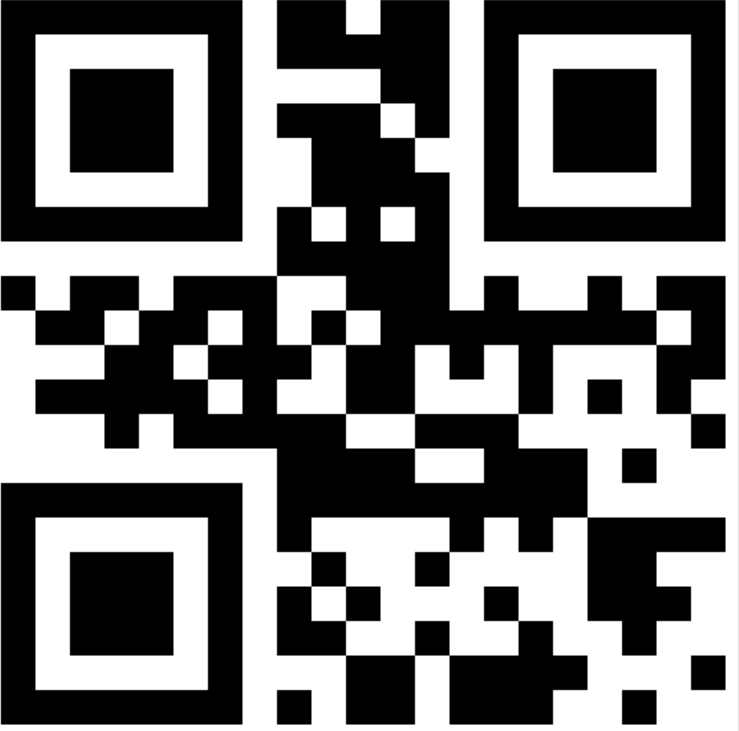 Podstawowy kod QR zawierający tekst "hello world", wygenerowany przy rozmiarze 500x500 pikseli z średnią korekcją błędów
Jak dodać logo do mojego kodu QR?
Osadzanie logo w kodach QR zwiększa rozpoznawalność marki przy zachowaniu możliwości skanowania. IronBarcode automatycznie pozycjonuje i dobiera rozmiar logotypów, aby zachować integralność kodu QR:
using IronBarCode;
using IronSoftware.Drawing;

// Load logo image
QRCodeLogo qrCodeLogo = new QRCodeLogo("visual-studio-logo.png");

// Create QR code with embedded logo
GeneratedBarcode myQRCodeWithLogo = QRCodeWriter.CreateQrCodeWithLogo("https://ironsoftware.com/", qrCodeLogo);

// Customize appearance
myQRCodeWithLogo.ResizeTo(500, 500).SetMargins(10).ChangeBarCodeColor(Color.DarkGreen);

// Save the branded QR code
myQRCodeWithLogo.SaveAsPng("myQRWithLogo.png");
using IronBarCode;
using IronSoftware.Drawing;
// Load logo image
QRCodeLogo qrCodeLogo = new QRCodeLogo("visual-studio-logo.png");
// Create QR code with embedded logo
GeneratedBarcode myQRCodeWithLogo = QRCodeWriter.CreateQrCodeWithLogo("https://ironsoftware.com/", qrCodeLogo);
// Customize appearance
myQRCodeWithLogo.ResizeTo(500, 500).SetMargins(10).ChangeBarCodeColor(Color.DarkGreen);
// Save the branded QR code
myQRCodeWithLogo.SaveAsPng("myQRWithLogo.png");Imports IronBarCode
Imports IronSoftware.Drawing
' Load logo image
Private qrCodeLogo As New QRCodeLogo("visual-studio-logo.png")
' Create QR code with embedded logo
Private myQRCodeWithLogo As GeneratedBarcode = QRCodeWriter.CreateQrCodeWithLogo("https://ironsoftware.com/", qrCodeLogo)
' Customize appearance
myQRCodeWithLogo.ResizeTo(500, 500).SetMargins(10).ChangeBarCodeColor(Color.DarkGreen)
' Save the branded QR code
myQRCodeWithLogo.SaveAsPng("myQRWithLogo.png")Metoda CreateQrCodeWithLogo inteligentnie zarządza umieszczeniem logotypów poprzez:
- Automatyczne dopasowanie rozmiaru logotypu do zachowania czytelności kodu QR
- Pozycjonowanie go w strefie ciszy, aby uniknąć uszkodzenia danych
- Zachowanie oryginalnych kolorów logotypu przy zmianie kolorów kodu QR
To podejście gwarantuje, że Twoje markowe kody QR pozostaną w pełni funkcjonalne na wszystkich urządzeniach do skanowania i aplikacjach.
 Kod QR z logo Visual Studio, demonstrujący automatyczne dostosowanie rozmiaru i pozycjonowania logotypów przez IronBarcode
Jak mogę eksportować kody QR do różnych formatów?
IronBarcode obsługuje wiele formatów eksportu dla różnych zastosowań. Eksportuj swoje kody QR jako obrazy, PDF-y lub pliki HTML:
using IronBarCode;
using System.Drawing;

// Create QR code with logo
QRCodeLogo qrCodeLogo = new QRCodeLogo("visual-studio-logo.png");
GeneratedBarcode myQRCodeWithLogo = QRCodeWriter.CreateQrCodeWithLogo("https://ironsoftware.com/", qrCodeLogo);

// Apply custom styling
myQRCodeWithLogo.ChangeBarCodeColor(Color.DarkGreen);

// Export to multiple formats
myQRCodeWithLogo.SaveAsPdf("MyQRWithLogo.pdf");      // PDF document
myQRCodeWithLogo.SaveAsHtmlFile("MyQRWithLogo.html"); // Standalone HTML
myQRCodeWithLogo.SaveAsPng("MyQRWithLogo.png");       // PNG image
myQRCodeWithLogo.SaveAsJpeg("MyQRWithLogo.jpg");      // JPEG image
using IronBarCode;
using System.Drawing;
// Create QR code with logo
QRCodeLogo qrCodeLogo = new QRCodeLogo("visual-studio-logo.png");
GeneratedBarcode myQRCodeWithLogo = QRCodeWriter.CreateQrCodeWithLogo("https://ironsoftware.com/", qrCodeLogo);
// Apply custom styling
myQRCodeWithLogo.ChangeBarCodeColor(Color.DarkGreen);
// Export to multiple formats
myQRCodeWithLogo.SaveAsPdf("MyQRWithLogo.pdf"); // PDF document
myQRCodeWithLogo.SaveAsHtmlFile("MyQRWithLogo.html"); // Standalone HTML
myQRCodeWithLogo.SaveAsPng("MyQRWithLogo.png"); // PNG image
myQRCodeWithLogo.SaveAsJpeg("MyQRWithLogo.jpg"); // JPEG imageImports IronBarCode
Imports System.Drawing
' Create QR code with logo
Private qrCodeLogo As New QRCodeLogo("visual-studio-logo.png")
Private myQRCodeWithLogo As GeneratedBarcode = QRCodeWriter.CreateQrCodeWithLogo("https://ironsoftware.com/", qrCodeLogo)
' Apply custom styling
myQRCodeWithLogo.ChangeBarCodeColor(Color.DarkGreen)
' Export to multiple formats
myQRCodeWithLogo.SaveAsPdf("MyQRWithLogo.pdf") ' PDF document
myQRCodeWithLogo.SaveAsHtmlFile("MyQRWithLogo.html") ' Standalone HTML
myQRCodeWithLogo.SaveAsPng("MyQRWithLogo.png") ' PNG image
myQRCodeWithLogo.SaveAsJpeg("MyQRWithLogo.jpg") ' JPEG imageKażdy format ma określone zastosowania:
- PDF: Idealny do dokumentów do druku i raportów
- HTML: Doskonały do integracji z witryną bez zewnętrznych zależności
- PNG/JPEG: Standardowe formaty obrazów do wszechstronnego użytku
Jak mogę zweryfikować czytelność kodu QR po dostosowaniu?
Modyfikacje kolorów i dodanie logo mogą wpłynąć na skanowalność kodu QR. Użyj metody Verify(), aby mieć pewność, że Twoje dostosowane kody QR pozostaną czytelne:
using IronBarCode;
using IronSoftware.Drawing;
using System;
using System.Drawing;

// Generate QR code with logo
QRCodeLogo qrCodeLogo = new QRCodeLogo("visual-studio-logo.png");
GeneratedBarcode myVerifiedQR = QRCodeWriter.CreateQrCodeWithLogo("https://ironsoftware.com/", qrCodeLogo);

// Apply light color (may affect readability)
myVerifiedQR.ChangeBarCodeColor(Color.LightBlue);

// Verify the QR code can still be scanned
if (!myVerifiedQR.Verify())
{
    Console.WriteLine("LightBlue is not dark enough to be read accurately. Let's try DarkBlue");
    myVerifiedQR.ChangeBarCodeColor(Color.DarkBlue);
}

// Save verified QR code
myVerifiedQR.SaveAsHtmlFile("MyVerifiedQR.html");
using IronBarCode;
using IronSoftware.Drawing;
using System;
using System.Drawing;
// Generate QR code with logo
QRCodeLogo qrCodeLogo = new QRCodeLogo("visual-studio-logo.png");
GeneratedBarcode myVerifiedQR = QRCodeWriter.CreateQrCodeWithLogo("https://ironsoftware.com/", qrCodeLogo);
// Apply light color (may affect readability)
myVerifiedQR.ChangeBarCodeColor(Color.LightBlue);
// Verify the QR code can still be scanned
if (!myVerifiedQR.Verify())
{
Console.WriteLine("LightBlue is not dark enough to be read accurately. Let's try DarkBlue");
myVerifiedQR.ChangeBarCodeColor(Color.DarkBlue);
}
// Save verified QR code
myVerifiedQR.SaveAsHtmlFile("MyVerifiedQR.html");Imports IronBarCode
Imports IronSoftware.Drawing
Imports System
Imports System.Drawing
' Generate QR code with logo
Dim qrCodeLogo As New QRCodeLogo("visual-studio-logo.png")
Dim myVerifiedQR As GeneratedBarcode = QRCodeWriter.CreateQrCodeWithLogo("https://ironsoftware.com/", qrCodeLogo)
' Apply light color (may affect readability)
myVerifiedQR.ChangeBarCodeColor(Color.LightBlue)
' Verify the QR code can still be scanned
If Not myVerifiedQR.Verify() Then
Console.WriteLine("LightBlue is not dark enough to be read accurately. Let's try DarkBlue")
myVerifiedQR.ChangeBarCodeColor(Color.DarkBlue)
End If
' Save verified QR code
myVerifiedQR.SaveAsHtmlFile("MyVerifiedQR.html")Metoda Verify() wykonuje kompleksowy test skanowania na Twoim kodzie QR. Zapewnia to kompatybilność z różnymi urządzeniami skanującymi i warunkami oświetleniowymi przed wdrożeniem.
 Pomyślnie zweryfikowany kod QR w ciemnoniebieskim kolorze, pokazujący właściwy kontrast dla niezawodnego skanowania
Jak mogę zakodować dane binarne w kodach QR?
Kody QR doskonale przechowują dane binarne w sposób efektywny. Ta funkcja umożliwia zaawansowane zastosowania, takie jak szyfrowany transfer danych, udostępnianie plików i konfiguracja urządzeń IoT:
using IronBarCode;
using System;
using System.Linq;

// Convert string to binary data
byte[] binaryData = System.Text.Encoding.UTF8.GetBytes("https://ironsoftware.com/csharp/barcode/");

// Create QR code from binary content
QRCodeWriter.CreateQrCode(binaryData, 500).SaveAsPng("MyBinaryQR.png");

// Read and verify binary data integrity
var myReturnedData = BarcodeReader.Read("MyBinaryQR.png").First();

// Confirm data matches original
if (binaryData.SequenceEqual(myReturnedData.BinaryValue))
{
    Console.WriteLine("Binary Data Read and Written Perfectly");
}
else
{
    throw new Exception("Data integrity check failed");
}
using IronBarCode;
using System;
using System.Linq;
// Convert string to binary data
byte[] binaryData = System.Text.Encoding.UTF8.GetBytes("https://ironsoftware.com/csharp/barcode/");
// Create QR code from binary content
QRCodeWriter.CreateQrCode(binaryData, 500).SaveAsPng("MyBinaryQR.png");
// Read and verify binary data integrity
var myReturnedData = BarcodeReader.Read("MyBinaryQR.png").First();
// Confirm data matches original
if (binaryData.SequenceEqual(myReturnedData.BinaryValue))
{
Console.WriteLine("Binary Data Read and Written Perfectly");
}
else
{
throw new Exception("Data integrity check failed");
}Imports IronBarCode
Imports System
Imports System.Linq
' Convert string to binary data
Private binaryData() As Byte = System.Text.Encoding.UTF8.GetBytes("https://ironsoftware.com/csharp/barcode/")
' Create QR code from binary content
QRCodeWriter.CreateQrCode(binaryData, 500).SaveAsPng("MyBinaryQR.png")
' Read and verify binary data integrity
Dim myReturnedData = BarcodeReader.Read("MyBinaryQR.png").First()
' Confirm data matches original
If binaryData.SequenceEqual(myReturnedData.BinaryValue) Then
Console.WriteLine("Binary Data Read and Written Perfectly")
Else
Throw New Exception("Data integrity check failed")
End IfKodowanie binarne w kodach QR oferuje kilka zalet:
- Efektywność: Przechowuje dane w zwartym formacie binarnym
- Wszechstronność: Obsługuje dowolny typ danych (pliki, zaszyfrowane treści, zserializowane obiekty)
- Integralność: Zachowuje dokładne sekwencje bajtów bez problemów kodowania
Ta funkcja wyróżnia IronBarcode spośród podstawowych bibliotek kodów QR, umożliwiając zaawansowane scenariusze wymiany danych w Twoich aplikacjach.
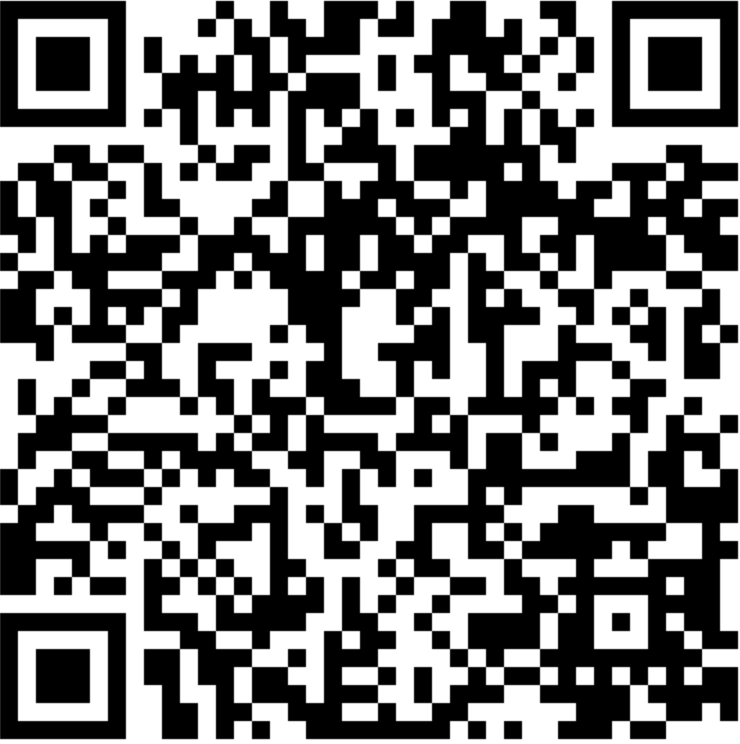 Kod QR przechowujący dane binarne, demonstrujący zaawansowane możliwości kodowania IronBarcode
How Do I Read QR Codes in C#?
IronBarcode zapewnia elastyczne możliwości odczytu kodów QR. Oto najprostsze podejście:
using IronBarCode;
using System;
using System.Linq;

// Read QR code with optimized settings
BarcodeResults result = BarcodeReader.Read("QR.png", new BarcodeReaderOptions() {
    ExpectBarcodeTypes = BarcodeEncoding.QRCode
});

// Extract and display the decoded value
if (result != null && result.Any())
{
    Console.WriteLine(result.First().Value);
}
else
{
    Console.WriteLine("No QR codes found in the image.");
}
using IronBarCode;
using System;
using System.Linq;
// Read QR code with optimized settings
BarcodeResults result = BarcodeReader.Read("QR.png", new BarcodeReaderOptions() {
ExpectBarcodeTypes = BarcodeEncoding.QRCode
});
// Extract and display the decoded value
if (result != null && result.Any())
{
Console.WriteLine(result.First().Value);
}
else
{
Console.WriteLine("No QR codes found in the image.");
}Imports IronBarCode
Imports System
Imports System.Linq
' Read QR code with optimized settings
Private result As BarcodeResults = BarcodeReader.Read("QR.png", New BarcodeReaderOptions() With {.ExpectBarcodeTypes = BarcodeEncoding.QRCode})
' Extract and display the decoded value
If result IsNot Nothing AndAlso result.Any() Then
Console.WriteLine(result.First().Value)
Else
Console.WriteLine("No QR codes found in the image.")
End IfDla bardziej złożonych scenariuszy wymagających precyzyjnej kontroli:
using IronBarCode;
using System;
using System.Linq;

// Configure advanced reading options
BarcodeReaderOptions options = new BarcodeReaderOptions
{
    Speed = ReadingSpeed.Faster,           // Optimize for speed
    ExpectMultipleBarcodes = false,        // Single QR code expected
    ExpectBarcodeTypes = BarcodeEncoding.QRCode, // QR codes only
    Multithreaded = true,                  // Enable parallel processing
    MaxParallelThreads = 4,                // Utilize multiple CPU cores
    RemoveFalsePositive = true,            // Filter out false detections
    ImageFilters = new ImageFilterCollection() // Apply preprocessing
    {
        new AdaptiveThresholdFilter(),    // Handle varying lighting
        new ContrastFilter(),              // Enhance contrast
        new SharpenFilter()                // Improve edge definition
    }
};

// Read with advanced configuration
BarcodeResults result = BarcodeReader.Read("QR.png", options);
using IronBarCode;
using System;
using System.Linq;
// Configure advanced reading options
BarcodeReaderOptions options = new BarcodeReaderOptions
{
Speed = ReadingSpeed.Faster, // Optimize for speed
ExpectMultipleBarcodes = false, // Single QR code expected
ExpectBarcodeTypes = BarcodeEncoding.QRCode, // QR codes only
Multithreaded = true, // Enable parallel processing
MaxParallelThreads = 4, // Utilize multiple CPU cores
RemoveFalsePositive = true, // Filter out false detections
ImageFilters = new ImageFilterCollection() // Apply preprocessing
{
new AdaptiveThresholdFilter(), // Handle varying lighting
new ContrastFilter(), // Enhance contrast
new SharpenFilter() // Improve edge definition
}
};
// Read with advanced configuration
BarcodeResults result = BarcodeReader.Read("QR.png", options);Imports IronBarCode
Imports System
Imports System.Linq
' Configure advanced reading options
Private options As New BarcodeReaderOptions With {
.Speed = ReadingSpeed.Faster,
.ExpectMultipleBarcodes = False,
.ExpectBarcodeTypes = BarcodeEncoding.QRCode,
.Multithreaded = True,
.MaxParallelThreads = 4,
.RemoveFalsePositive = True,
.ImageFilters = New ImageFilterCollection() From {
New AdaptiveThresholdFilter(),
New ContrastFilter(),
New SharpenFilter()
}
}
' Read with advanced configuration
Private result As BarcodeResults = BarcodeReader.Read("QR.png", options)Te zaawansowane opcje odczytu umożliwiają niezawodną detekcję kodów QR w trudnych warunkach, takich jak słabe oświetlenie, zniekształcenia obrazu, czy wydruki niskiej jakości.
Co dalej w zakresie rozwoju kodów QR?
Teraz, gdy opanowałeś generowanie kodów QR z IronBarcode, eksploruj te zaawansowane tematy:
- Wyciągaj kody QR z dokumentów PDF
- Zaimplementuj przetwarzanie partii kodów QR
- Stosuj poprawki obrazów dla trudnych skanów
Pobierz zasoby
Uzyskaj dostęp do pełnego kodu źródłowego i przykładów:
Dokumentacja API
Eksploruj pełen zestaw funkcji w dokumentacji API:
Alternatywa: IronQR dla zaawansowanych aplikacji QR
Dla projektów wymagających najnowocześniejszych możliwości kodów QR, rozważ IronQR — specjalistyczną bibliotekę kodów QR od Iron Software z funkcjami odczytu zasilanymi uczeniem maszynowym z dokładnością 99,99% oraz zaawansowanymi opcjami generacji.
Gotowy na wdrożenie kodów QR w swojej aplikacji .NET? Rozpocznij bezpłatny okres próbny lub pobierz IronBarcode już dziś.
Często Zadawane Pytania
How do I generate a QR code in C#?
You can generate a QR code in C# using IronBarcode's QRCodeWriter.CreateQrCode() method. This method allows you to pass your content, size, and error correction level to create a QR code efficiently.
What image formats can QR codes be exported to?
With IronBarcode, you can export QR codes to various formats, including PNG, JPEG, PDF, and HTML. Methods like SaveAsPng(), SaveAsJpeg(), SaveAsPdf(), and SaveAsHtmlFile() are available for this purpose.
How can I add a company logo to a QR code?
IronBarcode provides the CreateQrCodeWithLogo() method, where you can pass a QRCodeLogo object containing your logo image. The library ensures that the logo is correctly sized and positioned to keep the QR code readable.
What is QR code error correction and which level should I choose?
Error correction in QR codes allows them to remain scannable even if partially damaged. IronBarcode offers four levels: Low (7%), Medium (15%), Quartile (25%), and High (30%). Medium is suitable for most purposes, while High is ideal for challenging environments.
How do I verify the readability of a customized QR code?
You can use the Verify() method on a GeneratedBarcode object to ensure your customized QR code remains scannable after modifications like color changes or logo additions.
Can binary data be encoded in QR codes?
Yes, IronBarcode's CreateQrCode() method supports encoding byte arrays, allowing you to store binary data such as files or encrypted content within QR codes.
How do I read QR codes from images in C#?
To read QR codes from images in C#, utilize IronBarcode's BarcodeReader.Read() method. For optimized performance, specify BarcodeEncoding.QRCode in the BarcodeReaderOptions.
What is the maximum data capacity of a QR code?
IronBarcode-generated QR codes can hold up to 2,953 bytes, 4,296 alphanumeric characters, or 7,089 numeric digits, depending on the error correction level selected.
How can I change the color of a QR code while ensuring it remains scannable?
The ChangeBarCodeColor() method in IronBarcode allows you to alter the color of a QR code. Always use the Verify() method afterward to confirm that the QR code's readability is unaffected by the color change.
What features does a specialized QR code library offer?
IronQR, a specialized library from Iron Software, includes advanced features such as machine learning-powered QR code reading with 99.99% accuracy and robust generation capabilities tailored for complex applications.


Wciąż przewijasz?
Czy chcesz szybko dowodu? PM > Install-Package BarCode
uruchom przykład zobacz, jak twoje ciągi zamieniają się w kody kreskowe.








 Rozpocznij za DARMO
 Rozpocznij za DARMO
 Zarezerwuj darmowe Demo na żywo





 Nie wymaga karty kredytowej ani tworzenia konta










