


已更新 2026年6月4日
如何使用 IronWord 在 C# 中创建可填写表格模板
了解如何使用 IronWord 在 C# 中创建可填写表格模板。
阅读更多

IronWord 允许您使用 C# 以编程方式向 Word 文档添加水印。 这种自动化方法消除了人工流程,同时确保了文档的真实性——非常适合需要增强安全性和合规性的企业工作流程。
Word文档每天都在部门和公司之间传递关键信息。 但电子文档也存在风险:篡改、伪造和未经授权的修改。 对于受监管行业的组织而言,文件完整性不仅重要,而且是强制性的。
水印提供了一种切实可行的解决方案。 虽然它们不提供加密安全保障,但它们可以起到视觉威慑和身份验证机制的作用。 水印有助于区分真伪文件,为合规性审计和法律诉讼增加一层验证。 挑战是什么? 当您每天需要处理数千份文档时,通过 Microsoft Word 手动添加水印是不可行的。
IronWord通过允许您以编程方式添加图像水印来解决这个问题。 您可以将水印功能直接集成到文档处理流程中,从而消除重复性工作,同时确保一致性。 该库兼顾安全性和性能,使其成为高吞吐量企业应用程序的理想选择。
本文重点介绍图像和图片水印(尽管 IronWord 也支持形状和文本水印)。 我们将探讨 IronWord 的功能,并提供企业安全和合规性方面的实际示例。

IronWord 是一个 C# Docx 库,它可以构建和编辑 Word 文档,而无需 Microsoft Office 或 Word Interop 依赖项。 这种独立性减少了安全攻击面,并消除了企业部署中的许可复杂性。
该库支持 .NET 8、7、6、Framework、Core 和 Azure,使其具有跨平台兼容性,并可灵活应用于任何应用程序。 其架构可与容器化环境和云原生部署无缝协作,符合现代企业基础设施模式。
从安全性角度来看,IronWord 完全在您的应用程序进程空间内运行。 您的敏感文档数据永远不会离开您的受控环境——这对于机密信息或严格的数据驻留要求至关重要。 该库支持本地部署,让您可以完全控制文档处理基础架构。
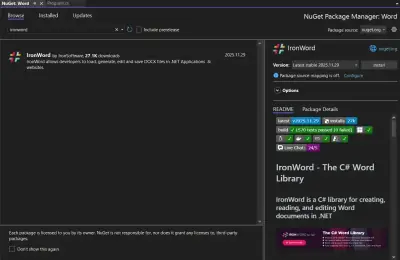
IronWord需要许可证密钥才能运行。 企业许可提供受监管环境所需的审计跟踪和合规性文档。 点击这里获取试用密钥。
// Replace the license key variable with the trial key you obtained
// For enterprise deployments, store this in secure configuration management
IronWord.License.LicenseKey = System.Environment.GetEnvironmentVariable("IRONWORD_LICENSE_KEY")
?? throw new InvalidOperationException("IronWord license key not configured");' Replace the license key variable with the trial key you obtained
' For enterprise deployments, store this in secure configuration management
IronWord.License.LicenseKey = If(Environment.GetEnvironmentVariable("IRONWORD_LICENSE_KEY"),
Throw New InvalidOperationException("IronWord license key not configured"))' Replace the license key variable with the trial key you obtained
' For enterprise deployments, store this in secure configuration management
IronWord.License.LicenseKey = If(Environment.GetEnvironmentVariable("IRONWORD_LICENSE_KEY"),
Throw New InvalidOperationException("IronWord license key not configured"))收到试用密钥后,请使用安全的配置方法设置此变量。 绝对不要将许可证密钥硬编码到源代码中——这违反了安全合规性规定。
让我们给 Word 文档添加图片水印。 以下是包含企业级错误处理和日志记录的主要代码:
我们将使用这张图片作为水印:

using IronWord;
using IronWord.Models;
using IronWord.Models.Enums;
using System;
using System.IO;
using Microsoft.Extensions.Logging;

public class EnterpriseWatermarkService
{
    private readonly ILogger<EnterpriseWatermarkService> _logger;

    public EnterpriseWatermarkService(ILogger<EnterpriseWatermarkService> logger)
    {
        _logger = logger;
        // Set the license key from secure configuration
        IronWord.License.LicenseKey = Environment.GetEnvironmentVariable("IRONWORD_LICENSE_KEY");
    }

    public void AddWatermarkToDocument(string outputPath, string watermarkImagePath)
    {
        try
        {
            // Validate input paths for security
            if (!File.Exists(watermarkImagePath))
            {
                throw new FileNotFoundException($"Watermark image not found: {watermarkImagePath}");
            }

            // Create a new Word document with audit metadata
            WordDocument doc = new WordDocument();

            // Add document properties for compliance tracking
            doc.Properties.Author = "Enterprise Document Service";
            doc.Properties.LastModifiedBy = Environment.UserName;
            doc.Properties.CreationDate = DateTime.UtcNow;

            // Load the image to be used as a watermark
            IronWord.Models.Image image = new IronWord.Models.Image(watermarkImagePath);

            // Set the width and height of the image for optimal visibility
            image.Width = 500; // In pixels - configurable per enterprise standards
            image.Height = 250; // In pixels - maintains aspect ratio

            // Add transparency for professional appearance
            // Note: IronWord applies appropriate transparency automatically

            // Add the image as a watermark to the document
            doc.AddImage(image);

            // Save the document with encryption if required by policy
            doc.SaveAs(outputPath);

            _logger.LogInformation("Watermark applied successfully to {OutputPath}", outputPath);
        }
        catch (Exception ex)
        {
            _logger.LogError(ex, "Failed to apply watermark to document");
            throw; // Re-throw for proper error handling upstream
        }
    }
}
using IronWord;
using IronWord.Models;
using IronWord.Models.Enums;
using System;
using System.IO;
using Microsoft.Extensions.Logging;
public class EnterpriseWatermarkService
{
private readonly ILogger<EnterpriseWatermarkService> _logger;
public EnterpriseWatermarkService(ILogger<EnterpriseWatermarkService> logger)
{
_logger = logger;
// Set the license key from secure configuration
IronWord.License.LicenseKey = Environment.GetEnvironmentVariable("IRONWORD_LICENSE_KEY");
}
public void AddWatermarkToDocument(string outputPath, string watermarkImagePath)
{
try
{
// Validate input paths for security
if (!File.Exists(watermarkImagePath))
{
throw new FileNotFoundException($"Watermark image not found: {watermarkImagePath}");
}
// Create a new Word document with audit metadata
WordDocument doc = new WordDocument();
// Add document properties for compliance tracking
doc.Properties.Author = "Enterprise Document Service";
doc.Properties.LastModifiedBy = Environment.UserName;
doc.Properties.CreationDate = DateTime.UtcNow;
// Load the image to be used as a watermark
IronWord.Models.Image image = new IronWord.Models.Image(watermarkImagePath);
// Set the width and height of the image for optimal visibility
image.Width = 500; // In pixels - configurable per enterprise standards
image.Height = 250; // In pixels - maintains aspect ratio
// Add transparency for professional appearance
// Note: IronWord applies appropriate transparency automatically
// Add the image as a watermark to the document
doc.AddImage(image);
// Save the document with encryption if required by policy
doc.SaveAs(outputPath);
_logger.LogInformation("Watermark applied successfully to {OutputPath}", outputPath);
}
catch (Exception ex)
{
_logger.LogError(ex, "Failed to apply watermark to document");
throw; // Re-throw for proper error handling upstream
}
}
}Imports IronWord
Imports IronWord.Models
Imports IronWord.Models.Enums
Imports System
Imports System.IO
Imports Microsoft.Extensions.Logging
Public Class EnterpriseWatermarkService
Private ReadOnly _logger As ILogger(Of EnterpriseWatermarkService)
Public Sub New(logger As ILogger(Of EnterpriseWatermarkService))
_logger = logger
' Set the license key from secure configuration
IronWord.License.LicenseKey = Environment.GetEnvironmentVariable("IRONWORD_LICENSE_KEY")
End Sub
Public Sub AddWatermarkToDocument(outputPath As String, watermarkImagePath As String)
Try
' Validate input paths for security
If Not File.Exists(watermarkImagePath) Then
Throw New FileNotFoundException($"Watermark image not found: {watermarkImagePath}")
End If
' Create a new Word document with audit metadata
Dim doc As New WordDocument()
' Add document properties for compliance tracking
doc.Properties.Author = "Enterprise Document Service"
doc.Properties.LastModifiedBy = Environment.UserName
doc.Properties.CreationDate = DateTime.UtcNow
' Load the image to be used as a watermark
Dim image As New IronWord.Models.Image(watermarkImagePath)
' Set the width and height of the image for optimal visibility
image.Width = 500 ' In pixels - configurable per enterprise standards
image.Height = 250 ' In pixels - maintains aspect ratio
' Add transparency for professional appearance
' Note: IronWord applies appropriate transparency automatically
' Add the image as a watermark to the document
doc.AddImage(image)
' Save the document with encryption if required by policy
doc.SaveAs(outputPath)
_logger.LogInformation("Watermark applied successfully to {OutputPath}", outputPath)
Catch ex As Exception
_logger.LogError(ex, "Failed to apply watermark to document")
Throw ' Re-throw for proper error handling upstream
End Try
End Sub
End ClassImports IronWord
Imports IronWord.Models
Imports IronWord.Models.Enums
Imports System
Imports System.IO
Imports Microsoft.Extensions.Logging
Public Class EnterpriseWatermarkService
Private ReadOnly _logger As ILogger(Of EnterpriseWatermarkService)
Public Sub New(logger As ILogger(Of EnterpriseWatermarkService))
_logger = logger
' Set the license key from secure configuration
IronWord.License.LicenseKey = Environment.GetEnvironmentVariable("IRONWORD_LICENSE_KEY")
End Sub
Public Sub AddWatermarkToDocument(outputPath As String, watermarkImagePath As String)
Try
' Validate input paths for security
If Not File.Exists(watermarkImagePath) Then
Throw New FileNotFoundException($"Watermark image not found: {watermarkImagePath}")
End If
' Create a new Word document with audit metadata
Dim doc As New WordDocument()
' Add document properties for compliance tracking
doc.Properties.Author = "Enterprise Document Service"
doc.Properties.LastModifiedBy = Environment.UserName
doc.Properties.CreationDate = DateTime.UtcNow
' Load the image to be used as a watermark
Dim image As New IronWord.Models.Image(watermarkImagePath)
' Set the width and height of the image for optimal visibility
image.Width = 500 ' In pixels - configurable per enterprise standards
image.Height = 250 ' In pixels - maintains aspect ratio
' Add transparency for professional appearance
' Note: IronWord applies appropriate transparency automatically
' Add the image as a watermark to the document
doc.AddImage(image)
' Save the document with encryption if required by policy
doc.SaveAs(outputPath)
_logger.LogInformation("Watermark applied successfully to {OutputPath}", outputPath)
Catch ex As Exception
_logger.LogError(ex, "Failed to apply watermark to document")
Throw ' Re-throw for proper error handling upstream
End Try
End Sub
End ClassWordDocument实例——IronWord的文档类。 对于高吞吐量场景,可以考虑实施对象池。Image类中。 加载过程会验证文件格式,以防止因文件格式错误而导致安全漏洞。AddImage添加水印。 此操作是原子性的,并且对于并发处理是线程安全的。这里是输出:

这些指标展现了IronWord的强大功能。 对于生产环境,针对不同的文档类型和安全等级实施可配置的水印配置文件。
使用WrapText属性将水印保持在文本后面。 这样既能保持文章的可读性,又能提供视觉认证:
// Set the image to wrap behind the text for optimal readability
image.WrapText = WrapText.BehindText;

// Additional enterprise configurations
image.Transparency = 0.3f; // 30% transparency for subtle watermarking
image.Rotation = -45; // Diagonal watermark for added security
// Set the image to wrap behind the text for optimal readability
image.WrapText = WrapText.BehindText;
// Additional enterprise configurations
image.Transparency = 0.3f; // 30% transparency for subtle watermarking
image.Rotation = -45; // Diagonal watermark for added security' Set the image to wrap behind the text for optimal readability
image.WrapText = WrapText.BehindText
' Additional enterprise configurations
image.Transparency = 0.3F ' 30% transparency for subtle watermarking
image.Rotation = -45 ' Diagonal watermark for added security' Set the image to wrap behind the text for optimal readability
image.WrapText = WrapText.BehindText
' Additional enterprise configurations
image.Transparency = 0.3F ' 30% transparency for subtle watermarking
image.Rotation = -45 ' Diagonal watermark for added security这种方法既能保持无障碍标准,又能提供必要的安全功能。
IronWord 可以让你精确地自定义水印位置。 您可以调整尺寸并控制精确位置——这对于满足多样化的企业品牌和安全需求至关重要:
using IronWord;
using IronWord.Models;

public class AdvancedWatermarkConfiguration
{
    public void ConfigureEnterpriseWatermark(WordDocument doc, string watermarkPath)
    {
        // Set the license key from secure storage
        IronWord.License.LicenseKey = GetSecureLicenseKey();

        // Load the image to be used as a watermark
        IronWord.Models.Image image = new IronWord.Models.Image(watermarkPath);

        // Create an ElementPosition object for precise placement
        ElementPosition elementPosition = new ElementPosition();

        // Center the watermark for maximum visibility
        elementPosition.SetXPosition(doc.PageWidth / 2 - 25); // Center horizontally
        elementPosition.SetYPosition(doc.PageHeight / 2 - 25); // Center vertically

        // Set appropriate dimensions for corporate watermarks
        image.Width = 50; // In pixels - adjust based on document type
        image.Height = 50; // In pixels - maintain aspect ratio

        // Set the image position using the ElementPosition object
        image.Position = elementPosition;

        // Configure margins to ensure watermark doesn't interfere with headers/footers
        image.DistanceFromTop = 100;    // Comply with corporate header standards
        image.DistanceFromBottom = 100; // Maintain footer space
        image.DistanceFromLeft = 100;   // Respect margin requirements
        image.DistanceFromRight = 100;  // Ensure print compatibility

        // Apply additional security features
        image.WrapText = WrapText.BehindText;
        image.AllowOverlap = false; // Prevent watermark stacking

        // Add the configured watermark
        doc.AddImage(image);
    }

    private string GetSecureLicenseKey()
    {
        // Implement secure key retrieval from Azure Key Vault,
        // AWS Secrets Manager, or enterprise configuration service
        return Environment.GetEnvironmentVariable("IRONWORD_LICENSE_KEY");
    }
}
using IronWord;
using IronWord.Models;
public class AdvancedWatermarkConfiguration
{
public void ConfigureEnterpriseWatermark(WordDocument doc, string watermarkPath)
{
// Set the license key from secure storage
IronWord.License.LicenseKey = GetSecureLicenseKey();
// Load the image to be used as a watermark
IronWord.Models.Image image = new IronWord.Models.Image(watermarkPath);
// Create an ElementPosition object for precise placement
ElementPosition elementPosition = new ElementPosition();
// Center the watermark for maximum visibility
elementPosition.SetXPosition(doc.PageWidth / 2 - 25); // Center horizontally
elementPosition.SetYPosition(doc.PageHeight / 2 - 25); // Center vertically
// Set appropriate dimensions for corporate watermarks
image.Width = 50; // In pixels - adjust based on document type
image.Height = 50; // In pixels - maintain aspect ratio
// Set the image position using the ElementPosition object
image.Position = elementPosition;
// Configure margins to ensure watermark doesn't interfere with headers/footers
image.DistanceFromTop = 100; // Comply with corporate header standards
image.DistanceFromBottom = 100; // Maintain footer space
image.DistanceFromLeft = 100; // Respect margin requirements
image.DistanceFromRight = 100; // Ensure print compatibility
// Apply additional security features
image.WrapText = WrapText.BehindText;
image.AllowOverlap = false; // Prevent watermark stacking
// Add the configured watermark
doc.AddImage(image);
}
private string GetSecureLicenseKey()
{
// Implement secure key retrieval from Azure Key Vault,
// AWS Secrets Manager, or enterprise configuration service
return Environment.GetEnvironmentVariable("IRONWORD_LICENSE_KEY");
}
}Imports IronWord
Imports IronWord.Models
Public Class AdvancedWatermarkConfiguration
Public Sub ConfigureEnterpriseWatermark(doc As WordDocument, watermarkPath As String)
' Set the license key from secure storage
IronWord.License.LicenseKey = GetSecureLicenseKey()
' Load the image to be used as a watermark
Dim image As New IronWord.Models.Image(watermarkPath)
' Create an ElementPosition object for precise placement
Dim elementPosition As New ElementPosition()
' Center the watermark for maximum visibility
elementPosition.SetXPosition(doc.PageWidth / 2 - 25) ' Center horizontally
elementPosition.SetYPosition(doc.PageHeight / 2 - 25) ' Center vertically
' Set appropriate dimensions for corporate watermarks
image.Width = 50 ' In pixels - adjust based on document type
image.Height = 50 ' In pixels - maintain aspect ratio
' Set the image position using the ElementPosition object
image.Position = elementPosition
' Configure margins to ensure watermark doesn't interfere with headers/footers
image.DistanceFromTop = 100 ' Comply with corporate header standards
image.DistanceFromBottom = 100 ' Maintain footer space
image.DistanceFromLeft = 100 ' Respect margin requirements
image.DistanceFromRight = 100 ' Ensure print compatibility
' Apply additional security features
image.WrapText = WrapText.BehindText
image.AllowOverlap = False ' Prevent watermark stacking
' Add the configured watermark
doc.AddImage(image)
End Sub
Private Function GetSecureLicenseKey() As String
' Implement secure key retrieval from Azure Key Vault,
' AWS Secrets Manager, or enterprise configuration service
Return Environment.GetEnvironmentVariable("IRONWORD_LICENSE_KEY")
End Function
End ClassImports IronWord
Imports IronWord.Models
Public Class AdvancedWatermarkConfiguration
Public Sub ConfigureEnterpriseWatermark(doc As WordDocument, watermarkPath As String)
' Set the license key from secure storage
IronWord.License.LicenseKey = GetSecureLicenseKey()
' Load the image to be used as a watermark
Dim image As New IronWord.Models.Image(watermarkPath)
' Create an ElementPosition object for precise placement
Dim elementPosition As New ElementPosition()
' Center the watermark for maximum visibility
elementPosition.SetXPosition(doc.PageWidth / 2 - 25) ' Center horizontally
elementPosition.SetYPosition(doc.PageHeight / 2 - 25) ' Center vertically
' Set appropriate dimensions for corporate watermarks
image.Width = 50 ' In pixels - adjust based on document type
image.Height = 50 ' In pixels - maintain aspect ratio
' Set the image position using the ElementPosition object
image.Position = elementPosition
' Configure margins to ensure watermark doesn't interfere with headers/footers
image.DistanceFromTop = 100 ' Comply with corporate header standards
image.DistanceFromBottom = 100 ' Maintain footer space
image.DistanceFromLeft = 100 ' Respect margin requirements
image.DistanceFromRight = 100 ' Ensure print compatibility
' Apply additional security features
image.WrapText = WrapText.BehindText
image.AllowOverlap = False ' Prevent watermark stacking
' Add the configured watermark
doc.AddImage(image)
End Sub
Private Function GetSecureLicenseKey() As String
' Implement secure key retrieval from Azure Key Vault,
' AWS Secrets Manager, or enterprise configuration service
Return Environment.GetEnvironmentVariable("IRONWORD_LICENSE_KEY")
End Function
End Class我们将图像放置在 x=50、y=50 的位置,并从两侧各偏移 100 像素。这样既能确保图像清晰可见,又能保持文档的专业性和可读性。
对于批量处理,实施水印模板系统。 不同部门可以在遵守公司安全策略的前提下,维护自己的配置。
IronWord使在 C# 中对 Word 文档进行程序化操作变得简单。 它的灵活性和可扩展性解决了现实世界中的挑战,例如高效地添加水印。 了解 Word 如何与其他应用程序集成,可以为开发人员提供更多的问题解决工具。
从企业架构的角度来看,IronWord 具有以下关键优势:
1.安全合规性:操作始终在您的应用程序边界内进行。 数据永远不会离开您的环境——这对于 HIPAA、SOC2 和监管合规性至关重要。
2.可扩展性:线程安全操作和高效的内存管理能够处理企业中常见的大容量处理。
3.审计跟踪支持:内置文档属性和元数据处理有助于合规性审计和生命周期管理。
4.集成灵活性:可与 CI/CD 管道、容器和云原生架构配合使用,实现无缝基础设施集成。
IronWord 提供包含所有企业功能的免费试用许可证供评估。 永久许可模式提供可预测的成本,无需订阅费用——非常适合企业预算规划和采购。
Curtis Chau 拥有卡尔顿大学的计算机科学学士学位,专注于前端开发,精通 Node.js、TypeScript、JavaScript 和 React。他热衷于打造直观且美观的用户界面,喜欢使用现代框架并创建结构良好、视觉吸引力强的手册。

IronWord 是 IRONSUITE的一部分
10 个 .NET API 产品用于您的办公文档

当您需要快速创建、编辑和格式化 Word 文档时。