
C# OCR Image to Text Tutorial: Convert Images to Text Without Tesseract

想在 C# 中将图像转换为文本,而无需进行复杂的 Tesseract 配置? 本综合 IronOCR for .NET C# 教程向您展示如何在您的 .NET 应用程序中实现强大的光学字符识别功能,只需几行代码。
快速入门:一行代码从图片中提取文本这个例子说明了掌握 IronOCR 是多么容易--只需一行 C# 就能将您的图像转化为文本。 它演示了如何初始化 OCR 引擎并立即读取和检索文本,而无需进行复杂的设置。
-
1Install IronOCR with NuGet Package Manager
-
2复制并运行这段代码。
string text = new IronTesseract().Read("image.png").Text;C# -
3部署到您的生产环境中进行测试
通过免费试用立即在您的项目中开始使用IronOCR
最小工作流程(5 个步骤)
- 下载 IronOCR——用于图像转文本转换的 C# OCR 库
- 使用
IronTesseract类可以立即从图像中读取文本。 - 应用图像过滤器以提高低质量扫描的 OCR 准确性
- 使用可下载的语言包处理多种语言
- 将结果导出为可搜索的 PDF 或提取文本字符串
如何在 .NET 应用程序中从图像中读取文本?
要在您的 .NET 应用程序中实现 C# OCR 图像转文本功能,您需要一个可靠的 OCR 库。 IronOCR提供了一种使用IronOcr.IronTesseract类的托管解决方案,最大限度地提高准确性和速度,而无需外部依赖。
首先,将 IronOCR 安装到 Visual Studio 项目中。 您可以直接下载 IronOCR DLL 或使用 NuGet 包管理器。
为何选择不依赖Tesseract的IronOCR用于C# OCR?
当您需要用 C# 将图像转换为文本时,IronOCR 与传统的 Tesseract 实现相比具有显著优势:
- 可在纯 .NET 环境中立即使用
- 无需安装或配置 Tesseract
- 运行最新的引擎:Tesseract 5(加上 Tesseract 4 和 3)
- 兼容 .NET Framework 4.6.2 及以上版本、.NET Standard 2 及以上版本,以及 .NET Core 2、3、5、6、7、8、9 和 10
- 与原版 Tesseract 相比,提高了准确性和速度
- 支持 Xamarin、Mono、Azure 和 Docker 部署
- 通过 NuGet 包管理复杂的 Tesseract 词典
- 自动处理 PDF、多帧 TIFF 和所有主要图像格式
- 纠正低质量和倾斜的扫描,以获得最佳效果
如何使用IronOCR C#教程进行基本OCR?
这个 Iron Tesseract C# 示例演示了使用 IronOCR 从图像读取文本的最简单方法。 IronOcr.IronTesseract类提取文本并以字符串形式返回。
using IronOcr;

IronTesseract ocr = new IronTesseract();
using OcrInput input = new OcrInput();
var pageindices = new int[] { 1, 2 };
input.LoadImageFrames(@"img\Potter.LowQuality.tiff", pageindices);
input.Deskew(); // removes rotation and perspective
OcrResult result = ocr.Read(input);
Console.WriteLine(result.Text);Imports IronOcr
Private ocr As New IronTesseract()
Private OcrInput As using
Private pageindices = New Integer() { 1, 2 }
input.LoadImageFrames("img\Potter.LowQuality.tiff", pageindices)
input.Deskew() ' removes rotation and perspective
Dim result As OcrResult = ocr.Read(input)
Console.WriteLine(result.Text)该代码在清晰的图像上实现了 100% 的准确率,提取的文本与图像完全一致:
IronOCR Simple Example

In this simple example we test the accuracy of our C# OCR library to read text from a PNG Image. This is a very basic test, but things will get more complicated as the tutorial continues.

The quick brown fox jumps over the lazy dogIronTesseract类内部处理复杂的OCR操作。 它能自动扫描对齐、优化分辨率,并使用 IronOCR 从图像中读取文本,准确度达到人类水平。
尽管在幕后进行了复杂的处理,包括图像分析、引擎优化和智能文本识别,但 OCR 流程在保持出色准确性的同时,还能与人类的阅读速度相匹配。
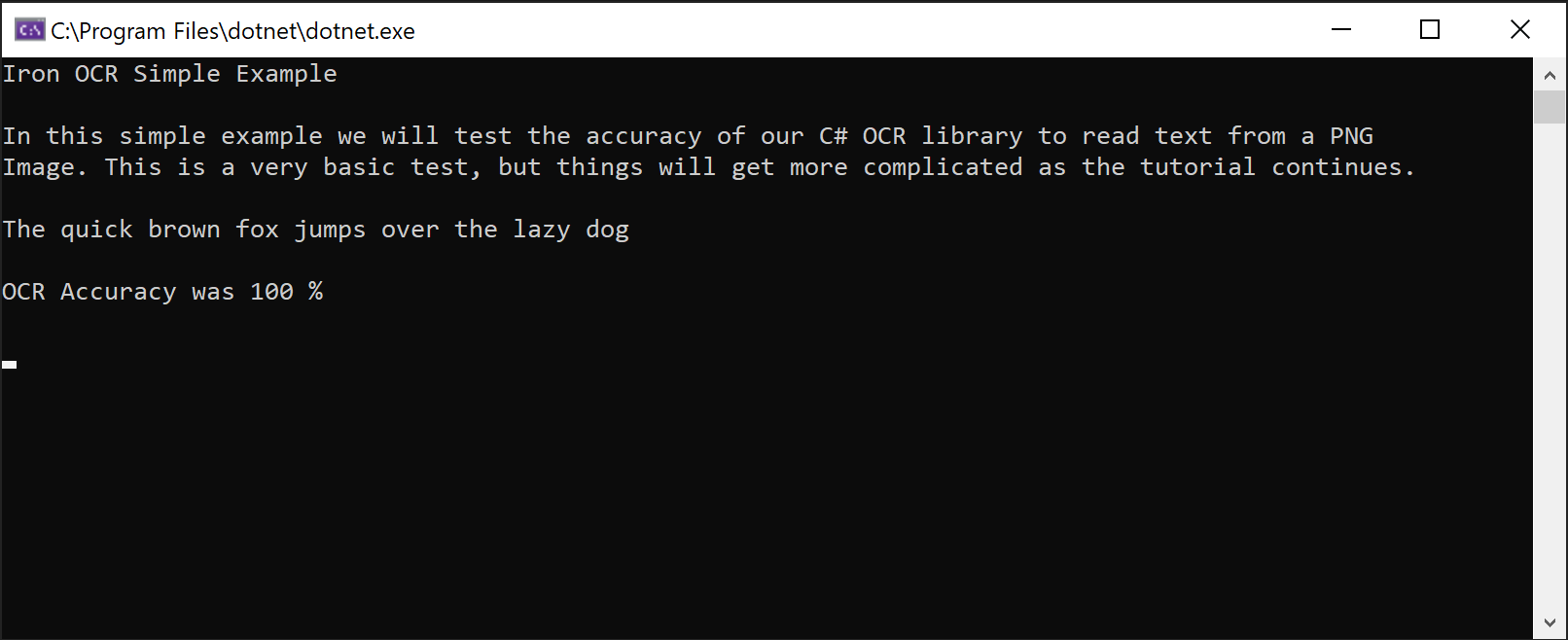 截图展示 IronOCR 从 PNG 图像中精确提取文本的能力
如何在不使用Tesseract配置的情况下实现高级C# OCR?
对于需要最佳性能的生产应用程序,当您在C#中将图像转换为文本时,请一起使用IronTesseract类。 这种方法提供了对 OCR 过程的细粒度控制。
OcrInput类功能
- 处理多种图像格式:JPEG、TIFF、GIF、BMP、PNG
- 导入完整的 PDF 或特定页面
- 自动增强对比度、分辨率和图像质量
- 纠正旋转、扫描噪声、倾斜和负像
IronTesseract类功能
- 支持 127 种以上预置语言
- 包括 Tesseract 5、4 和 3 引擎
- 文档类型说明(截图、片段或完整文档)
- 集成条形码读取功能
- 多种输出格式:可搜索的 PDF、HOCR HTML、DOM 对象和字符串
如何开始使用IronTesseract?
下面是本 IronOCR C# 教程的推荐配置,可以很好地适用于大多数文档类型:
using IronOcr;
using IronSoftware.Drawing;

IronTesseract ocr = new IronTesseract();
using OcrInput input = new OcrInput();
// restrict OCR to a content area for faster processing
Rectangle contentArea = new Rectangle(x: 215, y: 1250, height: 280, width: 1335);
input.LoadImage("img/ComSci.png", contentArea);
OcrResult result = ocr.Read(input);
Console.WriteLine(result.Text);该配置在中等质量的扫描件上始终保持近乎完美的准确性。 LoadImageFrames方法有效处理多页文档,使其成为批处理场景的理想选择。
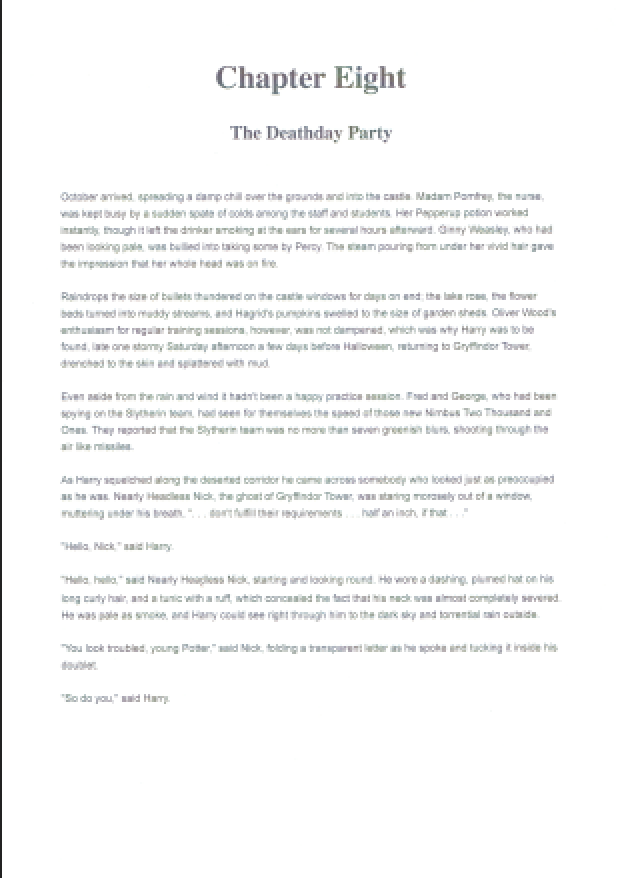
展示 IronOCR 多页文本提取功能的 TIFF 文档示例
IronOCR 能够从 TIFF 等扫描文档中的图像和条形码读取文本,这充分展现了它如何简化复杂的 OCR 任务。 该库在处理真实文档方面表现出色,能够无缝处理多页 TIFF 文件和PDF 文本提取。
IronOCR 如何处理低质量扫描?
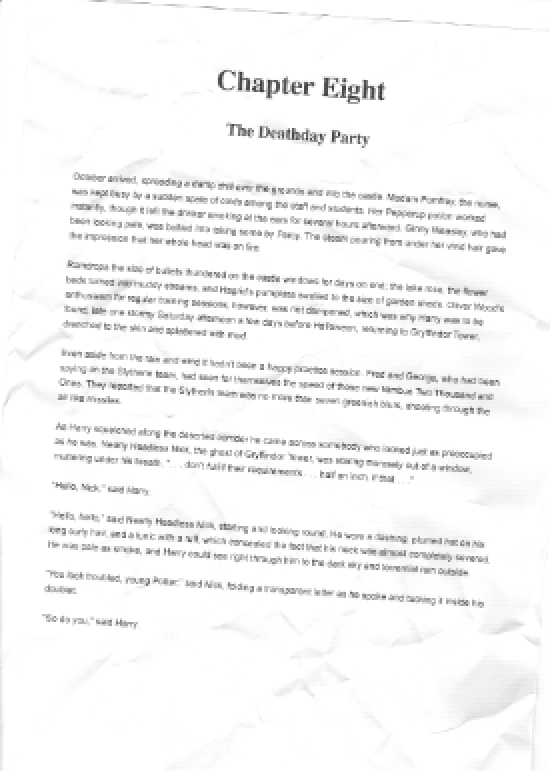
IronOCR 可以使用图像滤波器准确处理的带有噪点的低分辨率文档
在处理包含失真和数字噪声的不完美扫描时, IronOCR 的性能优于其他 C# OCR 库。 它专为真实场景而设计,而非为完美的测试图像而设计。
// PM> Install IronOcr.Languages.Arabic
using IronOcr;

IronTesseract ocr = new IronTesseract();
ocr.Language = OcrLanguage.Arabic;

using OcrInput input = new OcrInput();
input.LoadImageFrame("img/arabic.gif", 1);
// add image filters if needed
// In this case, even thought input is very low quality
// IronTesseract can read what conventional Tesseract cannot.

OcrResult result = ocr.Read(input);

// Console can't print Arabic on Windows easily.
// Let's save to disk instead.
result.SaveAsTextFile("arabic.txt");' PM> Install IronOcr.Languages.Arabic
Imports IronOcr
Private ocr As New IronTesseract()
ocr.Language = OcrLanguage.Arabic
Using input As New OcrInput()
input.LoadImageFrame("img/arabic.gif", 1)
' add image filters if needed
' In this case, even thought input is very low quality
' IronTesseract can read what conventional Tesseract cannot.
Dim result As OcrResult = ocr.Read(input)
' Console can't print Arabic on Windows easily.
' Let's save to disk instead.
result.SaveAsTextFile("arabic.txt")
End Using使用Input.Deskew(),在低质量扫描上准确性提高到99.8%,几乎匹配高质量的结果。 这就说明了为什么 IronOCR 是 C# OCR 的首选,而不会带来 Tesseract 的复杂性。
图像过滤器可能会略微增加处理时间,但会大大缩短整个 OCR 的持续时间。 找到正确的平衡点取决于您的文档质量。
在大多数场景中,Input.DeNoise()提供对OCR性能的可靠改进。 了解图像预处理技术的更多信息。
如何优化 OCR 性能和速度?
在 C# 中将图像转换为文本时,影响 OCR 速度的最主要因素是输入质量。 较高的 DPI(约 200 dpi)和最小的噪点可以产生最快、最准确的结果。
虽然 IronOCR 擅长纠正不完善的文档,但这种增强功能需要额外的处理时间。
选择压缩痕迹最小的图像格式。 由于数字噪声较低,TIFF 和 PNG 通常比 JPEG 能产生更快的效果。
哪些图像过滤器可提高 OCR 速度?
以下过滤器可显著提高 C# OCR 图像到文本工作流程的性能:
- **
OcrInput.Rotate(double degrees):**顺时针旋转图像(逆时针为负值) - **
OcrInput.Binarize():**转换为黑白,提高低对比度场景的性能 - **
OcrInput.ToGrayScale():**转换为灰度以可能提高速度 - **
OcrInput.Contrast():**自动调整对比度以提高准确性 - **
OcrInput.DeNoise():**当预期有噪声时去除数字伪影 - **
OcrInput.Invert():**为白字黑底文本反转颜色 - **
OcrInput.Dilate():**扩大文本边界 - **
OcrInput.Erode():**缩小文本边界 - **
OcrInput.Deskew():**校正对齐—对于倾斜文件至关重要 - **
OcrInput.DeepCleanBackgroundNoise():**强力清除噪声 - **
OcrInput.EnhanceResolution:**改善低分辨率图像质量 - **
OcrInput.DetectPageOrientation():**检测并校正页面旋转。 传递一个ExtremeDetailed(添加 v2025.8.6)
SaveAsSearchablePdf()不兼容,由于v2025.12.3的已知问题。所有其他过滤器都能正确地与可搜索的PDF输出一起工作。
如何配置 IronOCR 以获得最高速度?
在处理高质量扫描时,使用这些设置可优化速度:
using IronOcr;

IronTesseract ocr = new IronTesseract();
ocr.Language = OcrLanguage.ChineseSimplified;

// We can add any number of languages.
ocr.AddSecondaryLanguage(OcrLanguage.English);
// Optionally add custom tesseract .traineddata files by specifying a file path

using OcrInput input = new OcrInput();
input.LoadImage("img/MultiLanguage.jpeg");
OcrResult result = ocr.Read(input);
result.SaveAsTextFile("MultiLanguage.txt");Imports IronOcr
Private ocr As New IronTesseract()
ocr.Language = OcrLanguage.ChineseSimplified
' We can add any number of languages.
ocr.AddSecondaryLanguage(OcrLanguage.English)
' Optionally add custom tesseract .traineddata files by specifying a file path
Using input As New OcrInput()
input.LoadImage("img/MultiLanguage.jpeg")
Dim result As OcrResult = ocr.Read(input)
result.SaveAsTextFile("MultiLanguage.txt")
End Using与默认设置相比,该优化设置在保持99.8%准确性的同时,实现了35%的速度提升。
如何使用C# OCR读取图像的特定区域?
下面的Iron Tesseract C#示例展示了如何使用System.Drawing.Rectangle定位特定区域。 这种技术对于处理文本出现在可预测位置的标准化表单非常有用。
IronOCR 能否处理裁剪区域以获得更快的结果?
使用基于像素的坐标,您可以将 OCR 限制在特定区域,从而大幅提高速度并防止提取不必要的文本:
using IronOcr;

IronTesseract ocr = new IronTesseract();

using OcrInput input = new OcrInput();
input.LoadImage("image1.jpeg");
input.LoadImage("image2.png");
var pageindices = new int[] { 1, 2 };
input.LoadImageFrames("image3.gif", pageindices);

OcrResult result = ocr.Read(input);

Console.WriteLine($"{result.Pages.Length} Pages"); // 3 PagesImports IronOcr
Private ocr As New IronTesseract()
Private OcrInput As using
input.LoadImage("image1.jpeg")
input.LoadImage("image2.png")
Dim pageindices = New Integer() { 1, 2 }
input.LoadImageFrames("image3.gif", pageindices)
Dim result As OcrResult = ocr.Read(input)
Console.WriteLine($"{result.Pages.Length} Pages") ' 3 Pages这种有针对性的方法在只提取相关文本的同时将速度提高了 41%。 它非常适合结构化文档,如发票、支票和表单。 同样的裁剪技术可与PDF OCR 操作无缝配合。
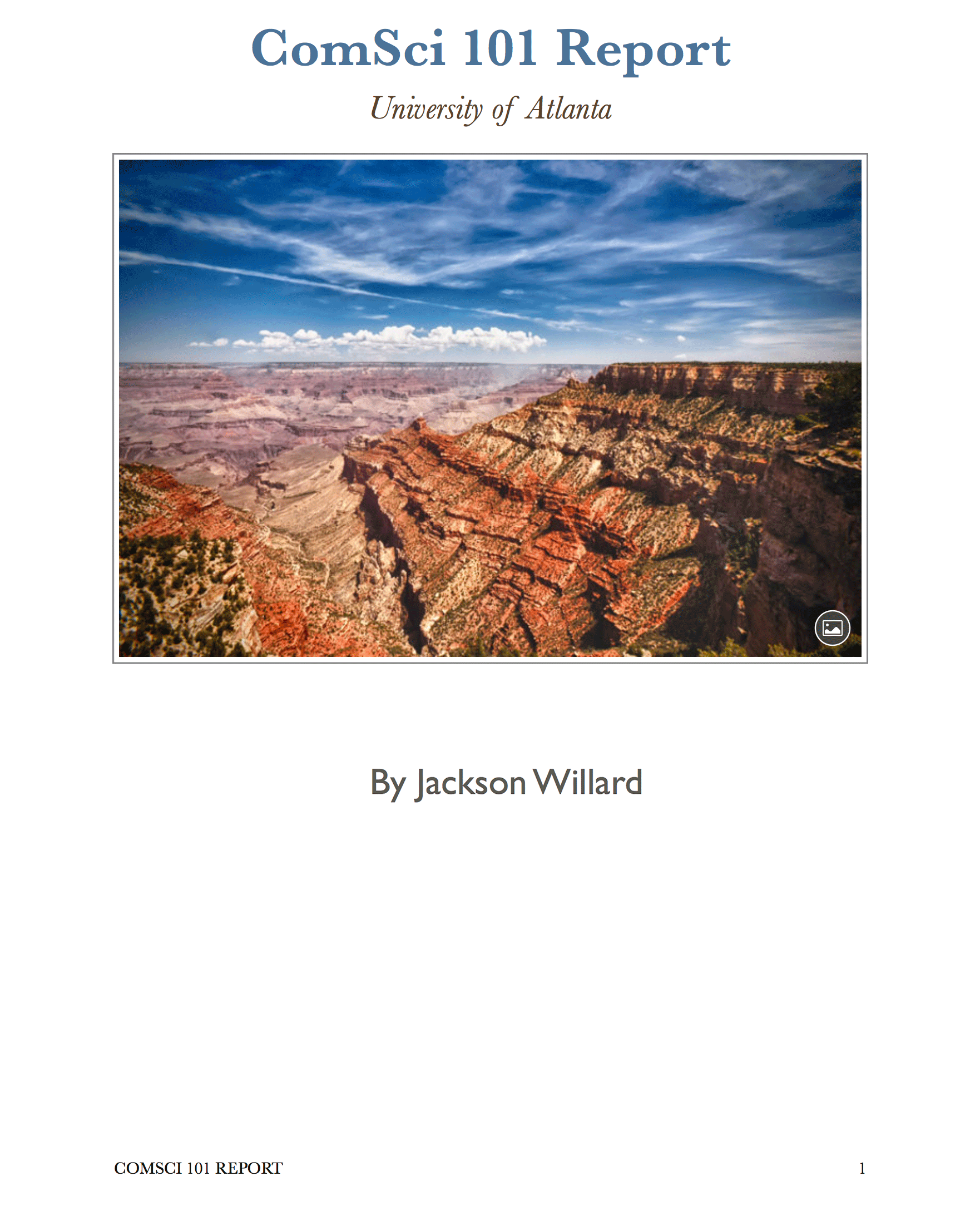 演示使用 IronOCR 的矩形选择功能进行基于区域的精确文本提取的文档
IronOCR 支持多少种语言?
IronOCR 通过便捷的语言包支持 127 种国际语言。 从我们的网站或通过 NuGet 软件包管理器以 DLL 形式下载。
通过 NuGet 界面(搜索 "IronOcr.Languages")安装语言包,或访问 完整语言包列表。
支持的语言包括阿拉伯语、中文(简体/繁体)、日语、韩语、印地语、俄语、德语、法语、西班牙语和其他 115 多种语言,每种语言都经过优化,可实现准确的文本识别。
如何在多种语言中实现 OCR?
此 IronOCR C# 教程示例演示了阿拉伯语文本识别:
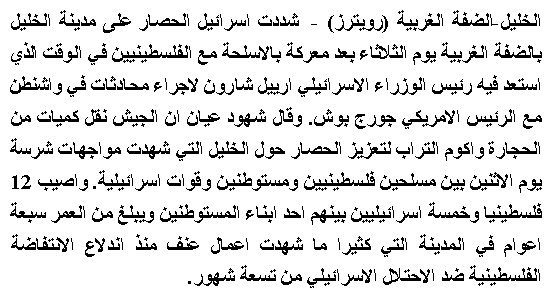
IronOCR 从 GIF 图像中准确提取阿拉伯语文本
using IronOcr;

IronTesseract ocr = new IronTesseract();
using OcrInput input = new OcrInput();
input.LoadPdf("example.pdf", Password: "password");
// We can also select specific PDF page numbers to OCR

OcrResult result = ocr.Read(input);

Console.WriteLine(result.Text);
Console.WriteLine($"{result.Pages.Length} Pages");
// 1 page for every page of the PDFImports IronOcr
Private ocr As New IronTesseract()
Private OcrInput As using
input.LoadPdf("example.pdf", Password:= "password")
' We can also select specific PDF page numbers to OCR
Dim result As OcrResult = ocr.Read(input)
Console.WriteLine(result.Text)
Console.WriteLine($"{result.Pages.Length} Pages")
' 1 page for every page of the PDFIronOCR 可以处理多种语言的文档吗?
当文档包含混合语言时,配置 IronOCR 以支持多语言:
using IronOcr;

IronTesseract ocr = new IronTesseract();

using OcrInput input = new OcrInput();
input.Title = "Pdf Metadata Name";
input.LoadPdf("example.pdf", Password: "password");
OcrResult result = ocr.Read(input);
result.SaveAsSearchablePdf("searchable.pdf");Imports IronOcr
Private ocr As New IronTesseract()
Private OcrInput As using
input.Title = "Pdf Metadata Name"
input.LoadPdf("example.pdf", Password:= "password")
Dim result As OcrResult = ocr.Read(input)
result.SaveAsSearchablePdf("searchable.pdf")如何使用C# OCR处理多页文档?
IronOCR无缝将多个页面或图像合并为单个OcrResult。 该功能可实现强大的功能,如创建可搜索的 PDF 和从整个文档集中提取文本。
在单个 OCR 操作中混合和匹配各种来源(图像、TIFF 框架和 PDF 页面):
using IronOcr;

IronTesseract ocr = new IronTesseract();
using OcrInput input = new OcrInput();
input.Title = "Pdf Title";
var pageindices = new int[] { 1, 2 };
input.LoadImageFrames("example.tiff", pageindices);
OcrResult result = ocr.Read(input);
result.SaveAsSearchablePdf("searchable.pdf");Imports IronOcr
Private ocr As New IronTesseract()
Private OcrInput As using
input.Title = "Pdf Title"
Dim pageindices = New Integer() { 1, 2 }
input.LoadImageFrames("example.tiff", pageindices)
Dim result As OcrResult = ocr.Read(input)
result.SaveAsSearchablePdf("searchable.pdf")高效处理 TIFF 文件的所有页面:
using IronOcr;

IronTesseract ocr = new IronTesseract();

using OcrInput input = new OcrInput();
input.Title = "Html Title";

// Add more content as required...
input.LoadImage("image2.jpeg");
input.LoadPdf("example.pdf",Password: "password");
var pageindices = new int[] { 1, 2 };
input.LoadImageFrames("example.tiff", pageindices);

OcrResult result = ocr.Read(input);
result.SaveAsHocrFile("hocr.html");Imports IronOcr
Private ocr As New IronTesseract()
Private OcrInput As using
input.Title = "Html Title"
' Add more content as required...
input.LoadImage("image2.jpeg")
input.LoadPdf("example.pdf",Password:= "password")
Dim pageindices = New Integer() { 1, 2 }
input.LoadImageFrames("example.tiff", pageindices)
Dim result As OcrResult = ocr.Read(input)
result.SaveAsHocrFile("hocr.html")将 TIFF 或 PDF 转换为可搜索格式:
using IronOcr;

IronTesseract ocr = new IronTesseract();

ocr.Configuration.ReadBarCodes = true;

using OcrInput input = new OcrInput();
input.LoadImage("img/Barcode.png");

OcrResult result = ocr.Read(input);

foreach (var barcode in result.Barcodes)
{
    Console.WriteLine(barcode.Value);
    // type and location properties also exposed
}Imports IronOcr
Private ocr As New IronTesseract()
ocr.Configuration.ReadBarCodes = True
Using input As New OcrInput()
input.LoadImage("img/Barcode.png")
Dim result As OcrResult = ocr.Read(input)
For Each barcode In result.Barcodes
Console.WriteLine(barcode.Value)
' type and location properties also exposed
Next barcode
End Using将现有 PDF 转换为可搜索版本:
using IronOcr;
using IronSoftware.Drawing;

// We can delve deep into OCR results as an object model of Pages, Barcodes, Paragraphs, Lines, Words and Characters
// This allows us to explore, export and draw OCR content using other APIs

IronTesseract ocr = new IronTesseract();
ocr.Configuration.ReadBarCodes = true;

using OcrInput input = new OcrInput();
var pageindices = new int[] { 1, 2 };
input.LoadImageFrames(@"img\Potter.tiff", pageindices);

OcrResult result = ocr.Read(input);

foreach (var page in result.Pages)
{
    // Page object
    int pageNumber = page.PageNumber;
    string pageText = page.Text;
    int pageWordCount = page.WordCount;

    // null if we don't set Ocr.Configuration.ReadBarCodes = true;
    OcrResult.Barcode[] barcodes = page.Barcodes;

    AnyBitmap pageImage = page.ToBitmap(input);
    System.Drawing.Bitmap pageImageLegacy = page.ToBitmap(input);
    double pageWidth = page.Width;
    double pageHeight = page.Height;

    foreach (var paragraph in page.Paragraphs)
    {
        // Pages -> Paragraphs
        int paragraphNumber = paragraph.ParagraphNumber;
        String paragraphText = paragraph.Text;
        System.Drawing.Bitmap paragraphImage = paragraph.ToBitmap(input);
        int paragraphXLocation = paragraph.X;
        int paragraphYLocation = paragraph.Y;
        int paragraphWidth = paragraph.Width;
        int paragraphHeight = paragraph.Height;
        double paragraphOcrAccuracy = paragraph.Confidence;
        var paragraphTextDirection = paragraph.TextDirection;

        foreach (var line in paragraph.Lines)
        {
            // Pages -> Paragraphs -> Lines
            int lineNumber = line.LineNumber;
            String lineText = line.Text;
            AnyBitmap lineImage = line.ToBitmap(input);
            System.Drawing.Bitmap lineImageLegacy = line.ToBitmap(input);
            int lineXLocation = line.X;
            int lineYLocation = line.Y;
            int lineWidth = line.Width;
            int lineHeight = line.Height;
            double lineOcrAccuracy = line.Confidence;
            double lineSkew = line.BaselineAngle;
            double lineOffset = line.BaselineOffset;

            foreach (var word in line.Words)
            {
                // Pages -> Paragraphs -> Lines -> Words
                int wordNumber = word.WordNumber;
                String wordText = word.Text;
                AnyBitmap wordImage = word.ToBitmap(input);
                System.Drawing.Image wordImageLegacy = word.ToBitmap(input);
                int wordXLocation = word.X;
                int wordYLocation = word.Y;
                int wordWidth = word.Width;
                int wordHeight = word.Height;
                double wordOcrAccuracy = word.Confidence;

                if (word.Font != null)
                {
                    // Word.Font is only set when using Tesseract Engine Modes rather than LTSM
                    String fontName = word.Font.FontName;
                    double fontSize = word.Font.FontSize;
                    bool isBold = word.Font.IsBold;
                    bool isFixedWidth = word.Font.IsFixedWidth;
                    bool isItalic = word.Font.IsItalic;
                    bool isSerif = word.Font.IsSerif;
                    bool isUnderlined = word.Font.IsUnderlined;
                    bool fontIsCaligraphic = word.Font.IsCaligraphic;
                }

                foreach (var character in word.Characters)
                {
                    // Pages -> Paragraphs -> Lines -> Words -> Characters
                    int characterNumber = character.CharacterNumber;
                    String characterText = character.Text;
                    AnyBitmap characterImage = character.ToBitmap(input);
                    System.Drawing.Bitmap characterImageLegacy = character.ToBitmap(input);
                    int characterXLocation = character.X;
                    int characterYLocation = character.Y;
                    int characterWidth = character.Width;
                    int characterHeight = character.Height;
                    double characterOcrAccuracy = character.Confidence;

                    // Output alternative symbols choices and their probability.
                    // Very useful for spell checking
                    OcrResult.Choice[] characterChoices = character.Choices;
                }
            }
        }
    }
}Imports IronOcr
Imports IronSoftware.Drawing
' We can delve deep into OCR results as an object model of Pages, Barcodes, Paragraphs, Lines, Words and Characters
' This allows us to explore, export and draw OCR content using other APIs
Private ocr As New IronTesseract()
ocr.Configuration.ReadBarCodes = True
Using input As New OcrInput()
Dim pageindices = New Integer() { 1, 2 }
input.LoadImageFrames("img\Potter.tiff", pageindices)
Dim result As OcrResult = ocr.Read(input)
For Each page In result.Pages
' Page object
Dim pageNumber As Integer = page.PageNumber
Dim pageText As String = page.Text
Dim pageWordCount As Integer = page.WordCount
' null if we don't set Ocr.Configuration.ReadBarCodes = true;
Dim barcodes() As OcrResult.Barcode = page.Barcodes
Dim pageImage As AnyBitmap = page.ToBitmap(input)
Dim pageImageLegacy As System.Drawing.Bitmap = page.ToBitmap(input)
Dim pageWidth As Double = page.Width
Dim pageHeight As Double = page.Height
For Each paragraph In page.Paragraphs
' Pages -> Paragraphs
Dim paragraphNumber As Integer = paragraph.ParagraphNumber
Dim paragraphText As String = paragraph.Text
Dim paragraphImage As System.Drawing.Bitmap = paragraph.ToBitmap(input)
Dim paragraphXLocation As Integer = paragraph.X
Dim paragraphYLocation As Integer = paragraph.Y
Dim paragraphWidth As Integer = paragraph.Width
Dim paragraphHeight As Integer = paragraph.Height
Dim paragraphOcrAccuracy As Double = paragraph.Confidence
Dim paragraphTextDirection = paragraph.TextDirection
For Each line In paragraph.Lines
' Pages -> Paragraphs -> Lines
Dim lineNumber As Integer = line.LineNumber
Dim lineText As String = line.Text
Dim lineImage As AnyBitmap = line.ToBitmap(input)
Dim lineImageLegacy As System.Drawing.Bitmap = line.ToBitmap(input)
Dim lineXLocation As Integer = line.X
Dim lineYLocation As Integer = line.Y
Dim lineWidth As Integer = line.Width
Dim lineHeight As Integer = line.Height
Dim lineOcrAccuracy As Double = line.Confidence
Dim lineSkew As Double = line.BaselineAngle
Dim lineOffset As Double = line.BaselineOffset
For Each word In line.Words
' Pages -> Paragraphs -> Lines -> Words
Dim wordNumber As Integer = word.WordNumber
Dim wordText As String = word.Text
Dim wordImage As AnyBitmap = word.ToBitmap(input)
Dim wordImageLegacy As System.Drawing.Image = word.ToBitmap(input)
Dim wordXLocation As Integer = word.X
Dim wordYLocation As Integer = word.Y
Dim wordWidth As Integer = word.Width
Dim wordHeight As Integer = word.Height
Dim wordOcrAccuracy As Double = word.Confidence
If word.Font IsNot Nothing Then
' Word.Font is only set when using Tesseract Engine Modes rather than LTSM
Dim fontName As String = word.Font.FontName
Dim fontSize As Double = word.Font.FontSize
Dim isBold As Boolean = word.Font.IsBold
Dim isFixedWidth As Boolean = word.Font.IsFixedWidth
Dim isItalic As Boolean = word.Font.IsItalic
Dim isSerif As Boolean = word.Font.IsSerif
Dim isUnderlined As Boolean = word.Font.IsUnderlined
Dim fontIsCaligraphic As Boolean = word.Font.IsCaligraphic
End If
For Each character In word.Characters
' Pages -> Paragraphs -> Lines -> Words -> Characters
Dim characterNumber As Integer = character.CharacterNumber
Dim characterText As String = character.Text
Dim characterImage As AnyBitmap = character.ToBitmap(input)
Dim characterImageLegacy As System.Drawing.Bitmap = character.ToBitmap(input)
Dim characterXLocation As Integer = character.X
Dim characterYLocation As Integer = character.Y
Dim characterWidth As Integer = character.Width
Dim characterHeight As Integer = character.Height
Dim characterOcrAccuracy As Double = character.Confidence
' Output alternative symbols choices and their probability.
' Very useful for spell checking
Dim characterChoices() As OcrResult.Choice = character.Choices
Next character
Next word
Next line
Next paragraph
Next page
End Using对 TIFF 转换应用同样的技巧:
using IronOcr;

var ocr = new IronTesseract();

using (var input = new OcrInput())
{
    // Configure document properties
    input.Title = "Scanned Archive Document";

    // Select pages to process
    var pageIndices = new int[] { 1, 2 };
    input.LoadImageFrames("example.tiff", pageIndices);

    // Create searchable PDF from TIFF
    OcrResult result = ocr.Read(input);
    result.SaveAsSearchablePdf("searchable.pdf");
}Imports IronOcr
Dim ocr As New IronTesseract()
Using input As New OcrInput()
' Configure document properties
input.Title = "Scanned Archive Document"
' Select pages to process
Dim pageIndices As Integer() = {1, 2}
input.LoadImageFrames("example.tiff", pageIndices)
' Create searchable PDF from TIFF
Dim result As OcrResult = ocr.Read(input)
result.SaveAsSearchablePdf("searchable.pdf")
End Using如何将 OCR 结果导出为 HOCR HTML?
IronOCR 支持 HOCR HTML 导出,可实现结构化的 PDF 至 HTML 和 TIFF 至 HTML 转换,同时保留布局信息:
using IronOcr;

var ocr = new IronTesseract();

using (var input = new OcrInput())
{
    // Set HTML title
    input.Title = "Document Archive";

    // Process multiple document types
    input.LoadImage("image2.jpeg");
    input.LoadPdf("example.pdf", "password");

    // Add TIFF pages
    var pageIndices = new int[] { 1, 2 };
    input.LoadImageFrames("example.tiff", pageIndices);

    // Export as HOCR with position data
    OcrResult result = ocr.Read(input);
    result.SaveAsHocrFile("hocr.html");
}Imports IronOcr
Dim ocr As New IronTesseract()
Using input As New OcrInput()
' Set HTML title
input.Title = "Document Archive"
' Process multiple document types
input.LoadImage("image2.jpeg")
input.LoadPdf("example.pdf", "password")
' Add TIFF pages
Dim pageIndices As Integer() = {1, 2}
input.LoadImageFrames("example.tiff", pageIndices)
' Export as HOCR with position data
Dim result As OcrResult = ocr.Read(input)
result.SaveAsHocrFile("hocr.html")
End UsingIronOCR 能否在读取文本的同时读取条形码?
IronOCR 将文本识别与条形码阅读功能独特地结合在一起,无需单独的库:
// Enable combined text and barcode recognition
using IronOcr;

var ocr = new IronTesseract();

// Enable barcode detection
ocr.Configuration.ReadBarCodes = true;

using (var input = new OcrInput())
{
    // Load image containing both text and barcodes
    input.LoadImage("img/Barcode.png");

    // Process both text and barcodes
    var result = ocr.Read(input);

    // Extract barcode data
    foreach (var barcode in result.Barcodes)
    {
        Console.WriteLine($"Barcode Value: {barcode.Value}");
        Console.WriteLine($"Format: {barcode.Format}");
    }
}如何访问详细的 OCR 结果和元数据?
IronOCR 结果对象提供了全面的数据,高级开发人员可以利用这些数据开发复杂的应用程序。
每个OcrResult包含分层集合:页面、段落、行、词和字符。 所有元素都包括详细的元数据,如位置、字体信息和置信度分数。
单个元素(段落、单词、Barcode)可以导出为图像或位图,以便进一步处理:
using System;
using IronOcr;
using IronSoftware.Drawing;

// Configure with barcode support
IronTesseract ocr = new IronTesseract
{
    Configuration = { ReadBarCodes = true }
};

using OcrInput input = new OcrInput();

// Process multi-page document
int[] pageIndices = { 1, 2 };
input.LoadImageFrames(@"img\Potter.tiff", pageIndices);

OcrResult result = ocr.Read(input);

// Navigate the complete results hierarchy
foreach (var page in result.Pages)
{
    // Page-level data
    int pageNumber = page.PageNumber;
    string pageText = page.Text;
    int pageWordCount = page.WordCount;

    // Extract page elements
    OcrResult.Barcode[] barcodes = page.Barcodes;
    AnyBitmap pageImage = page.ToBitmap();
    double pageWidth = page.Width;
    double pageHeight = page.Height;

    foreach (var paragraph in page.Paragraphs)
    {
        // Paragraph properties
        int paragraphNumber = paragraph.ParagraphNumber;
        string paragraphText = paragraph.Text;
        double paragraphConfidence = paragraph.Confidence;
        var textDirection = paragraph.TextDirection;

        foreach (var line in paragraph.Lines)
        {
            // Line details including baseline information
            string lineText = line.Text;
            double lineConfidence = line.Confidence;
            double baselineAngle = line.BaselineAngle;
            double baselineOffset = line.BaselineOffset;

            foreach (var word in line.Words)
            {
                // Word-level data
                string wordText = word.Text;
                double wordConfidence = word.Confidence;

                // Font information (when available)
                if (word.Font != null)
                {
                    string fontName = word.Font.FontName;
                    double fontSize = word.Font.FontSize;
                    bool isBold = word.Font.IsBold;
                    bool isItalic = word.Font.IsItalic;
                }

                foreach (var character in word.Characters)
                {
                    // Character-level analysis
                    string charText = character.Text;
                    double charConfidence = character.Confidence;

                    // Alternative character choices for spell-checking
                    OcrResult.Choice[] alternatives = character.Choices;
                }
            }
        }
    }
}Imports System
Imports IronOcr
Imports IronSoftware.Drawing
' Configure with barcode support
Dim ocr As New IronTesseract With {
.Configuration = New TesseractConfiguration With {
.ReadBarCodes = True
}
}
Using input As New OcrInput()
' Process multi-page document
Dim pageIndices As Integer() = {1, 2}
input.LoadImageFrames("img\Potter.tiff", pageIndices)
Dim result As OcrResult = ocr.Read(input)
' Navigate the complete results hierarchy
For Each page In result.Pages
' Page-level data
Dim pageNumber As Integer = page.PageNumber
Dim pageText As String = page.Text
Dim pageWordCount As Integer = page.WordCount
' Extract page elements
Dim barcodes As OcrResult.Barcode() = page.Barcodes
Dim pageImage As AnyBitmap = page.ToBitmap()
Dim pageWidth As Double = page.Width
Dim pageHeight As Double = page.Height
For Each paragraph In page.Paragraphs
' Paragraph properties
Dim paragraphNumber As Integer = paragraph.ParagraphNumber
Dim paragraphText As String = paragraph.Text
Dim paragraphConfidence As Double = paragraph.Confidence
Dim textDirection = paragraph.TextDirection
For Each line In paragraph.Lines
' Line details including baseline information
Dim lineText As String = line.Text
Dim lineConfidence As Double = line.Confidence
Dim baselineAngle As Double = line.BaselineAngle
Dim baselineOffset As Double = line.BaselineOffset
For Each word In line.Words
' Word-level data
Dim wordText As String = word.Text
Dim wordConfidence As Double = word.Confidence
' Font information (when available)
If word.Font IsNot Nothing Then
Dim fontName As String = word.Font.FontName
Dim fontSize As Double = word.Font.FontSize
Dim isBold As Boolean = word.Font.IsBold
Dim isItalic As Boolean = word.Font.IsItalic
End If
For Each character In word.Characters
' Character-level analysis
Dim charText As String = character.Text
Dim charConfidence As Double = character.Confidence
' Alternative character choices for spell-checking
Dim alternatives As OcrResult.Choice() = character.Choices
Next
Next
Next
Next
Next
End Using摘要
IronOCR 为 C# 开发人员提供最先进的 Tesseract API 实现,可在 Windows、Linux 和 Mac 平台上无缝运行。 其使用 IronOCR 从图像中准确读取文本的能力--即使是不完美的文档--使其有别于基本的 OCR 解决方案。
该库的独特功能包括集成条形码读取功能,以及将结果导出为可搜索 PDF 或 HOCR HTML 的功能,这些功能是标准 Tesseract 实现所不具备的。
向前迈进
要继续掌握 IronOCR:
- 了解我们的全面入门指南。
- 浏览实用 C# 代码示例。
- 参考详细的 API 文档。
源代码下载
准备好在您的应用程序中实现 C# OCR 图像到文本的转换了吗? 下载 IronOCR 并立即开始免费试用。
常见问题解答
如何在不使用 Tesseract 的情况下,将图像转换为 C# 中的文本?
您可以使用 IronOCR 在 C# 中将图像转换为文本,而无需 Tesseract。IronOCR 通过内置方法直接处理图像到文本的转换,简化了该过程。
如何提高低质量图像的 OCR 准确性?
IronOCR 提供如 Input.Deskew() 和 Input.DeNoise() 的图像滤镜,可以通过校正偏斜和减少噪声来增强低质量图像,从而显著提高 OCR 准确性。
在 C# 中使用 OCR 从多页文档中提取文本的步骤是什么?
要从多页文档中提取文本,IronOCR 允许您使用 LoadPdf() 方法来加载和处理每一页的 PDF 文件或处理 TIFF 文件,有效地将每一页转换为文本。
是否可以同时从图像中读取条码和文本?
是的,IronOCR 可以从一个图像中同时读取文本和条码。您可以启用条码读取 ocr.Configuration.ReadBarCodes = true,这使得能够提取文本和条码数据。
如何设置 OCR 以处理多语言文档?
IronOCR 支持超过 125 种语言,您可以使用 ocr.Language 设置主要语言,并通过 ocr.AddSecondaryLanguage() 添加其他语言,以实现多语言文档处理。
有哪些方法可以以不同格式导出 OCR 结果?
IronOCR 提供几种导出 OCR 结果的方法,例如用于 PDF 的 SaveAsSearchablePdf(),用于纯文本的 SaveAsTextFile(),以及用于 HOCR HTML 格式的 SaveAsHocrFile()。
如何优化大图像文件的 OCR 处理速度?
要优化 OCR 处理速度,请使用 IronOCR 的 OcrLanguage.EnglishFast 以加快语言识别,并定义特定的 OCR 区域 System.Drawing.Rectangle 以减少处理时间。
如何处理受保护 PDF 文件的 OCR 处理程序?
在处理受保护的 PDF 时,使用正确密码与 LoadPdf() 方法配合使用。IronOCR 通过自动将页面转换为图像来处理基于图像的 PDF,以进行 OCR 处理。
如果 OCR 结果不准确我该怎么办?
如果 OCR 结果不准确,请考虑使用 IronOCR 的图像增强功能,如 Input.Deskew() 和 Input.DeNoise(),并确保安装了正确的语言包。
我可以自定义 OCR 过程以排除某些字符吗?
可以,IronOCR 允许通过使用 BlackListCharacters 属性自定义 OCR 过程,以排除特定字符,从而通过专注于相关文本提高准确率和处理速度。

Jacob Mellor 是 Iron Software 的首席技术官,也是一位开创 C# PDF 技术的有远见的工程师。作为 Iron Software 核心代码库的原始开发者,他从公司成立之初就开始塑造公司的产品架构,与首席执行官 Cameron Rimington 一起将公司转变为一家拥有 50 多名员工的公司,为 NASA、特斯拉和全球政府机构提供服务。













