









ライブ環境でテストする
ウォーターマークなしで本番環境でテスト。
必要な場所で動作します。


 AutoOcr
using IronOcr;

string imageText = new IronTesseract().Read(@"images\image.png").Text;
Imports IronOcr
Private imageText As String = (New IronTesseract()).Read("images\image.png").Text
Install-Package IronOcr
IronOCRは、完璧にスキャンされていない画像やPDFドキュメントからテキストを自動的に検出して読み取る能力の点でユニークです。 IronTesseractクラスは最もシンプルなAPIを提供します。
C# OCR 操作をきめ細かく制御するには、他のコード サンプルを試してください。
Tesseractの最も高度なビルドを提供します。
.NET Framework、Standard、Core、Xamarin、Monoに対してTesseract 3、Tesseract 4、およびTesseract 5をサポートします。
IronTesseractインスタンス化するReadメソッドを使用してOCRを実行するTextプロパティにアクセスしてOCR結果を取得する
国際言語
using IronOcr;
using System;

var ocrTesseract = new IronTesseract();

ocrTesseract.Language = OcrLanguage.Arabic;

using (var ocrInput = new OcrInput())
{
    ocrInput.LoadImage(@"images\arabic.gif");
    var ocrResult = ocrTesseract.Read(ocrInput);
    Console.WriteLine(ocrResult.Text);
}

// Example with a Custom Trained Font Being used:

var ocrTesseractCustomerLang = new IronTesseract();
ocrTesseractCustomerLang.UseCustomTesseractLanguageFile("custom_tesseract_files/custom.traineddata");
ocrTesseractCustomerLang.AddSecondaryLanguage(OcrLanguage.EnglishBest);

using (var ocrInput = new OcrInput())
{
    ocrInput.LoadPdf(@"images\mixed-lang.pdf");
    var ocrResult = ocrTesseractCustomerLang.Read(ocrInput);
    Console.WriteLine(ocrResult.Text);
}
Imports IronOcr
Imports System
Private ocrTesseract = New IronTesseract()
ocrTesseract.Language = OcrLanguage.Arabic
Using ocrInput As New OcrInput()
ocrInput.LoadImage("images\arabic.gif")
Dim ocrResult = ocrTesseract.Read(ocrInput)
Console.WriteLine(ocrResult.Text)
End Using
' Example with a Custom Trained Font Being used:
Dim ocrTesseractCustomerLang = New IronTesseract()
ocrTesseractCustomerLang.UseCustomTesseractLanguageFile("custom_tesseract_files/custom.traineddata")
ocrTesseractCustomerLang.AddSecondaryLanguage(OcrLanguage.EnglishBest)
Using ocrInput As New OcrInput()
ocrInput.LoadPdf("images\mixed-lang.pdf")
Dim ocrResult = ocrTesseractCustomerLang.Read(ocrInput)
Console.WriteLine(ocrResult.Text)
End UsingInstall-Package IronOcr
IronOCR は 125 の国際言語をサポートしています。 デフォルトでインストールされる英語以外に、追加の言語パックを NuGet 経由で .NET プロジェクトに追加したり、言語ページからダウンロードしたりすることもできます。 ほとんどの言語はIronOCR 言語サポート
Bestの品質で利用可能です。 Bestの品質オプションは、より正確な結果を提供する可能性がありますが、処理時間が遅くなります。
結果オブジェクト
using IronOcr;
using IronSoftware.Drawing;

// We can delve deep into OCR results as an object model of
// Pages, Barcodes, Paragraphs, Lines, Words and Characters
// This allows us to explore, export and draw OCR content using other APIs/
var ocrTesseract = new IronTesseract();

ocrTesseract.Configuration.ReadBarCodes = true;

using var ocrInput = new OcrInput();
var pages = new int[] { 1, 2 };
ocrInput.LoadImageFrames("example.tiff", pages);

OcrResult ocrResult = ocrTesseract.Read(ocrInput);
foreach (var page in ocrResult.Pages)
{
    // Page object
    int PageNumber = page.PageNumber;
    string PageText = page.Text;
    int PageWordCount = page.WordCount;
    // null if we dont set Ocr.Configuration.ReadBarCodes = true;
    OcrResult.Barcode[] Barcodes = page.Barcodes;
    AnyBitmap PageImage = page.ToBitmap(ocrInput);
    double PageWidth = page.Width;
    double PageHeight = page.Height;
    double PageRotation = page.Rotation; // angular correction in degrees from OcrInput.Deskew()

    foreach (var paragraph in page.Paragraphs)
    {
        // Pages -> Paragraphs
        int ParagraphNumber = paragraph.ParagraphNumber;
        string ParagraphText = paragraph.Text;
        AnyBitmap ParagraphImage = paragraph.ToBitmap(ocrInput);
        int ParagraphX_location = paragraph.X;
        int ParagraphY_location = paragraph.Y;
        int ParagraphWidth = paragraph.Width;
        int ParagraphHeight = paragraph.Height;
        double ParagraphOcrAccuracy = paragraph.Confidence;
        OcrResult.TextFlow paragrapthText_direction = paragraph.TextDirection;
        foreach (var line in paragraph.Lines)
        {
            // Pages -> Paragraphs -> Lines
            int LineNumber = line.LineNumber;
            string LineText = line.Text;
            AnyBitmap LineImage = line.ToBitmap(ocrInput);
            int LineX_location = line.X;
            int LineY_location = line.Y;
            int LineWidth = line.Width;
            int LineHeight = line.Height;
            double LineOcrAccuracy = line.Confidence;
            double LineSkew = line.BaselineAngle;
            double LineOffset = line.BaselineOffset;
            foreach (var word in line.Words)
            {
                // Pages -> Paragraphs -> Lines -> Words
                int WordNumber = word.WordNumber;
                string WordText = word.Text;
                AnyBitmap WordImage = word.ToBitmap(ocrInput);
                int WordX_location = word.X;
                int WordY_location = word.Y;
                int WordWidth = word.Width;
                int WordHeight = word.Height;
                double WordOcrAccuracy = word.Confidence;
                foreach (var character in word.Characters)
                {
                    // Pages -> Paragraphs -> Lines -> Words -> Characters
                    int CharacterNumber = character.CharacterNumber;
                    string CharacterText = character.Text;
                    AnyBitmap CharacterImage = character.ToBitmap(ocrInput);
                    int CharacterX_location = character.X;
                    int CharacterY_location = character.Y;
                    int CharacterWidth = character.Width;
                    int CharacterHeight = character.Height;
                    double CharacterOcrAccuracy = character.Confidence;
                    // Output alternative symbols choices and their probability.
                    // Very useful for spellchecking
                    OcrResult.Choice[] Choices = character.Choices;
                }
            }
        }
    }
}
Imports IronOcr
Imports IronSoftware.Drawing
' We can delve deep into OCR results as an object model of
' Pages, Barcodes, Paragraphs, Lines, Words and Characters
' This allows us to explore, export and draw OCR content using other APIs/
Private ocrTesseract = New IronTesseract()
ocrTesseract.Configuration.ReadBarCodes = True
Dim ocrInput As New OcrInput()
Dim pages = New Integer() { 1, 2 }
ocrInput.LoadImageFrames("example.tiff", pages)
Dim ocrResult As OcrResult = ocrTesseract.Read(ocrInput)
For Each page In ocrResult.Pages
' Page object
Dim PageNumber As Integer = page.PageNumber
Dim PageText As String = page.Text
Dim PageWordCount As Integer = page.WordCount
' null if we dont set Ocr.Configuration.ReadBarCodes = true;
Dim Barcodes() As OcrResult.Barcode = page.Barcodes
Dim PageImage As AnyBitmap = page.ToBitmap(ocrInput)
Dim PageWidth As Double = page.Width
Dim PageHeight As Double = page.Height
Dim PageRotation As Double = page.Rotation ' angular correction in degrees from OcrInput.Deskew()
For Each paragraph In page.Paragraphs
' Pages -> Paragraphs
Dim ParagraphNumber As Integer = paragraph.ParagraphNumber
Dim ParagraphText As String = paragraph.Text
Dim ParagraphImage As AnyBitmap = paragraph.ToBitmap(ocrInput)
Dim ParagraphX_location As Integer = paragraph.X
Dim ParagraphY_location As Integer = paragraph.Y
Dim ParagraphWidth As Integer = paragraph.Width
Dim ParagraphHeight As Integer = paragraph.Height
Dim ParagraphOcrAccuracy As Double = paragraph.Confidence
Dim paragrapthText_direction As OcrResult.TextFlow = paragraph.TextDirection
For Each line In paragraph.Lines
' Pages -> Paragraphs -> Lines
Dim LineNumber As Integer = line.LineNumber
Dim LineText As String = line.Text
Dim LineImage As AnyBitmap = line.ToBitmap(ocrInput)
Dim LineX_location As Integer = line.X
Dim LineY_location As Integer = line.Y
Dim LineWidth As Integer = line.Width
Dim LineHeight As Integer = line.Height
Dim LineOcrAccuracy As Double = line.Confidence
Dim LineSkew As Double = line.BaselineAngle
Dim LineOffset As Double = line.BaselineOffset
For Each word In line.Words
' Pages -> Paragraphs -> Lines -> Words
Dim WordNumber As Integer = word.WordNumber
Dim WordText As String = word.Text
Dim WordImage As AnyBitmap = word.ToBitmap(ocrInput)
Dim WordX_location As Integer = word.X
Dim WordY_location As Integer = word.Y
Dim WordWidth As Integer = word.Width
Dim WordHeight As Integer = word.Height
Dim WordOcrAccuracy As Double = word.Confidence
For Each character In word.Characters
' Pages -> Paragraphs -> Lines -> Words -> Characters
Dim CharacterNumber As Integer = character.CharacterNumber
Dim CharacterText As String = character.Text
Dim CharacterImage As AnyBitmap = character.ToBitmap(ocrInput)
Dim CharacterX_location As Integer = character.X
Dim CharacterY_location As Integer = character.Y
Dim CharacterWidth As Integer = character.Width
Dim CharacterHeight As Integer = character.Height
Dim CharacterOcrAccuracy As Double = character.Confidence
' Output alternative symbols choices and their probability.
' Very useful for spellchecking
Dim Choices() As OcrResult.Choice = character.Choices
Next character
Next word
Next line
Next paragraph
Next pageInstall-Package IronOcr
IronOCRはTesseract 5\を使用して各ページをスキャンし、高度な結果オブジェクトを返します。 これは、各ページに対して位置データ、画像、テキスト、統計的信頼性、代替シンボル選択、フォント名、フォントサイズ、装飾、フォントの太さ、位置を含みます。
PageParagraphWordBarcode
製品またはライセンスに関するお問い合わせについて、Ironチームは皆様をサポートする準備が整っています。質問があればお送りください。Ironの適切な担当者が回答します。
お問い合わせ
一つまたは複数のページを IronOCR に送ることができます。すべてのテキスト、バーコード、および QR コンテンツを結果として受け取ります。OCR 機能を .NET コンソール、Web、デスクトップアプリに追加します。画像は PDF、JPG、PNG、GIF、BMP、TIFF として送信できます。
チュートリアルを参照してください
光学式文字認識ソフトウェアは、正確なテキスト OCR のために多くのフォントスタイルのコンテンツを視認します。四角形の読み取り領域を使用して速度と精度を向上させ、マルチコアマルチスレッドが OCR 読み取り速度を向上させます。
API リファレンスドキュメント
IronOCRの特徴となっているのは、酷くスキャンされた文書を読む能力です。そのユニークな前処理ライブラリは、背景雑音、回転、歪みを減少させ、スキューされた位置合わせを修正すると共に、色を単純化し、解像度とコントラストを向上させます。IronのAutoOCRおよびAdvanced OCR設定により、開発者は常に可能な限り最高の結果を達成するためのツールを提供します。
さらに詳しく知る
以下の言語パックが利用可能です:アラビア語、簡体字中国語、繁体字中国語、デンマーク語、英語、フィンランド語、フランス語、ドイツ語、ヘブライ語、イタリア語、日本語、韓国語、ポルトガル語、ロシア語、スペイン語、スウェーデン語。その他の言語はリクエストにより対応可能です。
さらに詳しく知る
IronOCRはコンテンツをプレーンテキストとバーコードデータとして出力します。代わりの構造化データオブジェクトモデルにより、開発者は.NETアプリケーションに直接入力するためのすべてのコンテンツを、構造化された見出し、段落、行、単語、文字の形式で受け取ることができます。
さらに詳しく知る




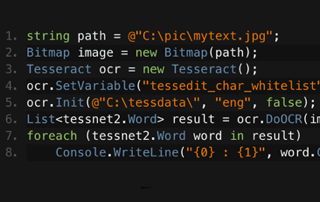
C# Tesseract OCR

JimはIronOCRの開発において中心的な人物であり、OCRのための画像処理アルゴリズムと読み取り方法を設計し、構築しています。
JimのTesseract比較を見る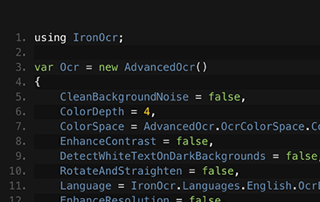
C# OCR ASP.NET

画像からテキストを読むためにIronOCRを使用するGemmaのチームの方法を学びましょう。Gemmaは自身のコードサンプルを共有しています。
Gemmaのイメージからテキストへのチュートリアルを見る





Ironのチームは、.NETソフトウェアコンポーネント市場で10年以上の経験があります。










Install-Package IronOcr

クレジットカード不要

試用キーはメールに届いているはずです。トライアルフォームが正常に
送信されました。
もし届いていない場合は
support@ironsoftware.comにご連絡ください。
クレジットカード不要

 無料で始めましょう
ウォーターマークなしで本番環境でテスト。
必要な場所で動作します。
完全に機能する製品を30日間利用できます。
数分でセットアップして稼働します。
製品試用期間中、サポートエンジニアリングチームへのフルアクセス
 無料で始めましょう
 無料ライブデモを予約
製品とその主要機能のライブデモをご覧いただけます。
NuGetでインストール
あなたが必要なすべての情報を持っていることを確認するために、すべての質問にお答えします。(コミットメントは一切ありません)。
無料ライブデモを予約



制限なし。100% ロック解除済み。クレジットカード不要。
 クレジットカードやアカウントの作成は不要です。制限なし。100% ロック解除済み。クレジットカード不要。




義務のない相談を予約

下記のフォームを記入するか、sales@ironsoftware.comにメールしてください。
あなたの詳細は常に守秘されます。

30分間の個別デモを予約してください。
契約なし、カード詳細なし、コミットメントなし。






